
Prompts GPT Image: bibliothèque gratuite GPT Image 2
Explorez la bibliothèque gratuite de prompts GPT Image 2 avec des idées pour portraits, photos produit, logos, visuels réseaux sociaux et plus encore.
Décrivez votre idée et laissez l'IA créer le prompt parfait pour vous
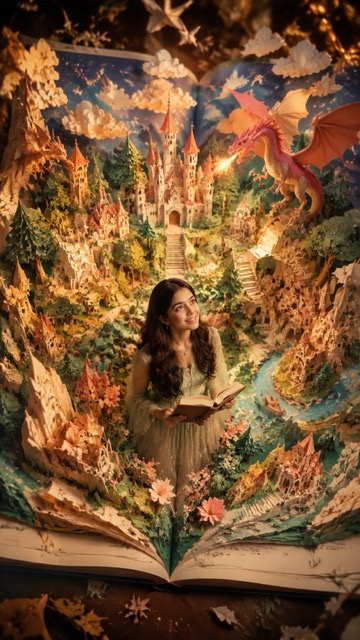
Prompt:
{ "style":"ultra-detailed cinematic fantasy popup-book realism, handcrafted premium paper diorama, semi-realistic Disney-inspired fantasy aesthetic", "subject":{ "main_character":"use uploaded person as protagonist", "identity_preservation":"preserve exact face, eyes, lips, hair, and identity", "character_style":"semi-realistic fantasy character", "theme":"fairytale popup-book universe", "action":"exploring magical world, looking upward in awe at dragons, floating clouds, stars, castles, or fantasy elements" }, "scene":"a giant opened popup storybook where the fantasy world physically rises from the pages", "composition":{ "camera":"top-view cinematic overhead shot", "book_visibility":"entire open book visible with center fold", "depth":"strong foreground, midground, and background layering" }, "world":[ "paper castles", "paper forests", "paper staircases", "paper mountains", "paper flowers", "floating paper clouds", "dragons", "storybook villages" ], "materials":"premium layered paper craft with realistic folds, paper edges, handcrafted textures, and soft dimensional shadows", "lighting":"warm golden-hour cinematic lighting with dreamy atmosphere", "camera_details":"50mm lens, shallow depth of field, miniature photography aesthetic", "colors":"cream, warm green, soft blue, coral, gold accents", "quality":"16K ultra realistic, hyper detailed, cinematic volumetric lighting", "negative_prompt":[ "cheap toy look", "plastic textures", "fully 2D illustration", "bad anatomy", "AI artifacts", "blurry face", "book not visible", "flat composition", "identity change" ], "aspect_ratio":"4:5", "output_goal":"a real human transformed into the main character of a magical handcrafted popup fairytale world" }
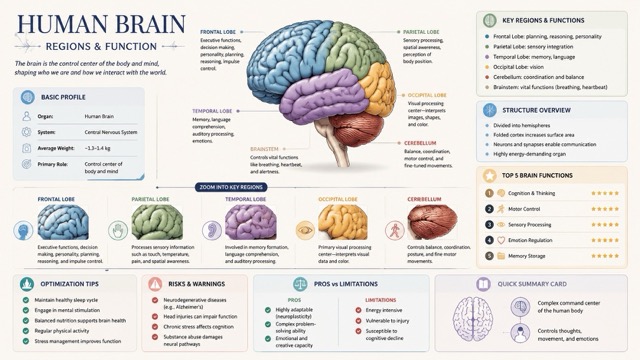
Prompt:
{ "type": "image_prompt", "title": "Human Brain Regions & Function "style": { "overall": "premium natural-history guidebook meets modern editorial infographic", "tone": "educational, refined, collectible, highly structured", "background": "clean light-colored", "palette": "soft, elegant, muted scientific tones (light blues, warm grays, subtle pastels)", "lighting": "gentle shadows, soft highlights", "layout": "vertical, modular, high information density but uncluttered" }, "composition": { "main_subject": { "type": "detailed anatomical illustration", "description": "highly detailed human brain with clearly defined regions", "style": "semi-realistic scientific illustration with soft shading", "placement": "upper-middle focal area", "labels": "major regions labeled with fine callouts" }, "zoom_sections": [ { "focus": "frontal lobe", "description": "zoomed-in panel showing executive functions, decision making, personality" }, { "focus": "parietal lobe", "description": "sensory processing and spatial awareness" }, { "focus": "temporal lobe", "description": "memory, language, auditory processing" }, { "focus": "occipital lobe", "description": "visual processing center" }, { "focus": "cerebellum", "description": "balance, coordination, motor control" } ], "info_panels": [ { "title": "Basic Profile", "content": [ "Organ: Human Brain", "System: Central Nervous System", "Average Weight: ~1.3–1.4 kg", "Primary Role: Control center of body and mind" ] }, { "title": "Key Regions & Functions", "content": [ "Frontal Lobe: planning, reasoning, personality", "Parietal Lobe: sensory integration", "Temporal Lobe: memory, language", "Occipital Lobe: vision", "Cerebellum: coordination and balance", "Brainstem: vital functions (breathing, heartbeat)" ] }, { "title": "Structure Overview", "content": [ "Divided into hemispheres", "Folded cortex increases surface area", "Neurons and synapses enable communication", "Highly energy-demanding organ" ] }, { "title": "Top 5 Brain Functions", "content": [ "Cognition & Thinking", "Motor Control", "Sensory Processing", "Emotion Regulation", "Memory Storage" ], "visual_style": "ranked list or icon-based scoring" }, { "title": "Optimization Tips", "content": [ "Maintain healthy sleep cycle", "Engage in mental stimulation", "Balanced nutrition supports brain health", "Regular physical activity", "Stress management improves function" ] }, { "title": "Risks & Warnings", "content": [ "Neurodegenerative diseases (e.g., Alzheimer’s)", "Head injuries can impair function", "Chronic stress affects cognition", "Substance abuse damages neural pathways" ] }, { "title": "Pros vs Limitations", "content": { "pros": [ "Highly adaptable (neuroplasticity)", "Complex problem-solving ability", "Emotional and creative capacity" ], "cons": [ "Energy intensive", "Vulnerable to injury", "Susceptible to cognitive decline" ] } }, { "title": "Quick Summary Card", "content": [ "Complex command center of the human body", "Controls thoughts, movement, and emotions"
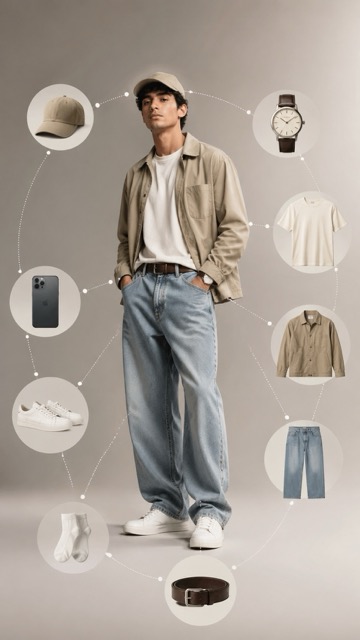
Prompt:
Ultra-realistic fashion infographic photography of a single male model, using the provided reference image only for facial features and natural skin tone. Do NOT copy eyewear, hoodie, or any clothing from the reference image. No glasses. No hoodie. No black clothing. The model must be wearing every item listed below. This is mandatory. Outfit worn by the model: Neutral baseball cap worn on head (cotton, beige or stone color) Oversized cotton crew-neck t-shirt in off-white or light beige, relaxed drape Lightweight casual jacket in beige, olive, or stone color, worn open Baggy high-quality denim jeans with a wide-leg tailored silhouette Leather belt worn with the jeans White ankle socks Clean white minimalist sneakers with rubber sole Modern sexy casual styling, relaxed confident pose, hands in pockets or natural stance. Exploded circular infographic layout: The same items worn by the model are duplicated as floating elements arranged clockwise: Neutral baseball cap Classic leather-strap wristwatch Cotton crew-neck t-shirt Lightweight casual jacket Baggy denim jeans Leather belt Ankle socks White sneakers Minimal everyday accessory (smartphone or sunglasses) Each item suspended mid-air, evenly spaced in a perfect circular composition. Thin dotted infographic guide lines connect each floating item back to the corresponding worn item on the model. Editorial labels: Minimal high-end catalog labels showing: cotton fabric washed denim genuine leather rubber sole Visual style: Clean studio background with subtle neutral gradient Soft diffused lighting, warm premium lifestyle mood Ultra-sharp focus, realistic fabric textures, natural skin tones High-end fashion catalog aesthetic, luxury brand infographic layout Photorealistic, 8K ultra-detail, no text distortion, no artifacts NEGATIVE PROMPT hoodie, sweatshirt, black clothing, glasses, sunglasses on face, missing cap, cap floating only, missing clothing, incorrect outfit, duplicate faces, street background, harsh lighting, low resolution, cartoon, illustration
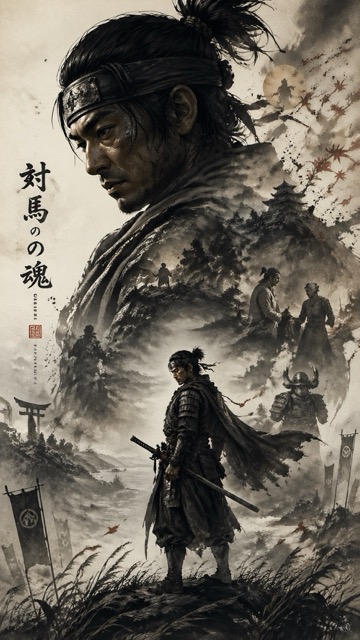
Prompt:
A cinematic character promotional poster of [SUBJECT], vertical composition (9:16), designed with a refined East-Asian ink aesthetic and high-end visual storytelling. STRUCTURE: Top-heavy hierarchical layout. The upper half features a large, highly recognizable silhouette of [SUBJECT]’s head / face / mask / upper body, forming a bold, iconic primary shape. The silhouette should be instantly identifiable. The middle-lower section contains the full-body version of [SUBJECT] as a secondary subject, standing in a stable pose or subtle action stance, forming the visual core. COMPOSITION STYLE: Inside the large silhouette and around the character, use double exposure and collage storytelling. Integrate multiple elements: – key scenes related to [SUBJECT] – symbolic imagery and environment – small narrative figures and interactions – supporting visual motifs Blend everything seamlessly using clouds, mist, ink diffusion, and negative space. VISUAL FLOW: Create a continuous flowing visual path from top to bottom, connecting: – upper silhouette – inner collage elements – full-body subject Ensure smooth eye guidance and compositional cohesion. SIDE ELEMENTS: Add balanced supporting elements on left and right sides to create tension, depth, and spatial variation. STYLE & ATMOSPHERE: – Large areas of negative space – Ink-wash diffusion edges, soft fading, subtle fragmentation – Eastern aesthetic: balance of emptiness and detail – Calm, premium, restrained, cinematic tone QUALITY: Ultra-detailed, high resolution, layered depth, soft lighting, atmospheric perspective, cohesive series-style design. OUTPUT: 9:16 aspect ratio, poster-ready composition.
Prompt:
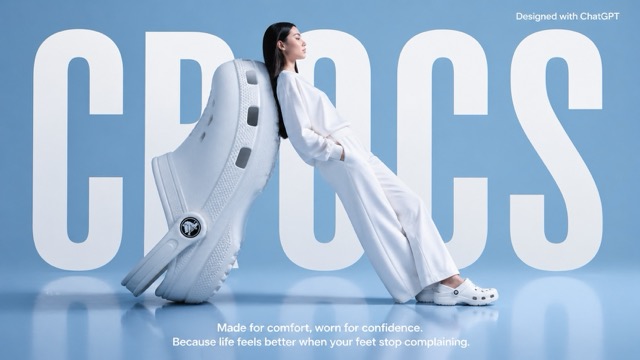
A high-fashion surrealist advertising poster for Crocs. The scene is set in a minimalist, monochrome light blue studio with a semi-reflective floor. The central focus is an oversized, giant white Croc clog positioned on its heel at a diagonal angle, serving as a backrest. A fashion model with long dark hair, dressed in a clean, all-white coordinated sweatshirt and wide-leg trousers, leans her entire back against the giant shoe in a relaxed, leaning posture. She is facing right in profile, looking ahead with a serene expression, and wearing standard-sized white Crocs. In the background, the word "CROCS" is written in massive, bold, white condensed sans-serif typography, partially occluded by the giant shoe and the model to create a sense of depth. At the top right, "Designed with ChatGPT" At the bottom center, a white sans-serif tagline reads: "Made for comfort, worn for confidence. Because life feels better when your feet stop complaining." The lighting is soft, cool, and even, casting gentle shadows and a soft reflection of the subjects on the glossy blue floor. The overall aesthetic is clean, modern, and high-concept.
Prompt:
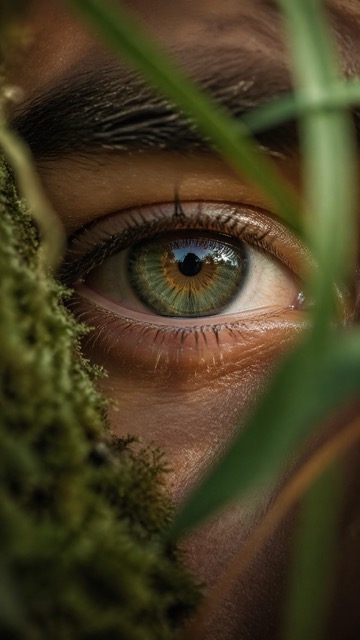
Ultra-realistic macro nature photograph of a human eye in an outdoor environment, the eye partially framed by natural elements such as soft moss, blurred leaves, or grass blades gently intersecting the foreground. The iris is hyper-detailed with organic radial textures, subtle color variation (earthy greens, ambers, or deep browns), reflecting the surrounding natural landscape (sky, trees, light). Skin texture is highly detailed — visible pores, fine lines, tiny imperfections, slight dryness and natural oil sheen, embracing a wabi-sabi aesthetic. Eyelashes are imperfect, slightly clumped, catching soft natural light. A faint layer of moisture on the eye adds realism with micro reflections. Lighting is natural golden hour or diffused overcast daylight, soft and directional, creating gentle highlights and shadow falloff across the skin and iris. Shot with extremely shallow depth of field — only a thin slice of the iris in sharp focus, foreground and background melting into creamy, dreamy bokeh with organic shapes. Color grading follows analog 35mm film characteristics — soft contrast curve, slightly muted highlights, warm tones, subtle green shadows, natural color rendering. Fine film grain, slight halation, and micro imperfections (dust, light leaks, softness at edges). Composition: macro framing, eye slightly off-center, vertical 9:16 aspect ratio, immersive and intimate perspective. Lens & camera feel: 100mm macro lens, f/2 or wider, shallow DOF, handheld micro imperfections, cinematic realism, 8K detail. Mood: quiet, intimate, poetic, grounded in nature — human + earth connection.
Prompt:
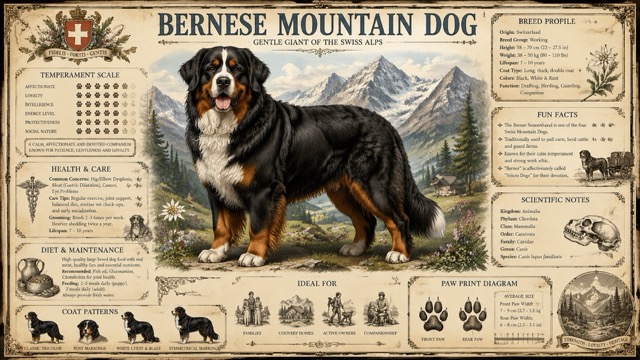
Create a highly detailed A4 vertical vintage encyclopedia style dog breed poster for (Dog name) Style: old scientific natural history chart, Victorian encyclopedia, premium wildlife atlas, museum wall poster. Use aged parchment paper texture, ornate vintage borders, elegant serif typography, realistic detailed dog standing in center, soft colorful mountain background, subtle earthy tones with muted forest green, navy blue, faded gold, and warm brown accents. Include infographic sections: Breed Profile, Temperament Scale, Health & Care, Diet & Maintenance, Ideal For, Fun Facts, Scientific Notes, Coat Patterns, Paw Print Diagram. Add engraved illustrations, antique icons, ink grain texture, botanical sketch details, and collectible printable poster aesthetics. NO QR code. NO modern UI. NO flat minimal design. Ultra detailed, premium printable quality, realistic fur texture, balanced symmetrical layout, 8K.
Prompt:
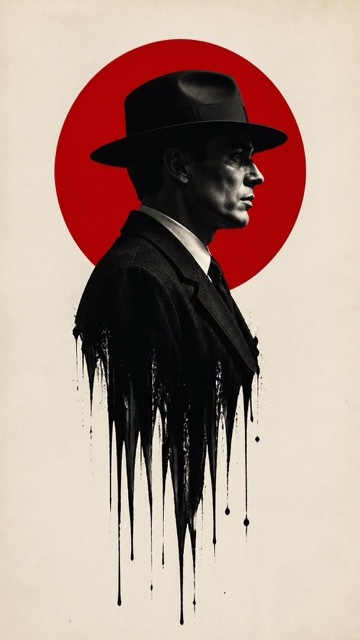
Subject & Composition: Central Figure: A sharp profile view of a man wearing a classic 1940s fedora and a formal suit. Melting Effect: The lower half of the man's torso should dissolve or "drip" into long, vertical black ink streaks and splatters, creating a surreal, liquid-bleed effect against the background. Graphic Element: A large, solid vibrant red circle is positioned directly behind the man's head and shoulders, creating a "halo" or "rising sun" motif that anchors the composition. Style & Color Palette: Color Scheme: A strict minimalist palette of True Red, Deep Black, and Off-White/Cream. Photography Style: High-contrast, black and white film noir photography for the subject. The texture should look like a high-resolution fashion editorial with a shallow depth of field. Background: A clean, slightly textured off-white paper or canvas background to give it a premium, physical poster feel. Technical Details: Lighting: Strong "Rembrandt" lighting to define the facial contours, emphasizing the bridge of the nose and the jawline with deep shadows. Atmosphere: Somber, intellectual, and high-stakes. The design should feel modern yet period-accurate to the mid-20th century. Framing: Vertical poster orientation (A-frame), with significant negative space on the left and right to emphasize the central vertical axis. Aspect ratio is 9:16
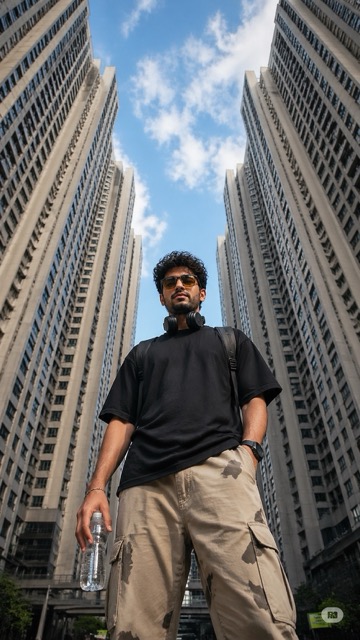
Prompt:
Ultra-realistic low-angle street photography of a young man standing confidently in the middle of a modern city, surrounded by tall symmetrical high-rise apartment buildings forming a geometric frame around the sky. Shot from ground level looking upward (worm’s-eye view), creating a powerful and dominant perspective. The subject is a stylish young man with short curly hair and light facial hair, wearing yellow-tinted rectangular sunglasses, a plain black oversized t-shirt, beige cargo pants with subtle camo patches, and carrying a transparent water bottle in one hand. Black headphones rest around his neck, and a backpack strap is visible on his shoulders. Expression calm and slightly serious, looking directly into the camera. Background: bright blue sky with scattered soft clouds, buildings converging inward creating strong leading lines and symmetry. Urban residential towers with repeating windows and light concrete tones. Lighting: natural daylight, crisp shadows, high contrast, sharp details, HDR look. Composition: centered subject, vertical framing, strong perspective distortion from wide-angle lens (24mm or wider), cinematic depth. Style: fashion editorial meets urban realism, ultra-detailed, 8k, sharp focus, realistic skin texture, high dynamic range.
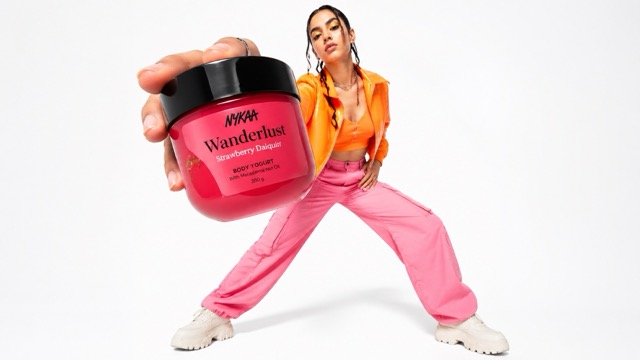
Prompt:
Low-angle fashion campaign photograph of a confident model holding a large [product name] very close to the camera, exaggerated perspective with the hand and product dominating the foreground, full-body pose visible in the background, wide stance, dynamic posture, clean pure white studio background, high-key lighting, sharp focus on product, slight depth of field on the model, bold colorful outfit with strong contrast tones, modern beauty advertising aesthetic, ultra-clean composition, commercial studio photography, glossy packaging detail visible, crisp shadows
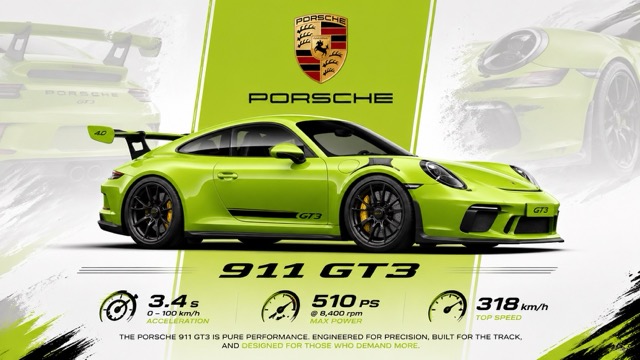
Prompt:
“A vibrant lime green Porsche 911 GT3 is showcased in a dynamic, graphic poster. The car is positioned in the center, viewed from its left side in a three-quarter profile, facing right. Its sleek, aerodynamic design is emphasized with black accents, large rear spoiler, and distinctive wheels. Subtle overlays of a faded lime green Porsche hint at its branding and lineage in the background. A prominent vertical lime green stripe cuts through the poster, framing the Porsche crest and the "PORSCHE" text above the car. Below the vehicle, the "911 GT3" model designation is displayed in a bold, stylized font. Graphics illustrating acceleration, power, and top speed are arranged at the bottom, along with descriptive text. The overall composition is clean, modern, and energetic, utilizing a limited color palette of lime green, white, black, and the red, gold, and black of the Porsche emblem. The lighting is bright and even, highlighting the car's contours and the graphic elements of the poster, creating a high-impact visual presentation.”
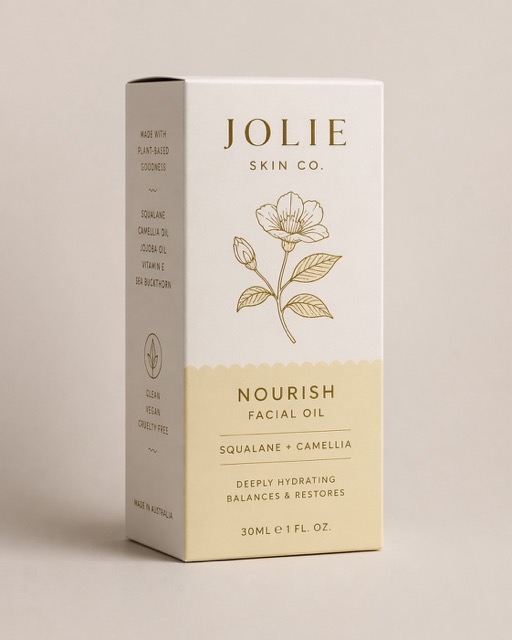
Prompt:
Assemble the dieline into a flawless 3D box with accurate panels, clean folds, undistorted type, and artwork preserved exactly. shoot it upright at a refined ¾ angle in a minimal premium studio setting with a soft neutral background, diffused light, subtle shadows, no props, true colours, matte paperboard texture, and realistic editorial detail
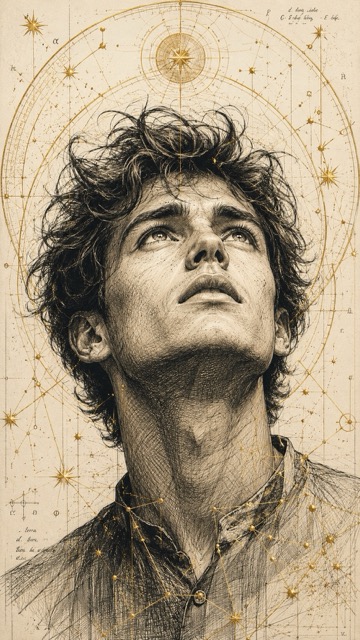
Prompt:
A highly detailed, hand-drawn illustration in a technical style of a young man looking upward with a hopeful and at the same time intense expression. His face is elaborated with fine cross-hatching that particularly emphasizes the facial structure and the emotional impact. The hair appears tousled and dynamic, with individual strands depicted in an ink-like sketch style.The portrait is surrounded by golden geometric patterns, celestial rings, and constellation-like lines, creating a fusion of scientific precision and spiritual atmosphere.Ratio 9:16
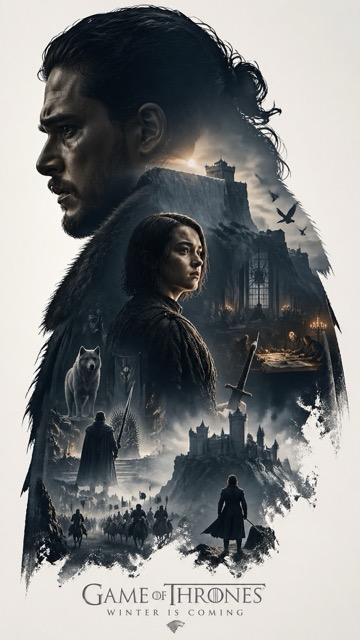
Prompt:
Based on *CHARACTER*, automatically generate a collector's edition epic narrative poster, The giant and elegant silhouette of the *CHARACTER* character as the outer contour, with the silhouette internally automatically growing out the most fitting complete worldview for this theme, iconic scenes, character relationships, symbolic symbols, key architecture, creatures, props, and atmosphere. The overall is not a regular collage, but a high-end silhouette contour filling narrative synthesis, with double exposure 联想, but enhanced to a cinematic narrative expression and spatial arrangement. Film poster style + Eastern realistic aesthetic fusion, emphasizing real physical light and shadow, camera language, spatial depth, and narrative hierarchy. Light and shadow employ cinematic side-backlighting with 局部 warm light accents, maintaining a restrained contrast between warm and cool tones for realism. Volume lighting and light fog are added to enhance spatial depth. Materials exhibit realistic textures (architecture, silk, skin, stone), avoiding pure painting brushstrokes, preserving soft aerial perspective but optimized for cinematic depth of field and focus control. Light film grain, edge halos, and brush marks are replaced with cinematic soft transitions. Large areas of white space, restrained and sophisticated layout, quiet, grand, restrained, and destiny-strong narrative of Eastern cinema. All elements must be strongly bound to the theme, instantly recognizable, no clutter, no forced collage, no templated backgrounds, no cheap fantasy materials. 9:16 Make sure you put whoever you want in the *character*. I chose Jon Snow and Arya Stark for my posters!
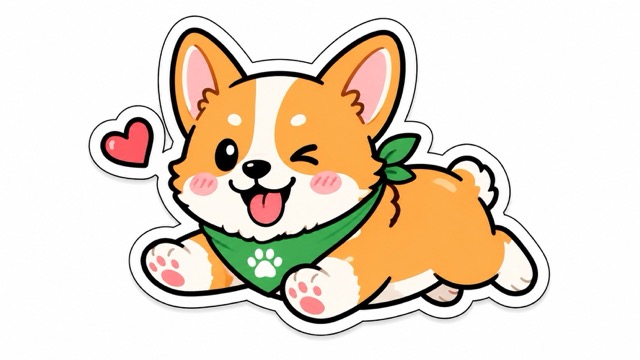
Prompt:
“Hand-drawn sticker-style illustration of [Subject/Object], bold clean outlines, vibrant flat colors, expressive and cute design, slightly exaggerated features, fun and modern aesthetic, high contrast, playful personality, minimal but eye-catching”
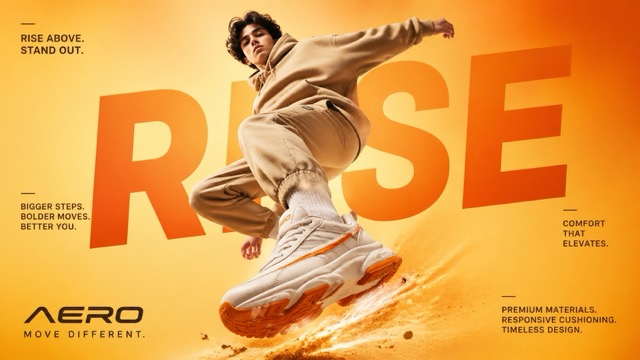
Prompt:
"A cinematic, high-end sneaker advertisement poster featuring a young male model mid-air in a dynamic jumping pose, captured from a low-angle perspective to emphasize power and motion. The model is wearing a coordinated beige streetwear outfit (hoodie and joggers), with oversized chunky white sneakers that have bold orange accents on the sole and side stripes. The background is a smooth studio gradient in warm tones, blending light yellow and vibrant orange for an eye-catching, energetic feel. Dramatic soft studio lighting enhances the subject, with glowing highlights and subtle shadows that complement the outfit and colour palette. Behind the model, large bold typography is seamlessly integrated into the composition, reading “RISE” in oversized modern sans-serif font, partially obscured by the subject for depth. Additional small promotional text is placed around the layout in a clean editorial style, such as: “RISE ABOVE. STAND OUT.” “BIGGER STEPS. BOLDER MOVES. BETTER YOU.” “COMFORT THAT ELEVATES.” “PREMIUM MATERIALS. RESPONSIVE CUSHIONING. TIMELESS DESIGN.” At the bottom, a modern sneaker brand logo “AERO” appears with the tagline “MOVE DIFFERENT.” Add subtle motion effects like dust particles or energy trails beneath the jumping foot to enhance impact. Ultra-realistic detail, sharp focus, high contrast, commercial fashion photography style, magazine-quality composition, 4K resolution."
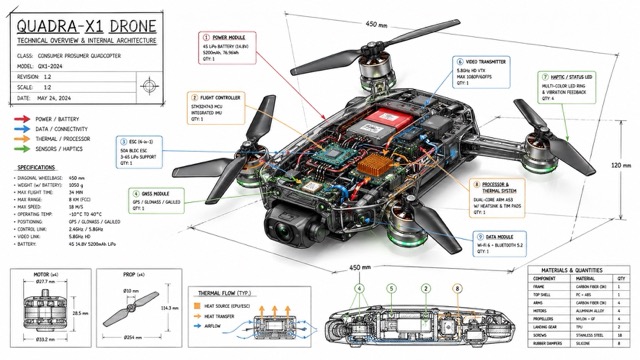
Prompt:
“Create a technical infographic of [OBJECT] with a 45-degree isometric 3D perspective showing the device slightly tilted to reveal depth and dimension. Combine a realistic photoreal render with black ink technical annotations on pure white background. Include: Key component labels with color-coded callout boxes Internal component visibility through transparent/cutaway sections Measurements, dimensions, and precise scale markers Material callouts and quantities Color-coded arrows for function/flow: RED (power/battery), BLUE (data/connectivity), ORANGE (thermal/processor), GREEN (sensors/haptics) Simple schematics or cross-sectional diagrams where relevant Place “OBJECT” title in a hand-drawn technical box (top-left corner). Style: Black linework (technical pen/architectural), sketched but precise. Object remains clearly visible. Educational museum-exhibit vibe. Clean composition, balanced negative space. Perspective: Isometric 3D angle—tilted to show depth, dimension, and internal architecture dramatically. Like a professional product teardown or engineering manual. Colors: ~10-15% accent density. Black dominant. White background. Output: 1080×1080, ultra-crisp, social-feed optimized.”
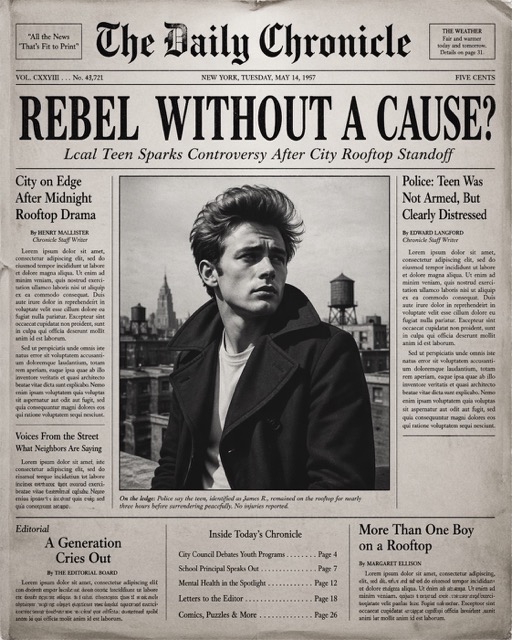
Prompt:
Create the most realistic front page design of a vintage newspaper featuring the main character. The layout should be made in the style of a real printed newspaper with a cinematic black-and-white aesthetic. The main photo should be prominently placed in the center, framed, like the image in the title of the article. The subject in the photo should remain unchanged and clearly distinguishable in natural light and slightly increased contrast in order to match the spectacular editorial style. Create a bold, attention-grabbing headline at the top (create a unique title that matches the spirit of the photo - it can be romantic, mysterious, funny, or dramatic). Add a smaller subtitle under it, which will look like a real newspaper caption. Add realistic newspaper elements: Columns of small text (in the style of lorem ipsum, but framed like real news) At the top is the fictitious name of the publication (for example, “The Daily Prompts”, “AI Times” or similar - think creatively, according to the picture) Date, issue number and location Decorative lines, dividers, and vintage typography Small additional articles or captions to the main image Optional stamps, doodles, or editorial notes to add personality. Style: Black and white or slightly faded monochrome paper Fine paper texture, grain, and ink defects Small shadows and creases that mimic real printed paper The aesthetics of a clean but slightly worn vintage newspaper Mood: Give the design personality, expressiveness and plot, as if the plot is part of the main article. Aspect ratio: 4:5 or 1:1 High-detail, ultra-realistic hybrid of editorial photography and print design.
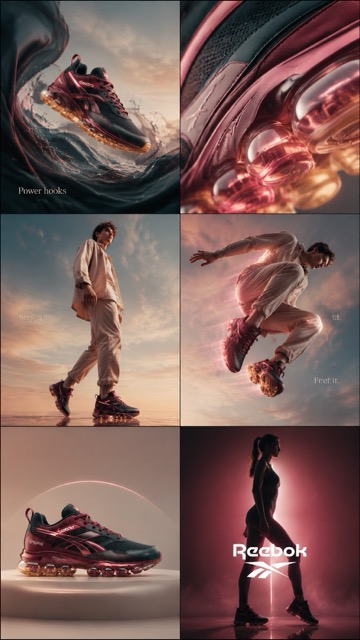
Prompt:
cinematic 6-frame grid (3x2), ultra-premium campaign for Rebook “sharp groves” in deep berry green + glossy rose tones STRICT consistency across all frames: same lighting setup, same color grading, same product color accuracy, same soft beige-blue orange gradient background, same luxury editorial tone lighting: soft diffused studio lighting + glossy specular highlights + subtle pink glow accents color palette: deep berry red, glossy pink, blush beige, warm ivory, soft gold reflections texture emphasis: matte mesh + glossy leather + translucent air bubble CAMPAIGN CONCEPT: “power in moves” MOOD: feminine strength, confident, bold, effortless luxury, streetwear meets beauty campaign FRAME 1 — HOOK (surreal scroll stopper) Rebook floating mid-air, surrounded by flowing liquid dim blue silk + glossy fluid waves, subtle motion distortion, dreamy yet powerful composition FRAME 2 — TEXTURE (desire macro) extreme macro close-up of air bubble + layered material textures, translucent sole glowing with warm golden light, hyper-detailed reflections FRAME 3 — EMOTION (identity) confident male model wearing Rebook, walking forward with attitude, soft wind in hair, minimal neutral outfit, strong posture, empowered presence FRAME 4 — MOVEMENT (performance) dynamic mid-air jump shot, motion blur trails, glowing air sole emphasizing bounce, high-speed capture feel, energy lines FRAME 5 — HERO PRODUCT (clean dominance) perfectly centered product shot, symmetrical composition, ultra-clean background, premium minimal aesthetic, sharp detail FRAME 6 — BRAND PAYOFF (iconic finish) cinematic silhouette of female figure wearing the sneakers, strong pink backlight glow, dramatic shadows, bold rebook energy, powerful stance STYLE: high fashion editorial + luxury product photography + cinematic sports campaign ultra-realistic, 4k, sharp focus, depth of field, premium finish, no distortion, no inconsistencies OPTIONAL TEXT OVERLAY (minimal, clean typography): “Power hooks” / “Steps in” / “Feel it.”
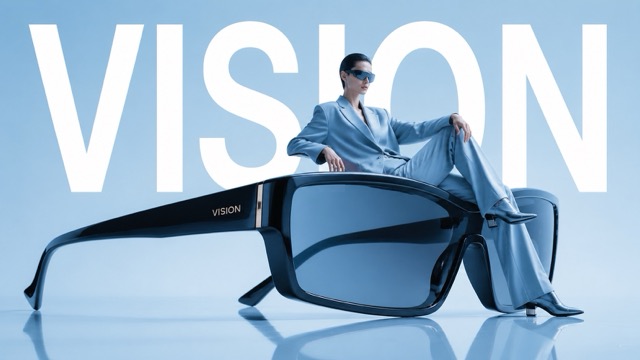
Prompt:
Avant-garde fashion advertisement, oversized futuristic sunglasses positioned like sculpture, model casually seated on the frame as if furniture, giant word "VISION" behind in bold white typography, powder blue studio background, reflective floor, luxury eyewear campaign aesthetic, ultra-clean layout, editorial magazine styling, 1:1
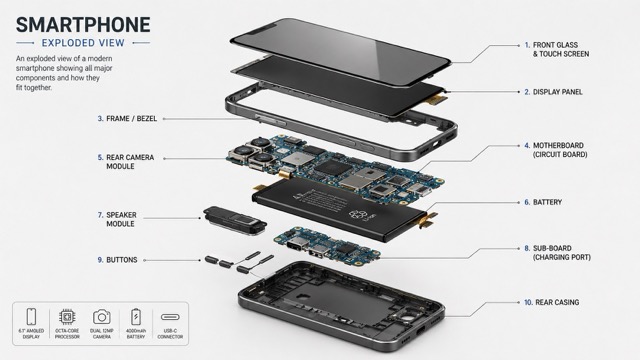
Prompt:
“Create a technical exploded view diagram of a [OBJECT]. The device is deconstructed showing all individual components floating in space, separated from each other to reveal internal parts. Each major component is labeled with clean lines pointing to parts like screen, circuit board, battery, casing, buttons, etc. Isometric perspective, technical illustration style with soft shadows between parts. Light grey/white clean background. Educational infographic aesthetic similar to engineering blueprints or patent drawings. All parts aligned in logical assembly order showing how they fit together. 2:3 dimension.”
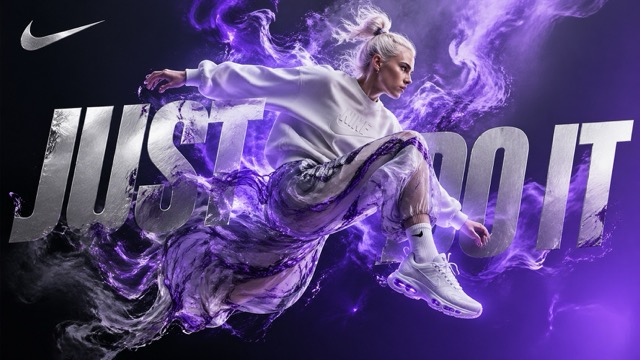
Prompt:
A highly detailed digital artwork in a surreal, dynamic style inspired by premium athletic advertising for Nike, Inc. A young athletic woman with platinum blonde hair tied in a messy bun, fair skin, and a fiercely focused expression is captured mid-jump or leap, her body leaning slightly forward as if bursting with raw, untamed energy. She wears a loose, off-white Nike crewneck sweatshirt with subtle embossed Nike branding on the chest, paired with flowy, semi-transparent pants featuring a swirling marbled pattern in graphite grey and electric violet, billowing dramatically around her legs. On her feet are sleek, futuristic white Nike sneakers with glowing violet accents, visible Air-inspired sole details, and an aerodynamic design. Vibrant electric violet energy or ethereal smoke erupts dramatically from behind her, swirling and dissolving into abstract, cloud-like forms that interact with her clothing, creating a powerful sense of motion and release. The background is a deep, moody gradient transitioning from charcoal grey to luminous twilight violet, emphasizing a minimalist yet striking composition. Overlay large, bold metallic silver text reading “Just Do It” in a sharp, modern sans-serif font, partially integrated and obscured by the energy smoke and the figure, making it feel like an organic part of the scene. Include the iconic Nike Swoosh logo in the top-left corner in shimmering silver.
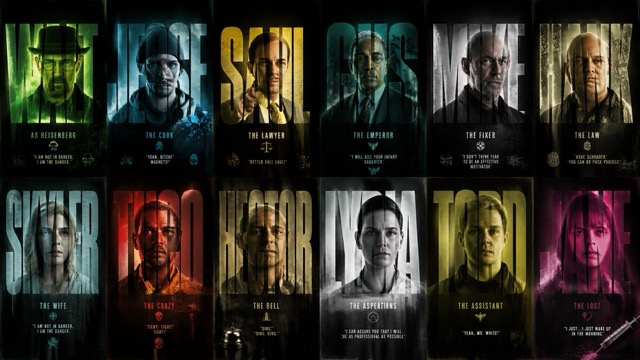
Prompt:
Create a high-contrast, cinematic graphic design poster inspired by the TV series Breaking Bad, featuring a 2x6 vertical grid of twelve distinct title-card panels showcasing iconic characters from the show. The aesthetic should blend Urban Grunge with crime-thriller intensity, using distressed textures, film grain, and bold typography masking effects. Each panel should prominently feature a massive extra-bold sans-serif name such as WALT, JESSE, SAUL, GUS, MIKE, HANK, SKYLER, TUCO, HECTOR, LYDIA, TODD, and JANE, with the character portrait visible only inside the filled letterforms using a clipping/masking silhouette-window effect. Add smaller cinematic credit text beside or below the names in clean typography, such as “AS HEISENBERG”, “THE LAWYER”, or “THE FIXER.” Characters should have gritty, realistic portraits with intense or emotionless expressions, featuring iconic looks: Walter White in hat/glasses, Jesse Pinkman in hoodie/beanie, Saul Goodman in flashy suit, Gus Fring in formal attire, Mike Ehrmantraut bald with stern face, and Hank in DEA style. Use high-contrast dramatic studio lighting with rim lights and shadows; selectively add green chemical-lab glow, neon cyan, magenta, and amber highlights to certain cards. Backgrounds in each panel should feel unique but cohesive: weathered concrete, rusted metal, cracked walls, wrinkled paper, and smoky meth-lab atmospheres. Overlay heavy ink splatters, paint drips, brush strokes, scratches, scan lines, dust, film burns, and grain for a distressed cinematic look. The overall palette should use dark green, toxic neon lime, monochrome greys, deep charcoals, dirty yellows, and off-whites, with accent pops like a glowing green haze behind Walter, red-orange behind Tuco, blue meth-crystal highlights around Jesse, and sterile white tones around Lydia. The final result should look like a premium Netflix-style crime drama cast poster with a raw, edgy, highly stylized graphic design aesthetic.
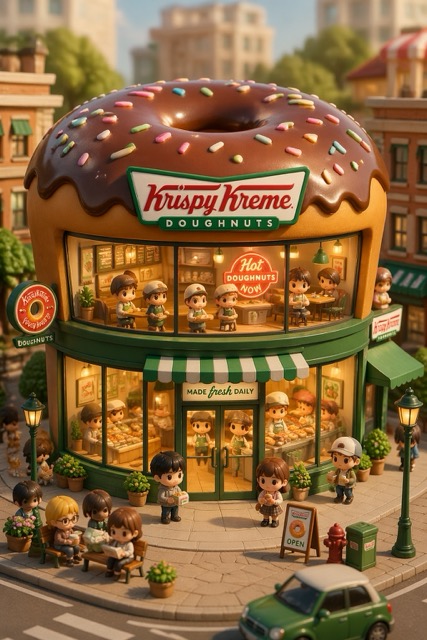
Prompt:
3D chibi-style miniature concept store of {Brand Name}, creatively designed with an exterior inspired by the brand's most iconic product or packaging (such as a giant {brand's core product, e.g., chicken bucket/hamburger/donut/roast duck}). The store features two floors with large glass windows clearly showcasing the cozy and finely decorated interior: {brand's primary color}-themed decor, warm lighting, and busy staff dressed in outfits matching the brand. Adorable tiny figures stroll or sit along the street, surrounded by benches, street lamps, and potted plants, creating a charming urban scene. Rendered in a miniature cityscape style using Cinema 4D, with a blind-box toy aesthetic, rich in details and realism, and bathed in soft lighting that evokes a relaxing afternoon atmosphere. --ar 2:3
Explorez la meilleure bibliothèque de prompts GPT Image 2 IA
Découvrez de nouvelles idées de prompts GPT Image 2 IA, des exemples prêts à copier, de l’inspiration visuelle et des boutons directs pour commencer à créer avec GPT Image 2 IA en quelques secondes.
Débloquez de nouvelles idées créatives avec notre bibliothèque dédiée de prompts GPT Image 2 IA. Cette page est conçue pour toute personne qui veut des exemples pratiques de GPT Image 2 IA des modèles de prompts GPT Image IA soignés et une inspiration simple pour des portraits, logos, produits, affiches, publications sociales et plus encore. Chaque entrée GPT Image 2 IA comprend une idée de prompt, une direction visuelle et un bouton direct pour vous aider à tester plus rapidement des workflows GPT Image IA gratuits.
Comment utiliser cette bibliothèque de prompts GPT Image 2 IA
Nous avons conçu cette page pour vous aider à trouver, copier et utiliser le bon prompt GPT Image 2 IA aussi vite que possible. Aucune configuration compliquée n’est nécessaire.

Parcourir un style de prompt
Explorez différentes catégories conçues pour GPT Image 2 IA, comme les portraits, images de produits, créations publicitaires, concepts de logos, affiches cinématographiques, visuels pour les réseaux sociaux et œuvres stylisées. Chaque section est organisée pour rendre la découverte de GPT Image 2 IA simple.

Copier le prompt GPT Image IA
Choisissez le prompt qui vous plaît et copiez instantanément le prompt GPT Image IA complet. Chaque exemple est rédigé pour être directement utilisable avec GPT Image 2 IA afin de vous faire gagner du temps et d’éviter les essais hasardeux.

Cliquer et générer
Utilisez le bouton intégré pour passer directement à la création et tester le prompt immédiatement. Cela permet de transformer facilement l’inspiration GPT Image 2 IA en visuels réels grâce à un workflow GPT Image IA gratuit et rapide.
Fonctionnalités de notre bibliothèque de prompts GPT Image 2 IA
Cette page est plus qu’une simple liste d’idées. C’est une ressource pratique pour les créateurs, marketeurs, designers et utilisateurs occasionnels qui veulent de meilleurs résultats GPT Image 2 IA avec moins d’essais et d’erreurs.
Modèles de prompts prêts à copier
- Chaque entrée est rédigée comme un prompt GPT Image IA exploitable, et non comme une idée vague.
- Vous pouvez copier-coller chaque prompt GPT Image 2 IA directement dans le générateur.
- Cela aide les débutants à démarrer plus vite et permet aux utilisateurs avancés d’itérer sur les résultats GPT Image 2 IA avec moins de friction.
- Si vous voulez des exemples pratiques plutôt que de la théorie, cette bibliothèque GPT Image 2 IA est faite pour vous.
Idées de prompts pour de multiples styles visuels
- Trouvez des prompts GPT Image 2 IA pour des portraits réalistes, des mockups de produits, des brouillons de logos, des créations pour les réseaux sociaux, des affiches, des visuels éditoriaux et plus encore.
- Notre collection de prompts GPT Image IA est conçue pour montrer comment différentes formulations modifient l’éclairage, la composition, la couleur et le niveau de détail.
- Cela rend GPT Image 2 IA plus facile à contrôler pour de nombreux cas d’usage.
- Vous pouvez tester rapidement différentes directions créatives et découvrir ce qui fonctionne le mieux avec l’expérimentation gratuite GPT Image IA.
Bibliothèque de prompts mise à jour selon les nouvelles tendances
- Cette page GPT Image 2 IA est conçue pour être mise à jour en continu.
- Nous ajoutons régulièrement de nouvelles idées de prompts GPT Image IA en fonction des tendances visuelles, de la demande des créateurs et des styles d’image les plus recherchés.
- Cela signifie que vous pouvez revenir régulièrement sur cette bibliothèque GPT Image 2 IA pour trouver de nouvelles inspirations.
- C’est une manière pratique de conserver une source fiable de prompts GPT Image IA gratuits en un seul endroit.
Des boutons directs pour commencer à créer
- Chaque bloc de prompt est pensé pour l’action, pas seulement pour la lecture.
- Après avoir trouvé le bon prompt GPT Image IA, les utilisateurs peuvent passer directement à la création en un clic.
- Cela améliore l’ensemble du workflow GPT Image 2 IA en réunissant l’inspiration et la génération dans la même expérience.
- Pour les utilisateurs qui cherchent des idées GPT Image IA gratuites qu’ils peuvent réellement utiliser immédiatement, c’est bien plus efficace que de parcourir des exemples au hasard.
Pourquoi les utilisateurs adorent ce hub de prompts GPT Image 2 IA
Notre bibliothèque est conçue pour rendre GPT Image 2 IA plus simple, plus rapide et plus utile pour le travail créatif au quotidien.

De meilleurs résultats sans deviner les prompts
De nombreux utilisateurs savent que GPT Image 2 IA est puissant, mais ne savent pas comment formuler clairement leurs demandes. Ce hub de prompts réduit les approximations en proposant des exemples de prompts GPT Image IA structurés, prêts à être testés et faciles à adapter.

Utile pour les créateurs et les marketeurs
Des miniatures et publicités aux portraits et visuels produits, GPT Image 2 IA peut répondre à de nombreuses tâches concrètes. Notre bibliothèque aide les créateurs à transformer GPT Image 2 IA en workflow pratique plutôt qu’en expérience aléatoire.

Une inspiration rapide pour le contenu quotidien
Besoin rapidement d’une nouvelle idée visuelle ? Cette bibliothèque de prompts GPT Image 2 IA vous donne des points de départ rapides pour des posts, campagnes, landing pages et brouillons créatifs. Elle est idéale pour des tests répétés et gratuits avec GPT Image IA.

Copier, modifier et personnaliser
Chaque prompt GPT Image IA peut être utilisé tel quel ou modifié selon votre sujet, palette de couleurs, ambiance, style de marque ou format. Cela rend GPT Image 2 IA flexible aussi bien pour les débutants que pour les utilisateurs avancés.

Organisé selon les besoins visuels les plus courants
Au lieu de faire défiler des prompts au hasard, les utilisateurs peuvent trouver des exemples GPT Image 2 IA regroupés selon des besoins fréquents. Cela vous aide à avancer plus vite et donne une structure plus claire à l’exploration gratuite de GPT Image IA.

Une bibliothèque vivante d’idées GPT Image IA gratuites
Cette page a été conçue comme une ressource évolutive. À mesure que nous ajoutons plus de modèles GPT Image 2 IA et davantage de formats de prompts GPT Image IA, les utilisateurs profitent d’une collection grandissante d’idées GPT Image IA gratuites qu’ils peuvent revisiter à tout moment.
Ce que les utilisateurs disent de notre bibliothèque de prompts GPT Image 2 IA
Les utilisateurs se servent de cette page pour gagner du temps, obtenir de meilleurs résultats et découvrir de nouveaux workflows GPT Image 2 IA pour leurs tâches créatives quotidiennes.
J’utilise GPT Image 2 IA pour mes visuels sociaux presque chaque semaine. Cette bibliothèque me donne à chaque fois un excellent point de départ en prompt GPT Image IA, ce qui me permet de passer beaucoup plus vite de l’idée au visuel.
Avant cette page, je réécrivais sans arrêt le même prompt GPT Image IA. Maintenant, je peux parcourir quelques exemples GPT Image 2 IA, en copier un et obtenir un résultat soigné avec beaucoup moins d’effort.
Le meilleur, c’est que les prompts GPT Image 2 IA sont réellement utilisables. Je n’ai pas besoin de déchiffrer des conseils abstraits. Je copie simplement le prompt GPT Image IA, je modifie quelques détails et je crée quelque chose de nouveau.
Je voulais une meilleure façon de tester des idées GPT Image IA gratuites pour des affiches et des publicités produits. Cette bibliothèque a rendu GPT Image 2 IA plus concret, surtout quand j’ai besoin d’inspiration sous pression.
J’aime le fait que la page continue de s’enrichir. J’y reviens pour de nouveaux exemples GPT Image 2 IA, et elle me donne toujours un prompt GPT Image IA utile à adapter pour mes campagnes et mes moodboards.
En tant que débutant sur GPT Image 2 IA, j’avais besoin d’exemples simples et concrets. Cette page m’a donné des formats de prompts GPT Image IA clairs et m’a aidé à tester des workflows GPT Image IA gratuits avec confiance.

Questions fréquentes sur GPT Image 2 IA
Voici les questions les plus courantes des utilisateurs qui veulent parcourir, copier et utiliser plus efficacement des prompts GPT Image 2 IA.
Cette page est une bibliothèque de prompts sélectionnés pour GPT Image 2 IA. Elle rassemble des idées de prompts, des structures de prompts et des exemples créatifs que les utilisateurs peuvent copier, modifier et tester directement. Au lieu de partir d’une zone vide, vous pouvez utiliser un prompt GPT Image IA qui suit déjà une direction claire.
Oui. Chaque prompt GPT Image IA sur cette page est conçu pour être facile à copier-coller. Vous pouvez utiliser la formulation d’origine comme point de départ, puis ajuster le sujet, le style, l’éclairage, l’angle de caméra ou le format de sortie pour l’adapter à votre propre projet GPT Image 2 IA.
Oui. La page est conçue comme une ressource GPT Image 2 IA en évolution. De nouvelles idées de prompts, de nouvelles catégories et de nouveaux exemples peuvent être ajoutés au fil du temps afin que les utilisateurs aient toujours accès à davantage d’options de prompts GPT Image IA et à plus d’inspiration gratuite GPT Image IA.
Cette page est utile pour les créateurs, designers, marketeurs, fondateurs, étudiants et toute personne qui expérimente les visuels IA. Que vous vouliez des publications sociales, des images produits, des affiches, des portraits ou du concept art, un bon prompt GPT Image IA peut vous aider à obtenir de meilleurs résultats GPT Image 2 IA plus rapidement.
Absolument. Si vous voulez tester des idées GPT Image IA gratuites sans perdre du temps à inventer des structures de prompts à partir de zéro, cette page est une ressource pratique. Elle vous donne des exemples à étudier, réutiliser et adapter tout en explorant les points forts de GPT Image 2 IA.
BananaPro IA rend le workflow GPT Image 2 IA plus pratique en réunissant en un seul endroit l’inspiration de prompts, des textes prêts à copier et des boutons d’action directs. Cela signifie que vous pouvez découvrir un prompt GPT Image IA, l’essayer immédiatement et continuer à tester de nouvelles idées GPT Image IA gratuites avec moins de friction.
Commencez à créer avec GPT Image 2 IA
Trouvez votre prochaine idée GPT Image 2 IA, copiez un prompt GPT Image IA éprouvé et transformez rapidement l’inspiration en visuels avec BananaPro IA.
