
Prompty GPT Image: darmowa biblioteka GPT Image 2
Poznaj darmową bibliotekę promptów GPT Image 2 z pomysłami na portrety, zdjęcia produktowe, logo, social media i nie tylko. Kopiuj i wklejaj od razu.
Opisz swój pomysł, a AI stworzy dla Ciebie idealny prompt
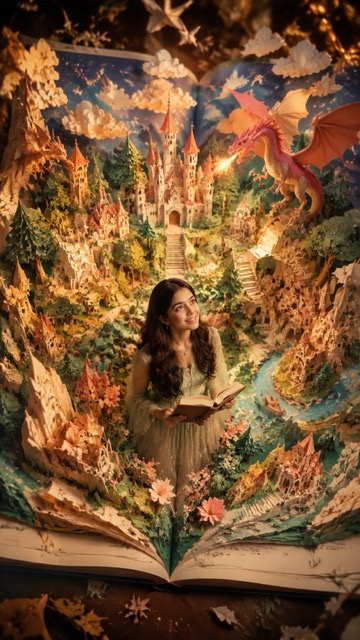
Prompt:
{ "style":"ultra-detailed cinematic fantasy popup-book realism, handcrafted premium paper diorama, semi-realistic Disney-inspired fantasy aesthetic", "subject":{ "main_character":"use uploaded person as protagonist", "identity_preservation":"preserve exact face, eyes, lips, hair, and identity", "character_style":"semi-realistic fantasy character", "theme":"fairytale popup-book universe", "action":"exploring magical world, looking upward in awe at dragons, floating clouds, stars, castles, or fantasy elements" }, "scene":"a giant opened popup storybook where the fantasy world physically rises from the pages", "composition":{ "camera":"top-view cinematic overhead shot", "book_visibility":"entire open book visible with center fold", "depth":"strong foreground, midground, and background layering" }, "world":[ "paper castles", "paper forests", "paper staircases", "paper mountains", "paper flowers", "floating paper clouds", "dragons", "storybook villages" ], "materials":"premium layered paper craft with realistic folds, paper edges, handcrafted textures, and soft dimensional shadows", "lighting":"warm golden-hour cinematic lighting with dreamy atmosphere", "camera_details":"50mm lens, shallow depth of field, miniature photography aesthetic", "colors":"cream, warm green, soft blue, coral, gold accents", "quality":"16K ultra realistic, hyper detailed, cinematic volumetric lighting", "negative_prompt":[ "cheap toy look", "plastic textures", "fully 2D illustration", "bad anatomy", "AI artifacts", "blurry face", "book not visible", "flat composition", "identity change" ], "aspect_ratio":"4:5", "output_goal":"a real human transformed into the main character of a magical handcrafted popup fairytale world" }
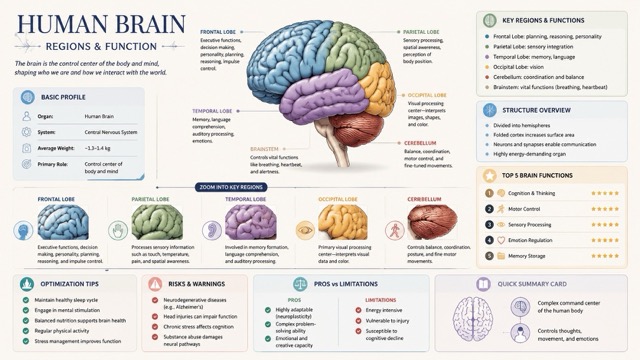
Prompt:
{ "type": "image_prompt", "title": "Human Brain Regions & Function "style": { "overall": "premium natural-history guidebook meets modern editorial infographic", "tone": "educational, refined, collectible, highly structured", "background": "clean light-colored", "palette": "soft, elegant, muted scientific tones (light blues, warm grays, subtle pastels)", "lighting": "gentle shadows, soft highlights", "layout": "vertical, modular, high information density but uncluttered" }, "composition": { "main_subject": { "type": "detailed anatomical illustration", "description": "highly detailed human brain with clearly defined regions", "style": "semi-realistic scientific illustration with soft shading", "placement": "upper-middle focal area", "labels": "major regions labeled with fine callouts" }, "zoom_sections": [ { "focus": "frontal lobe", "description": "zoomed-in panel showing executive functions, decision making, personality" }, { "focus": "parietal lobe", "description": "sensory processing and spatial awareness" }, { "focus": "temporal lobe", "description": "memory, language, auditory processing" }, { "focus": "occipital lobe", "description": "visual processing center" }, { "focus": "cerebellum", "description": "balance, coordination, motor control" } ], "info_panels": [ { "title": "Basic Profile", "content": [ "Organ: Human Brain", "System: Central Nervous System", "Average Weight: ~1.3–1.4 kg", "Primary Role: Control center of body and mind" ] }, { "title": "Key Regions & Functions", "content": [ "Frontal Lobe: planning, reasoning, personality", "Parietal Lobe: sensory integration", "Temporal Lobe: memory, language", "Occipital Lobe: vision", "Cerebellum: coordination and balance", "Brainstem: vital functions (breathing, heartbeat)" ] }, { "title": "Structure Overview", "content": [ "Divided into hemispheres", "Folded cortex increases surface area", "Neurons and synapses enable communication", "Highly energy-demanding organ" ] }, { "title": "Top 5 Brain Functions", "content": [ "Cognition & Thinking", "Motor Control", "Sensory Processing", "Emotion Regulation", "Memory Storage" ], "visual_style": "ranked list or icon-based scoring" }, { "title": "Optimization Tips", "content": [ "Maintain healthy sleep cycle", "Engage in mental stimulation", "Balanced nutrition supports brain health", "Regular physical activity", "Stress management improves function" ] }, { "title": "Risks & Warnings", "content": [ "Neurodegenerative diseases (e.g., Alzheimer’s)", "Head injuries can impair function", "Chronic stress affects cognition", "Substance abuse damages neural pathways" ] }, { "title": "Pros vs Limitations", "content": { "pros": [ "Highly adaptable (neuroplasticity)", "Complex problem-solving ability", "Emotional and creative capacity" ], "cons": [ "Energy intensive", "Vulnerable to injury", "Susceptible to cognitive decline" ] } }, { "title": "Quick Summary Card", "content": [ "Complex command center of the human body", "Controls thoughts, movement, and emotions"
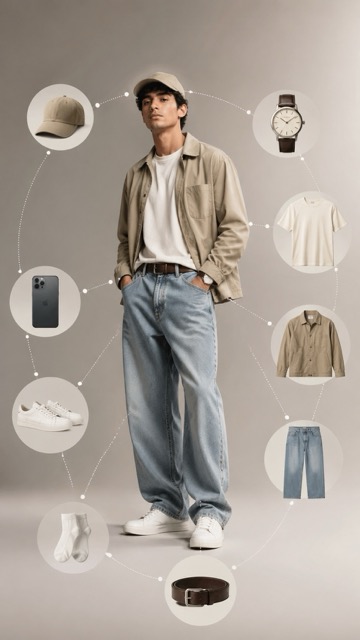
Prompt:
Ultra-realistic fashion infographic photography of a single male model, using the provided reference image only for facial features and natural skin tone. Do NOT copy eyewear, hoodie, or any clothing from the reference image. No glasses. No hoodie. No black clothing. The model must be wearing every item listed below. This is mandatory. Outfit worn by the model: Neutral baseball cap worn on head (cotton, beige or stone color) Oversized cotton crew-neck t-shirt in off-white or light beige, relaxed drape Lightweight casual jacket in beige, olive, or stone color, worn open Baggy high-quality denim jeans with a wide-leg tailored silhouette Leather belt worn with the jeans White ankle socks Clean white minimalist sneakers with rubber sole Modern sexy casual styling, relaxed confident pose, hands in pockets or natural stance. Exploded circular infographic layout: The same items worn by the model are duplicated as floating elements arranged clockwise: Neutral baseball cap Classic leather-strap wristwatch Cotton crew-neck t-shirt Lightweight casual jacket Baggy denim jeans Leather belt Ankle socks White sneakers Minimal everyday accessory (smartphone or sunglasses) Each item suspended mid-air, evenly spaced in a perfect circular composition. Thin dotted infographic guide lines connect each floating item back to the corresponding worn item on the model. Editorial labels: Minimal high-end catalog labels showing: cotton fabric washed denim genuine leather rubber sole Visual style: Clean studio background with subtle neutral gradient Soft diffused lighting, warm premium lifestyle mood Ultra-sharp focus, realistic fabric textures, natural skin tones High-end fashion catalog aesthetic, luxury brand infographic layout Photorealistic, 8K ultra-detail, no text distortion, no artifacts NEGATIVE PROMPT hoodie, sweatshirt, black clothing, glasses, sunglasses on face, missing cap, cap floating only, missing clothing, incorrect outfit, duplicate faces, street background, harsh lighting, low resolution, cartoon, illustration
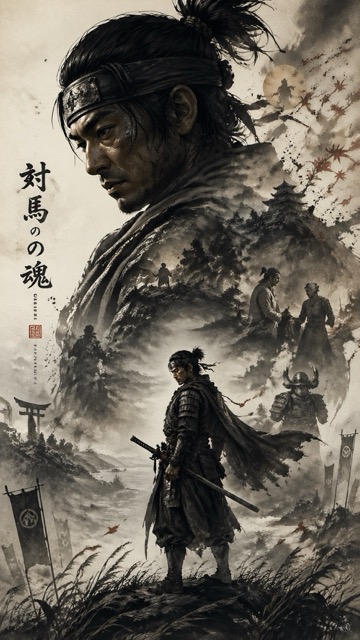
Prompt:
A cinematic character promotional poster of [SUBJECT], vertical composition (9:16), designed with a refined East-Asian ink aesthetic and high-end visual storytelling. STRUCTURE: Top-heavy hierarchical layout. The upper half features a large, highly recognizable silhouette of [SUBJECT]’s head / face / mask / upper body, forming a bold, iconic primary shape. The silhouette should be instantly identifiable. The middle-lower section contains the full-body version of [SUBJECT] as a secondary subject, standing in a stable pose or subtle action stance, forming the visual core. COMPOSITION STYLE: Inside the large silhouette and around the character, use double exposure and collage storytelling. Integrate multiple elements: – key scenes related to [SUBJECT] – symbolic imagery and environment – small narrative figures and interactions – supporting visual motifs Blend everything seamlessly using clouds, mist, ink diffusion, and negative space. VISUAL FLOW: Create a continuous flowing visual path from top to bottom, connecting: – upper silhouette – inner collage elements – full-body subject Ensure smooth eye guidance and compositional cohesion. SIDE ELEMENTS: Add balanced supporting elements on left and right sides to create tension, depth, and spatial variation. STYLE & ATMOSPHERE: – Large areas of negative space – Ink-wash diffusion edges, soft fading, subtle fragmentation – Eastern aesthetic: balance of emptiness and detail – Calm, premium, restrained, cinematic tone QUALITY: Ultra-detailed, high resolution, layered depth, soft lighting, atmospheric perspective, cohesive series-style design. OUTPUT: 9:16 aspect ratio, poster-ready composition.
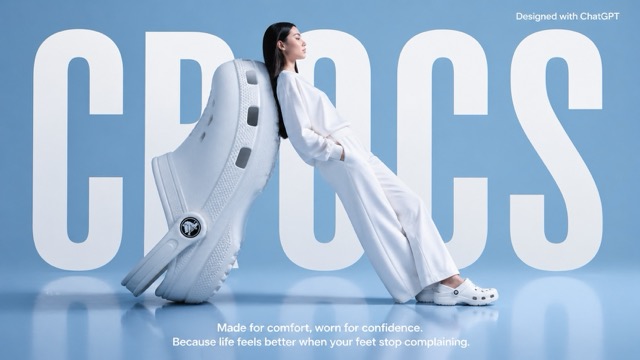
Prompt:
A high-fashion surrealist advertising poster for Crocs. The scene is set in a minimalist, monochrome light blue studio with a semi-reflective floor. The central focus is an oversized, giant white Croc clog positioned on its heel at a diagonal angle, serving as a backrest. A fashion model with long dark hair, dressed in a clean, all-white coordinated sweatshirt and wide-leg trousers, leans her entire back against the giant shoe in a relaxed, leaning posture. She is facing right in profile, looking ahead with a serene expression, and wearing standard-sized white Crocs. In the background, the word "CROCS" is written in massive, bold, white condensed sans-serif typography, partially occluded by the giant shoe and the model to create a sense of depth. At the top right, "Designed with ChatGPT" At the bottom center, a white sans-serif tagline reads: "Made for comfort, worn for confidence. Because life feels better when your feet stop complaining." The lighting is soft, cool, and even, casting gentle shadows and a soft reflection of the subjects on the glossy blue floor. The overall aesthetic is clean, modern, and high-concept.
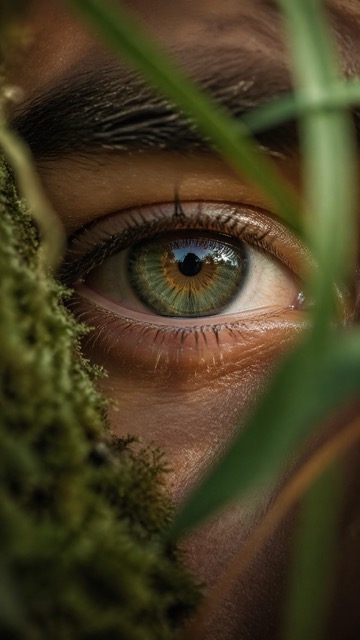
Prompt:
Ultra-realistic macro nature photograph of a human eye in an outdoor environment, the eye partially framed by natural elements such as soft moss, blurred leaves, or grass blades gently intersecting the foreground. The iris is hyper-detailed with organic radial textures, subtle color variation (earthy greens, ambers, or deep browns), reflecting the surrounding natural landscape (sky, trees, light). Skin texture is highly detailed — visible pores, fine lines, tiny imperfections, slight dryness and natural oil sheen, embracing a wabi-sabi aesthetic. Eyelashes are imperfect, slightly clumped, catching soft natural light. A faint layer of moisture on the eye adds realism with micro reflections. Lighting is natural golden hour or diffused overcast daylight, soft and directional, creating gentle highlights and shadow falloff across the skin and iris. Shot with extremely shallow depth of field — only a thin slice of the iris in sharp focus, foreground and background melting into creamy, dreamy bokeh with organic shapes. Color grading follows analog 35mm film characteristics — soft contrast curve, slightly muted highlights, warm tones, subtle green shadows, natural color rendering. Fine film grain, slight halation, and micro imperfections (dust, light leaks, softness at edges). Composition: macro framing, eye slightly off-center, vertical 9:16 aspect ratio, immersive and intimate perspective. Lens & camera feel: 100mm macro lens, f/2 or wider, shallow DOF, handheld micro imperfections, cinematic realism, 8K detail. Mood: quiet, intimate, poetic, grounded in nature — human + earth connection.
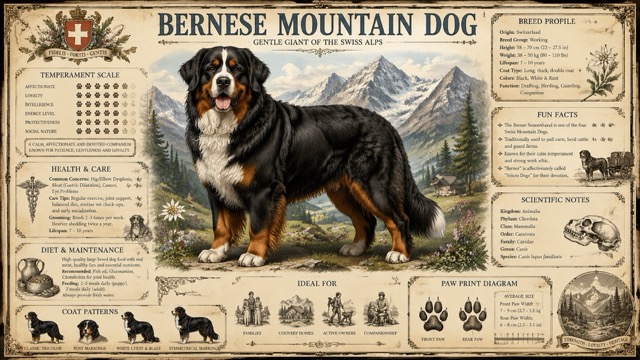
Prompt:
Create a highly detailed A4 vertical vintage encyclopedia style dog breed poster for (Dog name) Style: old scientific natural history chart, Victorian encyclopedia, premium wildlife atlas, museum wall poster. Use aged parchment paper texture, ornate vintage borders, elegant serif typography, realistic detailed dog standing in center, soft colorful mountain background, subtle earthy tones with muted forest green, navy blue, faded gold, and warm brown accents. Include infographic sections: Breed Profile, Temperament Scale, Health & Care, Diet & Maintenance, Ideal For, Fun Facts, Scientific Notes, Coat Patterns, Paw Print Diagram. Add engraved illustrations, antique icons, ink grain texture, botanical sketch details, and collectible printable poster aesthetics. NO QR code. NO modern UI. NO flat minimal design. Ultra detailed, premium printable quality, realistic fur texture, balanced symmetrical layout, 8K.
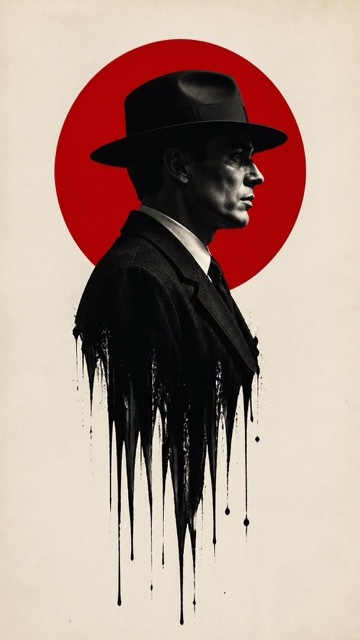
Prompt:
Subject & Composition: Central Figure: A sharp profile view of a man wearing a classic 1940s fedora and a formal suit. Melting Effect: The lower half of the man's torso should dissolve or "drip" into long, vertical black ink streaks and splatters, creating a surreal, liquid-bleed effect against the background. Graphic Element: A large, solid vibrant red circle is positioned directly behind the man's head and shoulders, creating a "halo" or "rising sun" motif that anchors the composition. Style & Color Palette: Color Scheme: A strict minimalist palette of True Red, Deep Black, and Off-White/Cream. Photography Style: High-contrast, black and white film noir photography for the subject. The texture should look like a high-resolution fashion editorial with a shallow depth of field. Background: A clean, slightly textured off-white paper or canvas background to give it a premium, physical poster feel. Technical Details: Lighting: Strong "Rembrandt" lighting to define the facial contours, emphasizing the bridge of the nose and the jawline with deep shadows. Atmosphere: Somber, intellectual, and high-stakes. The design should feel modern yet period-accurate to the mid-20th century. Framing: Vertical poster orientation (A-frame), with significant negative space on the left and right to emphasize the central vertical axis. Aspect ratio is 9:16
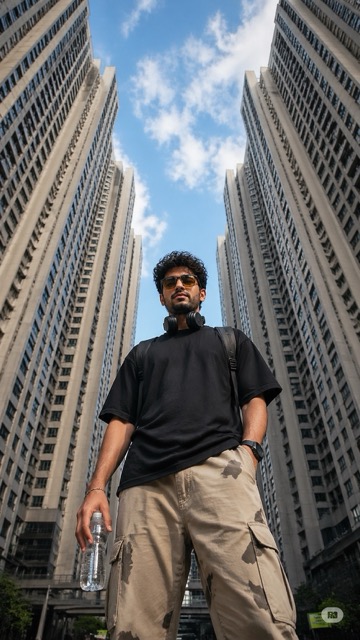
Prompt:
Ultra-realistic low-angle street photography of a young man standing confidently in the middle of a modern city, surrounded by tall symmetrical high-rise apartment buildings forming a geometric frame around the sky. Shot from ground level looking upward (worm’s-eye view), creating a powerful and dominant perspective. The subject is a stylish young man with short curly hair and light facial hair, wearing yellow-tinted rectangular sunglasses, a plain black oversized t-shirt, beige cargo pants with subtle camo patches, and carrying a transparent water bottle in one hand. Black headphones rest around his neck, and a backpack strap is visible on his shoulders. Expression calm and slightly serious, looking directly into the camera. Background: bright blue sky with scattered soft clouds, buildings converging inward creating strong leading lines and symmetry. Urban residential towers with repeating windows and light concrete tones. Lighting: natural daylight, crisp shadows, high contrast, sharp details, HDR look. Composition: centered subject, vertical framing, strong perspective distortion from wide-angle lens (24mm or wider), cinematic depth. Style: fashion editorial meets urban realism, ultra-detailed, 8k, sharp focus, realistic skin texture, high dynamic range.
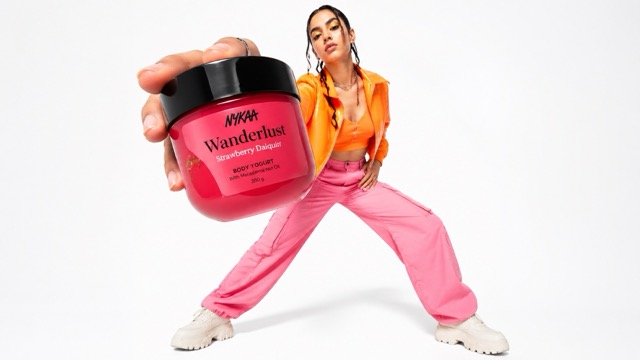
Prompt:
Low-angle fashion campaign photograph of a confident model holding a large [product name] very close to the camera, exaggerated perspective with the hand and product dominating the foreground, full-body pose visible in the background, wide stance, dynamic posture, clean pure white studio background, high-key lighting, sharp focus on product, slight depth of field on the model, bold colorful outfit with strong contrast tones, modern beauty advertising aesthetic, ultra-clean composition, commercial studio photography, glossy packaging detail visible, crisp shadows
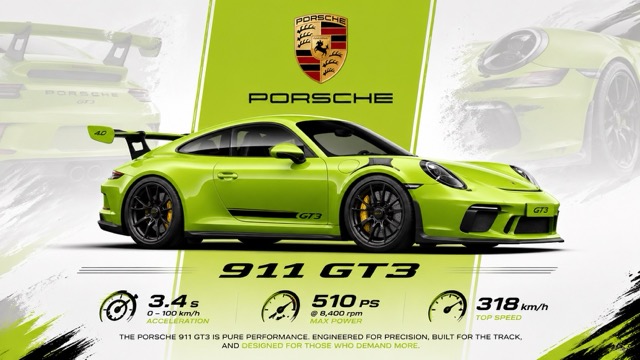
Prompt:
“A vibrant lime green Porsche 911 GT3 is showcased in a dynamic, graphic poster. The car is positioned in the center, viewed from its left side in a three-quarter profile, facing right. Its sleek, aerodynamic design is emphasized with black accents, large rear spoiler, and distinctive wheels. Subtle overlays of a faded lime green Porsche hint at its branding and lineage in the background. A prominent vertical lime green stripe cuts through the poster, framing the Porsche crest and the "PORSCHE" text above the car. Below the vehicle, the "911 GT3" model designation is displayed in a bold, stylized font. Graphics illustrating acceleration, power, and top speed are arranged at the bottom, along with descriptive text. The overall composition is clean, modern, and energetic, utilizing a limited color palette of lime green, white, black, and the red, gold, and black of the Porsche emblem. The lighting is bright and even, highlighting the car's contours and the graphic elements of the poster, creating a high-impact visual presentation.”
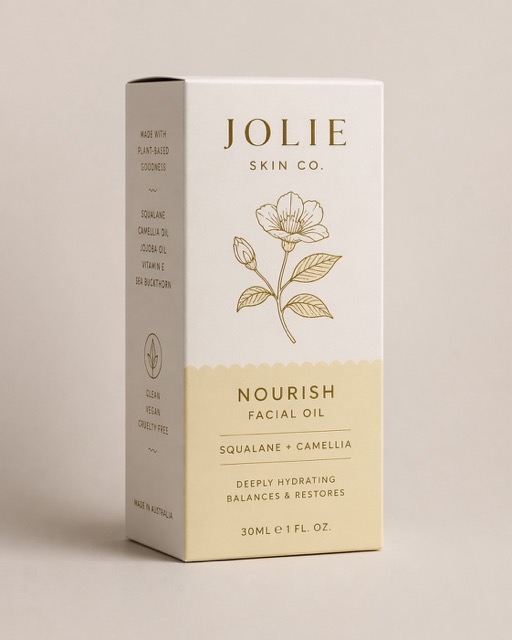
Prompt:
Assemble the dieline into a flawless 3D box with accurate panels, clean folds, undistorted type, and artwork preserved exactly. shoot it upright at a refined ¾ angle in a minimal premium studio setting with a soft neutral background, diffused light, subtle shadows, no props, true colours, matte paperboard texture, and realistic editorial detail
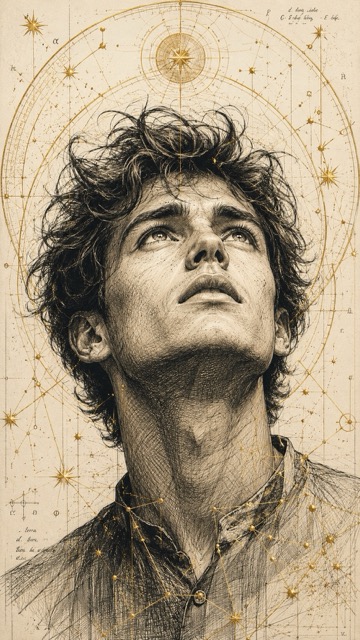
Prompt:
A highly detailed, hand-drawn illustration in a technical style of a young man looking upward with a hopeful and at the same time intense expression. His face is elaborated with fine cross-hatching that particularly emphasizes the facial structure and the emotional impact. The hair appears tousled and dynamic, with individual strands depicted in an ink-like sketch style.The portrait is surrounded by golden geometric patterns, celestial rings, and constellation-like lines, creating a fusion of scientific precision and spiritual atmosphere.Ratio 9:16
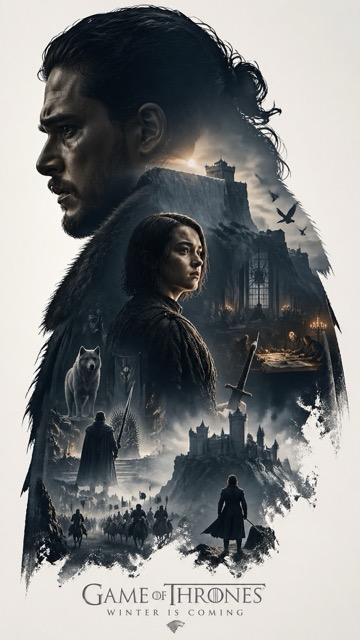
Prompt:
Based on *CHARACTER*, automatically generate a collector's edition epic narrative poster, The giant and elegant silhouette of the *CHARACTER* character as the outer contour, with the silhouette internally automatically growing out the most fitting complete worldview for this theme, iconic scenes, character relationships, symbolic symbols, key architecture, creatures, props, and atmosphere. The overall is not a regular collage, but a high-end silhouette contour filling narrative synthesis, with double exposure 联想, but enhanced to a cinematic narrative expression and spatial arrangement. Film poster style + Eastern realistic aesthetic fusion, emphasizing real physical light and shadow, camera language, spatial depth, and narrative hierarchy. Light and shadow employ cinematic side-backlighting with 局部 warm light accents, maintaining a restrained contrast between warm and cool tones for realism. Volume lighting and light fog are added to enhance spatial depth. Materials exhibit realistic textures (architecture, silk, skin, stone), avoiding pure painting brushstrokes, preserving soft aerial perspective but optimized for cinematic depth of field and focus control. Light film grain, edge halos, and brush marks are replaced with cinematic soft transitions. Large areas of white space, restrained and sophisticated layout, quiet, grand, restrained, and destiny-strong narrative of Eastern cinema. All elements must be strongly bound to the theme, instantly recognizable, no clutter, no forced collage, no templated backgrounds, no cheap fantasy materials. 9:16 Make sure you put whoever you want in the *character*. I chose Jon Snow and Arya Stark for my posters!
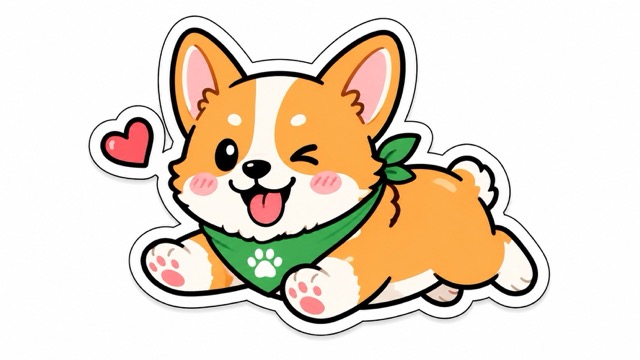
Prompt:
“Hand-drawn sticker-style illustration of [Subject/Object], bold clean outlines, vibrant flat colors, expressive and cute design, slightly exaggerated features, fun and modern aesthetic, high contrast, playful personality, minimal but eye-catching”
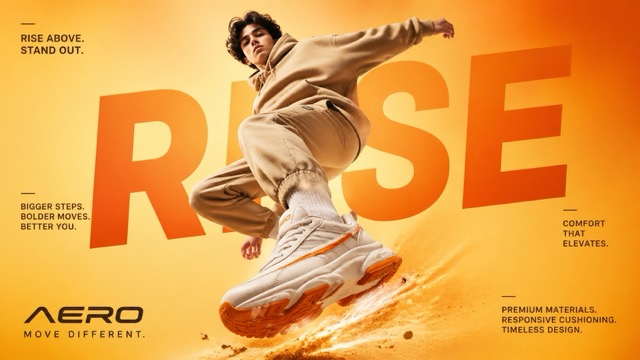
Prompt:
"A cinematic, high-end sneaker advertisement poster featuring a young male model mid-air in a dynamic jumping pose, captured from a low-angle perspective to emphasize power and motion. The model is wearing a coordinated beige streetwear outfit (hoodie and joggers), with oversized chunky white sneakers that have bold orange accents on the sole and side stripes. The background is a smooth studio gradient in warm tones, blending light yellow and vibrant orange for an eye-catching, energetic feel. Dramatic soft studio lighting enhances the subject, with glowing highlights and subtle shadows that complement the outfit and colour palette. Behind the model, large bold typography is seamlessly integrated into the composition, reading “RISE” in oversized modern sans-serif font, partially obscured by the subject for depth. Additional small promotional text is placed around the layout in a clean editorial style, such as: “RISE ABOVE. STAND OUT.” “BIGGER STEPS. BOLDER MOVES. BETTER YOU.” “COMFORT THAT ELEVATES.” “PREMIUM MATERIALS. RESPONSIVE CUSHIONING. TIMELESS DESIGN.” At the bottom, a modern sneaker brand logo “AERO” appears with the tagline “MOVE DIFFERENT.” Add subtle motion effects like dust particles or energy trails beneath the jumping foot to enhance impact. Ultra-realistic detail, sharp focus, high contrast, commercial fashion photography style, magazine-quality composition, 4K resolution."
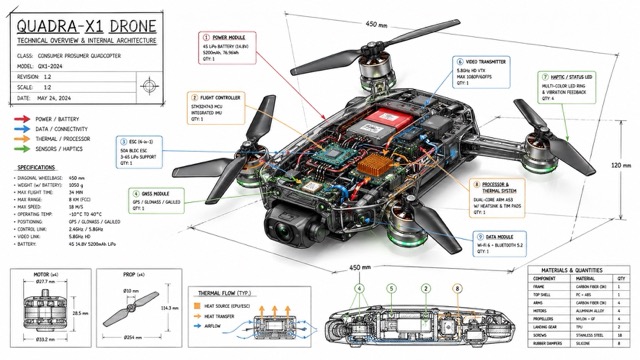
Prompt:
“Create a technical infographic of [OBJECT] with a 45-degree isometric 3D perspective showing the device slightly tilted to reveal depth and dimension. Combine a realistic photoreal render with black ink technical annotations on pure white background. Include: Key component labels with color-coded callout boxes Internal component visibility through transparent/cutaway sections Measurements, dimensions, and precise scale markers Material callouts and quantities Color-coded arrows for function/flow: RED (power/battery), BLUE (data/connectivity), ORANGE (thermal/processor), GREEN (sensors/haptics) Simple schematics or cross-sectional diagrams where relevant Place “OBJECT” title in a hand-drawn technical box (top-left corner). Style: Black linework (technical pen/architectural), sketched but precise. Object remains clearly visible. Educational museum-exhibit vibe. Clean composition, balanced negative space. Perspective: Isometric 3D angle—tilted to show depth, dimension, and internal architecture dramatically. Like a professional product teardown or engineering manual. Colors: ~10-15% accent density. Black dominant. White background. Output: 1080×1080, ultra-crisp, social-feed optimized.”
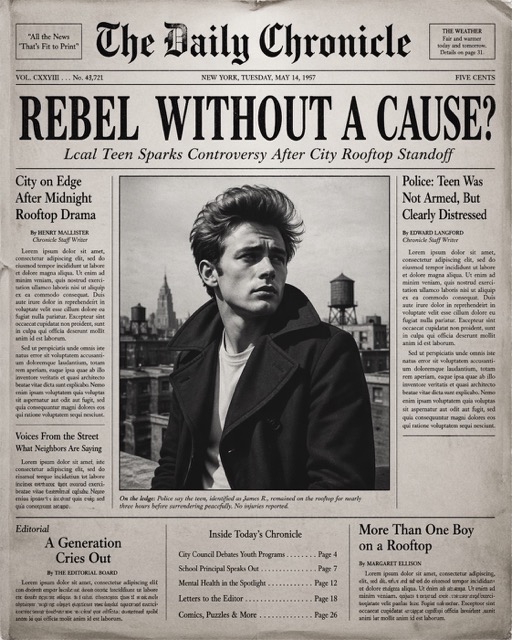
Prompt:
Create the most realistic front page design of a vintage newspaper featuring the main character. The layout should be made in the style of a real printed newspaper with a cinematic black-and-white aesthetic. The main photo should be prominently placed in the center, framed, like the image in the title of the article. The subject in the photo should remain unchanged and clearly distinguishable in natural light and slightly increased contrast in order to match the spectacular editorial style. Create a bold, attention-grabbing headline at the top (create a unique title that matches the spirit of the photo - it can be romantic, mysterious, funny, or dramatic). Add a smaller subtitle under it, which will look like a real newspaper caption. Add realistic newspaper elements: Columns of small text (in the style of lorem ipsum, but framed like real news) At the top is the fictitious name of the publication (for example, “The Daily Prompts”, “AI Times” or similar - think creatively, according to the picture) Date, issue number and location Decorative lines, dividers, and vintage typography Small additional articles or captions to the main image Optional stamps, doodles, or editorial notes to add personality. Style: Black and white or slightly faded monochrome paper Fine paper texture, grain, and ink defects Small shadows and creases that mimic real printed paper The aesthetics of a clean but slightly worn vintage newspaper Mood: Give the design personality, expressiveness and plot, as if the plot is part of the main article. Aspect ratio: 4:5 or 1:1 High-detail, ultra-realistic hybrid of editorial photography and print design.
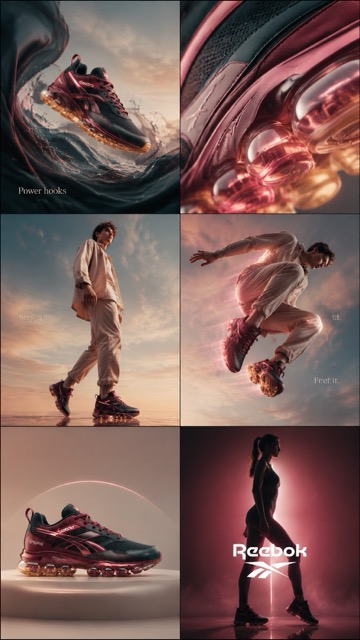
Prompt:
cinematic 6-frame grid (3x2), ultra-premium campaign for Rebook “sharp groves” in deep berry green + glossy rose tones STRICT consistency across all frames: same lighting setup, same color grading, same product color accuracy, same soft beige-blue orange gradient background, same luxury editorial tone lighting: soft diffused studio lighting + glossy specular highlights + subtle pink glow accents color palette: deep berry red, glossy pink, blush beige, warm ivory, soft gold reflections texture emphasis: matte mesh + glossy leather + translucent air bubble CAMPAIGN CONCEPT: “power in moves” MOOD: feminine strength, confident, bold, effortless luxury, streetwear meets beauty campaign FRAME 1 — HOOK (surreal scroll stopper) Rebook floating mid-air, surrounded by flowing liquid dim blue silk + glossy fluid waves, subtle motion distortion, dreamy yet powerful composition FRAME 2 — TEXTURE (desire macro) extreme macro close-up of air bubble + layered material textures, translucent sole glowing with warm golden light, hyper-detailed reflections FRAME 3 — EMOTION (identity) confident male model wearing Rebook, walking forward with attitude, soft wind in hair, minimal neutral outfit, strong posture, empowered presence FRAME 4 — MOVEMENT (performance) dynamic mid-air jump shot, motion blur trails, glowing air sole emphasizing bounce, high-speed capture feel, energy lines FRAME 5 — HERO PRODUCT (clean dominance) perfectly centered product shot, symmetrical composition, ultra-clean background, premium minimal aesthetic, sharp detail FRAME 6 — BRAND PAYOFF (iconic finish) cinematic silhouette of female figure wearing the sneakers, strong pink backlight glow, dramatic shadows, bold rebook energy, powerful stance STYLE: high fashion editorial + luxury product photography + cinematic sports campaign ultra-realistic, 4k, sharp focus, depth of field, premium finish, no distortion, no inconsistencies OPTIONAL TEXT OVERLAY (minimal, clean typography): “Power hooks” / “Steps in” / “Feel it.”
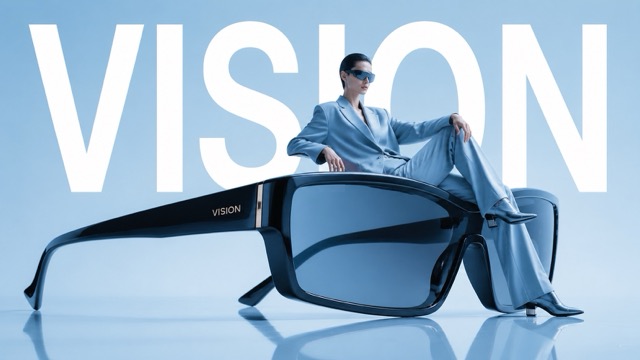
Prompt:
Avant-garde fashion advertisement, oversized futuristic sunglasses positioned like sculpture, model casually seated on the frame as if furniture, giant word "VISION" behind in bold white typography, powder blue studio background, reflective floor, luxury eyewear campaign aesthetic, ultra-clean layout, editorial magazine styling, 1:1
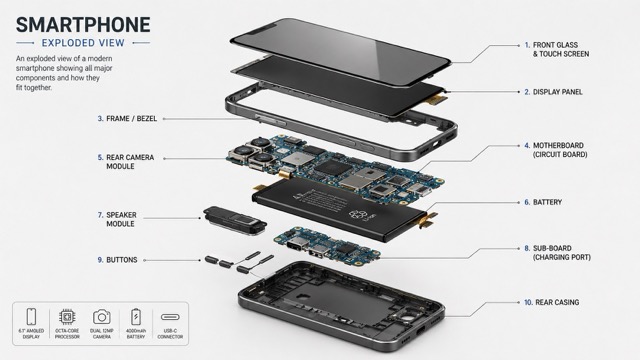
Prompt:
“Create a technical exploded view diagram of a [OBJECT]. The device is deconstructed showing all individual components floating in space, separated from each other to reveal internal parts. Each major component is labeled with clean lines pointing to parts like screen, circuit board, battery, casing, buttons, etc. Isometric perspective, technical illustration style with soft shadows between parts. Light grey/white clean background. Educational infographic aesthetic similar to engineering blueprints or patent drawings. All parts aligned in logical assembly order showing how they fit together. 2:3 dimension.”
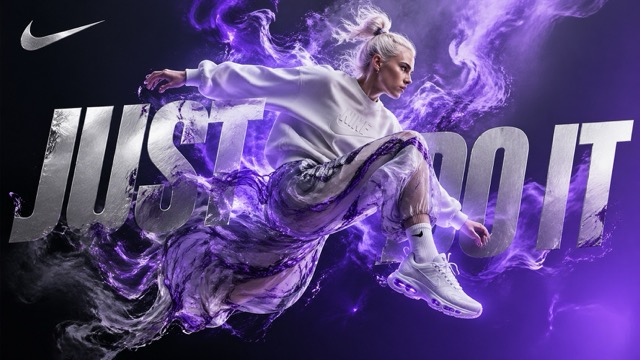
Prompt:
A highly detailed digital artwork in a surreal, dynamic style inspired by premium athletic advertising for Nike, Inc. A young athletic woman with platinum blonde hair tied in a messy bun, fair skin, and a fiercely focused expression is captured mid-jump or leap, her body leaning slightly forward as if bursting with raw, untamed energy. She wears a loose, off-white Nike crewneck sweatshirt with subtle embossed Nike branding on the chest, paired with flowy, semi-transparent pants featuring a swirling marbled pattern in graphite grey and electric violet, billowing dramatically around her legs. On her feet are sleek, futuristic white Nike sneakers with glowing violet accents, visible Air-inspired sole details, and an aerodynamic design. Vibrant electric violet energy or ethereal smoke erupts dramatically from behind her, swirling and dissolving into abstract, cloud-like forms that interact with her clothing, creating a powerful sense of motion and release. The background is a deep, moody gradient transitioning from charcoal grey to luminous twilight violet, emphasizing a minimalist yet striking composition. Overlay large, bold metallic silver text reading “Just Do It” in a sharp, modern sans-serif font, partially integrated and obscured by the energy smoke and the figure, making it feel like an organic part of the scene. Include the iconic Nike Swoosh logo in the top-left corner in shimmering silver.
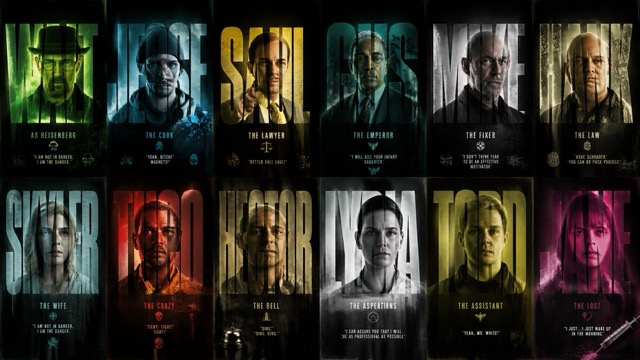
Prompt:
Create a high-contrast, cinematic graphic design poster inspired by the TV series Breaking Bad, featuring a 2x6 vertical grid of twelve distinct title-card panels showcasing iconic characters from the show. The aesthetic should blend Urban Grunge with crime-thriller intensity, using distressed textures, film grain, and bold typography masking effects. Each panel should prominently feature a massive extra-bold sans-serif name such as WALT, JESSE, SAUL, GUS, MIKE, HANK, SKYLER, TUCO, HECTOR, LYDIA, TODD, and JANE, with the character portrait visible only inside the filled letterforms using a clipping/masking silhouette-window effect. Add smaller cinematic credit text beside or below the names in clean typography, such as “AS HEISENBERG”, “THE LAWYER”, or “THE FIXER.” Characters should have gritty, realistic portraits with intense or emotionless expressions, featuring iconic looks: Walter White in hat/glasses, Jesse Pinkman in hoodie/beanie, Saul Goodman in flashy suit, Gus Fring in formal attire, Mike Ehrmantraut bald with stern face, and Hank in DEA style. Use high-contrast dramatic studio lighting with rim lights and shadows; selectively add green chemical-lab glow, neon cyan, magenta, and amber highlights to certain cards. Backgrounds in each panel should feel unique but cohesive: weathered concrete, rusted metal, cracked walls, wrinkled paper, and smoky meth-lab atmospheres. Overlay heavy ink splatters, paint drips, brush strokes, scratches, scan lines, dust, film burns, and grain for a distressed cinematic look. The overall palette should use dark green, toxic neon lime, monochrome greys, deep charcoals, dirty yellows, and off-whites, with accent pops like a glowing green haze behind Walter, red-orange behind Tuco, blue meth-crystal highlights around Jesse, and sterile white tones around Lydia. The final result should look like a premium Netflix-style crime drama cast poster with a raw, edgy, highly stylized graphic design aesthetic.
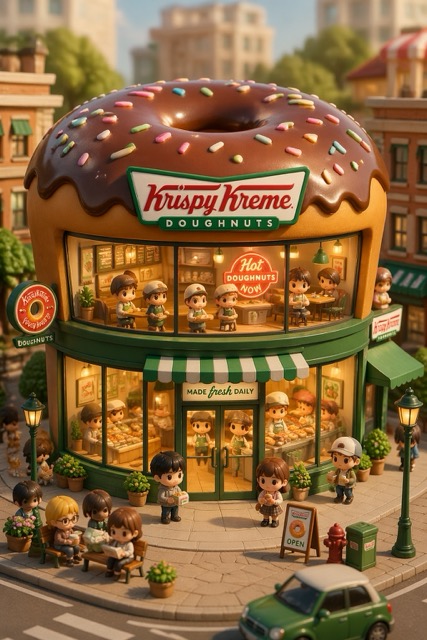
Prompt:
3D chibi-style miniature concept store of {Brand Name}, creatively designed with an exterior inspired by the brand's most iconic product or packaging (such as a giant {brand's core product, e.g., chicken bucket/hamburger/donut/roast duck}). The store features two floors with large glass windows clearly showcasing the cozy and finely decorated interior: {brand's primary color}-themed decor, warm lighting, and busy staff dressed in outfits matching the brand. Adorable tiny figures stroll or sit along the street, surrounded by benches, street lamps, and potted plants, creating a charming urban scene. Rendered in a miniature cityscape style using Cinema 4D, with a blind-box toy aesthetic, rich in details and realism, and bathed in soft lighting that evokes a relaxing afternoon atmosphere. --ar 2:3
Odkryj najlepszą bibliotekę promptów dla GPT Image 2 AI
Odkryj świeże pomysły na prompty dla GPT Image 2 AI, gotowe do skopiowania przykłady, wizualne inspiracje i bezpośrednie przyciski, aby zacząć tworzyć z GPT Image 2 AI w kilka sekund.
Odblokuj nowe, kreatywne pomysły dzięki naszej dedykowanej bibliotece promptów GPT Image 2 AI. Ta strona została stworzona dla każdego, kto szuka praktycznych przykładów dla GPT Image 2 AI, dopracowanych szablonów promptów GPT Image AI oraz łatwej inspiracji do portretów, logo, produktów, plakatów, postów w mediach społecznościowych i nie tylko. Każdy wpis dla GPT Image 2 AI zawiera pomysł na prompt, kierunek wizualny i bezpośredni przycisk, dzięki czemu możesz szybciej testować darmowe procesy tworzenia w GPT Image AI.
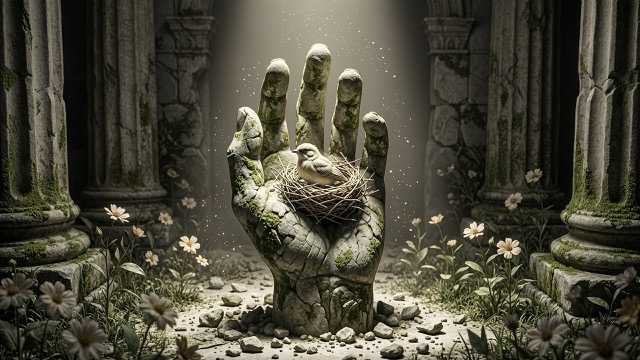
Jak korzystać z tej biblioteki promptów GPT Image 2 AI
Zaprojektowaliśmy tę stronę tak, aby pomóc Ci znaleźć, skopiować i użyć odpowiedniego promptu dla GPT Image 2 AI tak szybko, jak to możliwe. Nie jest wymagana żadna skomplikowana konfiguracja.

Przeglądaj style promptów
Eksploruj różne kategorie stworzone dla GPT Image 2 AI, takie jak portrety, zdjęcia produktów, kreacje reklamowe, koncepcje logo, plakaty filmowe, grafiki społecznościowe i stylizowane dzieła sztuki. Każda sekcja jest zorganizowana tak, aby ułatwić odkrywanie możliwości GPT Image 2 AI.

Skopiuj prompt GPT Image AI
Wybierz prompt, który Ci się podoba i natychmiast skopiuj cały prompt dla GPT Image AI. Każdy przykład jest napisany tak, aby można go było bezpośrednio użyć w GPT Image 2 AI, dzięki czemu oszczędzasz czas i unikasz zgadywania.

Kliknij i wygeneruj
Użyj wbudowanego przycisku, aby natychmiast przejść do tworzenia i przetestować prompt. Ułatwia to przekształcenie inspiracji z GPT Image 2 AI w rzeczywiste obrazy dzięki szybkiemu i darmowemu procesowi GPT Image AI.
Funkcje naszej biblioteki promptów GPT Image 2 AI
Ta strona to więcej niż tylko lista pomysłów. To praktyczne narzędzie dla twórców, marketerów, projektantów i zwykłych użytkowników, którzy chcą uzyskać lepsze wyniki w GPT Image 2 AI przy mniejszej liczbie prób i błędów.
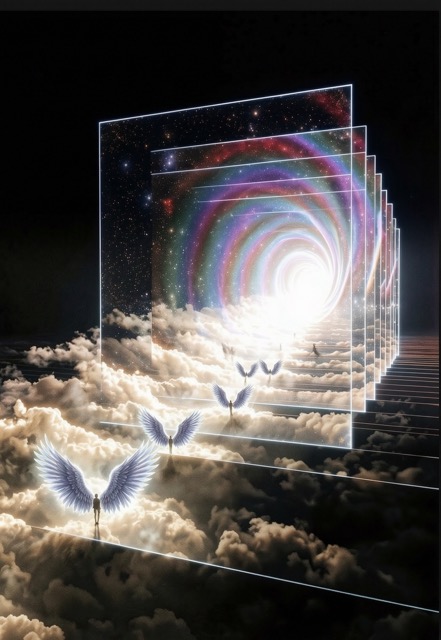
Gotowe do skopiowania szablony promptów
- Każdy wpis jest napisany jako gotowy do użycia prompt dla GPT Image AI, a nie tylko ogólnikowy pomysł.
- Możesz skopiować i wkleić każdy prompt GPT Image 2 AI bezpośrednio do generatora.
- Pomaga to początkującym szybciej zacząć, a zaawansowanym użytkownikom łatwiej iterować wyniki w GPT Image 2 AI.
- Jeśli wolisz praktyczne przykłady zamiast teorii, ta biblioteka GPT Image 2 AI jest stworzona dla Ciebie.
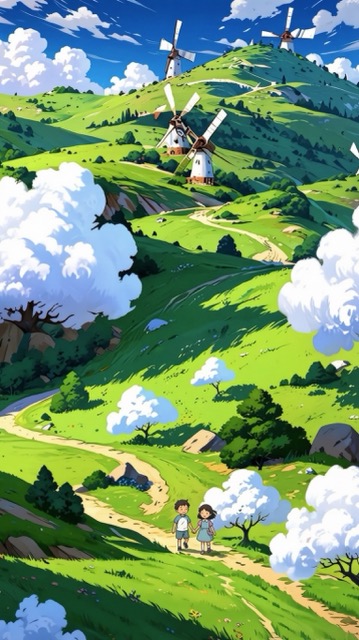
Pomysły na prompty dla wielu stylów wizualnych
- Znajdź prompty GPT Image 2 AI do realistycznych portretów, makiet produktów, szkiców logo, kreacji do mediów społecznościowych, plakatów, grafik redakcyjnych i innych.
- Nasza kolekcja promptów GPT Image AI ma na celu pokazanie, jak różne sformułowania zmieniają oświetlenie, kompozycję, kolor i detale.
- Dzięki temu GPT Image 2 AI jest łatwiejszy do kontrolowania w wielu różnych zastosowaniach.
- Możesz szybko testować kreatywne kierunki i odkrywać, co działa najlepiej poprzez darmowe eksperymenty w GPT Image AI.
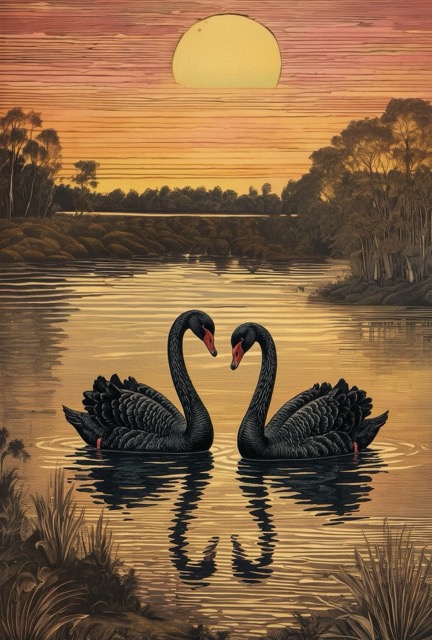
Aktualizowana biblioteka promptów pod kątem nowych trendów
- Ta strona poświęcona GPT Image 2 AI jest tworzona z myślą o bieżących aktualizacjach.
- Regularnie dodajemy świeże pomysły na prompty GPT Image AI oparte na trendach wizualnych, zapotrzebowaniu twórców i popularnych stylach obrazów.
- Oznacza to, że możesz stale wracać do tej biblioteki GPT Image 2 AI po nową inspirację.
- To praktyczny sposób na utrzymanie niezawodnego źródła darmowych promptów GPT Image AI w jednym miejscu.
Bezpośrednie przyciski do rozpoczęcia tworzenia
- Każdy blok z promptem jest stworzony do działania, a nie tylko do czytania.
- Po znalezieniu odpowiedniego promptu dla GPT Image AI użytkownicy mogą jednym kliknięciem przejść od razu do tworzenia.
- Usprawnia to cały przepływ pracy w GPT Image 2 AI, łącząc inspirację i generowanie w tym samym środowisku.
- Dla użytkowników szukających darmowych pomysłów w GPT Image AI, które mogą natychmiast wykorzystać, jest to znacznie bardziej efektywne niż przeglądanie losowych przykładów.
Dlaczego użytkownicy uwielbiają to centrum promptów GPT Image 2 AI
Nasza biblioteka została zaprojektowana tak, aby korzystanie z GPT Image 2 AI było łatwiejsze, szybsze i bardziej użyteczne w codziennej pracy twórczej.

Lepsze wyniki bez zgadywania promptów
Wielu użytkowników wie, że GPT Image 2 AI potężnym narzędziem, ale nie wie, jak jasno sformułować swoje prośby. To centrum promptów eliminuje konieczność zgadywania, oferując ustrukturyzowane przykłady promptów GPT Image AI, które są gotowe do testów i łatwe do modyfikacji.

Przydatne dla twórców i marketerów
Od miniatur i reklam po portrety i wizualizacje produktów – GPT Image 2 AI może wspierać wiele rzeczywistych zadań. Nasza biblioteka pomaga twórcom przekształcić GPT Image 2 AI w praktyczne narzędzie pracy, a nie tylko losowy eksperyment.

Szybka inspiracja do codziennych treści
Potrzebujesz szybko nowego pomysłu wizualnego? Ta biblioteka promptów GPT Image 2 AI daje Ci szybkie punkty wyjścia do postów, kampanii, stron docelowych (landing pages) i szkiców kreatywnych. Jest idealna do wielokrotnego, darmowego testowania w GPT Image AI.

Kopiuj, edytuj i personalizuj
Każdy prompt GPT Image AI może być użyty w oryginalnej formie lub edytowany pod kątem własnego tematu, palety kolorów, nastroju, stylu marki lub formatu. To sprawia, że GPT Image 2 AI jest elastycznym narzędziem zarówno dla początkujących, jak i zaawansowanych użytkowników.

Zorganizowane według popularnych potrzeb wizualnych
Zamiast przewijać losowe prompty, użytkownicy mogą znaleźć przykłady dla GPT Image 2 AI pogrupowane według typowych potrzeb. Pomaga to działać szybciej i nadaje darmowej eksploracji GPT Image AI bardziej przejrzystą strukturę.

Żywa biblioteka darmowych pomysłów na GPT Image AI
Ta strona jest budowana jako stale powiększające się źródło wiedzy. W miarę dodawania kolejnych szablonów dla GPT Image 2 AI i nowych formatów promptów GPT Image AI, użytkownicy zyskują rosnącą kolekcję darmowych pomysłów na GPT Image AI, do której mogą wracać w dowolnym momencie.
Co użytkownicy mówią o naszej bibliotece promptów GPT Image 2 AI
Ludzie korzystają z tej strony, aby zaoszczędzić czas, uzyskać lepsze wyniki i odkryć nowe przepływy pracy w GPT Image 2 AI do codziennych zadań twórczych.
Prawie co tydzień używam GPT Image 2 AI do tworzenia grafik do mediów społecznościowych. Ta biblioteka za każdym razem daje mi solidny punkt wyjścia dla promptu GPT Image AI, dzięki czemu znacznie szybciej przechodzę od pomysłu do gotowej grafiki.
Przed odkryciem tej strony ciągle przepisywałem ten sam prompt GPT Image AI. Teraz mogę przejrzeć kilka przykładów dla GPT Image 2 AI, skopiować jeden z nich i uzyskać dopracowany efekt przy znacznie mniejszym wysiłku.
Najlepsze jest to, że prompty dla GPT Image 2 AI są w 100% użyteczne. Nie muszę odszyfrowywać abstrakcyjnych porad. Po prostu kopiuję prompt GPT Image AI, zmieniam kilka szczegółów i tworzę coś zupełnie nowego.
Szukałem lepszego sposobu na darmowe testowanie pomysłów z GPT Image AI na plakaty i reklamy produktów. Dzięki tej bibliotece używanie GPT Image 2 AI stało się bardziej praktyczne, zwłaszcza gdy potrzebuję inspiracji pod presją czasu.
Podoba mi się, że strona stale się rozwija. Wracam tu po świeże przykłady dla GPT Image 2 AI i zawsze znajduję przydatny prompt GPT Image AI, który mogę dostosować do moich kampanii i moodboardów.
Jako osoba początkująca w GPT Image 2 AI, potrzebowałem przykładów, które byłyby proste i łatwe do zastosowania w praktyce. Ta strona dostarczyła mi jasnych formatów promptów GPT Image AI i pomogła mi pewnie przetestować darmowe procesy z GPT Image AI.

Często zadawane pytania na temat GPT Image 2 AI
Oto najczęstsze pytania od użytkowników, którzy chcą skuteczniej przeglądać, kopiować i używać promptów dla GPT Image 2 AI.
Ta strona to wyselekcjonowana biblioteka promptów dla GPT Image 2 AI. Gromadzi pomysły na prompty, ich struktury oraz kreatywne przykłady, które użytkownicy mogą bezpośrednio kopiować, edytować i testować. Zamiast zaczynać od pustego pola, możesz użyć promptu GPT Image AI, który ma już nadany konkretny kierunek.
Tak. Każdy prompt GPT Image AI na tej stronie został zaprojektowany tak, aby łatwo było go skopiować i wkleić. Możesz użyć oryginalnego sformułowania jako punktu wyjścia, a następnie dostosować temat, styl, oświetlenie, kąt kamery czy format pliku wyjściowego do własnego projektu w GPT Image 2 AI.
Tak. Strona została zaprojektowana jako stale rozwijające się zasoby dla GPT Image 2 AI. Z czasem mogą być dodawane nowe pomysły na prompty, nowe kategorie i nowe przykłady, dzięki czemu użytkownicy będą mieli zawsze dostęp do większej liczby opcji promptów GPT Image AI oraz darmowych inspiracji w GPT Image AI.
Ta strona jest przydatna dla twórców, projektantów, marketerów, założycieli firm, studentów oraz każdego, kto eksperymentuje z obrazami generowanymi przez sztuczną inteligencję. Niezależnie od tego, czy potrzebujesz postów do mediów społecznościowych, zdjęć produktów, plakatów, portretów, czy grafik koncepcyjnych, dobry prompt GPT Image AI pomoże Ci szybciej uzyskać lepsze wyniki z GPT Image 2 AI.
Oczywiście. Jeśli chcesz przetestować darmowe pomysły z GPT Image AI bez tracenia czasu na wymyślanie struktur promptów od zera, ta strona jest niezwykle praktycznym narzędziem. Dostarcza przykłady, z których możesz się uczyć, wykorzystywać je ponownie i adaptować podczas odkrywania możliwości GPT Image 2 AI.
BananaPro AI czyni proces pracy z GPT Image 2 AI znacznie wygodniejszym, łącząc inspiracje, gotowe do skopiowania teksty promptów i bezpośrednie przyciski akcji w jednym miejscu. Oznacza to, że możesz odkryć prompt GPT Image AI, natychmiast go wypróbować i kontynuować płynne testowanie nowych, darmowych pomysłów z GPT Image AI.
Zacznij tworzyć z GPT Image 2 AI
Znajdź swój kolejny pomysł w GPT Image 2 AI, skopiuj sprawdzony prompt dla GPT Image AI i szybko przekształć inspirację w obrazy dzięki BananaPro AI.
