OpenClaw: The Complete Guide for Everyone
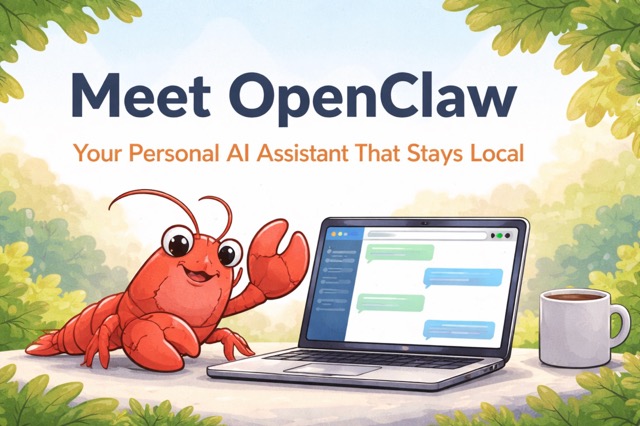
OpenClaw is an "AI employee living on your computer" — you send it messages via WhatsApp, WeChat, or Telegram, and it gets things done for you.
What Is OpenClaw?
In one sentence: OpenClaw is an "AI employee living on your computer" — you send it messages via WeChat, WhatsApp, or Telegram at any time, and it gets things done for you.
Most AI tools on the market today (like ChatGPT or Claude.ai) work by having you open a webpage, type a question, and wait for a response. They function like a consultant who only talks — telling you what to do, but never doing it for you.
OpenClaw is different. It doesn't just chat. It actually opens browsers, sends emails, manages your calendar, writes code, and runs scheduled tasks — it's an AI that genuinely acts.
The key difference: your data stays with you
OpenClaw runs on your own device, not a company's server. Your chat history, files, and private data all stay local and are never collected by any third party. This is the fundamental difference between OpenClaw and every SaaS subscription service on the market.
Control it with apps you already use WhatsApp, WeChat, Telegram, Discord, iMessage — the chat apps you already use every day become the control interface. No new software to learn.
Persistent memory It remembers your preferences, habits, and past conversations. Tell it once that you dislike morning meetings, and it will automatically avoid scheduling them from that point on.
Fully open-source and free The code is publicly available on GitHub. Anyone can inspect it, modify it, or self-host it. No monthly subscription required.
Infinitely extensible skills The community has built over 5,700 skill plugins — from managing Notion to controlling smart home devices. Whatever capability you need, there's likely a plugin for it.
Want to learn more about AI? Follow Banana Pro.
How Does OpenClaw Work?
At its core, OpenClaw is a persistent AI agent daemon that runs in the background on your computer or server.
Basic Architecture
- You send a message via any connected chat app — WhatsApp, Telegram, Discord, or others.
- OpenClaw receives it through an encrypted channel bridge, keeping your conversations private.
- The AI reasons and plans using Claude, GPT-4, or a local model of your choice, then breaks the task into executable steps.
- It takes action by opening browsers, calling APIs, reading files, running terminal commands, or triggering installed skill plugins.
- It reports back with a summary of what it did, what it found, or what it needs from you next.
The result feels less like using software and more like texting a capable colleague.
Why Did OpenClaw Go Viral?
OpenClaw set records that had never been approached in software history:
| Milestone | Achievement |
|---|---|
| Single-day GitHub growth | 25,310 GitHub stars in a single day on January 26, 2026 |
| Speed to 100,000 stars | 100,000 stars in two days |
| Speed to 200,000 stars | 200,000 stars in 84 days |
Why It Exploded
- It's free. OpenClaw itself costs nothing. You only pay for the AI model API you connect — light users spend as little as $3–5/month.
- Your data stays private. Everything runs on your hardware. Lawyers, doctors, founders, and anyone handling sensitive information can use it without concern.
- It actually works. The moment users ask it to do something and it does it — without copy-pasting, without switching tabs, without prompting again — is genuinely shocking the first time.
- It's open-source. Anyone can inspect the code, build plugins, fork the project, and contribute. The community has already produced 5,700+ skill plugins.
In China, OpenClaw triggered what locals call the "lobster craze" — named after its lobster logo. The phrase "have you raised your lobster yet?" became the tech scene's standard greeting. Thousand-person meetups appeared in Shenzhen and Beijing. Tencent hosted free installation events. Local governments in Shenzhen's Longgang district began offering compute credits and cash grants for OpenClaw-related ventures.
How to Install OpenClaw: Step-by-Step
Installing OpenClaw requires a small amount of technical familiarity, but no coding knowledge. The entire process takes about 15–20 minutes — similar to setting up any slightly complex piece of software.
⚠️ Read this first: OpenClaw has broad system access and can reach your files and accounts. It is strongly recommended to install it on a dedicated device (such as an old Mac mini or a cloud server), not your everyday work computer. Beginners should not install it directly on their personal machine.
What you'll need:
1. Prepare a computer or server
This can be a Mac, Windows (WSL2 required), or Linux system. Many users opt for an inexpensive second-hand Mac mini or a cloud VPS from providers like DigitalOcean, AWS, or similar services.
2. Install Node.js 22 or higher
Download and install from nodejs.org. Choose the latest LTS version. This is the runtime environment OpenClaw depends on.
3. Get an AI model API key
Anthropic (Claude) is currently recommended. Note: as of January 2026, Claude subscription accounts can no longer be used for authorization — you must use a pay-as-you-go API key.
4. Install OpenClaw
Open a terminal (command line window), enter the following command, and press Enter:
bash npm install -g openclaw@latest
5. Complete setup using the wizard
The wizard will ask which AI model to use, where to store your data, and whether to enable remote access. Just follow the prompts — no coding required.
6. Connect your chat app
Run openclaw channels login. A browser window will open and prompt you to authorize your preferred platform — Telegram, WhatsApp, Discord, or others.
7. Send a message and go
Open your connected app and message your OpenClaw bot. Try: "Sort my emails from today" or "Remind me about the 9am meeting tomorrow" — and it gets to work.
Want to learn more about AI? Follow Banana Pro News.
What Can OpenClaw Do?
| Feature | Description |
|---|---|
| Inbox management | Reads, sorts, drafts, and sends emails on your behalf. Flags what matters. Clears what doesn't. |
| Calendar automation | Schedules meetings, avoids blocked hours, sends reminders, and handles flight check-ins. |
| Autonomous coding | Launches Claude Code or Codex sessions, runs test suites, catches errors via Sentry webhooks, and opens pull requests for your review. |
| Scheduled workflows | Set cron-style tasks like “summarize my top 5 emails every morning at 8am” and forget about it. |
| Persistent memory | Remembers preferences, past decisions, and context across every conversation. No re-explaining yourself. |
| Skill plugins | Install community-built extensions to connect OpenClaw to Notion, Obsidian, smart home devices, crypto wallets, Slack, and thousands of other tools. |
| Self-modification | OpenClaw can write and install new skills for itself mid-conversation, expanding its own abilities on demand. |
The most remarkable capability is self-modification: OpenClaw can expand its own abilities on demand by creating new skills while you chat with it.
OpenClaw vs. Competing Tools
Compared with tools like ChatGPT Plus, Cursor, and Zapier, OpenClaw stands out in a few major ways.
OpenClaw is free to use aside from model API costs, runs locally on your own hardware, supports persistent memory, scheduled tasks, chat app integration, open-source extensibility, and even self-extending skills.
ChatGPT Plus costs $20 per month and offers a polished AI chat experience, but it does not run locally, has limited memory, and does not support chat app integration, open-source customization, or self-extending skills.
Cursor also costs $20 per month and is strong for coding workflows, but it only partially runs locally and does not provide persistent memory, scheduled automation, chat app integration, or open-source extensibility in the same way.
Zapier ranges from $19 to $69 per month and is useful for automation, but it does not run locally, does not offer persistent memory, and is not open-source or self-extending.
The fundamental difference: every other tool above is a destination you visit. OpenClaw is a presence that stays with you.
What Impact Will OpenClaw Have?
OpenClaw is not just another new tool — it signals a profound shift in who does the repetitive work.
| Area | What Changes | Who's Most Affected |
|---|---|---|
| Office Workers | Email handling, meeting scheduling, and report preparation get automated, multiplying efficiency and reducing demand for these roles | Administrative assistants, junior clerks |
| Developers | Repetitive coding, testing, and bug fixing can be delegated to AI, freeing developers to focus on design and decision-making | Junior developers, outsourced programmers |
| Small Businesses | One person with an AI assistant can handle work that previously required a 3–4 person team, dramatically increasing small company competitiveness | Traditional SaaS software companies |
| Data Security | Over 42,900 dashboards have already been found exposed on the public internet — the security risk is real and responsible deployment is essential | Individual users, enterprise IT teams |
| China Tech Market | New industries are emerging around installation services, pre-loaded hardware, and skill development, with local governments rolling out support policies | Traditional B2B SaaS vendors |
⚡ An interesting observation
As one Twitter user put it: "OpenClaw won't disrupt ChatGPT-style conversational AI — it will disrupt the SaaS tools that survive on monthly subscriptions. When your AI assistant can directly control any software, the middleware layer disappears."
Where Is OpenClaw Heading?
OpenClaw's future is full of possibility — but it also faces some real uncertainties.
Ecosystem Explosion ClawHub already hosts 5,700+ skill plugins, with more added every day. Like the early days of the mobile App Store, getting in now to build plugins is a ground-floor opportunity.
Deep Hardware Integration Hardware manufacturers like Minisforum have already started pre-installing OpenClaw. In the future, buying a NAS or small desktop PC may come with a built-in "lobster" assistant out of the box.
Multi-Agent Collaboration Multiple OpenClaw instances running simultaneously, dividing and coordinating tasks — functioning like an AI team rather than a single assistant. Early experiments are already underway.
The Founder Uncertainty In February 2026, creator Peter Steinberger joined OpenAI. Sam Altman confirmed the project will continue as open-source infrastructure, but with the primary developer stepping away, the pace of community maintenance remains uncertain.
The Bigger Picture
Some say advances in AI technology are only the first step — the real value lies in "putting all the pieces together." That's exactly what OpenClaw attempts to do: it doesn't invent new AI, it plugs AI's capabilities directly into your real life and real workflows.
When AI is no longer a webpage you have to deliberately open, but a presence always waiting quietly behind your phone notifications ready to help, the relationship between humans and tools will be permanently rewritten.
Frequently Asked Questions About OpenClaw
Do I need to know how to code to use OpenClaw?
No. The setup wizard handles configuration through prompts. DigitalOcean's one-click deployment requires no terminal access at all.
How much does running OpenClaw actually cost?
OpenClaw is free. API costs depend on usage — typically $3–20/month for light personal use, up to $100–200/month for heavy business automation. Local models via Ollama bring API costs to zero.
Is OpenClaw safe to use?
With proper configuration, yes. The risks come from misconfiguration — particularly leaving the dashboard accessible on the public internet. Use a dedicated device, restrict network access, and only install skills from verified sources.
What's the difference between OpenClaw and a regular AI chatbot?
A chatbot answers. OpenClaw acts. It doesn't wait for you to open a browser — it's always running, executing tasks, and reporting results through whatever app you already use.
What are OpenClaw skills?
Skills are plugins that extend what OpenClaw can do — the equivalent of apps on a smartphone. The community marketplace ClawHub currently hosts 5,700+ skills covering productivity, development, finance, smart home, and more.
Why did OpenClaw grow so fast on GitHub?
Because it solved a problem people had already felt but couldn't articulate: having an AI that does things rather than just describes things. The open-source model also meant thousands of developers could immediately contribute, extend, and redistribute it.
Conclusion
OpenClaw's significance lies not in how impressive the technology is, but in the fact that it gives ordinary people their first real taste of a future where AI does the work for you.
For the past few years, most people's experience of AI has been: impressive, but not particularly relevant to daily life. OpenClaw breaks down that distance — it runs on your own device, works through the chat apps you already use, and helps you get real things done.
Its arrival tells us at least three things:
① The next frontier for AI is execution, not conversation. Being able to chat is no longer enough — AI needs to learn to act.
② The era of the personal AI assistant has officially begun. This is no longer science fiction. It runs right now on a Mac mini.
③ Open source remains a force of nature. A tool written by one Austrian developer swept the globe in three months and triggered ripples from the tech community all the way to government level in China — a perfect case study in how fast innovation spreads in the internet age.
Of course, it's far from perfect: the setup barrier is still real, the security risks deserve serious attention, and the founder's departure introduces uncertainty.
But regardless, OpenClaw has opened a door. Behind it is a world where AI is truly woven into the fabric of everyday life.
Want to learn more about AI? Follow Banana Pro News.