AI Text to Image: The Complete Guide to Generating Images from Words in 2026
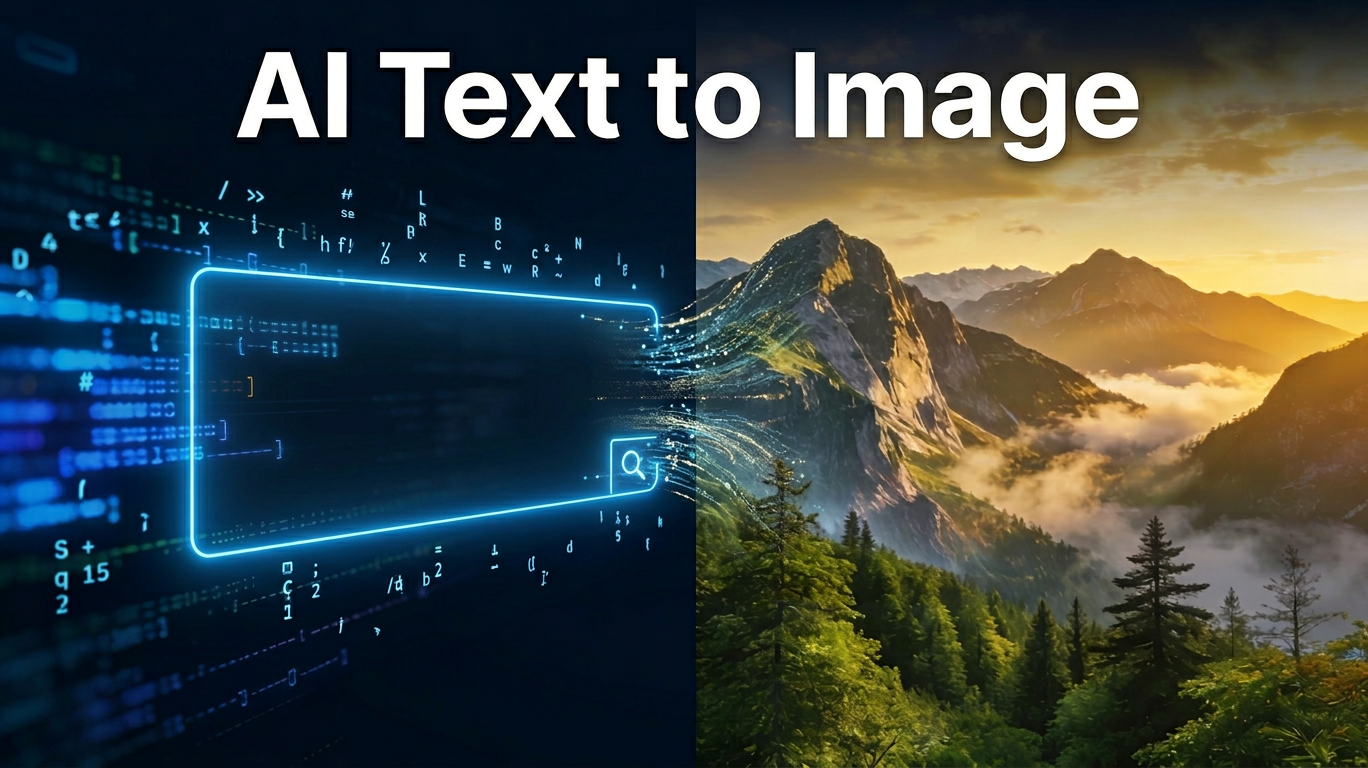
Artificial intelligence has fundamentally changed how we create visuals. Whether you're a marketer, designer, or entrepreneur, AI text to image tools now let you generate professional-quality images in seconds — no design skills required.
What Is AI Text to Image?
AI text to image is a technology that converts written descriptions into fully rendered images using artificial intelligence. You type what you want to see, and the AI generates it — from photorealistic product shots to fantasy concept art.
How the Technology Works
Modern AI image generators are built on diffusion models — a process where the AI starts with random noise and gradually refines it into a coherent image guided by your text prompt. Think of it like a sculptor chipping away at marble: the AI removes what doesn't fit your description until the final image emerges. Models like Flux, GPT-4o Vision, and Banana Pro's proprietary engine have pushed this process to under 15 seconds with 4K-quality output.
Text to Image vs. Image to Image: Key Differences
| Text to Image | Image to Image | |
|---|---|---|
| Input | Text prompt only | Existing image + prompt |
| Best for | Creating from scratch | Transforming existing visuals |
| Use case | Marketing assets, concept art | Product restyling, photo editing |
| Skill required | Writing a good prompt | Having a source image |
Both modes are available on Banana Pro AI, giving you flexibility depending on your starting point.
Why AI Text to Image Has Changed Creative Production
The creative industry hasn't seen a shift this significant since the introduction of Photoshop. AI text to image tools have removed three of the biggest barriers to professional visual content.
The Speed Advantage
A professional photo shoot takes days to plan, execute, and edit. A freelance illustration commission takes weeks. With AI text to image, the same quality output takes 8 to 15 seconds. For teams running high-frequency campaigns or social media schedules, this speed advantage compounds quickly — what used to require a full creative team can now be handled by one person in an afternoon.
The Cost Advantage
Stock photo subscriptions run $100–$300 per month. Custom illustration commissions start at $200 per piece. AI text to image tools like Banana Pro AI offer free daily credits with no credit card required, and commercial usage rights are included at no extra cost. For startups, small businesses, and solo creators, this levels the playing field entirely.
Creative Possibilities That Didn't Exist Before
Beyond speed and cost, AI text to image unlocks creative directions that were previously impossible or impractical — generating images of products that don't exist yet, visualizing abstract concepts, creating infinite variations of a scene, or producing imagery in any art style on demand. The creative ceiling has effectively been removed.
How to Write AI Text to Image Prompts That Actually Work
The quality of your output depends almost entirely on the quality of your prompt. A vague prompt produces a generic image. A structured prompt produces exactly what you envisioned.
The 4-Part Prompt Formula
Use this formula as your default starting point for every prompt:
[Subject] + [Setting/Context] + [Style] + [Technical specs]
Example: "A female astronaut sitting in a neon-lit Tokyo café, cyberpunk style, cinematic lighting, 4K, ultra-realistic"
| Part | Purpose | Example Words |
|---|---|---|
| Subject | Who or what is in the image | a golden retriever, a futuristic city, a coffee cup |
| Setting | Where or in what context | on a rainy street, inside a library, against white background |
| Style | Visual aesthetic | watercolor, Pixar 3D, photorealistic, oil painting |
| Technical | Quality and camera specs | 4K, sharp focus, cinematic lighting, bokeh |
Power Words by Style Category
Bookmark these and add them to your prompts to immediately improve output quality:
- Lighting: golden hour, soft diffused light, dramatic rim lighting, neon glow, studio lighting, backlit, overcast natural light
- Art Style: oil painting, anime, watercolor, concept art, Pixar 3D, film noir, flat design, photorealistic, editorial illustration
- Camera & Quality: shot on Canon EOS R5, bokeh background, ultra-sharp, 4K, hyper-detailed, macro photography, wide angle
- Mood: serene, dramatic, whimsical, dystopian, nostalgic, energetic, minimalist
5 Prompt Mistakes That Ruin Your Results
| Weak Prompt | Improved Prompt | Why It Fails |
|---|---|---|
| "a dog" | "a golden retriever puppy lying on a wooden floor, soft morning light, photorealistic" | Too vague — AI guesses everything |
| "beautiful landscape" | "misty mountain valley at sunrise, aerial view, hyperrealistic, 4K" | "Beautiful" gives AI no visual direction |
| "photo of a person smiling" | "portrait of a 30-year-old woman smiling, studio lighting, sharp focus, 4K" | Missing subject detail and technical specs |
| One long run-on sentence | Use the 4-part formula with clear structure | AI loses priority, output becomes inconsistent |
| Content only, no style | Add ", in the style of [X]" at the end | Output style is random and hard to reproduce |
Real Prompt Examples from Banana Pro AI
Rather than guessing what works, you can browse real, tested prompts with actual generated image results directly on Banana Pro AI's Banana Prompts Library.
The library covers prompts across major creative categories:
- Art & Illustration — concept art, painterly styles, children's book illustration
- E-commerce — clean product shots, lifestyle imagery, white background renders
- Social Media — Instagram aesthetics, banner graphics, cover imagery
- Architecture & Interior — architectural renders, interior design visualizations
- Fashion — editorial portraits, clothing lookbooks, model photography
- Gaming & Fantasy — environment concept art, character design, fantasy scenes
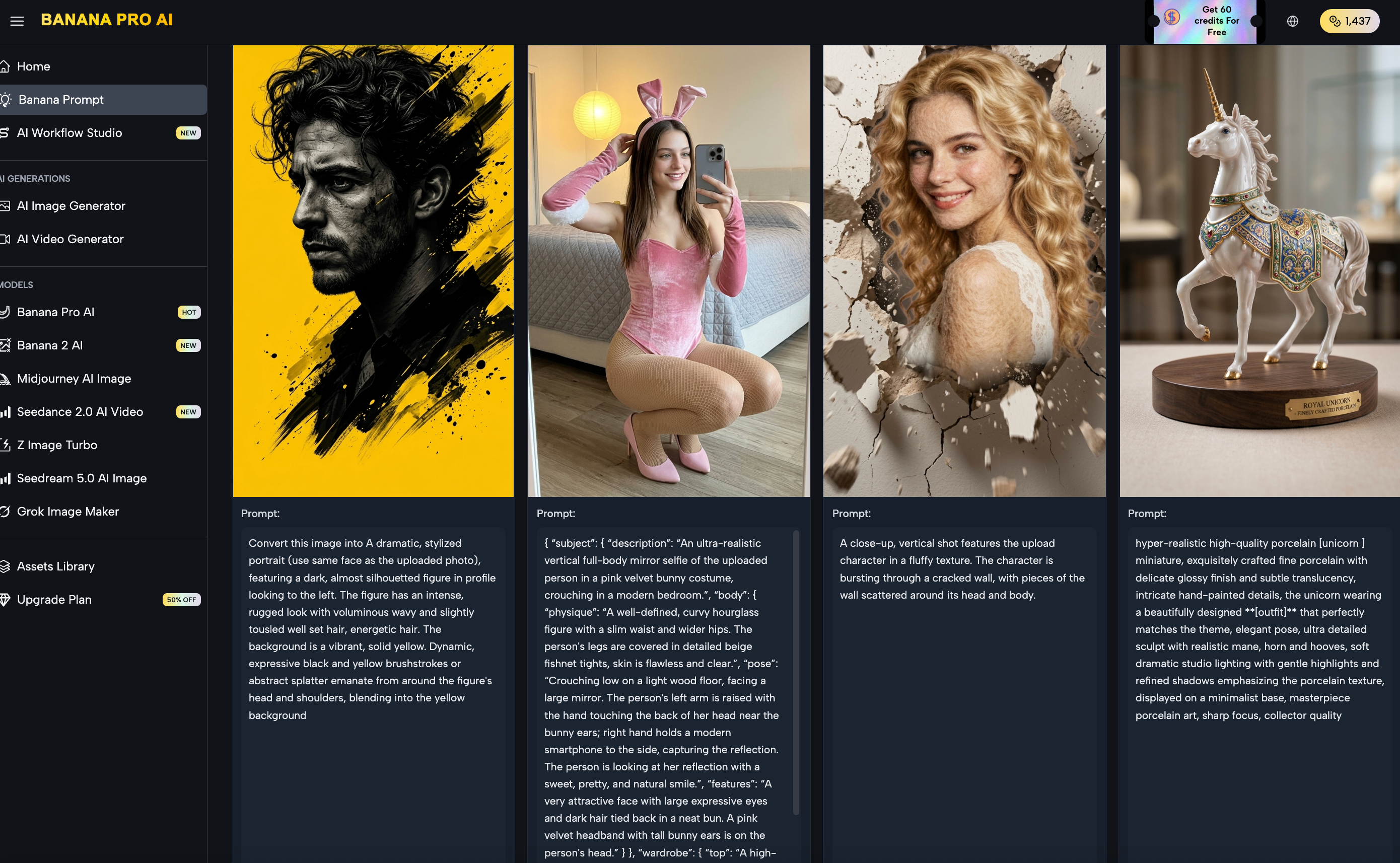 How to use the Prompt Library:
- Visit bananaproai.com/banana-prompts
- Browse prompts in your target category
- Copy a prompt directly or modify it using the 4-Part Formula
- Paste it into the Banana Pro AI generator and select your model
💡 Pro Tip: Starting from a working prompt in the library and adapting it to your needs is 3–5x faster than writing from scratch — especially if you're new to prompt writing.
How to Use Banana Pro AI for Text to Image Generation
Banana Pro AI is a free AI image platform that supports multiple state-of-the-art models, offers 4K output, and includes commercial usage rights — all with no watermark.
Step-by-Step: Your First Text to Image Creation
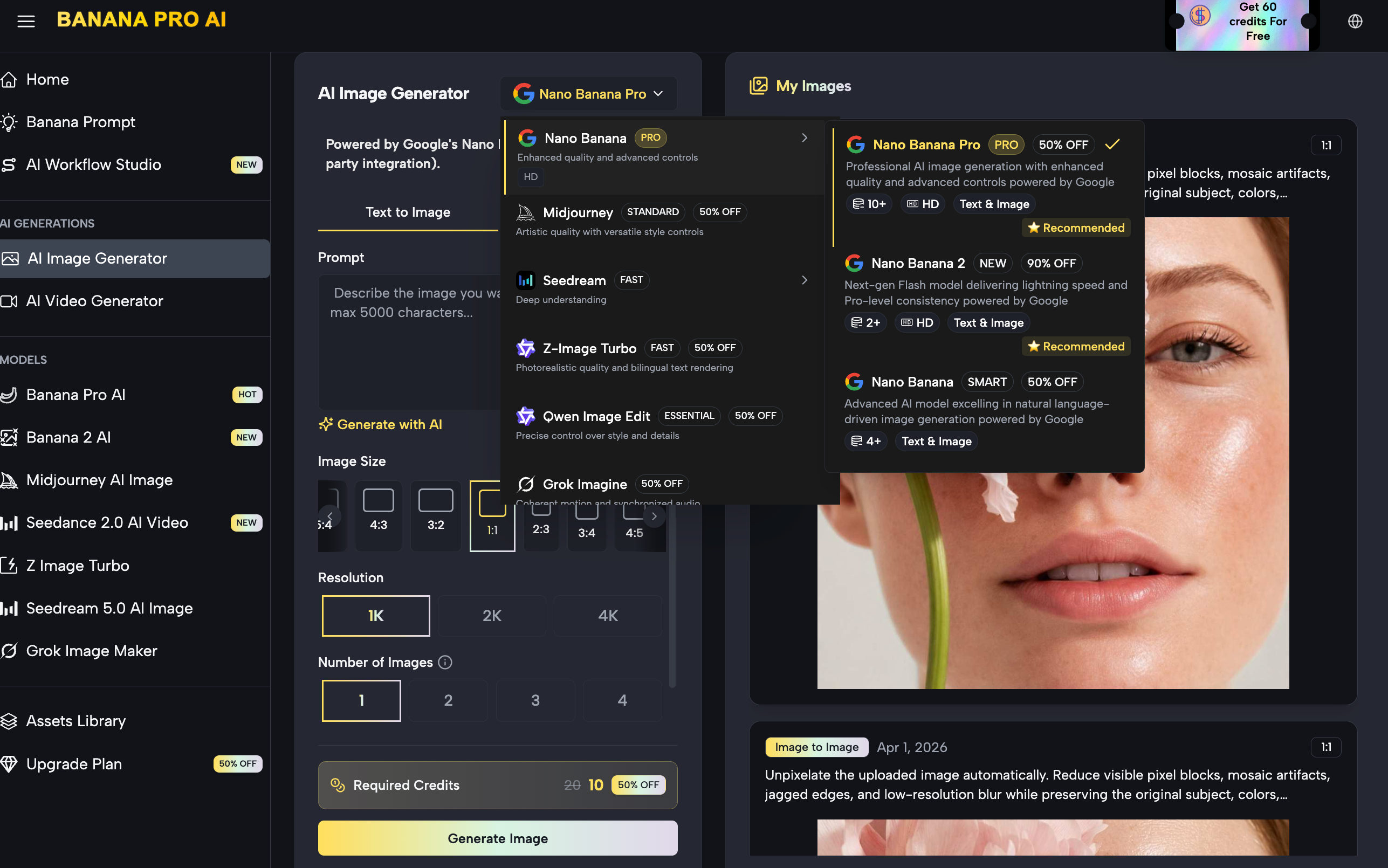
- Go to banana Pro AI image Generator
- Select your model — choose Banana Pro for maximum quality, or Z-Image Turbo if you need results in under 5 seconds
- Type your prompt using the 4-Part Formula
- Set your aspect ratio (square, portrait, landscape, or custom)
- Click Generate
- Download your image — full resolution, no watermark, commercial use included
Using the Canvas Workflow for Multi-Step Pipelines
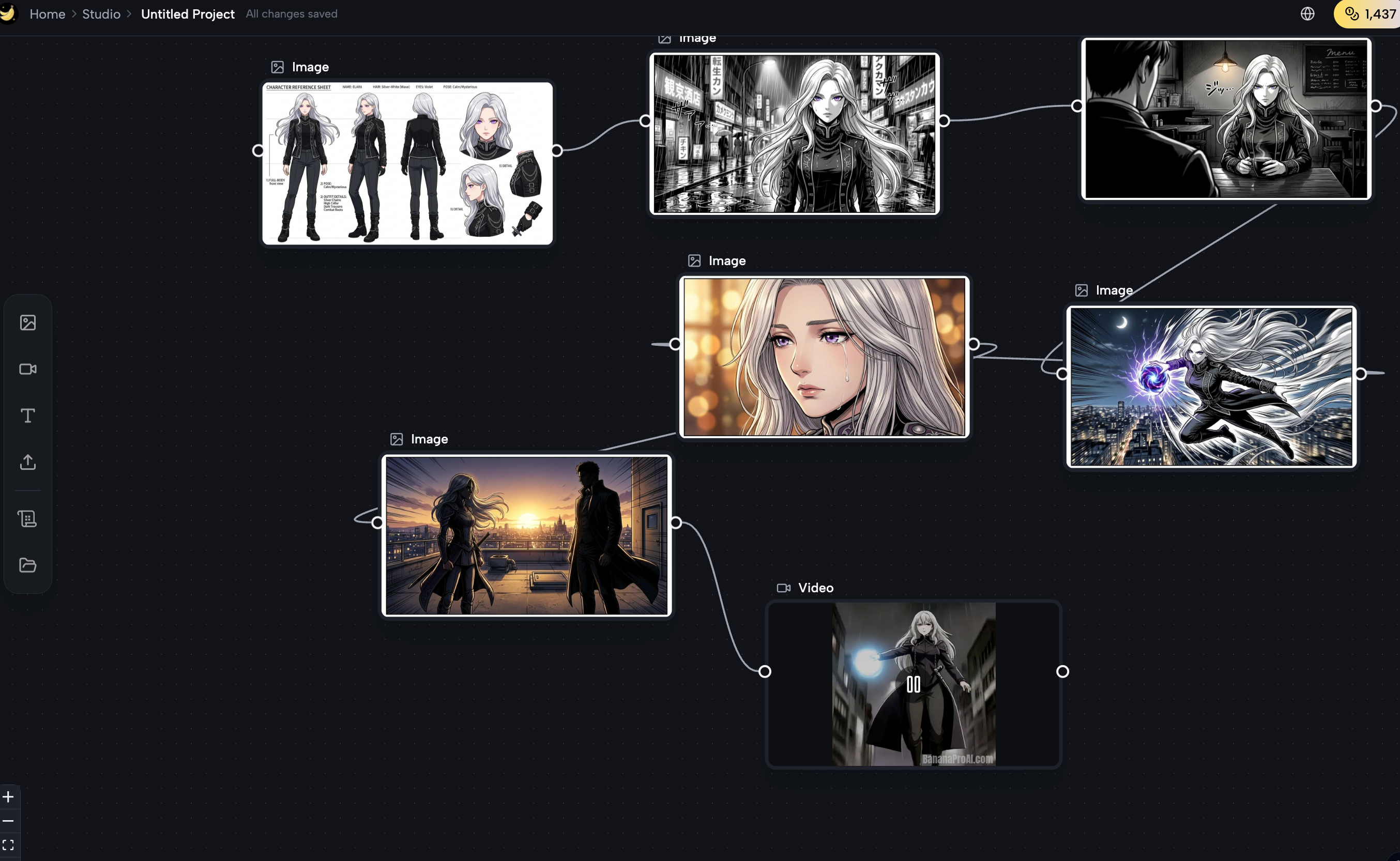
For more complex creative projects, Banana Pro AI's Canvas Workflow gives you an infinite canvas with a node-based interface. You can chain together multiple operations — generate an image, apply a style transfer, upscale to 4K, and export — all within a single visual pipeline, no coding required. This is particularly useful for agencies and designers who need repeatable, multi-step production workflows.
Batch Generation for High-Volume Projects
When you need multiple variations of the same concept — for A/B testing, product catalog builds, or social media content banks — Banana Pro AI's batch generation lets you produce multiple outputs from a single prompt in one run. This eliminates the repetitive manual process of generating images one by one.
AI Text to Image Use Cases by Industry
Marketing and Advertising
Marketing teams use AI text to image to generate campaign visuals, ad creatives, landing page heroes, and email graphics — all without briefing a designer or waiting for revisions. Multiple visual directions can be tested in hours rather than weeks.
E-commerce Product Imagery
Online sellers can generate clean white-background product shots, contextual lifestyle images, and seasonal campaign visuals without a photography studio. A single product can be placed in dozens of different scenes simply by changing the setting in the prompt.
Social Media Content Creation
Content creators and social media managers use AI text to image to maintain a consistent visual style across platforms, generate post graphics on tight deadlines, and produce on-brand imagery at volume — particularly useful for channels that publish daily.
Graphic Design and Concept Art
Designers use AI text to image for early-stage ideation: generating mood board visuals, presenting initial concepts to clients, and exploring art directions before committing to full production. It significantly compresses the concepting phase of any project.
Frequently Asked Questions
Is AI text to image free?
Yes. Banana Pro AI offers free daily credits with no credit card required. You can start generating images immediately after signing up, and the free plan includes commercial usage rights.
Can I use AI-generated images commercially?
Yes. All images generated on Banana Pro AI include full commercial usage rights, covering advertising, e-commerce, client projects, and more — at no additional cost.
How accurate is AI text to image?
Accuracy depends heavily on prompt quality. A well-structured prompt using the 4-Part Formula described above will consistently produce results that closely match your intent. Browsing the Banana Prompts Library for reference examples further improves accuracy.
What resolution do AI text to image tools produce?
Banana Pro AI supports output up to 4K resolution, delivered as JPEG, PNG, or WebP files with a maximum file size of 20MB per image.
Conclusion
AI text to image has moved from novelty to essential creative tool. The ability to generate high-quality, commercially usable visuals from a text description — in seconds, for free — has permanently changed how individuals and teams approach creative production.
If you're ready to start, Banana Pro AI gives you free access to multiple state-of-the-art models, a curated prompt library to get you started, and 4K output with no watermark. Your first image is one prompt away.