AI Video Generator From Image: Turn Any Photo Into a Video
Everything You Need to Know About AI Image-to-Video Generation in 2026
Static images tell a story — but video makes that story move. In 2026, transforming a photo into a professional AI-generated video no longer requires a production team, expensive software, or even a single hour of your time. With Banana Pro AI, you can go from photo to polished video in minutes — completely free, no watermark, full commercial rights included.
This guide covers how AI Image-to-Video generation works, which model to choose, step-by-step instructions, trending one-click video effects, and an honest comparison with competing tools.
What Is an AI Image-to-Video Generator?
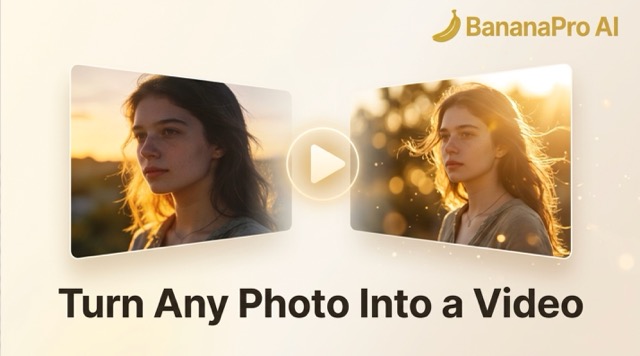
An AI image-to-video generator is a tool powered by deep learning models that takes a static photo as input and produces a fully animated video clip as output — complete with realistic motion, lighting dynamics, and scene depth.
Unlike traditional video editing, there is no timeline to manage, no keyframes to set, and no rendering queue to babysit. You upload a photo, describe the motion you want, and the AI delivers a finished video in seconds.
How Does It Work?
AI video models are trained on billions of video frames. When you provide an image as input, the model analyzes visual context — subject, depth, lighting, background — and predicts how every pixel would realistically move across time. The result is a smooth, coherent video that appears to naturally animate the original photo.
Image to Video vs. Text to Video
| Mode | What You Provide | Best For |
|---|---|---|
| Image to Video | An existing photo + motion description | Animating real photos, product shots, portraits |
| Text to Video | A text description only | Creating original scenes from scratch |
Most creators use both modes — Text to Video for original concept generation, Image to Video when working from real photography or existing AI-generated images.
How to Turn a Photo Into a Video — Step by Step
The entire workflow takes fewer than five minutes on Banana Pro AI's Video Generator. No design or editing experience required.
Step 1 — Upload Your Photo
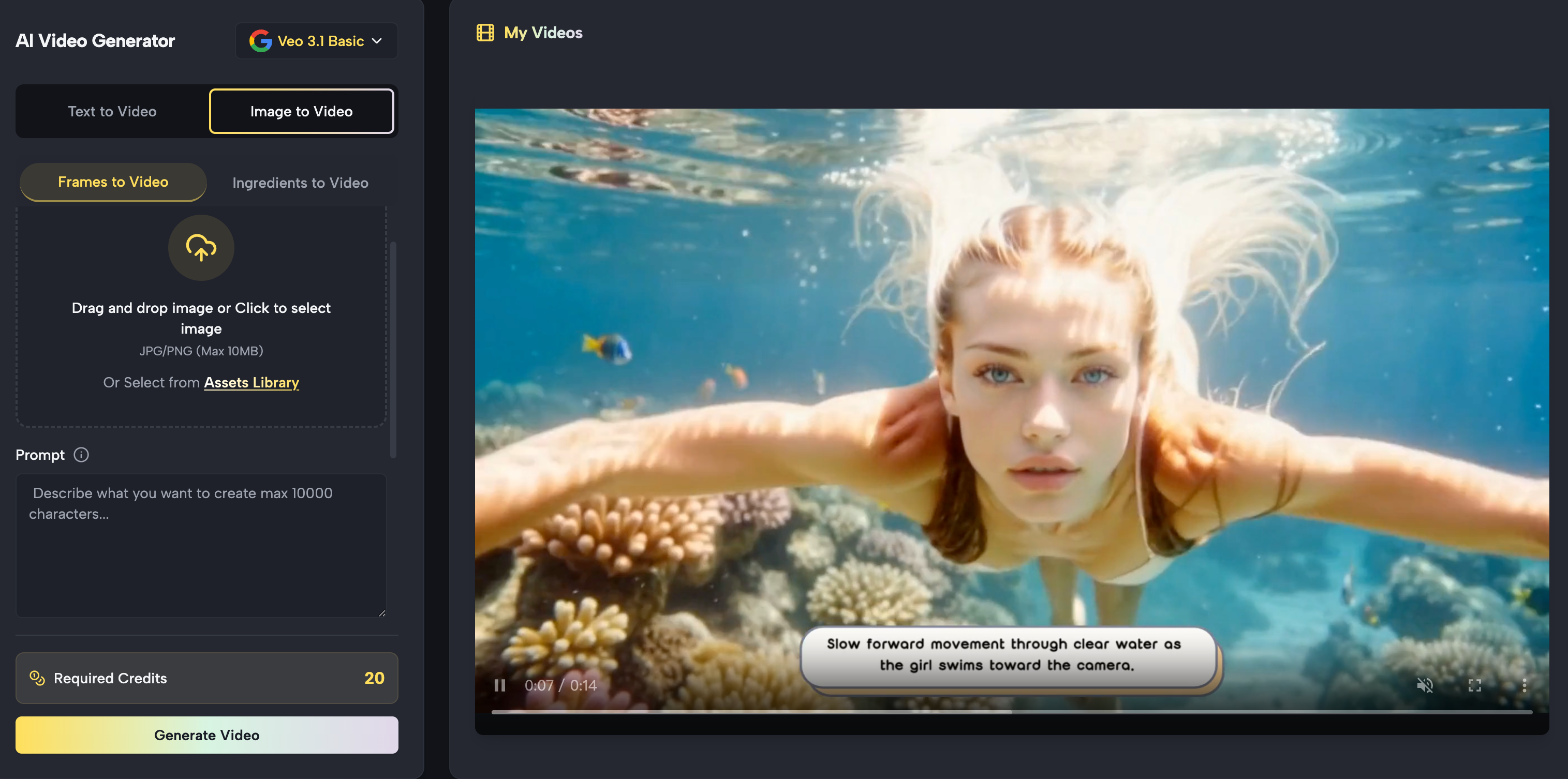
Navigate to the Banana Pro AI Video Generator and select Image to Video mode. Upload your photo — a product shot, portrait, landscape, illustration, or any AI-generated image works. The platform accepts all standard image formats.
Step 2 — Write Your Motion Prompt
Describe exactly how you want the scene to move. Be specific — the more detail you provide, the better the AI interprets your intent:
- "Camera slowly pushes in toward the subject, hair gently blowing in a warm breeze, soft bokeh background"
- "Product rotates 360 degrees on a clean surface, subtle studio lighting, glass floor reflection"
- "Clouds drift slowly across the sky, light rays shift through the trees, birds fly into the distance"
Step 3 — Select Your AI Model & Settings
Choose from five professional AI video models (see full comparison below). Set your aspect ratio — 16:9 for YouTube/ads/websites, 9:16 for Instagram Reels, TikTok, and Shorts — and select your preferred resolution, up to 4K.
Step 4 — Generate, Download & Publish
Hit Generate. Your video is ready in as little as 30 seconds. It auto-saves to your secure cloud library and exports as a watermark-free MP4, fully licensed for commercial use — ready to publish immediately on any platform.
Best AI Models for Photo-to-Video in 2026
Banana Pro AI gives you access to five specialized video generation engines — each optimized for different quality levels, styles, and speed requirements. This multi-model approach is one of the platform's biggest advantages over competitors.
Which Model Should You Choose?
| Model | Best For | Speed | Quality |
|---|---|---|---|
| Veo 3.1 Premium | Cinematic output, broadcast-grade | 2–4 min | ⭐⭐⭐⭐⭐ |
| Veo 3.1 Basic | High quality at lower credit cost | 2–3 min | ⭐⭐⭐⭐ |
| Sora 2 | Photorealistic footage, complex scenes | 2–3 min | ⭐⭐⭐⭐⭐ |
| Wan 2.5 | Rapid iteration, high-volume production | 30–60 sec | ⭐⭐⭐⭐ |
| Kling | Versatile styles, artistic customization | 1–2 min | ⭐⭐⭐⭐ |
| Grok Imagine | Experimental, artistic visuals | 1–3 min | ⭐⭐⭐⭐ |
Recommended picks:
- Best overall quality → Veo 3.1 Premium or Sora 2
- Best for speed & volume → Wan 2.5 (under 60 seconds per clip)
- Best for artistic styles → Kling or Grok Imagine
Trending One-Click AI Video Effects — Updated Continuously
Beyond standard video generation, Banana Pro AI offers a growing library of specialized, trend-driven video effects — each designed for a specific creative moment and ready to use with a single click. No prompts to write, no settings to configure. Just upload a photo and hit Generate.
The library is continuously updated with the latest viral effects and social media trends, so you always have access to what's performing right now — not last year.
Here are four of the most popular effects available today:
AI Photo Booth Video
Turn a single portrait into a fun, multi-style photo booth reel — the kind of content that goes viral on TikTok and Instagram Reels every week. The AI generates a dynamic collage-style video with multiple expressions, color backgrounds, and animated transitions, all from one uploaded photo. Perfect for personal branding, event marketing, and high-engagement social content.
Best for: Content creators, event promoters, social media managers
One click → Try AI Photo Booth Video
AI Kissing Video Generator
Upload a photo of two people and the AI generates a smooth, cinematic romantic kiss animation — complete with natural head movement, realistic facial expressions, and emotional timing. The model analyzes facial geometry, posture, and distance to simulate a believable, intimate scene. Used widely for anniversary surprises, couple content, wedding announcements, and viral romantic storytelling.
Best for: Couples, lifestyle creators, wedding planners,
social media storytellers
One click → Try AI Kissing Video Generator
AI Lip Sync Generator
Transform any video into a perfectly synced talking-head clip — upload your audio or type your script, and the AI maps every syllable to the subject's lip movements with hyper-realistic precision. Supports multiple languages for seamless content localization, making it ideal for dubbing, multilingual marketing campaigns, and faceless video channels. Say goodbye to bad dubbing and awkward out-of-sync cuts forever.
Best for: YouTubers, educators, marketers, global content teams
One click → Try AI Lip Sync Generator
AI Animation Generator
Bring any still image to life as a fully animated clip — portraits, illustrations, product photos, or artwork. The AI Animation Generator applies fluid motion, dynamic lighting, and scene-appropriate animation to produce eye-catching video content that stands out in any feed. Whether you're animating a character illustration, a product visual, or a brand mascot, one click delivers a polished animated video ready for any platform.
Best for: Illustrators, game developers, brand designers,
anime and art content creators
One click → Try AI Animation Generator
More Effects — Always Growing
The four effects above are just the beginning. Banana Pro AI's video effect library also includes AI Hug, Seedance 1.5 Pro, Veo 3 Video Generator, Sora 2, and more — with new trend-driven effects added regularly to keep your content ahead of the curve.
✨ Bookmark the Banana Pro AI Video Generator page — new one-click effects are added continuously as new trends emerge across TikTok, Instagram, and YouTube.
BananaPro AI vs. Other AI Video Generators
How does Banana Pro AI compare to the leading alternatives? Here's an honest side-by-side:
| Feature | BananaPro AI | Runway | Kling | Pika | Sora (OpenAI) |
|---|---|---|---|---|---|
| Free Plan | Full access | Very limited | Limited | Limited | Paid only |
| Watermark-Free | Always | Paid only | Paid only | Paid only | ✅ |
| Commercial Rights | Included | 💲 Extra cost | 💲 Extra cost | 💲 Extra cost | ✅ |
| Image to Video | ✅ | ✅ | ✅ | ✅ | ✅ |
| Text to Video | ✅ | ✅ | ✅ | ✅ | ✅ |
| Multiple AI Models | 5 models | 2 models | 1 model | 1 model | 1 model |
| One-Click Trend Effects | ✅ Continuously updated | ❌ | ❌ | Limited | ❌ |
| Canvas Workflow | ✅ | ❌ | ❌ | ❌ | ❌ |
| Cloud Storage | Auto-save | ✅ | ✅ | ✅ | ✅ |
| Max Resolution | 4K | 4K | 1080p | 1080p | 4K |
The key differentiator: BananaPro AI is the only platform that combines multi-model generation, a continuously growing library of one-click trend effects, watermark-free commercial exports, and a visual Canvas Workflow — all on a free account.
Advanced Workflow: BananaPro Studio Canvas
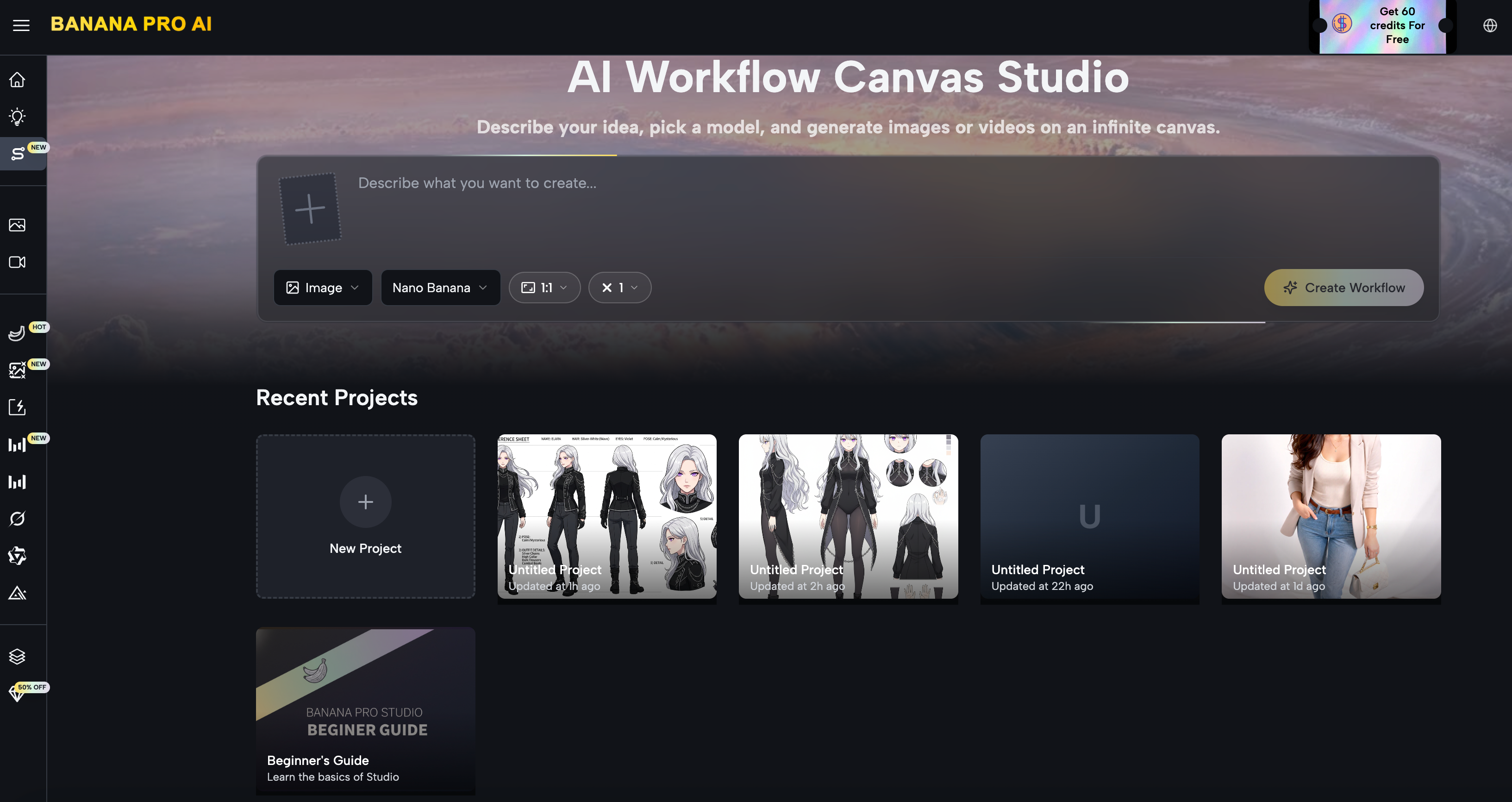
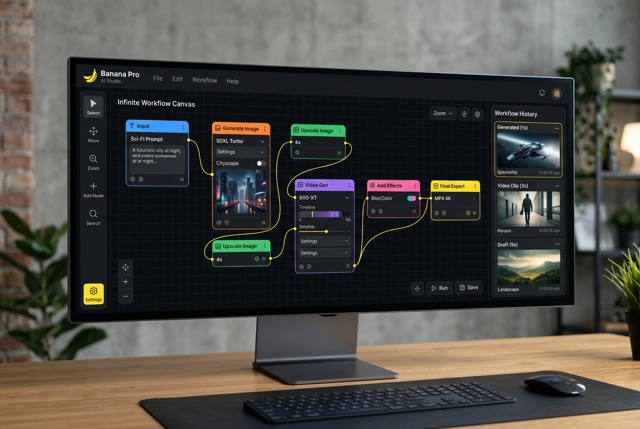
For complex multi-step creative pipelines, BananaPro Studio extends the Image-to-Video workflow with a node-based visual canvas. Connect generation, editing, and video nodes on an infinite workspace — building reusable creative pipelines without writing a single line of code.
Text → Image → Video Pipeline
- Text Node → Write your image prompt
- Image Node → Generate your AI image (GPT-4o Image, Flux, Nano Banana Pro, and more)
- Video Node → Connect the generated image, add a motion prompt
- Generate → Original scene delivered, from concept to video, in one seamless workflow
BananaPro Studio also supports batch generation of up to 4 variations per node, so you can compare different motion interpretations side by side before committing to a final output.
Frequently Asked Questions About Banana Pro AI Video Generator
Can I turn a photo into a video for free?
Yes. Banana Pro AI's Image-to-Video generator is completely free with daily credits. No credit card required, no subscription needed, and every export is watermark-free.
Which AI model is best for photo to video?
For the highest cinematic quality, Veo 3.1 Premium or Sora 2 are the top choices. For fast, high-volume production, Wan 2.5 generates professional-quality clips in 30–60 seconds.
How long does AI video generation take?
Wan 2.5 generates in 30–60 seconds. Kling and Grok Imagine take 1–3 minutes. Veo 3.1 and Sora 2 take 2–4 minutes for their highest-quality outputs.
Can I use AI-generated videos commercially?
Yes. Every video generated on Banana Pro AI includes full commercial usage rights — no extra licensing fee, no restrictions. Use your videos for advertising, client work, social media, merchandise, or any business purpose with complete confidence.
What's the difference between Image to Video and Text to Video?
Image to Video animates an existing photo — ideal for product shots, portraits, and real photography. Text to Video generates a completely original scene from a written description — ideal for creative concepts, storytelling, and original content.
Do I need to download any software?
No. Banana Pro AI is 100% browser-based. Open it on any device — no installation, no plugins, no setup required.
What image formats are supported?
Banana Pro AI accepts all standard formats including JPG, PNG, and WebP. Both AI-generated images and real photographs work equally well as input sources.
How do I write a good motion prompt?
Be specific about the subject's movement, camera movement, lighting mood, and speed. Example: "Camera slowly pushes in, subject turns toward lens, soft golden hour light, 4K cinematic." The more detail you provide, the more precisely the AI executes your vision.
Start Creating for Free Today
The gap between a static photo and a professional video has never been smaller. Whether you're a marketer, content creator, e-commerce seller, or filmmaker, Banana Pro AI gives you broadcast-quality AI video generation — free, fast, and fully licensed for commercial use.
Sign up for a free account, head to the AI Video Generator, and choose your starting point: generate a custom video from any photo, or jump straight into one of the trending one-click effects that's already going viral right now.
No credit card. No watermark. No limits on what you can create.
Ready to bring your photos to life?
Create Your First AI Video Free → Banana Pro AI