How to Make a Family Crest Online: The Complete Guide
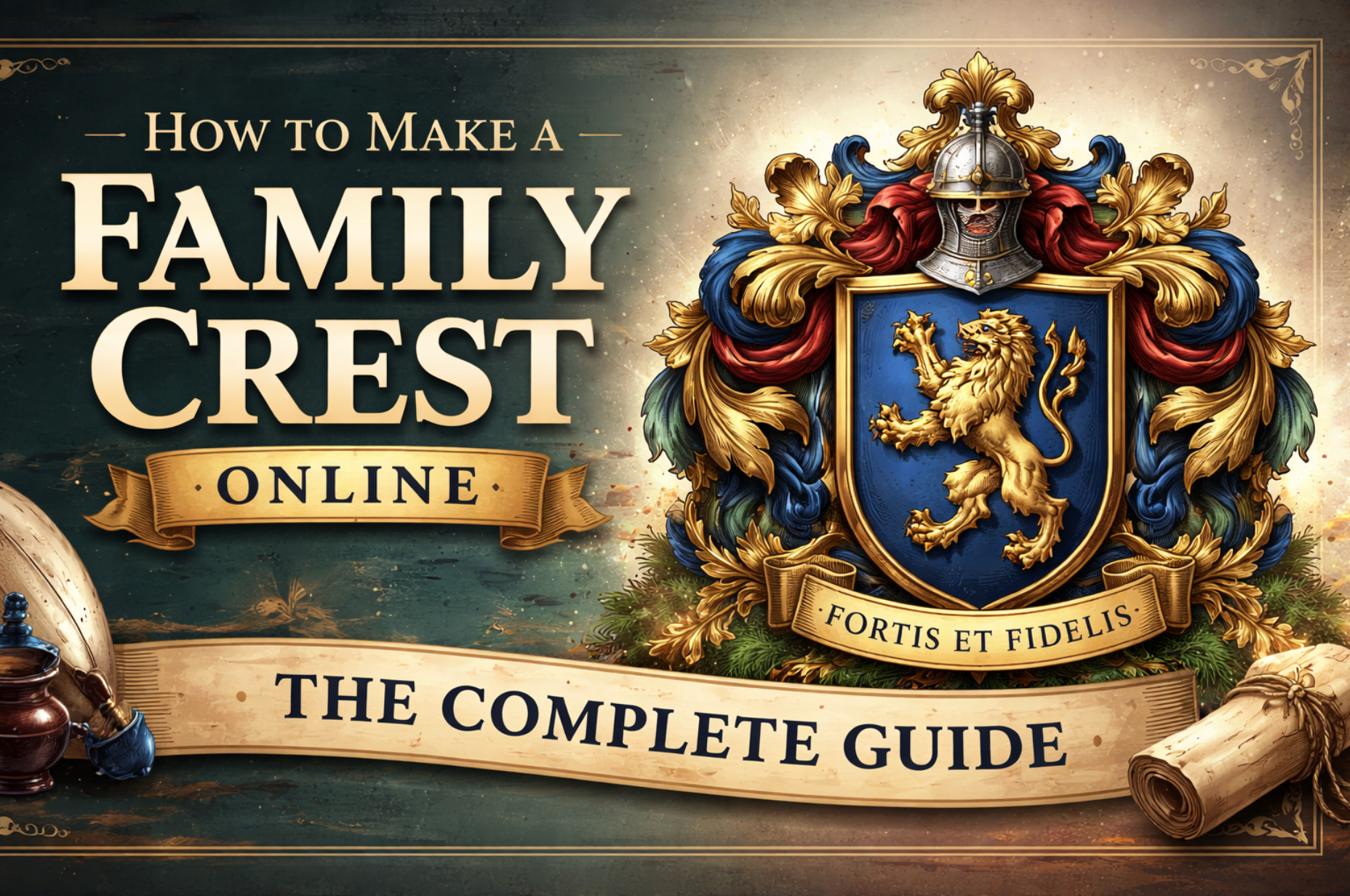
The fastest way to make a family crest is to use an AI image generator. Simply describe your family's values and symbols, generate a crest design, then refine it in a creative studio — all in under 10 minutes.
Your family's story deserves more than just a name — it deserves a symbol. A family crest captures your heritage, values, and identity in a single, powerful image that has stood the test of centuries. Whether you're researching your ancestry, planning a family reunion, or simply want to preserve a piece of history, creating a family crest has never been easier — or more exciting.
Thanks to modern AI-powered tools like Banana Pro AI Image Generator, you no longer need a professional heraldic artist or expensive design software. In this complete guide, we'll walk you through exactly how to design your own family crest from scratch — for free.
What Is a Family Crest?
A family crest is a unique heraldic symbol historically used to identify a family, clan, or noble house. Originating in 12th-century medieval Europe, these emblems were originally painted on shields and armor to distinguish knights in battle. Over time, they evolved into intricate symbols of family pride, values, and lineage.
Family Crest vs. Coat of Arms: What's the Difference?
These two terms are often used interchangeably, but they are technically different:
| Term | What It Is |
|---|---|
| Family Crest | The symbol that sits on top of the helmet in a full heraldic achievement |
| Coat of Arms | The full heraldic design including the shield, helmet, crest, supporters, and motto |
| Shield / Escutcheon | Just the shield portion of the coat of arms |
In modern usage, "family crest" has become the popular term for the entire heraldic design — and that's perfectly fine. What matters is that your design tells your family's story.
Why Create a Family Crest Today?
- Celebrate family heritage and ancestry research
- Create a unique logo for a family-owned business
- Design personalized gifts such as mugs, t-shirts, and stationery
- Use on wedding invitations or family reunion materials
- Preserve your family's identity for future generations
How to Make a Family Crest
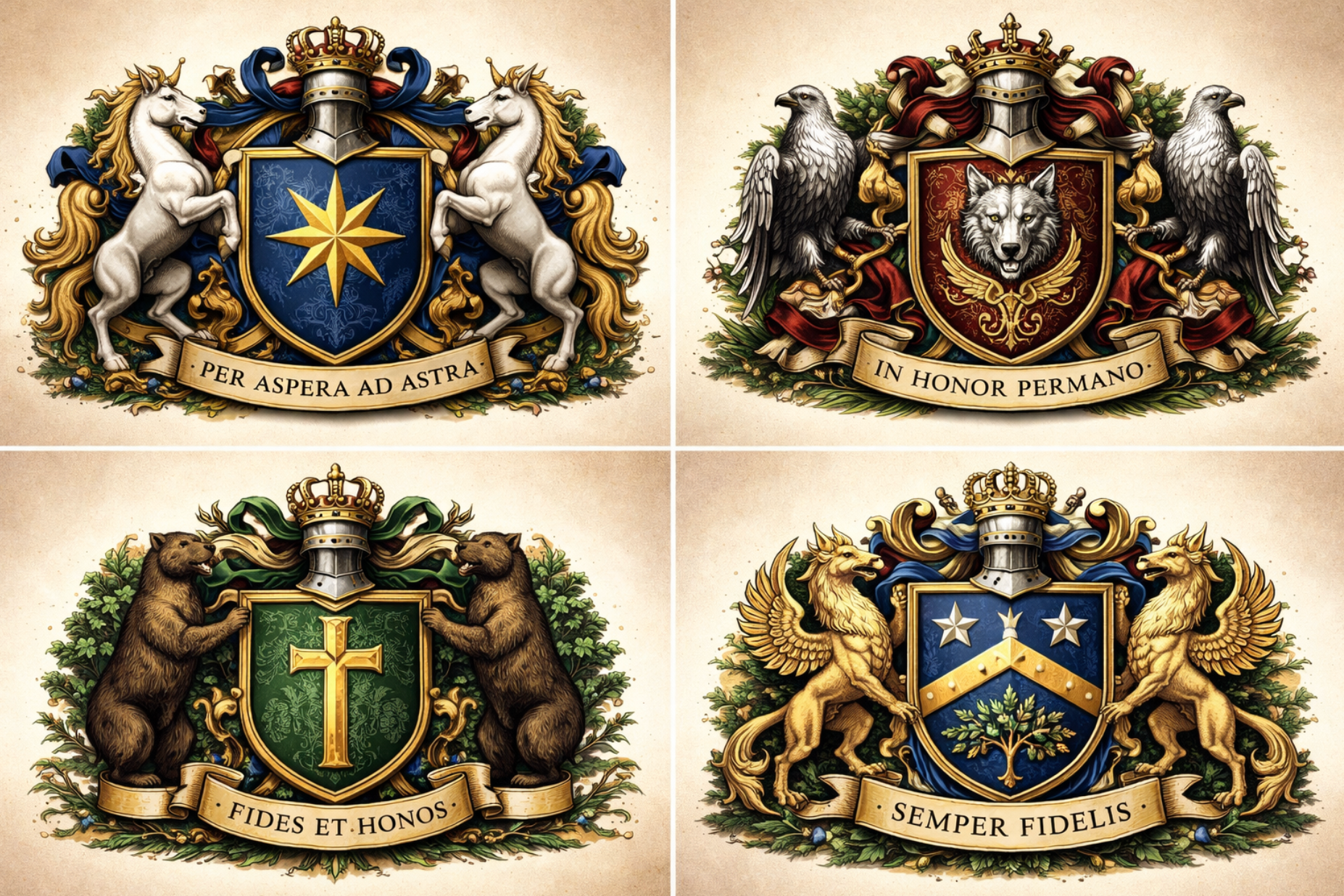
Creating a family crest used to require hiring a professional heraldic designer — a process that could cost hundreds of dollars and take weeks. Today, AI tools have completely changed the game. Here is the most efficient method in 2026:
Step 1: Choose Your Family's Symbols and Meaning
Before opening any design tool, spend a few minutes thinking about what your family stands for. Traditional heraldry assigns meaning to every color, animal, and shape on a crest.
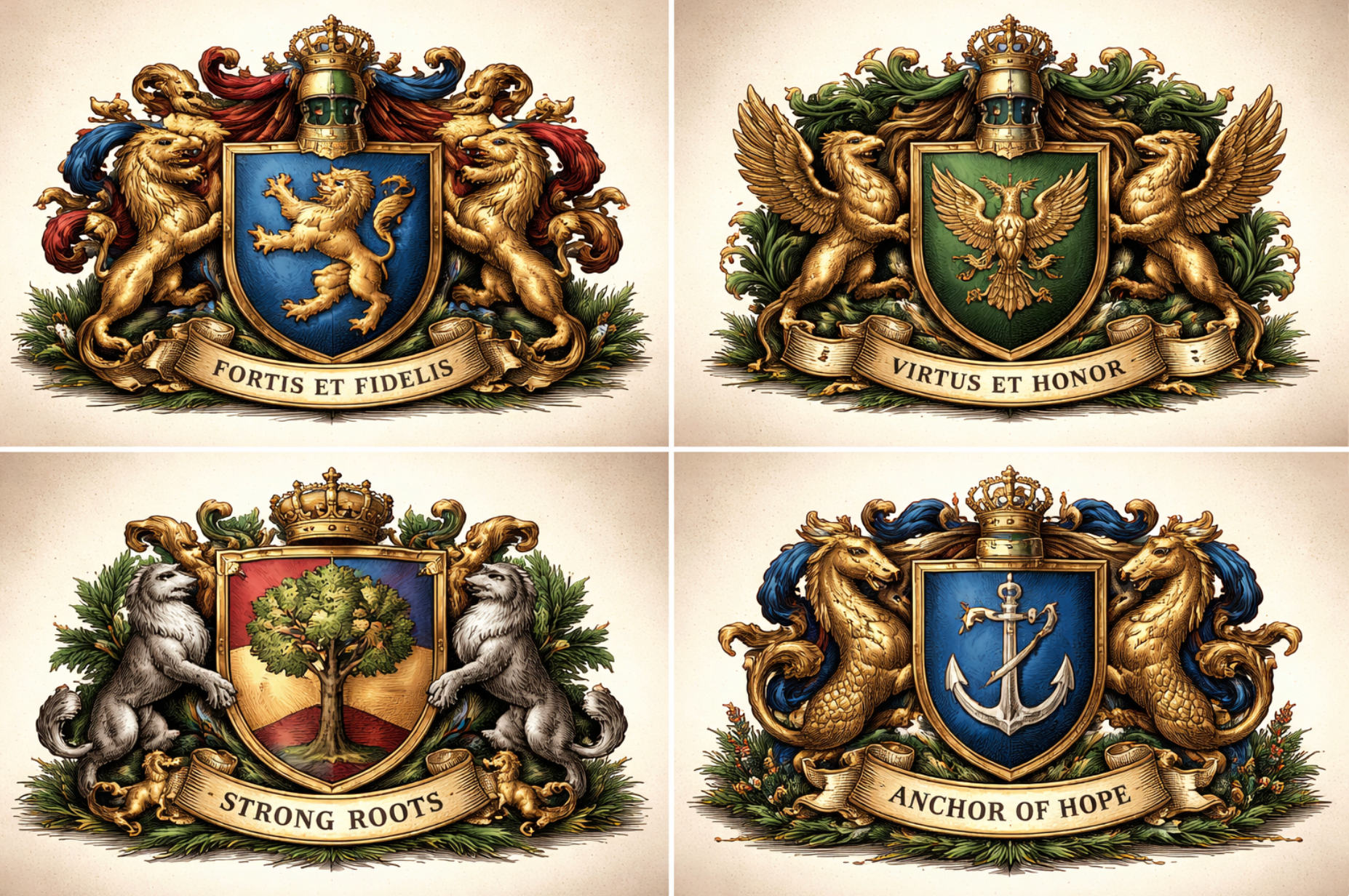
Common Heraldic Symbols and Their Meanings
| Symbol | Heraldic Meaning | Best For |
|---|---|---|
| Lion | Courage, strength, royalty | Families with military history |
| Eagle | Power, freedom, nobility | Ambitious, achievement-oriented families |
| Oak Tree | Strength, longevity, stability | Old, established family lines |
| Cross | Faith, service, Christianity | Religious or service-oriented families |
| Star | Excellence, achievement, ambition | Academic or entrepreneurial families |
| Wolf | Loyalty, perseverance, intelligence | Close-knit, protective families |
| Anchor | Hope, seafaring, stability | Families with naval or coastal heritage |
Heraldic Colors (Tinctures) and Their Meanings
| Color | Heraldic Name | Meaning |
|---|---|---|
| Gold / Yellow | Or | Generosity, wisdom, prosperity |
| Silver / White | Argent | Peace, sincerity, purity |
| Red | Gules | Military strength, bravery |
| Blue | Azure | Truth, loyalty, strength |
| Green | Vert | Hope, joy, loyalty in love |
| Black | Sable | Constancy, wisdom, grief |
| Purple | Purpure | Royalty, sovereignty, justice |
Pro Tip: Pick 2–3 symbols maximum and no more than 2 colors for your base design. Overly complex crests lose their visual impact and become hard to reproduce at small sizes.
Step 2: Generate Your Family Crest with AI
This is where the magic happens. Head over to Banana Pro AI Image Generator — a powerful, free AI tool that can generate detailed, professional-quality family crest images from a simple text description.
How to Write the Perfect AI Prompt for a Family Crest
The quality of your AI-generated crest depends on the quality of your prompt. Here are proven prompt templates you can copy and customize:
Example Prompt 1 (Classic Style):
"A traditional heraldic family crest with a golden lion rampant on a blue shield, oak leaves in the corners, a silver helmet on top, and a banner at the bottom reading 'FORTIS ET FIDELIS'. Detailed, medieval illustration style, vector-like, white background."
Example Prompt 2 (Modern Style):
"A modern minimalist family crest design featuring an eagle with wings spread on a dark green circular shield, geometric patterns, clean lines, gold accents, suitable for a logo. Professional and elegant."
Example Prompt 3 (Nature-Themed):
"A family crest with an oak tree at the center, surrounded by a shield with red and gold quarters, two wolves as supporters on either side, a crown on top, classic heraldic engraving style, highly detailed."
Tips for Best AI Results
- Be specific about style — say "heraldic illustration" or "medieval engraving style"
- Mention the background — "white background" or "transparent background" for clean results
- Include your motto — add a banner or ribbon with your family motto text
- Generate multiple variations — try 3–5 different prompts and pick your favorite
- Specify colors explicitly — "gold and navy blue" rather than just "colorful"
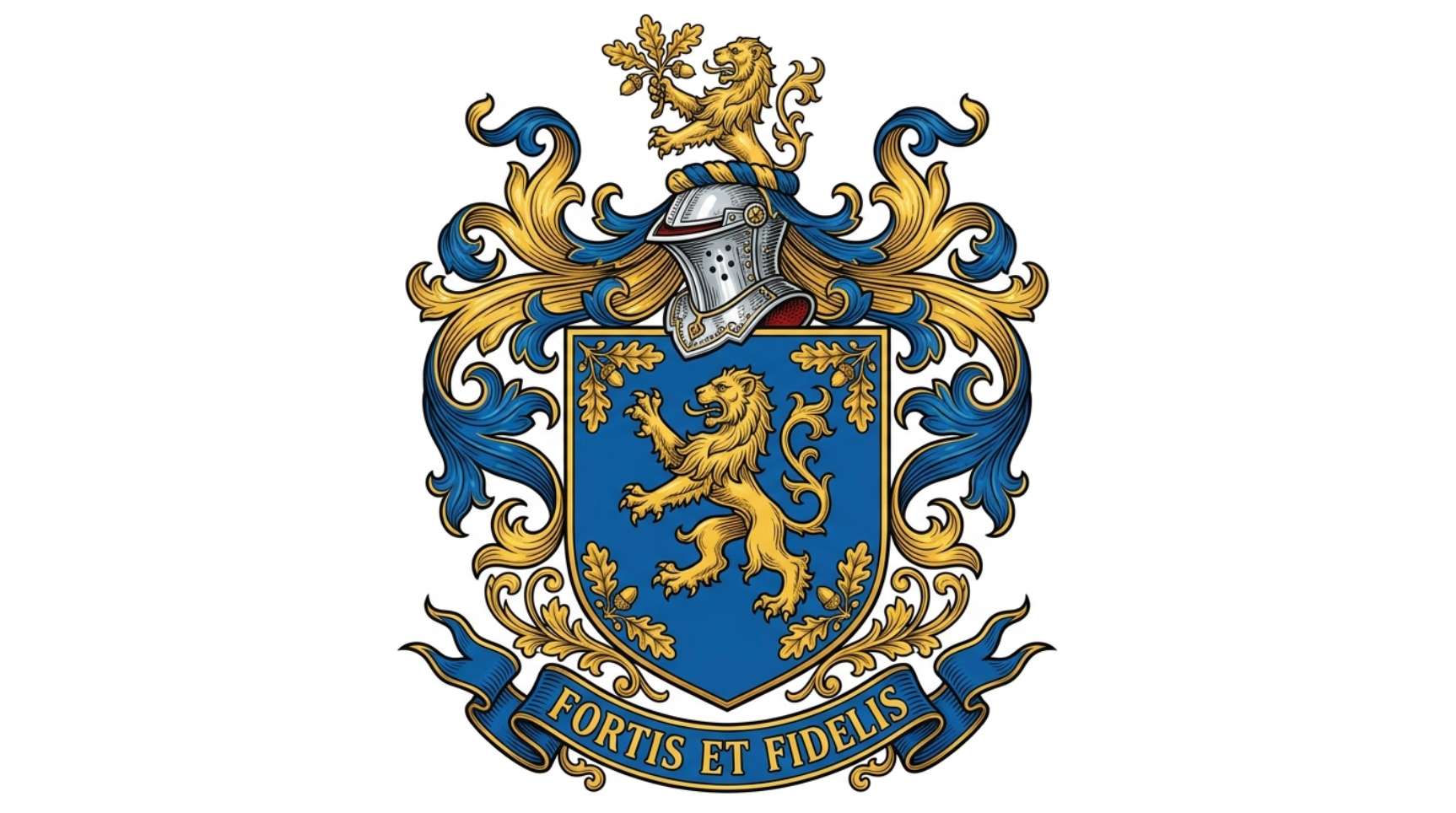
Step 3: Refine and Customize in the Design Studio
Once you have an AI-generated base design you love, take it into the Banana Pro AI Design Studio to fine-tune every detail. This is where your crest goes from "good" to "perfect."
In the Studio, you can:
- Adjust colors to match your exact heraldic tinctures
- Resize and reposition individual elements of the crest
- Add or edit your family motto text with custom fonts
- Remove backgrounds to get a clean, transparent PNG
- Apply style filters to achieve a more traditional engraved look
- Upscale the image to high resolution for printing
Step 4: Export and Use Your Family Crest
Once you're happy with the final design, export it in the appropriate format for your intended use:
| Use Case | Recommended Format | Resolution |
|---|---|---|
| Website / Social Media | PNG (transparent background) | 1024×1024 px minimum |
| Print (mugs, t-shirts) | PNG or SVG | 300 DPI / vector |
| Embroidery / Engraving | SVG or high-res PNG | As high as possible |
| Stationery / Letterheads | PDF or PNG | 300 DPI |
| Digital documents | PNG or JPG | 150–300 DPI |
##The Comparison of Family Crest Maker Tools
There are several tools available for creating family crests. Here's how the top options compare in 2026:
| Tool | Free? | AI-Powered? | Custom Studio? | Best For |
|---|---|---|---|---|
| Banana Pro AI | Yes | Yes | Yes | AI-generated unique crests |
| Canva | Partial | Limited | Basic | Template-based designs |
| Adobe Firefly | Limited trial | Yes | No | Advanced users |
| ShieldGenerator.com | Yes | No | Limited | Quick basic shields |
| MyHeritage | Partial | No | Yes | Genealogy-focused users |
For most users in 2026, Banana Pro AI offers the best combination of AI creativity, customization power, and zero cost — making it the top recommendation for anyone creating a family crest from scratch.
##What Makes a Great Family Crest?
Whether you're creating a crest with AI or by hand, these fundamental design principles will help you achieve a professional, timeless result.
1. Keep It Simple and Recognizable
The best family crests work at any size — from a massive wall tapestry to a tiny wax seal. Avoid cramming too many elements into one design. A single powerful central symbol surrounded by complementary details is far more effective than a cluttered composition.
2. Follow the Rule of Tincture
One of the oldest rules in heraldry is to avoid placing a color on a color, or a metal such as gold or silver on another metal. Strong contrast makes a crest clearer and more traditional. For example, a gold lion on a red background is generally considered correct, while a blue lion on a red background does not follow the traditional rule of tincture.
3. Include a Motto
A family motto adds a personal touch and narrative to your crest. Keep it short (3–6 words), impactful, and ideally in Latin for a classic feel.
Examples:
- SEMPER FIDELIS (Always Faithful)
- FORTIS ET LIBER (Strong and Free)
- PER ARDUA AD ASTRA (Through Adversity to the Stars)
4. Make It Scalable
Ensure your design works in both color and black-and-white. You'll want to use it across many applications — some of which, like embossing or engraving, don't support full color. Test your design in grayscale before finalizing.
Frequently Asked Questions
How do you make a family crest for free?
The easiest free method is to use an AI image generator. Visit Banana Pro AI Image Generator, type a detailed description of your desired crest, and generate a professional design in seconds — at no cost.
Can you make your own family crest?
Absolutely. There are no legal restrictions on creating a personal family crest in most countries. You can design one using AI tools and then customize it further in a design studio. Official heraldic registration is optional and varies by country.
How do you make a family crest step by step?
Follow the four steps in this guide:
- Choose your symbols and colors
- Generate a design with an AI tool
- Refine it in a design studio
- Export in your preferred format
The entire process takes 10–30 minutes.
What is the difference between a coat of arms and a family crest?
A family crest is technically just one part of a full coat of arms — specifically the element that sits on top of the helmet. However, in everyday language, "family crest" is commonly used to refer to the entire heraldic design including the shield, supporters, and motto.
Is it legal to create your own family crest?
Yes, in almost all countries you are completely free to design and use your own family crest for personal use. Some countries, like the UK and Canada, have official heraldic authorities where you can register a coat of arms for legal exclusivity, but this is optional and not required.
How do I add my family motto to a crest?
Include your motto directly in your AI prompt, for example:
"a banner at the bottom reading YOUR MOTTO HERE"
You can also add or edit the motto text after generation using the Banana Pro Studio's text editing tools.
Conclusion: Bring Your Family Legacy to Life
Creating a family crest is a meaningful way to celebrate your heritage, define your family's identity, and create a lasting symbol for generations to come. What was once a privilege reserved for noble families is now accessible to everyone — thanks to modern AI tools.
Whether you want a traditional heraldic design steeped in centuries of symbolism, or a modern minimalist emblem that reflects your family's contemporary values, AI makes the creative process fast, fun, and completely free.
Ready to create your family crest?
Try the free AI Family Crest Generator to generate your design, then polish it to perfection in the Banana Pro Design Studio. No design skills needed. Start for free today →