Kling Motion Control Complete Guide 2026: Transfer Real Motion to AI Characters in Seconds
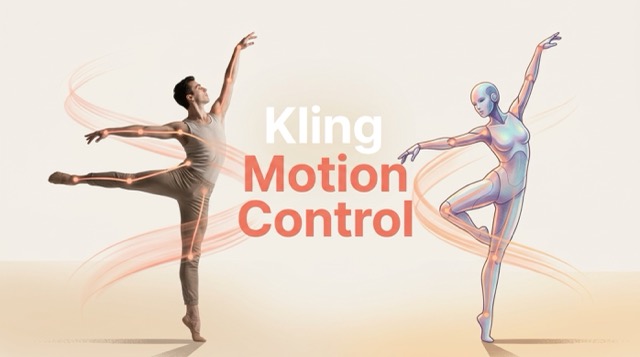
Kling Motion Control is an AI-powered video generation feature that lets you transfer real human movements — from full-body actions to facial expressions — onto any static character image. Instead of writing complex prompts, you simply upload a motion reference video and a character image, and Kling AI handles the rest in minutes.
If you're looking for a quick way to try it, this AI Motion Control tool offers free access powered by Kling's latest model — no professional animation skills required.
What Is Kling Motion Control?
Kling Motion Control works by using a reference video as the motion source and a reference image as the character appearance. The AI analyzes the movement patterns from the video — including body posture, gestures, and facial expressions — and maps them precisely onto your chosen character.
This fundamentally changes how creators approach animation. Instead of describing motion through text prompts (which is imprecise), Motion Control treats real movement as the ground truth. From Kling 2.6 to the latest Kling 3.0, each version has pushed the limits of motion fidelity, facial consistency, and output length — with 3.0 being particularly strong in multi-angle and cinematic long-shot scenarios.
Key Features of Kling Motion Control
Full-Body Motion Capture
Kling Motion Control precisely tracks full-body performances — from athletes and dancers to martial arts sequences. Every limb movement, posture shift, and weight transfer is faithfully mapped onto your target character.
Facial Expression Sync
The AI captures and transfers facial expressions and dialogue lip movements in real time. Whether it's a subtle smile or an intense dramatic reaction, your character mirrors the original performance authentically.
Hand Gesture Accuracy
Even in fast-paced or complex motion sequences, Kling renders hand and finger detail with clarity. This makes it ideal for scenes involving gestures, sign language, instrument playing, or expressive storytelling.
Up to 30s Uninterrupted Output
Generate continuous, seamless video clips up to 30 seconds in a single take — far longer than most AI video tools on the market, making it suitable for complete scenes rather than short snippets.
Resolution Options
Choose between 720p standard for quick drafts and social content, or 1080p Pro for high-quality final outputs suitable for professional publishing and brand campaigns.
Style Prompt Overlay
Layer text prompts on top of your motion control input to define the scene's visual style, background environment, and lighting mood — giving you dual control over both movement and aesthetics in a single generation.
These features combine to make Kling Motion Control one of the most capable AI motion tools available for content creators in 2026.
Want to test these features right now? Try Kling Motion Control free here
How to Use Kling Motion Control — Step-by-Step
Follow these steps to create your first AI motion transfer video:
-
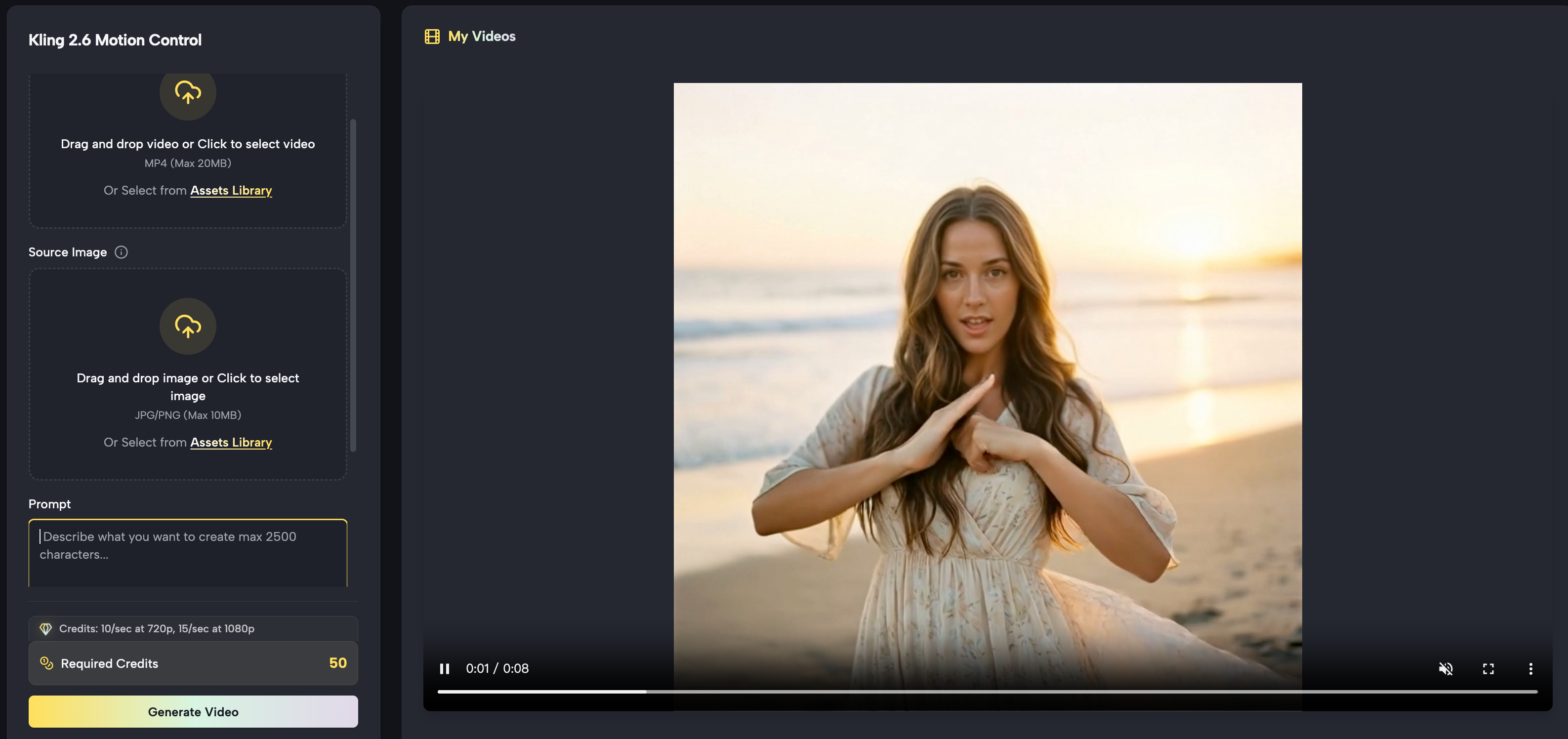
Access the tool — Open the AI Motion Control Generator directly in your browser. No complex setup is required.
-
Upload your motion reference video — Record yourself or use a royalty-free stock video as the motion source. Make sure the movement is clearly visible and well-lit.
-
Add a character reference image — Upload the image of the character or persona you want to animate. This can be a photo, illustration, or AI-generated portrait.
-
Enter a style prompt (optional) — Add descriptive keywords such as "cinematic lighting, fantasy forest background, slow motion" to enhance the final output's visual style.
-
Choose output settings — Select your preferred resolution (720p or 1080p) and output duration (3–30 seconds).
-
Generate & download — Click generate and wait for the AI to process. No keyframes, no rigging, no animation software needed.
Best Use Cases for Kling Motion Control
Kling Motion Control is versatile enough to serve a wide range of creators and industries:
- Marketing & Brand Content — Bring brand mascots or product characters to life using real human performances, making ads more engaging and cost-effective.
- Dance & Choreography Transfer — Transfer dance routines to virtual or illustrated characters for music videos, social content, or entertainment.
- Sports & Action Scenes — Martial arts, athletics, and high-energy movement are rendered with frame-level accuracy, making them ideal for sports brands.
- Character Animation for Storytelling — Indie filmmakers and authors can animate original characters for trailers, short films, or visual novels.
- Short-Form Social Media Content — Quickly produce Reels, TikToks, or YouTube Shorts featuring animated characters without hiring an animation studio.
Kling Motion Control vs. Traditional Animation Methods
| Dimension | Kling Motion Control | Traditional Animation |
|---|---|---|
| Learning Curve | Zero — no keyframes or software skills needed | High — requires professional tools like Maya or Blender |
| Time to Produce | Minutes per clip | Hours to days per scene |
| Output Length | Up to 30 seconds per generation | Unlimited, but time-intensive |
| Motion Precision | Full-body + facial expressions + hand gestures | Manual control, higher ceiling for precision |
| Cost | Low (subscription or pay-per-use) | High (software licenses + labor) |
| Best For | Content creators, marketers, indie filmmakers | Professional animation studios |
FAQ: People Also Ask About Kling Motion Control
Is Kling Motion Control free?
Yes, Kling Motion Control offers free access for new users. You can try it immediately through this direct link without needing to navigate the full Kling AI platform. Paid plans unlock higher resolution output and longer generation limits.
What video format does Kling Motion Control support?
MP4 is the recommended format for motion reference videos. It offers the best compatibility and ensures the AI can cleanly extract motion data frame by frame.
How long can the output video be?
Kling Motion Control generates uninterrupted video clips ranging from 3 to 30 seconds in a single generation. For longer videos, you can chain multiple clips together in a video editor.
Can I also control camera movement with Kling?
Yes. Kling includes a separate Camera Control feature that supports 6 movement types (zoom in/out, pan left/right, tilt up/down, roll) plus 4 Master Shot presets designed for cinematic storytelling — all without any manual camera setup.
What is the difference between Kling 2.6 and Kling 3.0 Motion Control?
Kling 3.0 significantly improves facial consistency across multi-angle shots and longer duration outputs. It also handles complex scenes with multiple overlapping movements more cleanly. For most everyday content, 2.6 is excellent — but for cinematic-quality work, 3.0 is the better choice.
Do I need to install any software to use Kling Motion Control?
No. Kling Motion Control is entirely browser-based. You can access it directly at bananaproai kling motion control from any modern browser on desktop or mobile.
Start Creating with Kling Motion Control Today
Kling Motion Control has lowered the barrier to professional-quality character animation to essentially zero. Whether you're a solo content creator, a marketing team, or an indie filmmaker, the ability to transfer real human movement to any character in minutes is a genuine game-changer.
Access the AI Motion Control tool here and create your first motion transfer video today — no experience needed.