
More AI Image Generators
Explore our collection of specialized AI image generators designed for different creative needs and styles





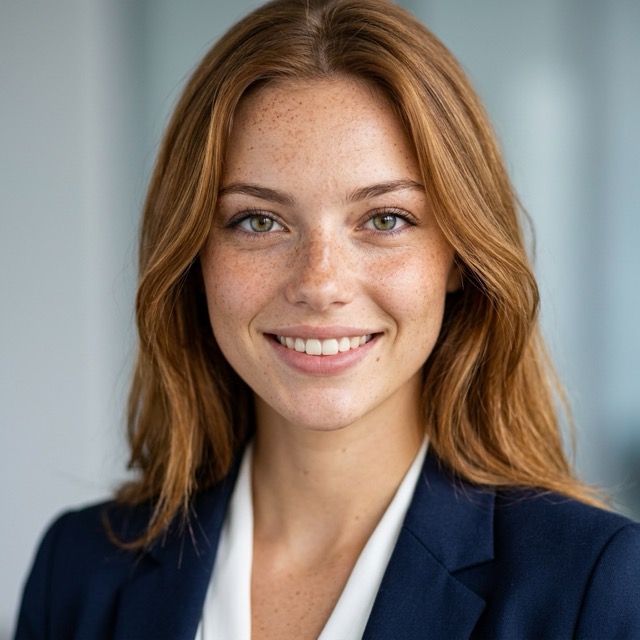


AI Blemish Remover for Clear, Natural Looking Portrait Edits
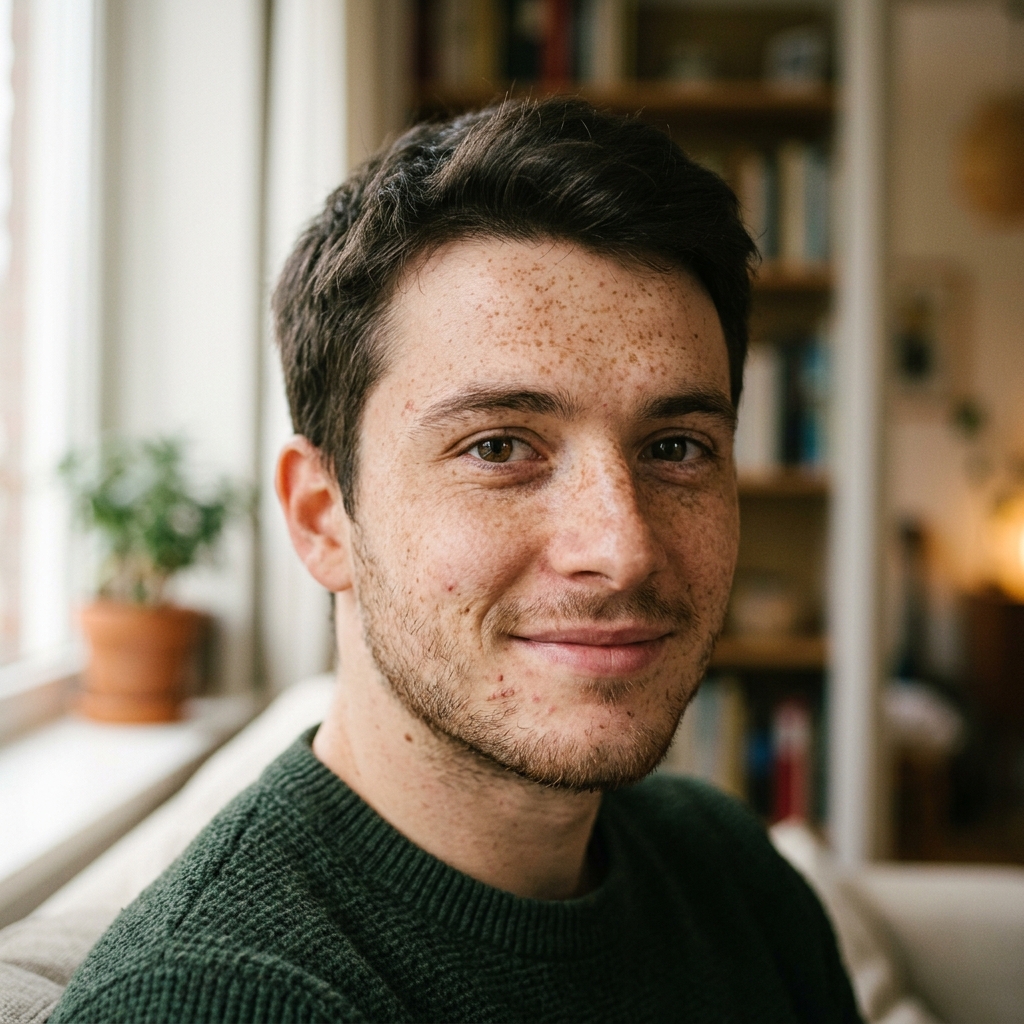
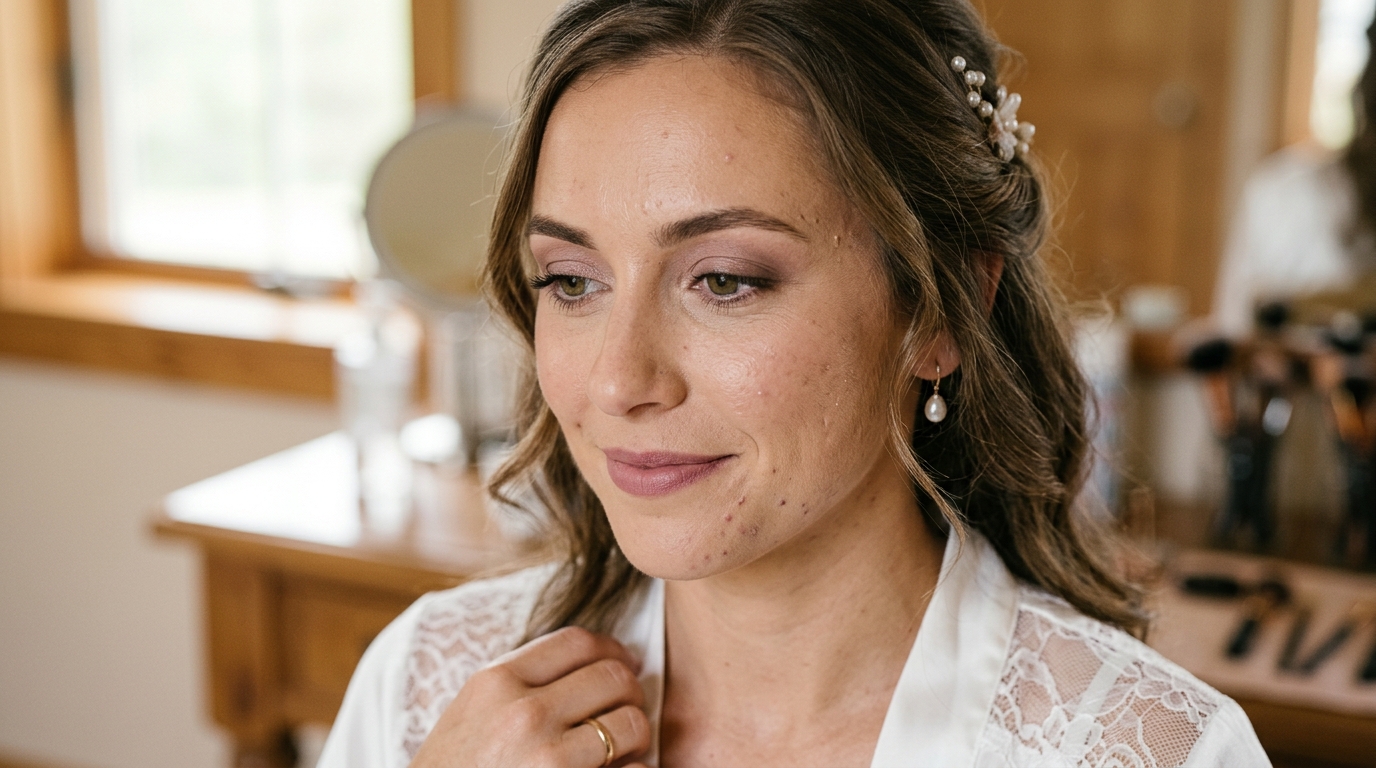
Let our AI Blemish Remover remove blemishes, soften unwanted pimples, minimize freckles, and preserve believable skin texture.
AI Blemish Remover helps clean up portraits without making skin look flat. Whether you want to reduce a breakout before posting, tidy a headshot, or refresh casual photos, this AI Blemish Remover keeps pores, tone variation, and facial identity intact.
How to Use AI Blemish Remover
Upload an image, choose a size, and let the AI Blemish Remover handle skin cleanup with a natural visual balance.

Upload Your Portrait
Add a selfie, headshot, or lifestyle photo to start using our AI Blemish Remover. The tool works well for portraits where you want to reduce temporary spots, soften small pimples, and prepare the image for a cleaner final look.

Choose Image Size and Generate
Pick the output image size, then start the AI Blemish Remover. The model analyzes facial areas, identifies distracting marks, and applies balanced smoothing so the skin remains human, textured, and consistent with the original lighting.

Preview and Download
Review the result from the AI Blemish Remover and download the improved portrait when it looks right. You get a polished photo that still feels like the same person, not an overprocessed beauty filter.
Best AI Image Tools for Creative Projects
Explore creative tools for image, learn tips and tricks, and see how AI can be your assistant in turning concepts into finished projects.







Features of AI Blemish Remover
This tool is designed for practical portrait correction, not exaggerated beauty effects. Explore how our AI Blemish Remover improves skin clarity while keeping the image grounded, natural, and usable across different personal and professional contexts.
Remove Temporary Breakouts Without Flattening the Skin
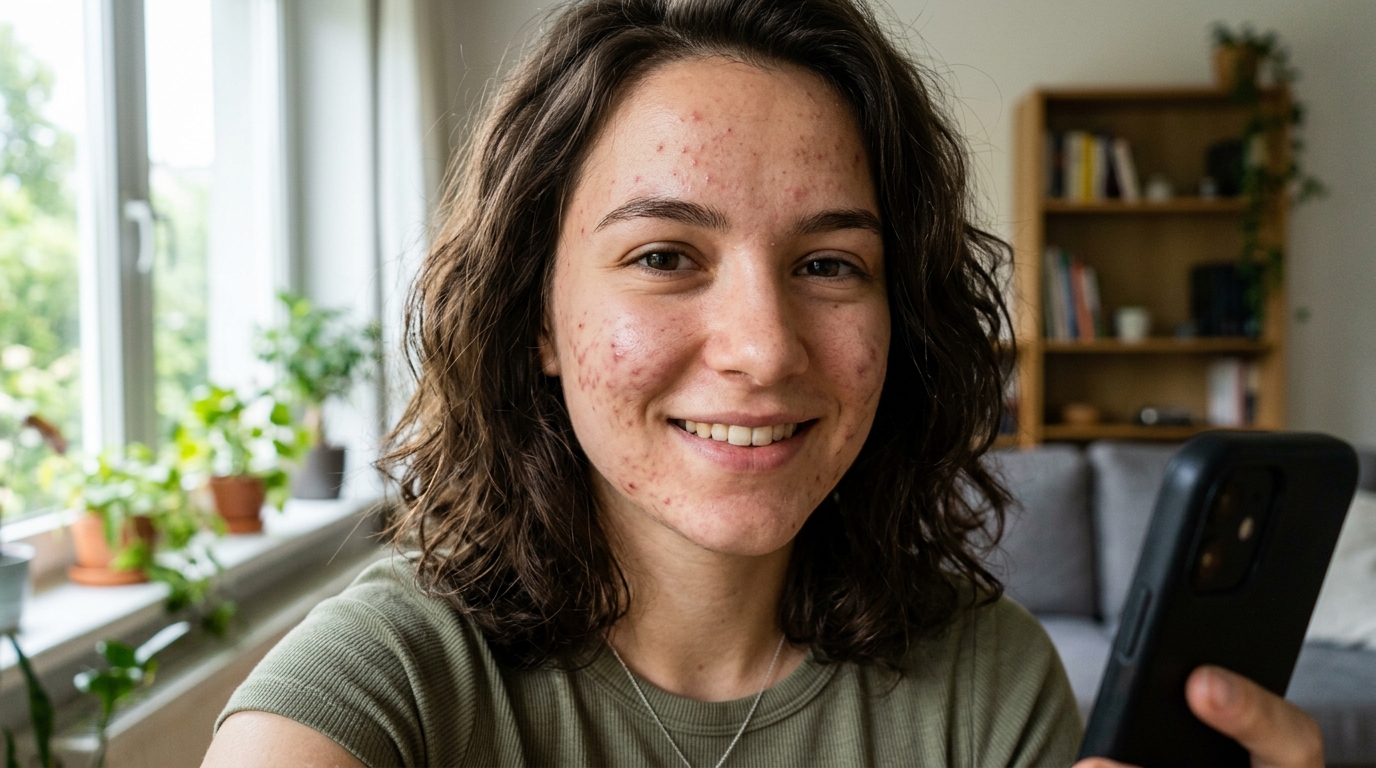
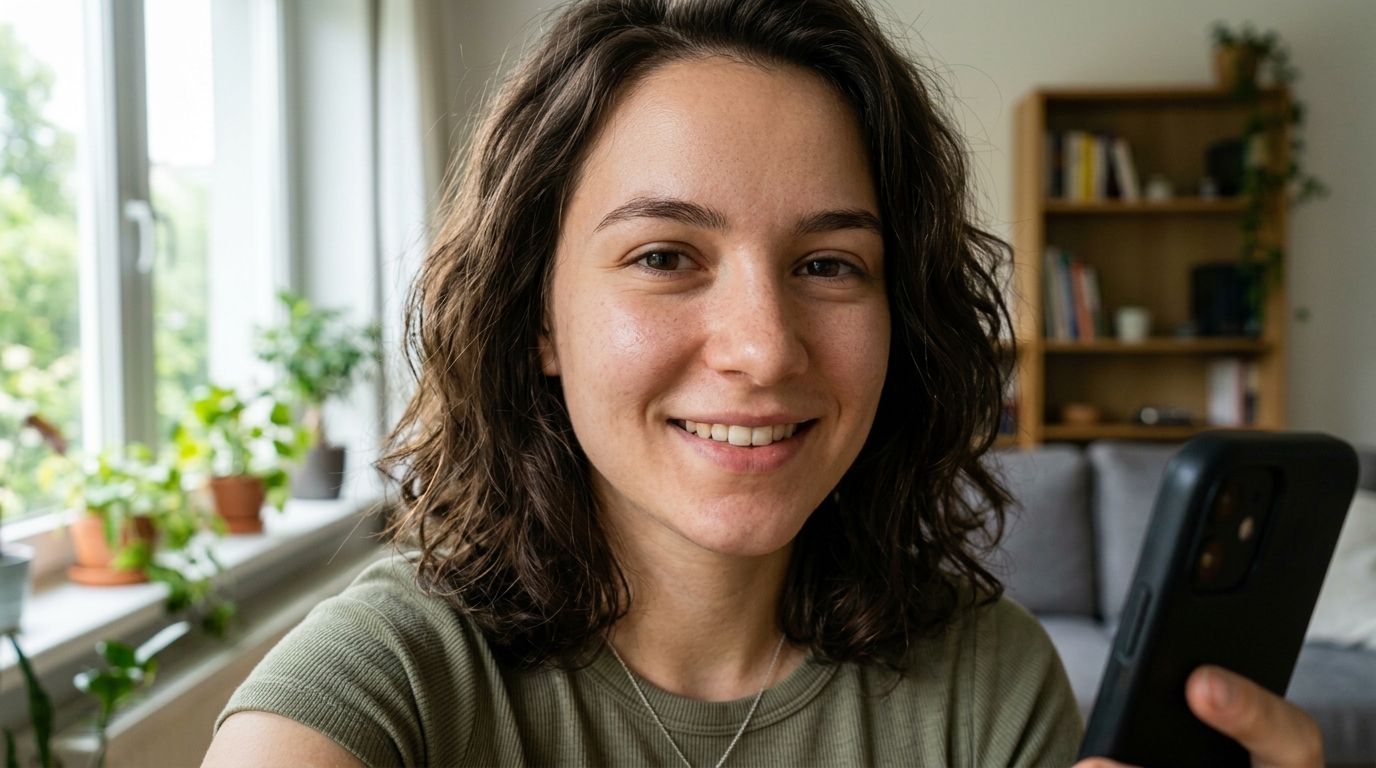
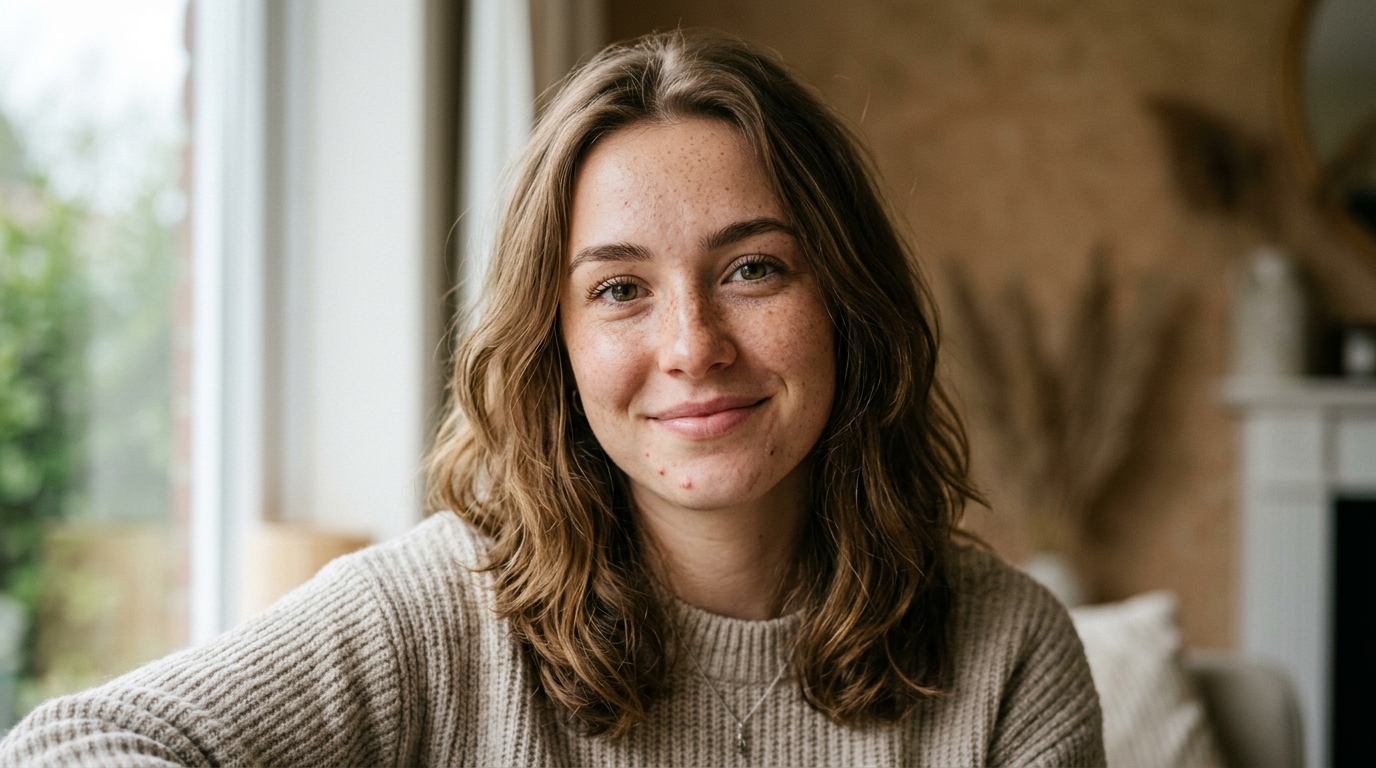
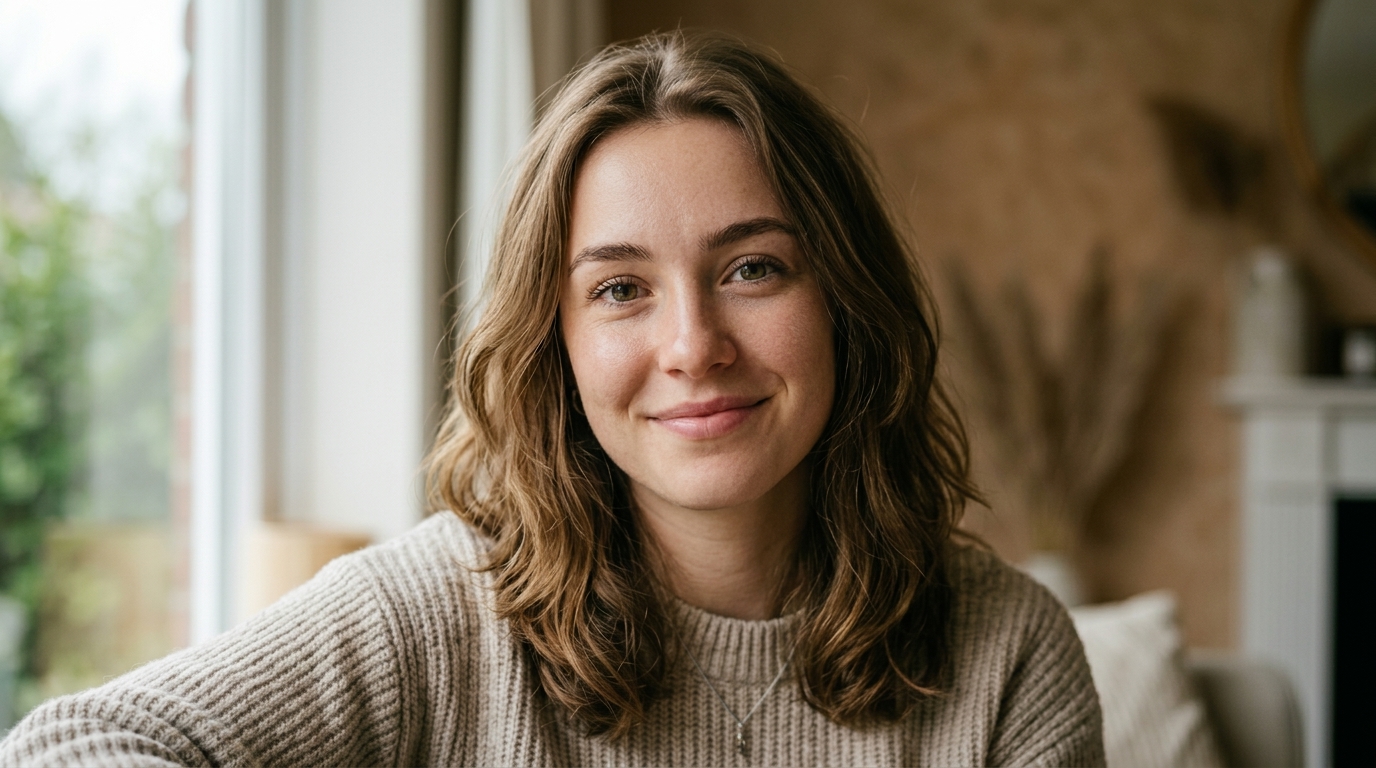
Our AI Blemish Remover fixes the most common portrait problem: a strong photo interrupted by a few visible spots. Instead of blurring the full face, the AI Blemish Remover targets pimples, minor redness, and small distractions while protecting skin texture. It works well as a Photo Blemish Remover for profile pictures, casual portraits, and social images that need a cleaner finish.
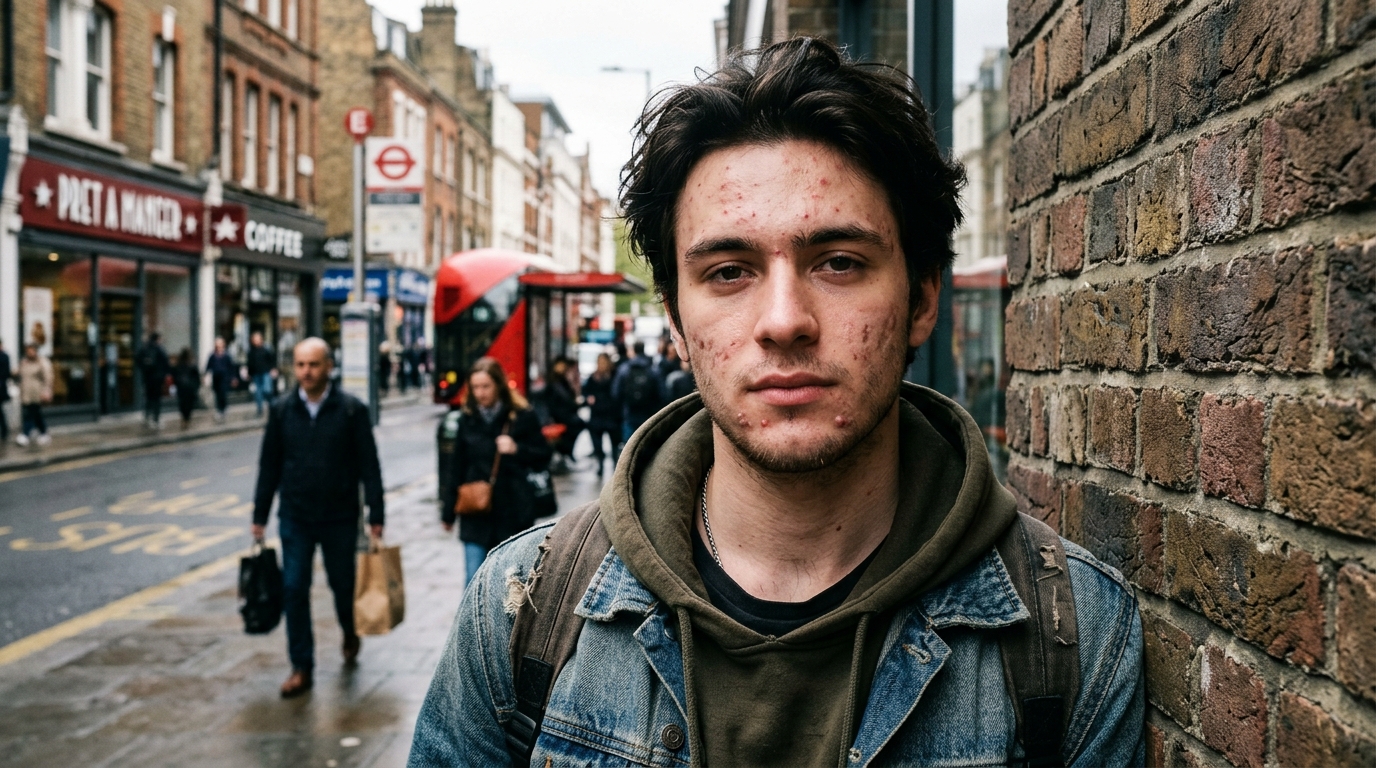
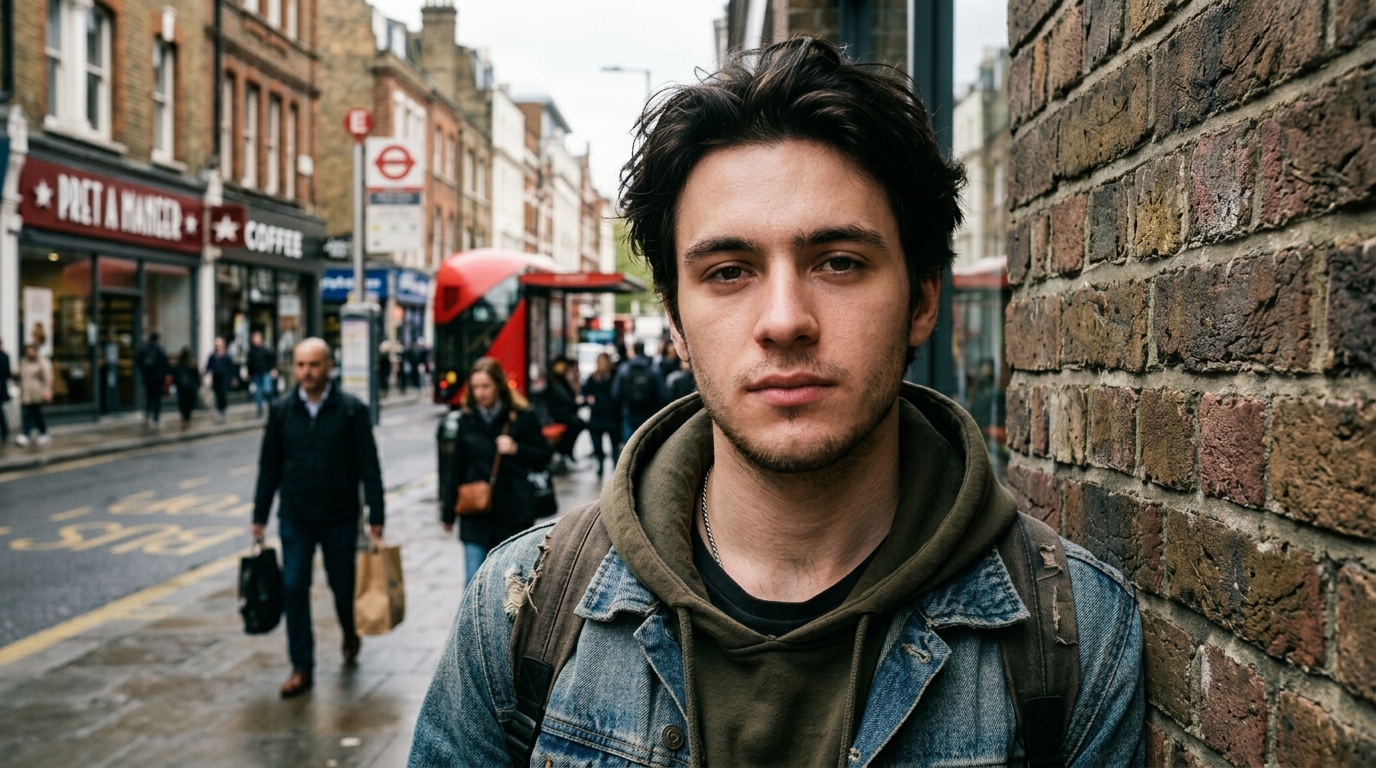
Minimize Freckles and Uneven Skin Marks with Restraint
Not every user wants complete removal. Many want softer, more balanced skin while keeping their face recognizable. Our AI Blemish Remover reduces the visibility of freckles, scattered marks, and minor unevenness in a measured way. As an AI Skin Retouch tool, it avoids the waxy look that often comes from aggressive smoothing. The result is a portrait that appears refreshed, calm, and visually believable in both close-up and full-frame shots.
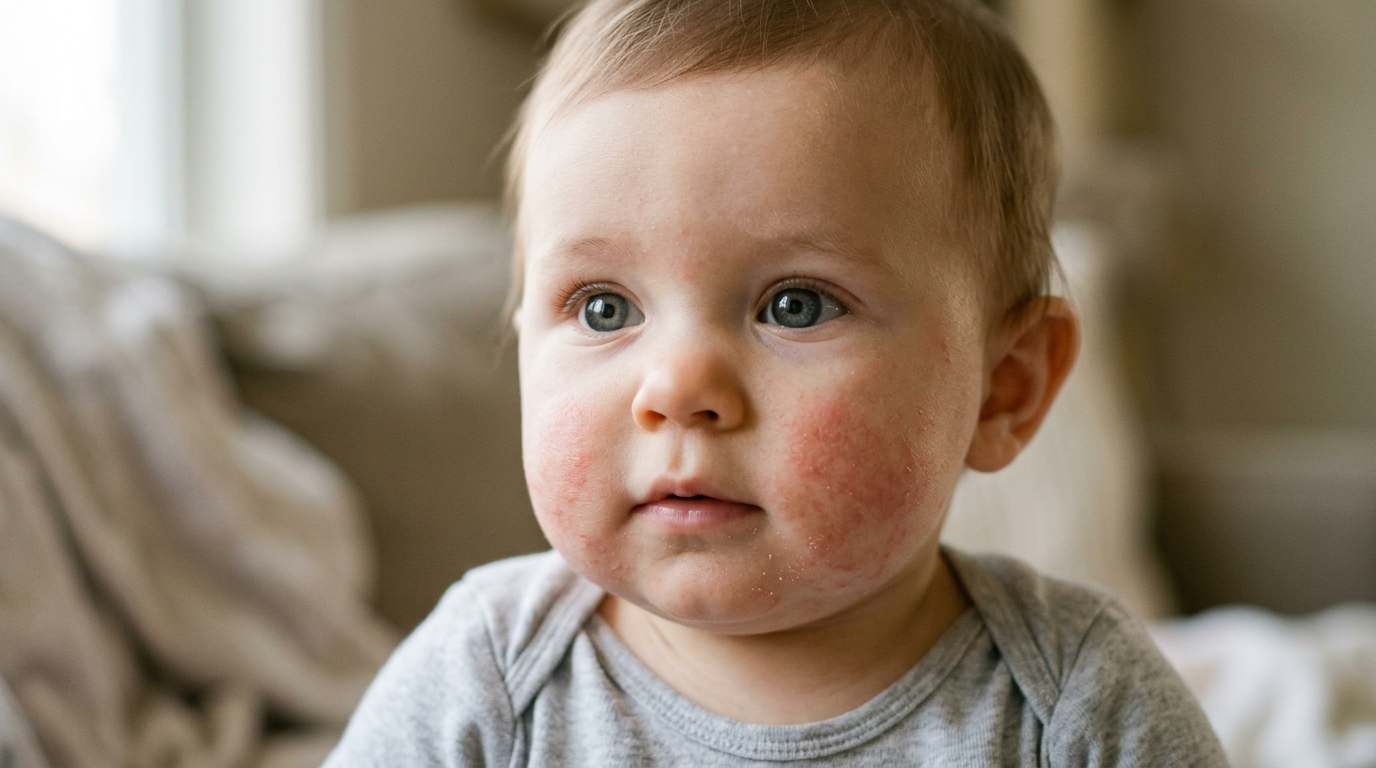
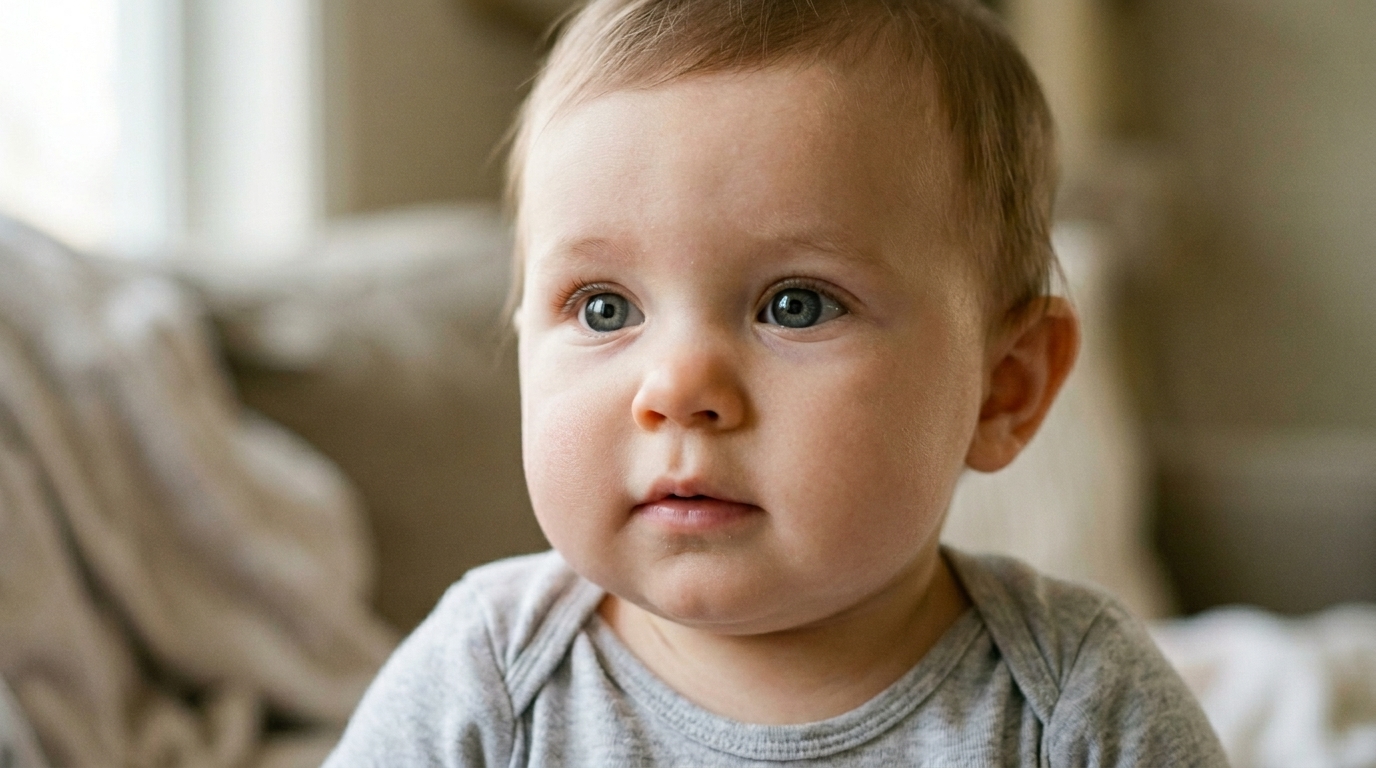
Keep Pores, Tone, and Facial Identity Looking Real
A reliable AI Blemish Remover should improve skin without erasing the person. This tool preserves pore detail, natural tone variation, and facial structure while reducing visible imperfections. It works as a careful Photo Blemish Remover rather than a blanket blur effect. Whether you edit selfies or headshots, the AI Blemish Remover keeps the image polished and realistic.
Useful for Headshots, Social Posts, and Client Ready Images
Our AI Blemish Remover fits real publishing needs. You can use it to tidy LinkedIn headshots, improve creator portraits, or refresh event photos before sharing them. Because the AI Blemish Remover handles pimples and small facial imperfections with subtlety, it supports a more professional result. It also serves as an AI Skin Retouch option when you need consistency across several portraits.
Why Choose AI Blemish Remover
Users usually want two things: cleaner skin and a believable face. AI Blemish Remover focuses on that balance for casual photos, creator content, and polished portraits.

Natural Looking Skin Cleanup
Many editors can remove marks, but fewer preserve realism. Our AI Blemish Remover is tuned to reduce visible blemishes while keeping natural skin texture present in the final image. That balance matters when you want the portrait to look improved rather than artificially retouched.

Fast Fix for Everyday Selfies
A breakout can ruin an otherwise strong photo. This AI Blemish Remover gives you a quick way to clean up a selfie before posting, sending, or printing it. As a Photo Blemish Remover, it is especially useful when you want a simple polish without opening heavier editing software.

Helpful for Professional Headshots
For résumés, company profiles, and speaker bios, clean presentation matters. Our AI Blemish Remover helps remove temporary skin distractions from headshots while keeping facial details intact, making it easier to present a refined but still realistic professional image.

Balanced Output for Beauty and Fashion Creators
Creators often need skin cleanup that complements makeup, lighting, and styling rather than overpowering them. This AI Skin Retouch workflow softens blemishes and scattered imperfections while leaving enough texture for the photo to keep visual depth and authenticity.

Consistent Skin Retouch Across Multiple Portraits
If you are working with a batch of portraits, consistency matters as much as cleanup. Our AI Blemish Remover helps maintain a similar retouch standard from image to image, which is useful for creator sets, team pages, dating profiles, and campaign assets.

Easy Entry Point for Non Editors
Not everyone wants to learn masking or healing brushes. Our AI Blemish Remover reduces that friction by giving non editors an accessible Photo Blemish Remover that delivers polished, credible results through a simple upload and generate flow.
What Users Say About AI Blemish Remover
These users wanted cleaner portraits, not artificial ones. Their feedback reflects the core purpose of our AI Blemish Remover: remove visible distractions, keep facial identity intact, and make skin edits feel realistic enough for everyday use.
I needed a cleaner profile photo but did not want my skin to look airbrushed. This AI Blemish Remover removed a few spots on my chin and forehead while keeping texture visible. The result looked like me on a good day, which is exactly what I wanted.
As a photographer, I like tools that save time without flattening faces. This AI Blemish Remover works well for quick client previews. It softens temporary blemishes, leaves pore detail alone, and gets me closer to a usable first pass before any fine manual work.
I tested this as a Photo Blemish Remover for social content, and it handled acne spots more naturally than most apps I have tried. My skin still had dimension after editing. That made the photo feel polished instead of filtered.
I had a last minute breakout before updating my company headshot. The AI Blemish Remover cleaned the distracting spots and kept the final image professional. I liked that it improved the photo without changing my face shape, skin tone, or expression.
What stood out to me was texture preservation. This AI Skin Retouch tool did not turn my cheeks into a blurry surface. It reduced small imperfections while leaving enough detail that the portrait still looked like a real photograph.
I use the AI Blemish Remover for dating profile images and casual portraits. It is quick, easy, and subtle. When I compare the original and edited versions, the difference feels controlled instead of dramatic, which makes the final photo much more usable.


FAQs About AI Blemish Remover
These answers cover the questions users usually ask before trying an AI Blemish Remover, from realism and use cases to quality expectations.
An AI Blemish Remover is a portrait editing tool that detects and reduces visible skin distractions in photos. It is commonly used to remove blemishes, soften pimples, reduce scattered freckles, and tidy minor uneven areas without forcing a heavy blur across the whole face. A good AI Blemish Remover focuses on temporary or unwanted marks while preserving natural skin texture, lighting, and facial identity. It works best when the goal is a cleaner portrait that still looks believable rather than a completely airbrushed beauty edit.
That depends on how the model is designed, and texture preservation is one of the most important quality signals. Our AI Blemish Remover is built to reduce distracting marks while keeping pores, tonal variation, and facial structure visible. Instead of applying a broad smoothing layer to the entire face, it aims for selective correction. That makes the edited image look more realistic in close-up portraits, professional headshots, and casual selfies. The goal of this Photo Blemish Remover is improvement with restraint, not a plastic finish.
It is useful for more than active breakouts. The AI Blemish Remover can help reduce unwanted pimples, soften scattered skin spots, minimize some freckles, and make small irregular marks less visually distracting. Results depend on lighting, image resolution, and how prominent those details are in the original photo. In many cases, users prefer moderation instead of full removal, especially for freckles that are part of their look. That is why an effective AI Skin Retouch workflow should improve clarity while keeping the face recognizable and natural.
This AI Blemish Remover is especially helpful for people who want a fast result without learning advanced retouch techniques. If you are not comfortable using healing brushes, layer masks, or more detailed portrait workflows, an AI Blemish Remover offers a simpler path. It is also useful for creators, recruiters, marketers, and job seekers who need a cleaner portrait quickly. Manual editing still offers maximum control, but a Photo Blemish Remover is often the better choice when speed, consistency, and ease matter more than highly customized pixel level adjustments.
Yes. Professional headshots are one of the most common use cases for an AI Blemish Remover because temporary skin distractions can stand out more in a close crop. When updating a company bio, résumé image, portfolio page, or speaking profile, people often want a polished photo that still looks honest. AI Blemish Remover helps reduce spots and minor imperfections while preserving facial features and natural skin detail. That balance makes the final result more appropriate for work contexts than aggressive beauty filters or overly smoothed portrait edits.
It can help, but the final quality still depends on the source image. Strong shadows, color casts, low resolution, and motion blur can make any skin correction less precise. Even so, an AI Blemish Remover can still reduce obvious blemishes and soften distracting pimples in many everyday phone photos. The best results usually come from images with decent focus and enough facial detail for the model to analyze. As an AI Skin Retouch tool, it performs best when cleanup is the main task rather than full photo rescue.
Many beauty filters prioritize a dramatic transformation, often by brightening, reshaping, and smoothing the face all at once. An AI Blemish Remover is narrower and more practical. It aims to remove blemishes and reduce unwanted skin distractions while leaving the person, expression, and overall texture closer to the original photo. That makes AI Blemish Remover more suitable for realistic portraits, professional photos, and creator content where credibility matters. A targeted Photo Blemish Remover is usually the better option when you want correction without obvious filter artifacts.
Yes, and that is one of its most useful strengths. When you have multiple portraits from a shoot, event, or content session, an AI Blemish Remover can help create a more consistent editing baseline across the set. That is valuable for team headshots, dating profile selections, social campaigns, and personal branding images. You still may want to review each result before publishing, but using one AI Blemish Remover workflow across several portraits can save time and reduce the visual inconsistency that often happens with manual editing done image by image.
Yes, especially when the goal is selective cleanup rather than full skin replacement. In close-up portraits, poor retouching becomes obvious very quickly because viewers can see pore detail, tonal shifts, and makeup texture. A capable AI Blemish Remover should reduce temporary imperfections without wiping out those subtle details. This makes it useful for beauty creators, stylists, and photographers who need a more refined portrait but still want skin to read as skin. Natural results matter even more at close range, so restrained editing is a major advantage.
The most important qualities are selective correction, texture preservation, and visual consistency. A strong AI Blemish Remover should remove blemishes, soften pimples, and reduce minor marks without changing face shape, expression, or skin tone in unnatural ways. It should also avoid the waxy finish that makes retouched portraits look artificial. In practical use, the best tool is one that gives you a clean, publishable result with minimal effort and still leaves the image believable. That is why many users prefer an AI Blemish Remover built for realism rather than dramatic beautification.
Try Our AI Blemish Remover Today
Use our AI Blemish Remover to remove blemishes, soften unwanted pimples, minimize freckles, and keep skin looking real. For anyone who wants a reliable Photo Blemish Remover and thoughtful AI Skin Retouch workflow, this is a simple place to start. The AI Blemish Remover is ready.
