
More AI Image Generators
Explore our collection of specialized AI image generators designed for different creative needs and styles





Design Custom Ink with the Best AI Tattoo Generator
Create original tattoo concepts from a simple prompt in seconds.
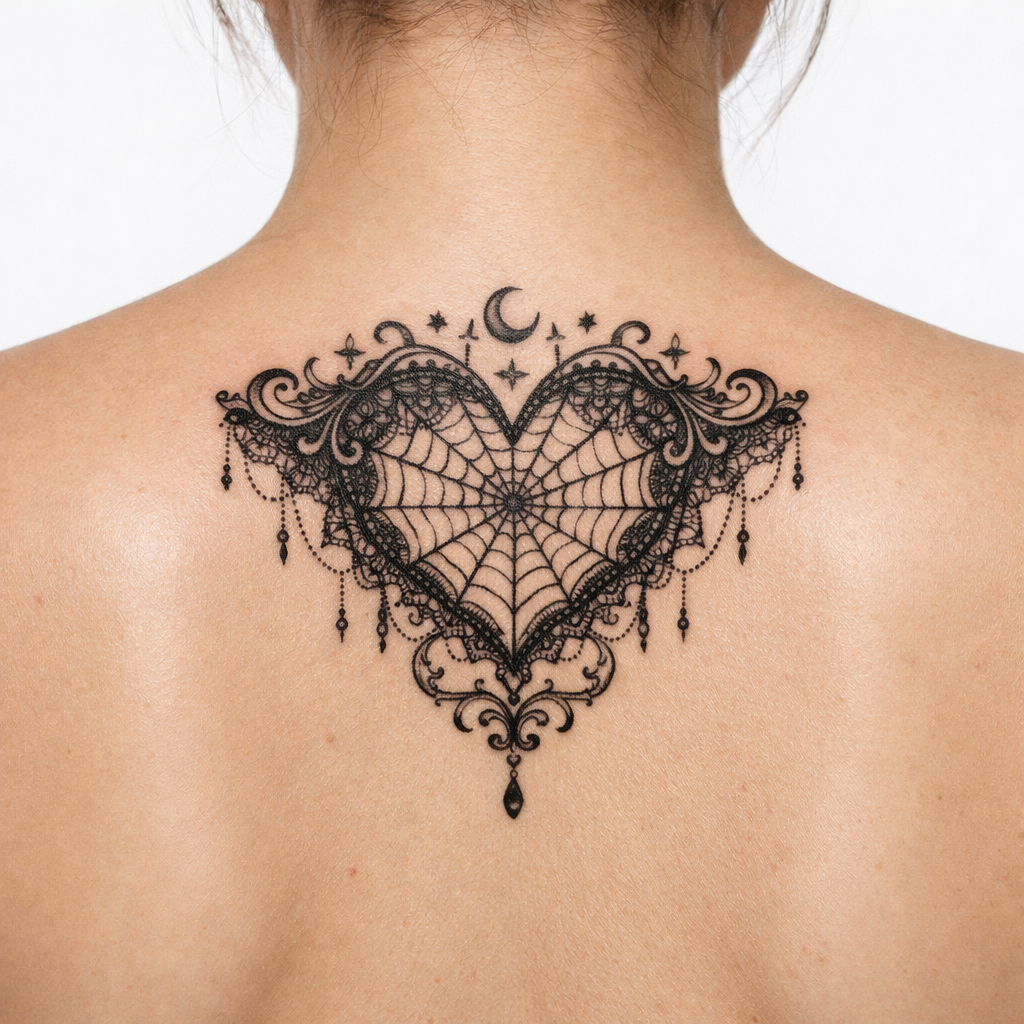
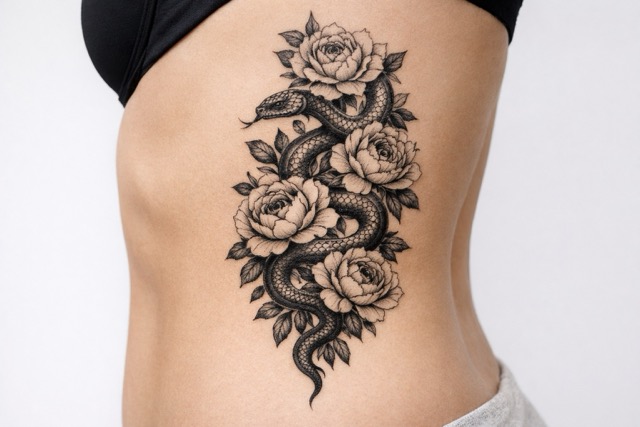
Banana Pro AI gives creators, tattoo enthusiasts, and studios a reliable AI Tattoo Generator for building tattoo concepts with speed and control. Use the AI Tattoo Generator to test themes, placement-inspired compositions, and visual directions before any drawing begins.
How to Use AI Tattoo Generator
This workflow centers on the steps that matter most: describe the idea clearly, choose the image format that fits your goal, and generate a concept you can review, compare, refine, and save for later discussion or further development.
Write Your Tattoo Prompt
Start with a clear idea, mood, symbol, or style. The AI Tattoo Generator responds best when you describe subject matter, line quality, tone, and composition goals. The Tattoo AI Generator also handles abstract themes surprisingly well.
Choose the Image Ratio
Select the aspect ratio that fits your intended use. A vertical layout works well for arm, leg, spine, or poster-like concepts, while square compositions suit flash-style ideas and social sharing. The AI Tattoo Generator uses this ratio choice to shape layout balance.
Generate and Refine
Click generate to see your concept come to life. If the first result is close but not exact, revise the wording and run the AI Tattoo Generator again for sharper direction. The AI Tattoo Generator helps you compare versions, narrow preferences, and arrive at a design language worth developing further.
Best AI Image Tools for Creative Projects
Explore creative tools for image, learn tips and tricks, and see how AI can be your assistant in turning concepts into finished projects.

Features of Our AI Tattoo Generator
Each feature supports faster iteration, clearer visual direction, and a smoother path from prompt to inspiration. Whether you are exploring styles, building references, or presenting options, the tool keeps early-stage design work focused, flexible, and easy to manage.
From Simple Prompts to Detailed Tattoo Concepts
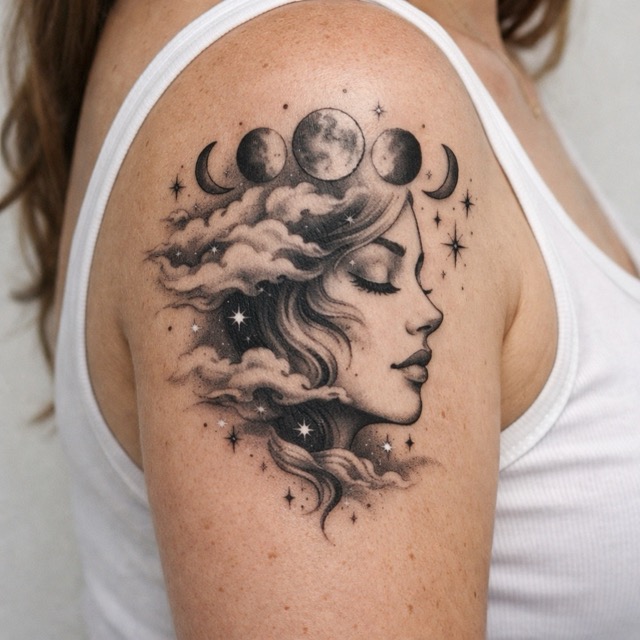
The AI Tattoo Generator translates plain language into visually organized tattoo ideas, which is valuable when inspiration exists but sketching does not. You can describe animals, symbols, mythology, lettering mood, or ornamental structure, and the AI Tattoo Generator builds coherent imagery around it.
Supports Multiple Tattoo Styles
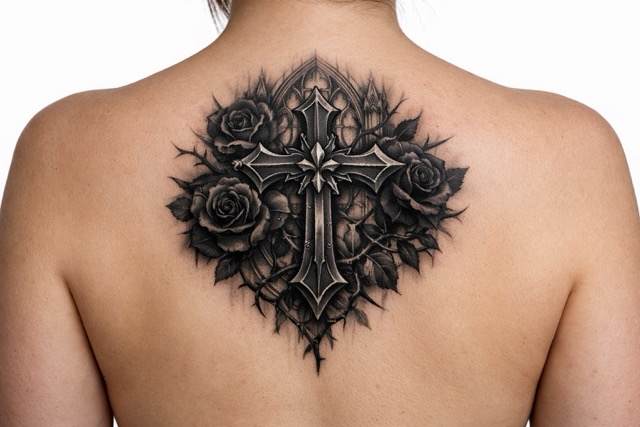
A good AI Tattoo Generator should not lock you into one aesthetic. Banana Pro AI lets the AI Tattoo Generator interpret fine line, black and grey, Japanese-inspired, geometric, tribal-inspired, and illustrative prompts with strong visual separation. The Tattoo AI Generator makes side-by-side style exploration easier, so users can compare mood, detail density, and composition before moving forward.
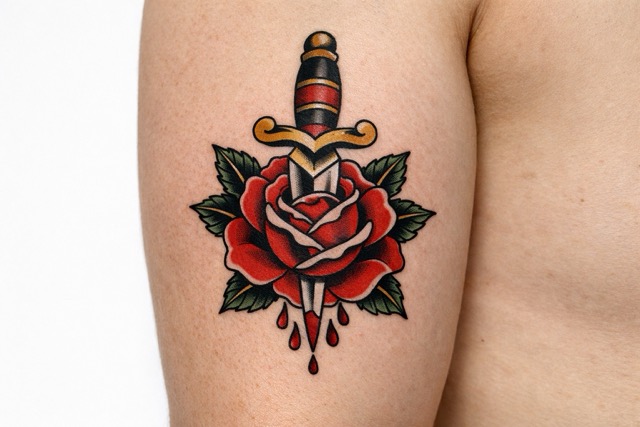
Fast Visual Ideation for Artists and Clients
The tool shortens the early concept phase. Artists can use it to present visual directions faster, while clients can use it to clarify taste before consultations. The Tattoo AI Generator becomes a practical bridge between vague references and more informed discussions. That saves time, improves communication, and reduces unnecessary back-and-forth during early design exploration.
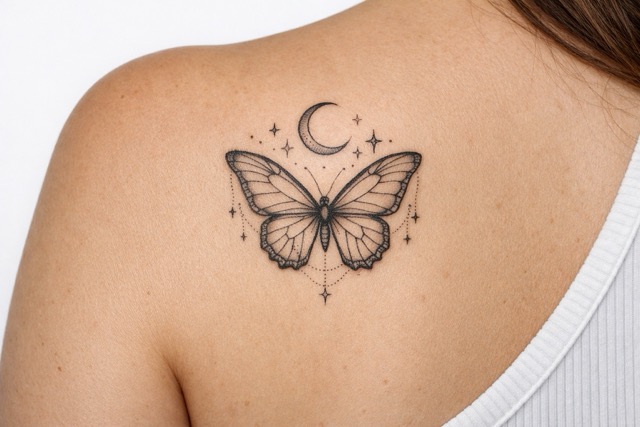
Built for Shareable and Presentable Outputs
A strong concept is easier to evaluate when presentation looks clean. The generator creates polished outputs that work well for mood boards, internal reviews, studio references, and social previews. Because it includes ratio control, layouts feel more intentional from the start. The Tattoo AI Generator helps users organize inspiration into artwork that looks ready for discussion.
Why Choose Our AI Tattoo Generator
Banana Pro AI fits real creative workflows, from personal exploration and studio prep to content production and structured design review. It helps users move from vague inspiration to clearer references, making decisions easier.

Personal Tattoo Idea Exploration
Many users know the feeling they want but not the exact image. The AI Tattoo Generator helps translate personal stories, memories, symbols, and aesthetics into concepts worth reviewing. Instead of collecting scattered references, you can use the AI Tattoo Generator to create focused visuals. The Tattoo AI Generator is useful for building clarity before speaking with a tattoo artist.

Reference Building Before Studio Consultations
Consultations go more smoothly when the reference direction is specific. The AI Tattoo Generator lets clients arrive with visuals that show tone, placement logic, and detail preference. This does not replace an artist’s final drawing, but the AI Tattoo Generator gives the conversation a more productive starting point. The Tattoo AI Generator helps reduce ambiguity and makes feedback easier to communicate.

Flash Sheet and Portfolio Inspiration
Tattoo artists and design teams can use the AI Tattoo Generator to explore themes quickly when building fresh collections. From gothic icons to botanical motifs, it produces structured ideas that can spark original refinements. The Tattoo AI Generator is helpful when you want broader concept volume without starting every direction from a blank page.

Social Content for Tattoo Communities
Creative communities thrive on experimentation and visual variety. The AI Tattoo Generator gives creators an easy way to produce themed tattoo concepts for posts, carousels, short videos, and trend-driven content. Because it works from text prompts, users can react quickly to seasonal ideas or niche aesthetics. The Tattoo AI Generator supports more agile content planning.

Merch, Editorial, and Mood Board Design
Tattoo-inspired visuals are often used beyond skin art. The AI Tattoo Generator can support concept development for apparel graphics, zine layouts, album aesthetics, and branded mood boards. When visual identity needs symbolic or ornamental energy, it offers fast exploratory output. The Tattoo AI Generator helps creative teams test directions before commissioning final assets.

Style Testing Across Different Layout Needs
A concept that works in one frame may fail in another. The generator becomes more useful when you need to compare composition across ratios for sleeves, chest pieces, flash cards, or presentation slides. By pairing prompt wording with format choice, it supports stronger layout judgment. The Tattoo AI Generator makes experimentation efficient instead of repetitive.
What Users Say About Our AI Tattoo Generator
From first-time clients and apprentices to brand teams and illustrators, the platform helps people generate clearer references, faster concepts, and better discussions. It is especially useful when speed matters but visual direction still needs to feel intentional, specific, and easy to communicate.
I used the AI Tattoo Generator to prepare ideas before my first consultation, and it genuinely helped me explain what I wanted. Instead of showing random screenshots, I brought a focused set of concepts. The AI Tattoo Generator made the process less stressful, and the Tattoo AI Generator results were strong enough to guide a real conversation with my artist.
As a studio apprentice, I use the AI Tattoo Generator to explore themes quickly before I sketch by hand. It does not replace drawing skill, but it speeds up early ideation. The AI Tattoo Generator helps me compare style direction, while the Tattoo AI Generator gives me clearer starting points when clients describe ideas in broad or emotional language.
Our content team tested the AI Tattoo Generator for editorial concepts around alternative fashion and body art culture. It was unexpectedly useful for building mood boards and campaign references. The AI Tattoo Generator handled style prompts with good consistency, and the Tattoo AI Generator made it much easier to turn written ideas into visuals we could discuss internally.
I run a print-on-demand brand, and the AI Tattoo Generator helps me test symbolic graphics before we move into final illustration. That speed matters. The AI Tattoo Generator gives us concept volume without chaotic results, and the Tattoo AI Generator is especially helpful when we need fresh visual angles for launches built around gothic, floral, or mythic themes.
What I like most about the AI Tattoo Generator is that it is easy to use without feeling shallow. I can write a detailed prompt, choose a ratio, and generate multiple concept directions in minutes. The AI Tattoo Generator keeps the workflow clean, and the Tattoo AI Generator gives me references that feel intentional rather than random.
I manage a design community page, and the AI Tattoo Generator has become one of our favorite idea tools for weekly prompt challenges. Members use the AI Tattoo Generator to explore styles they would not normally sketch first. The Tattoo AI Generator encourages experimentation, but the outputs still look organized enough to spark thoughtful feedback and discussion.


FAQs About AI Tattoo Generator
These answers explain how the tool works, who it helps, and how to get better results from prompts and ratio choices.
An AI Tattoo Generator turns written prompts into tattoo-style concept images. With Banana Pro AI, you describe the subject, mood, symbols, and style direction, then choose a ratio before generating results. The AI Tattoo Generator interprets those instructions and builds visual compositions for ideation, reference gathering, or discussion. A Tattoo AI Generator is especially useful when you have a concept in mind but need help visualizing structure, detail density, or aesthetic direction before moving toward a custom final design.
Yes. One of the main strengths of an AI Tattoo Generator is that it lowers the barrier to visual exploration. You do not need drawing skills to use the AI Tattoo Generator effectively. If you can describe your idea clearly, the AI Tattoo Generator can generate multiple visual directions for review. The Tattoo AI Generator is popular with first-time clients because it helps them communicate taste, symbolism, and preferred style before talking to a professional artist.
No. The AI Tattoo Generator is best viewed as a concept and reference tool, not a replacement for a professional tattoo artist. A skilled artist still interprets anatomy, placement, skin flow, technical feasibility, and personalization in ways a generator cannot fully resolve. What the tool does well is shorten the ideation phase and make communication easier. The Tattoo AI Generator helps users arrive at consultations with stronger references, but the final tattoo should still be developed by an experienced artist.
The AI Tattoo Generator can be used for a wide range of visual directions, including fine line, blackwork, black and grey, illustrative, geometric, ornamental, Japanese-inspired, and dark fantasy concepts. Results depend on prompt quality, but the AI Tattoo Generator is flexible enough for both minimal and detailed compositions. Many users rely on the Tattoo AI Generator to compare the same subject across several styles before choosing a direction, which is useful for planning, studio prep, and creative research.
Ratio affects composition more than many people expect. In an AI Tattoo Generator, a vertical frame often works better for elongated concepts such as sleeves, spine tattoos, or leg pieces, while square layouts are useful for flash designs or social previews. Choosing the right format helps the AI Tattoo Generator organize spacing, focal points, and balance more effectively. The Tattoo AI Generator workflow becomes more practical when the image shape matches the intended presentation or body-area inspiration.
A better prompt usually combines subject, style, mood, composition, and level of detail. Instead of writing only “wolf tattoo,” try something more specific, such as “fine line wolf head with moon phases, symmetrical composition, black and grey, calm but powerful mood.” The AI Tattoo Generator performs better when instructions are focused but not overloaded. A Tattoo AI Generator also benefits from telling it what to avoid, such as cluttered backgrounds or overly realistic rendering for cleaner, more usable concept output.
Generated images from an AI Tattoo Generator are best treated as concept references rather than final ready-to-ink designs. They can be excellent for communicating direction, style preference, and symbolic intent, but a professional tattoo artist should still adapt the design for body placement, skin movement, sizing, and line practicality. The AI Tattoo Generator helps you get closer to a strong vision much faster. The Tattoo AI Generator is most valuable when used as a preparation tool that supports discussion and collaboration.
A Tattoo AI Generator is used by tattoo clients, apprentices, illustrators, studio teams, content creators, and fashion or merchandise brands. Some use the AI Tattoo Generator to shape personal tattoo ideas before consultations. Others use it for mood boards, trend experiments, or campaign references. Because the AI Tattoo Generator works from prompts and ratio choices, it fits both casual exploration and structured design workflows, making it useful for anyone who needs tattoo-inspired concept imagery without starting from a blank page.
The most effective use of AI Tattoo Generator output is as a decision-support resource. Save multiple generations, compare visual directions, identify what you like, and bring the strongest references into consultations or team reviews. The AI Tattoo Generator is excellent for narrowing style, symbolism, and composition before deeper design work begins. Many users of the Tattoo AI Generator also build mood boards or content drafts from their results, which supports better communication, clearer choices, and stronger creative alignment across the process.
Start Creating with Banana Pro AI
Use the AI Tattoo Generator to explore ideas, compare styles, and generate references quickly. The Tattoo AI Generator is ready whenever inspiration strikes.
