
More AI Image Generators
Explore our collection of specialized AI image generators designed for different creative needs and styles












AI Tattoo Removal for Clean, Natural Photo Edits
Use AI Tattoo Removal to erase unwanted tattoos from everyday photos in a simple workflow with realistic skin detail.
AI Tattoo Removal helps you clean up body art in seconds without rebuilding the whole image by hand. Upload a photo, choose image size, and let AI Tattoo Removal soften or erase visible tattoos while preserving skin tone, texture, lighting, and identity.

How to Use AI Tattoo Removal
Using AI Tattoo Removal is straightforward even if you do not edit photos regularly. The process is built around upload, size selection, and generation, so you can complete a clean tattoo edit in a few simple steps.

Upload Your Photo
Start by adding a portrait, lifestyle image, product scene, or creative shot that includes visible body ink. AI Tattoo Removal is designed for a simple upload-first workflow, so you can remove tattoo from photo without complex masking, manual retouching, or desktop software. Just choose the image you want to refine and move directly into editing.

Choose Image Size and Generate
Select the image size that fits your output needs, then run AI Tattoo Removal. The model analyzes the tattoo area and rebuilds surrounding skin details to create a more natural result. This makes AI Tattoo Removal practical for profile images, campaign visuals, beauty edits, and content production when speed matters.

Preview and Download the Result
Review the cleaned version and download it once the skin looks balanced and consistent with the original image. AI Tattoo Removal gives you a fast way to remove tattoo from photo for personal use, commercial visuals, or client drafts, helping you save time while keeping the edit believable and visually neat.
Best AI Image Tools for Creative Projects
Explore creative tools for image, learn tips and tricks, and see how AI can be your assistant in turning concepts into finished projects.




Features of AI Tattoo Removal
AI Tattoo Removal is built for practical image cleanup rather than flashy effects. It focuses on removing visible tattoos while keeping skin believable, lighting stable, and the original composition intact.


Natural Skin Reconstruction for Portrait Editing
AI Tattoo Removal is useful when a visible tattoo distracts from the main subject in a portrait. Instead of leaving obvious blur patches, AI Tattoo Removal rebuilds the cleaned area so the skin looks smoother, more even, and more consistent with the original lighting. It is a practical way to remove tattoo from photo for headshots, dating profile images, graduation portraits, and creator content where a more neutral presentation is preferred.
Cleaner Fashion and Beauty Campaign Visuals
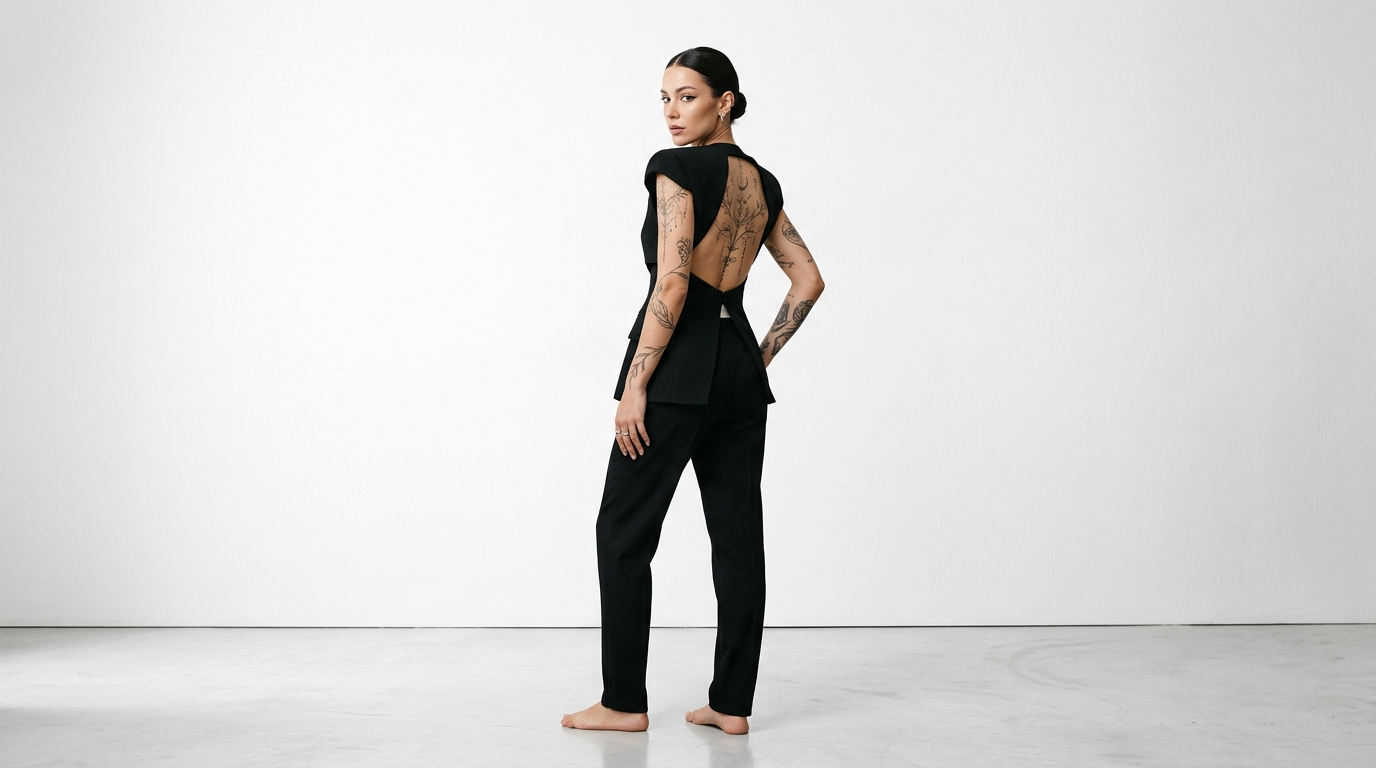
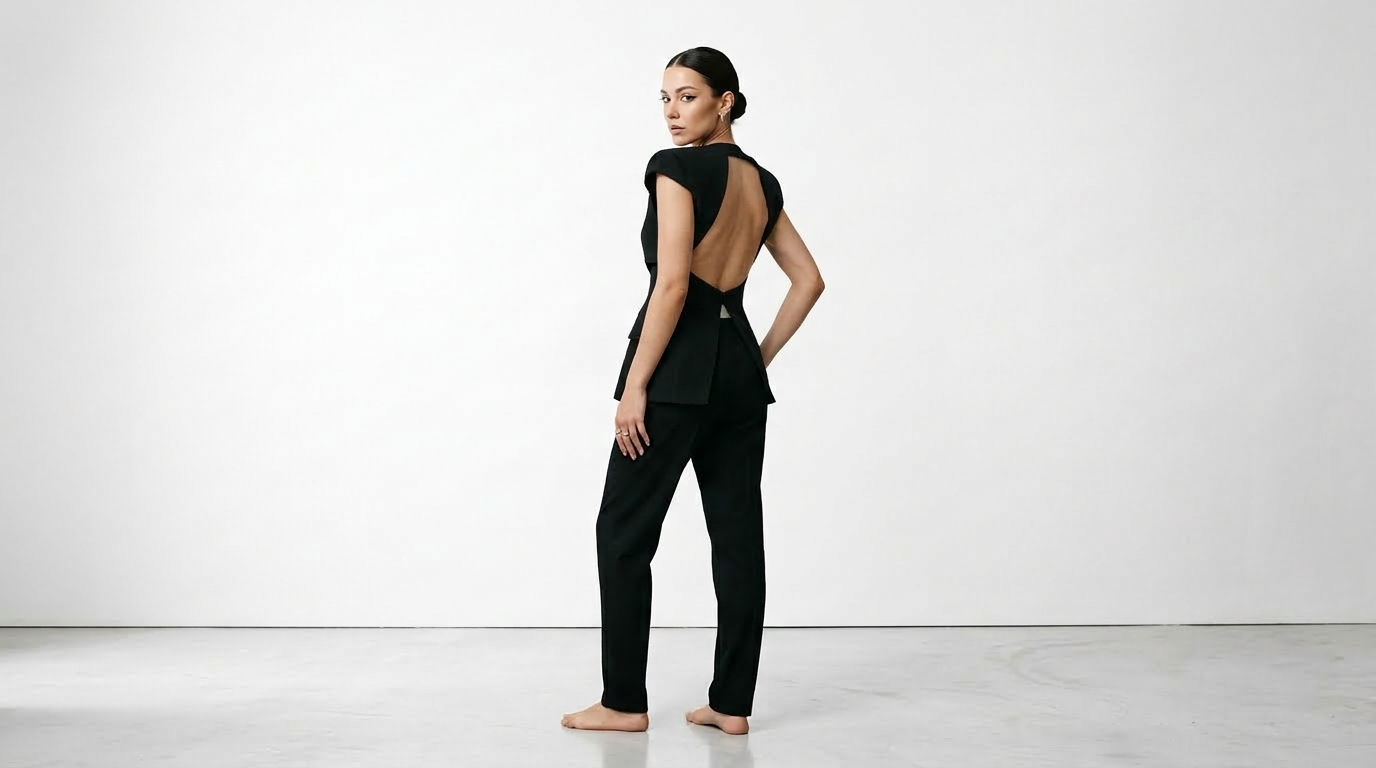
For lookbooks, skincare visuals, and brand campaigns, tattoos may not always match the intended art direction. AI Tattoo Removal helps teams create more flexible assets without re-shooting the entire scene. You can use AI Tattoo Removal to refine arms, shoulders, backs, or legs while maintaining overall styling, making it easier to remove tattoo from photo for beauty marketing, apparel listings, and editorial mockups.
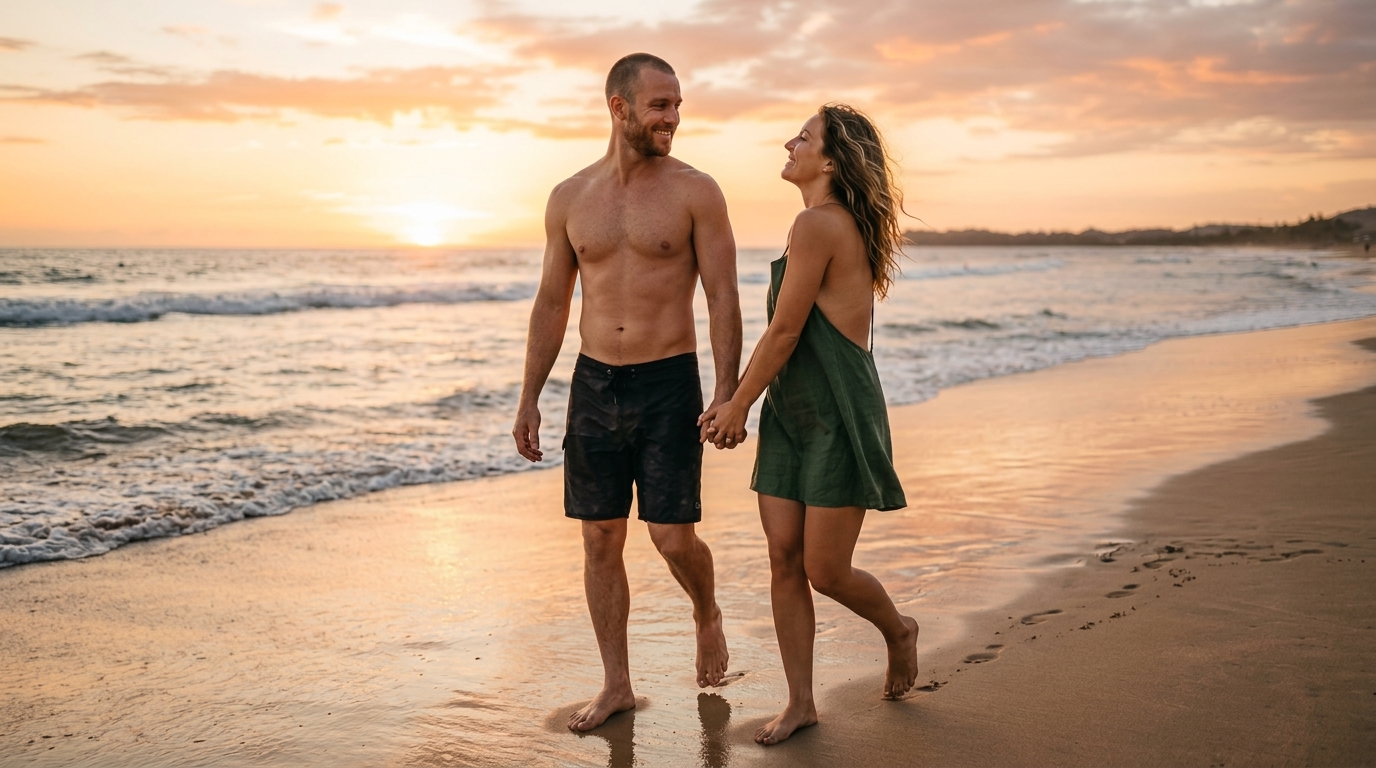
Fast Cleanup for Social Media and Creator Content
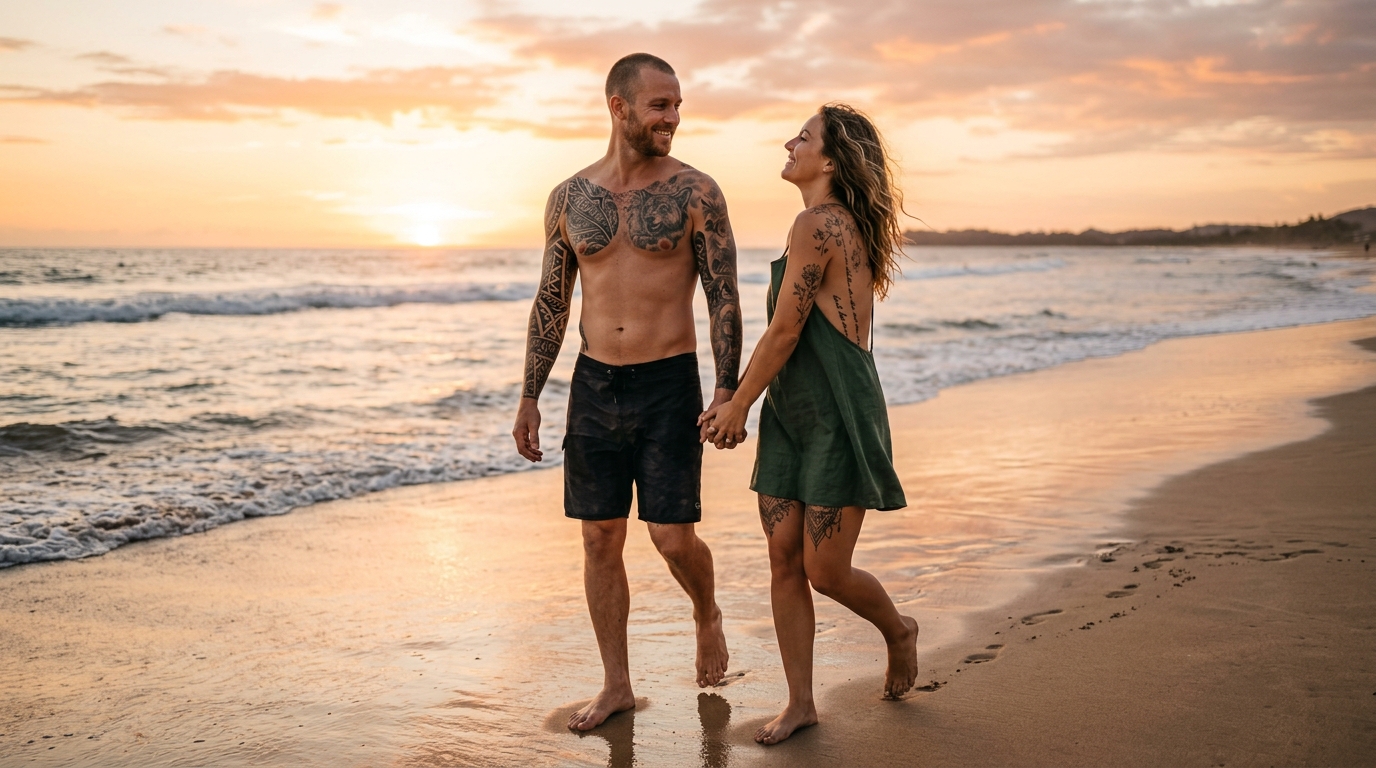
Content creators often need fast edits for thumbnails, profile pictures, short-form posts, and branded images. AI Tattoo Removal gives you a lightweight way to clean visuals without opening a full retouching workflow. When you need to remove tattoo from photo before posting, AI Tattoo Removal helps keep the result polished, on-brand, and ready for social channels, creator portfolios, and personal image updates.


Useful for Client Proofs and Pre-Production Concepts
Before final retouching or approval, teams often need concept images that show different styling directions. AI Tattoo Removal is helpful for visual drafts because it quickly creates a version without body ink, letting clients compare options early. AI Tattoo Removal supports faster reviews for agencies, photographers, and designers who need alternate edits before committing to deeper post-production work.
Why Choose AI Tattoo Removal
AI Tattoo Removal is valuable because it addresses a real editing need with a faster and more accessible workflow. It helps users clean up tattoos for portraits, branded visuals, and content previews without forcing them into a long manual retouching process.

Preserve Skin Tone and Texture More Naturally
A strong tattoo edit should not leave obvious smudges or plastic skin. AI Tattoo Removal is designed to rebuild the edited area so skin color, texture, and shading stay visually consistent with nearby regions. That makes AI Tattoo Removal useful when you want cleaner photos that still look realistic instead of heavily filtered.

Faster Than Manual Retouching for Everyday Edits
Traditional tattoo cleanup can take time, especially for casual users who do not know advanced tools. AI Tattoo Removal shortens that process with a simple upload-and-generate flow. If you need to remove tattoo from photo quickly for a profile update or campaign draft, this approach saves effort and keeps the workflow efficient.

Helpful for Personal, Commercial, and Creative Use
Different users need different kinds of photo cleanup. AI Tattoo Removal can support portrait polishing, marketing prep, social content, mock presentations, or private image edits. Because AI Tattoo Removal works across multiple visual contexts, it is a flexible option for creators, freelancers, photographers, and casual users alike.

Simple Browser Workflow with No Complex Learning Curve
You do not need a layered editing workflow to get started. AI Tattoo Removal fits into a straightforward browser-based experience where users upload a file, choose image size, and generate the result. This makes AI Tattoo Removal easier to adopt for people who want clean edits without investing time in traditional retouching software.

Useful for Comparing Styled and Neutral Versions
Sometimes the goal is not to permanently remove body art from every image but to test an alternative visual direction. AI Tattoo Removal helps you create neutral versions for review, allowing clients or teams to compare different looks. That comparison step is valuable in branding, casting, publishing, and pre-production image selection.

Better Visual Consistency Across Image Sets
When you are preparing multiple visuals for a landing page, portfolio, or product story, consistency matters. AI Tattoo Removal can help reduce distractions across an image set by cleaning visible ink in selected shots. Used carefully, AI Tattoo Removal supports a more unified visual presentation without changing the broader identity of the subject.
What Users Say About AI Tattoo Removal
People use AI Tattoo Removal for many reasons, from cleaning headshots to preparing concept visuals and personal portraits. AI Tattoo Removal helps users create polished images without the friction of a long, manual retouching process.
I needed a cleaner headshot for a speaking profile, but my shoulder tattoo kept drawing attention in the cropped image. AI Tattoo Removal gave me a much more neutral version without making the skin look fake. The result felt usable right away and saved me from booking another photo session.
For client mood boards, I often need alternate versions of the same photo. AI Tattoo Removal lets me create those options quickly, which makes approvals easier. It is especially helpful when the team wants to remove tattoo from photo for a cleaner campaign direction before final retouching starts.
I used AI Tattoo Removal on a set of beauty images where visible arm ink did not fit the visual plan. The cleaned output looked much more balanced than I expected. It handled skin transitions well and let me move faster on presentation drafts for the client.
I do content creation for several platforms, and sometimes I want a more minimal look for profile pictures and thumbnails. AI Tattoo Removal made that easy. The workflow was simple, and the edited photo still looked like me, which matters more than aggressive over-editing.
Our small team needed quick concept images for a fashion pitch, and AI Tattoo Removal helped us test a cleaner styling direction without re-shooting the model. That speed made a real difference. It is now part of how we prepare rough visual options before production.
I was surprised by how practical this was. I wanted to remove tattoo from photo for a family portrait I planned to print, and AI Tattoo Removal handled the edit without obvious blur. It felt like a useful tool rather than a gimmick, which is exactly what I wanted.






FAQs About AI Tattoo Removal
These answers explain how AI Tattoo Removal works, where it is most useful, and what affects the final result.
AI Tattoo Removal is a photo editing workflow that helps erase or reduce visible tattoos in an uploaded image. People use AI Tattoo Removal when they want a cleaner portrait, a more neutral brand visual, a polished profile image, or an alternate version for a client review. Instead of manually painting over skin in editing software, users can upload a photo, choose image size, and generate a revised image. It is especially useful for quick visual cleanup when time, simplicity, and natural-looking results matter.
That is the main goal of AI Tattoo Removal. A good tattoo edit should not replace body ink with flat blur or obvious smudging. AI Tattoo Removal is intended to rebuild the edited area so skin tone, lighting, and surrounding texture remain visually consistent. Results can still vary based on image quality, tattoo size, contrast, and placement, but AI Tattoo Removal is designed for realistic cleanup rather than harsh cover-ups. In many everyday portrait and content scenarios, that makes the final image more believable and easier to use.
Yes, AI Tattoo Removal can be very useful for portraits and headshots, especially when a visible tattoo distracts from the purpose of the image. Recruiters, speakers, creators, and business owners often prefer a cleaner visual for profiles and promotional materials. AI Tattoo Removal offers a quick way to remove tattoo from photo without requiring a full retouching workflow. It can help create a more neutral version of the same image while preserving identity, facial expression, styling, and overall composition.
AI Tattoo Removal can be useful for commercial concepts, internal mockups, e-commerce visuals, or campaign drafts when a tattoo does not fit the creative direction. Teams often need alternate versions for approvals before final production, and AI Tattoo Removal can speed up that process. It is also practical when you want to remove tattoo from photo for lookbooks, presentations, or social media assets. As with any image editing workflow, it is smart to review the result carefully before publishing final brand materials.
Yes, source image quality matters. AI Tattoo Removal usually performs better when the tattoo area is sharp, well lit, and clearly visible. If the original photo is blurry, compressed, heavily filtered, or covered by motion blur, the edited region may be harder to reconstruct naturally. Large, dark, high-contrast tattoos can also be more challenging than lighter designs. Even so, AI Tattoo Removal is often effective for many common portrait and content images, particularly when the photo has clean lighting and enough detail around the tattooed area.
For most users, yes. Manual tattoo cleanup in traditional editing tools often involves cloning, healing, texture correction, color balancing, and a fair amount of patience. AI Tattoo Removal simplifies that process into a much more accessible workflow. Instead of spending time on layered retouching, users can generate a cleaned version with fewer steps. That convenience is a major reason people use AI Tattoo Removal when they need quick results. It is particularly helpful for non-designers, busy content teams, and creators working on tight deadlines.
AI Tattoo Removal can be used on tattoos in different body areas, including arms, shoulders, backs, chest areas, and legs, as long as the tattoo is visible enough in the photo. Placement affects difficulty because curves, shadows, clothing edges, and body contours can change how the edited skin should look. AI Tattoo Removal is useful in these cases because it attempts to rebuild the area in a way that matches surrounding skin and lighting. The best results usually come from clear images with uncomplicated backgrounds.
Yes, AI Tattoo Removal is well suited to those everyday scenarios. Creators and professionals often update avatars, thumbnails, bios, press images, and channel artwork, and they may want a cleaner look for specific platforms or audiences. AI Tattoo Removal helps produce that alternate version without making the subject look heavily edited. When users need to remove tattoo from photo for a profile refresh, a business page, or a presentation deck, the tool can streamline the process and keep the final image visually polished.
AI Tattoo Removal is practical because it addresses a specific editing problem with a simpler workflow than traditional retouching. Users upload a photo, select image size, and generate a revised version instead of building a detailed manual edit from scratch. That makes AI Tattoo Removal appealing for personal photos, campaign drafts, client previews, and routine content production. It saves time, lowers the skill barrier, and helps users create cleaner images quickly. For many people, that balance of speed and visual quality is the biggest advantage.
Try AI Tattoo Removal Today
Upload your image, choose the right size, and let AI Tattoo Removal create a cleaner version in moments. Whether you want to remove tattoo from photo for portraits, social media, or brand visuals, AI Tattoo Removal gives you a faster path to polished, natural-looking edits.
