
More AI Image Generators
Explore our collection of specialized AI image generators designed for different creative needs and styles


















Remove Power Lines from Photos with AI Wire Removal
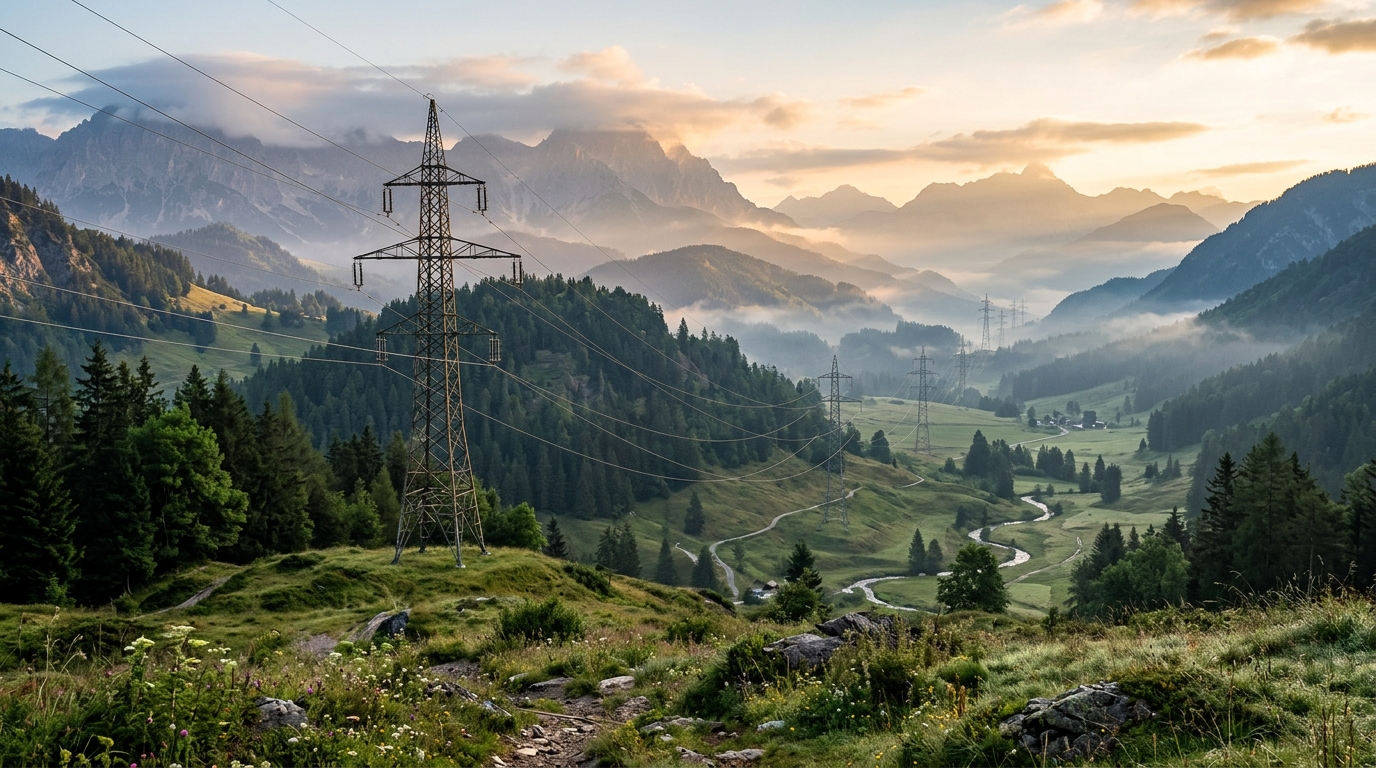
Remove distracting wires, overhead cables, and messy utility lines from images with AI Wire Removal.
AI Wire Removal is built for people who want cleaner photos without complicated editing. Upload an image, choose your preferred image size, and let AI Wire Remover detect and erase distracting cables across the frame.
How to Use AI Wire Removal
Using AI Wire Removal is simple, even if you have never edited a photo before. The workflow is built to help you remove visual clutter fast while keeping buildings, trees, people, roads, and other important details natural and consistent.

Upload Your Image
Start by uploading the photo you want to clean up. AI Wire Removal works well for travel photos, city scenes, real estate images, landscapes, and outdoor portraits where cables cut across the frame. You can use AI Wire Remover on photos with blue skies, busy streets, rooftops, mountains, or utility poles.

Choose Image Size and Start
Select your preferred image ratio or output size, then run AI Wire Removal. The model scans the image, identifies thin wire-like distractions, and removes them while preserving the original subject, perspective, texture, and lighting. AI Wire Remover is designed to keep edits focused only on the unwanted wires.

Preview and Download
Review the result and download the cleaned image when you are satisfied. AI Wire Removal makes it easier to share professional-looking photos without spending time drawing masks manually. If your goal is to remove power lines from photos quickly, this final step gives you a neat result ready for social, print, or client use.
Best AI Image Tools for Creative Projects
Explore creative tools for image, learn tips and tricks, and see how AI can be your assistant in turning concepts into finished projects.







Features of AI Wire Removal Tool
AI Wire Removal is designed for practical editing tasks that come up often in outdoor photography.
Clean Travel and Street Photography
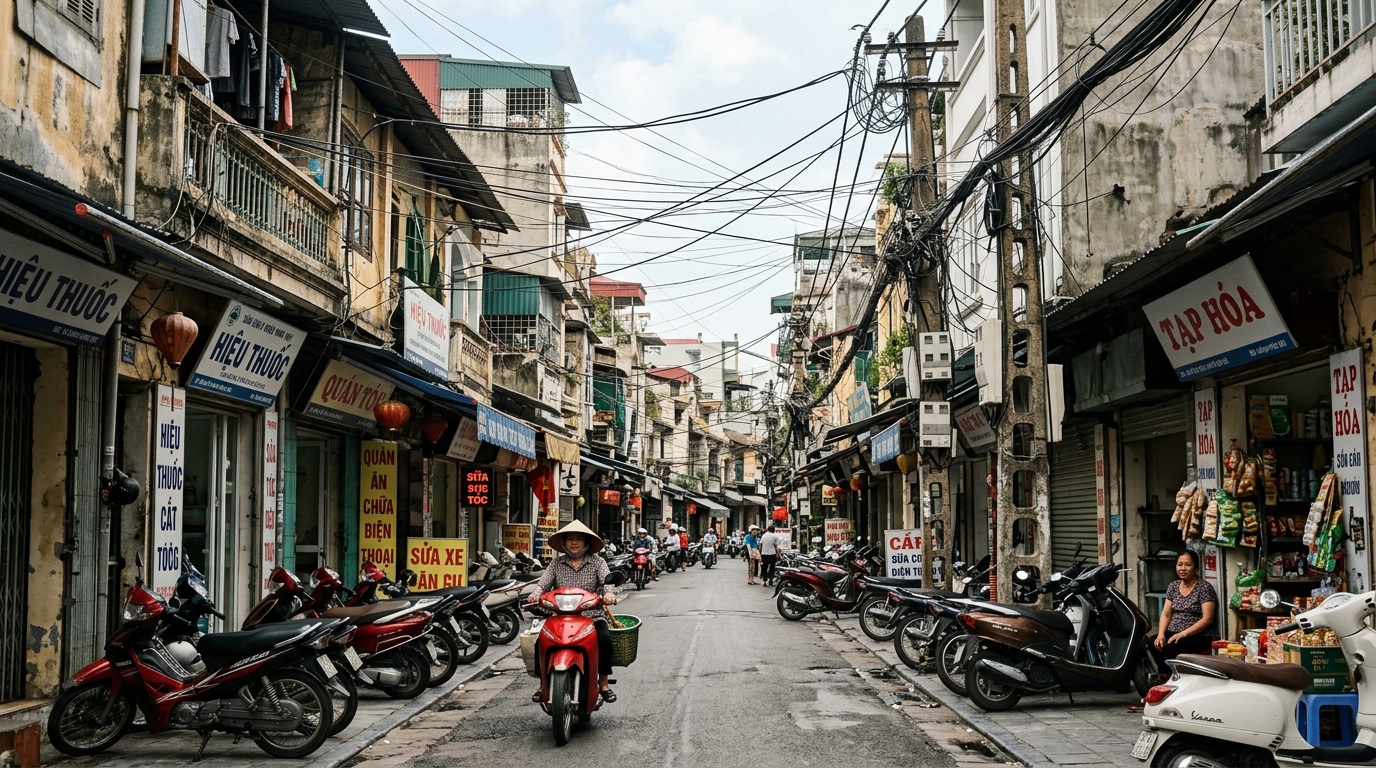
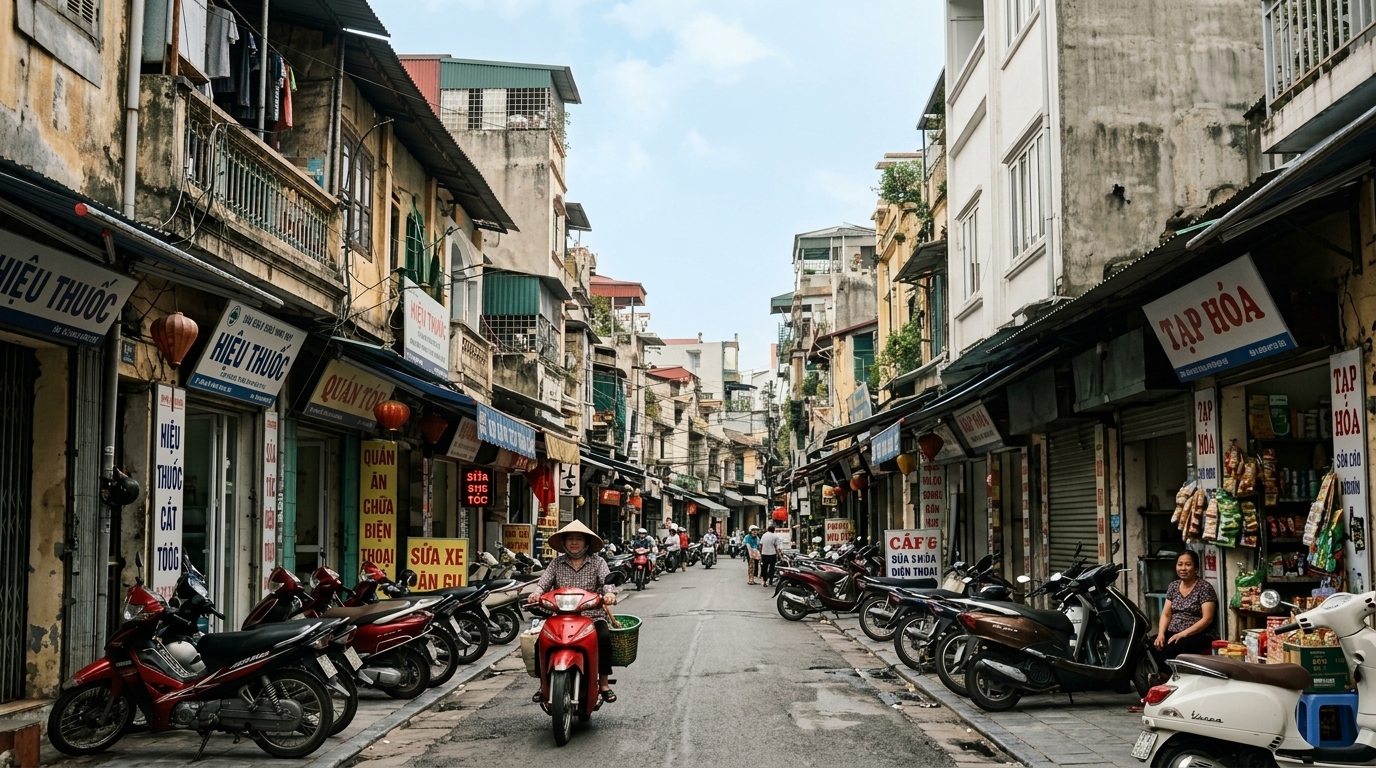
AI Wire Removal is especially useful for travel photography taken in cities with dense overhead cables, sign lines, and utility connections. A great street scene can lose impact when wires stretch across the sky or cross a building facade. AI Wire Remover helps restore visual focus so landmarks, architecture, and open space become easier to see.
Improve Real Estate and Property Images
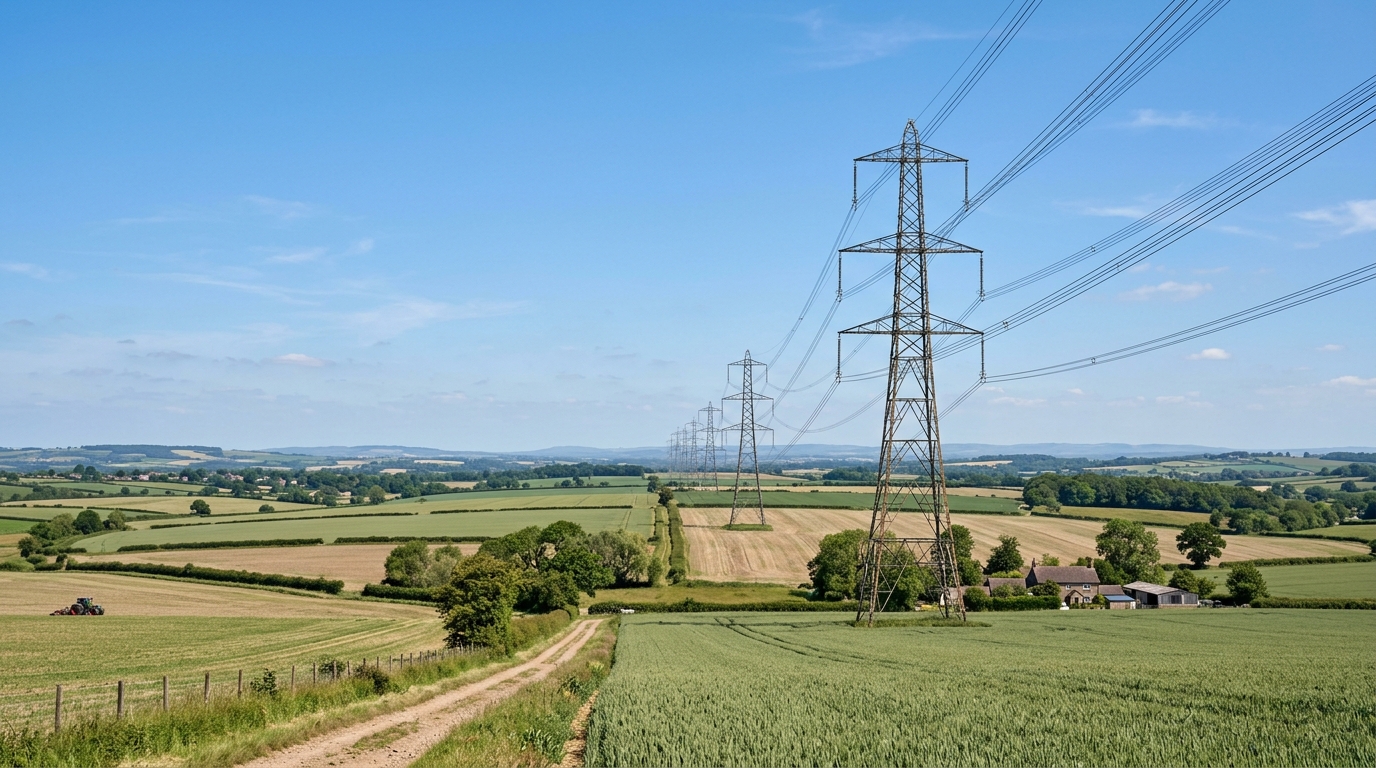
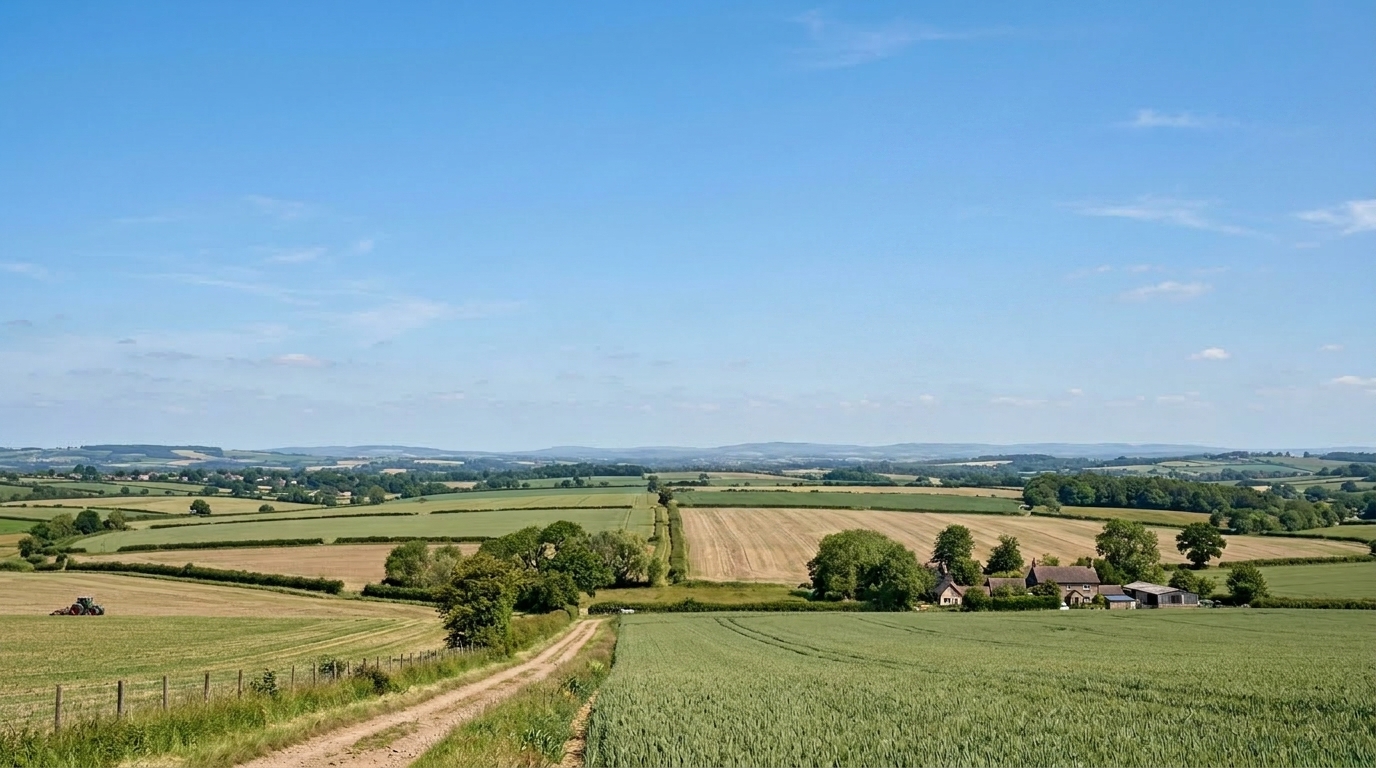
Exterior property photos often include distracting poles, cables, and overhead lines that pull attention away from the home itself. AI Wire Removal helps agents, photographers, and listing teams present buildings more clearly by removing clutter above roofs, driveways, and facades. For anyone who needs polished listing visuals at scale, AI Wire Remover offers a practical advantage.
Preserve the Main Subject and Scene
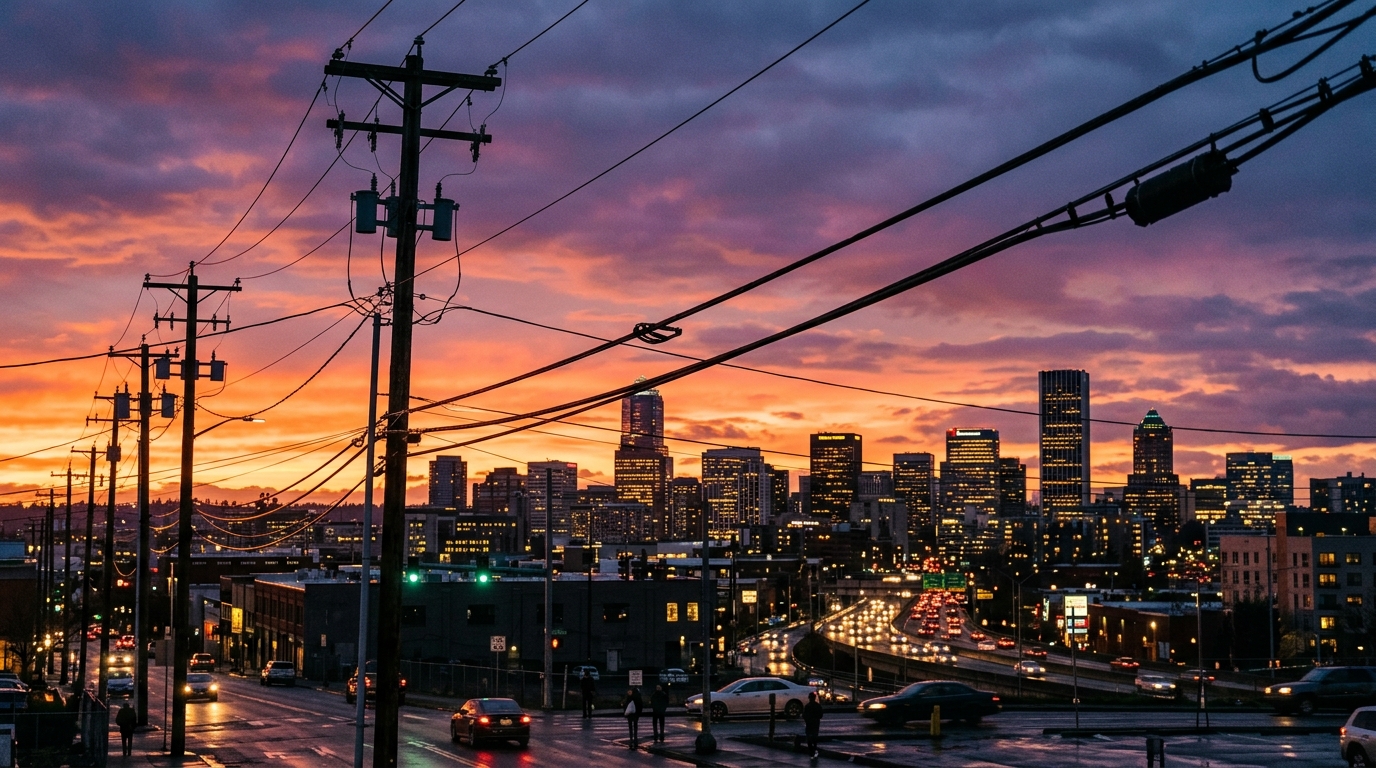
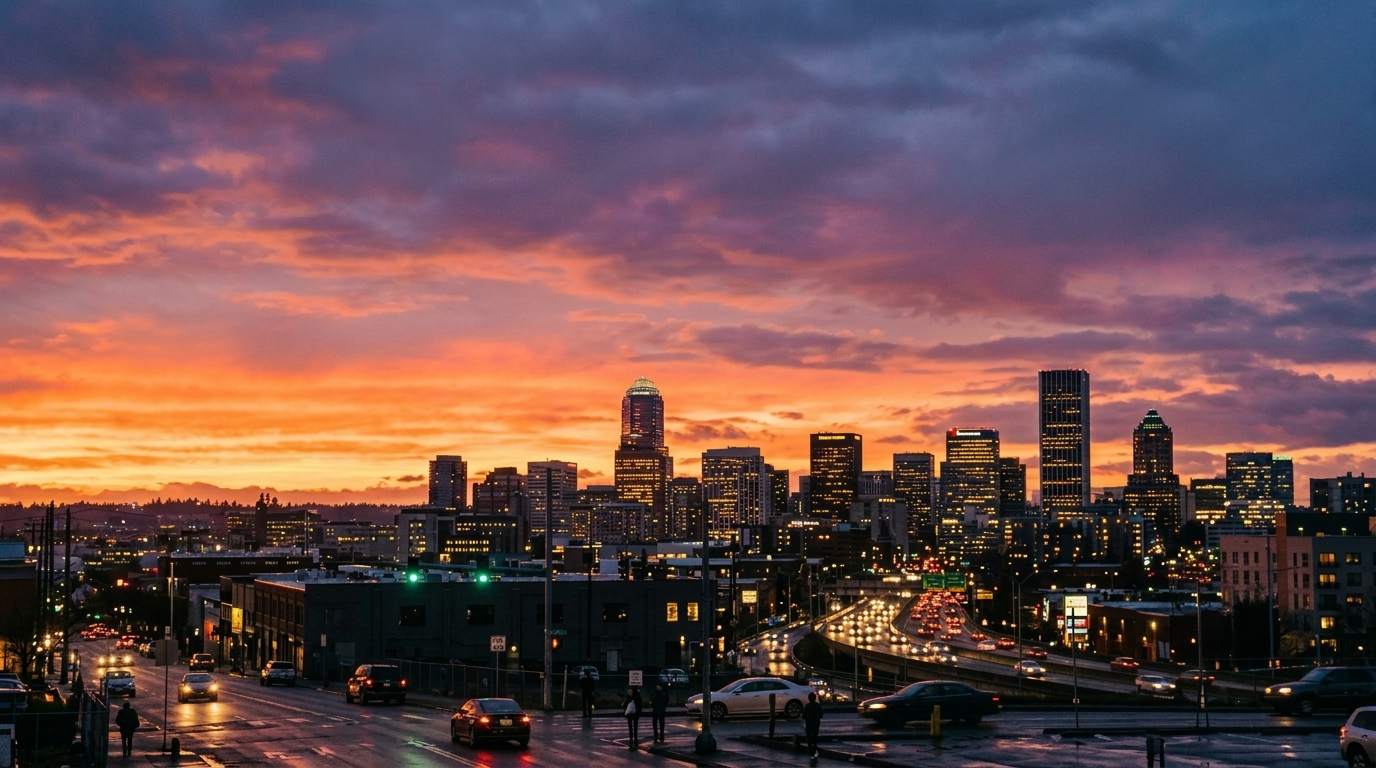
The goal of AI Wire Removal is not to redesign the image. It is to remove only the distracting wire elements while preserving the subject, framing, lighting, and environment. AI Wire Remover is built to maintain realism, which is why many users prefer it over manual retouching for fast cleanup. A reliable AI Wire Remover should edit less, not more.
Handle Thin Cables Across Complex Backgrounds
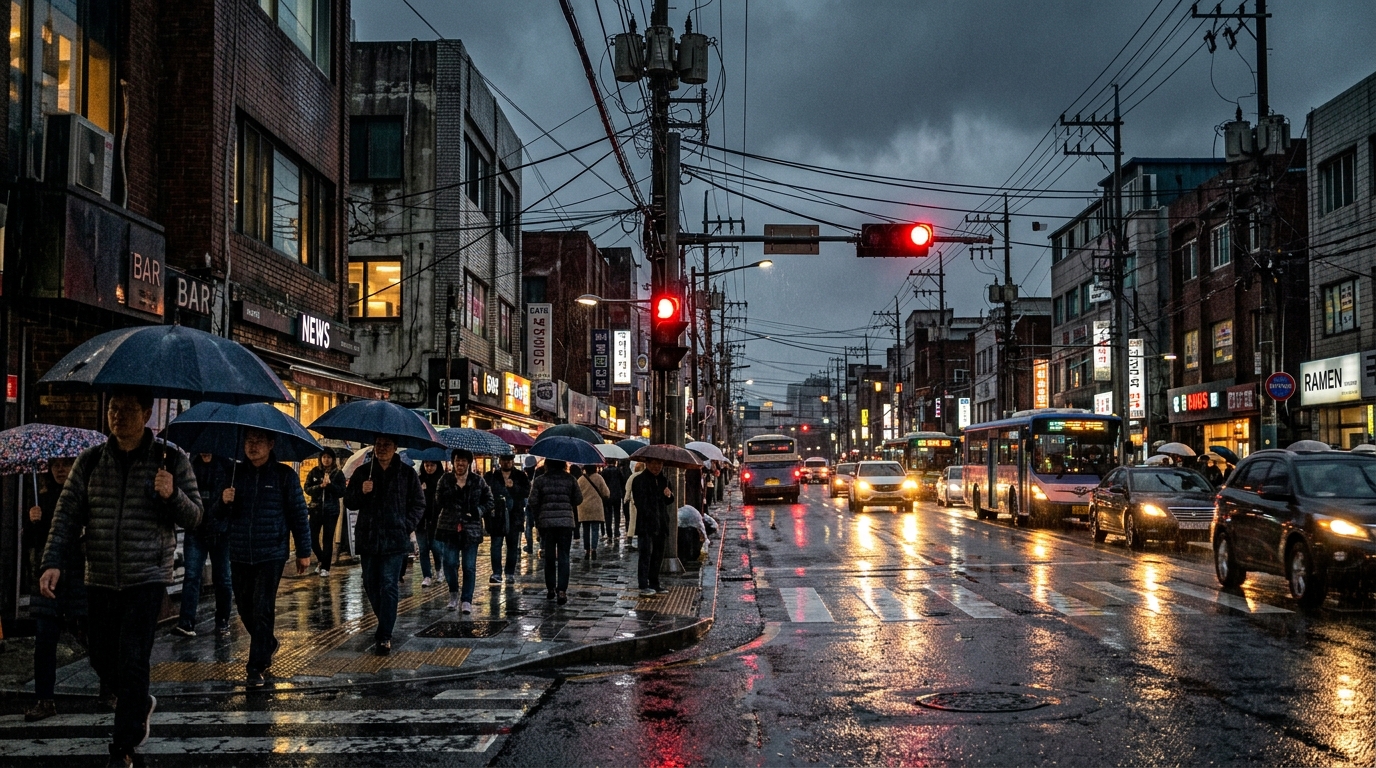
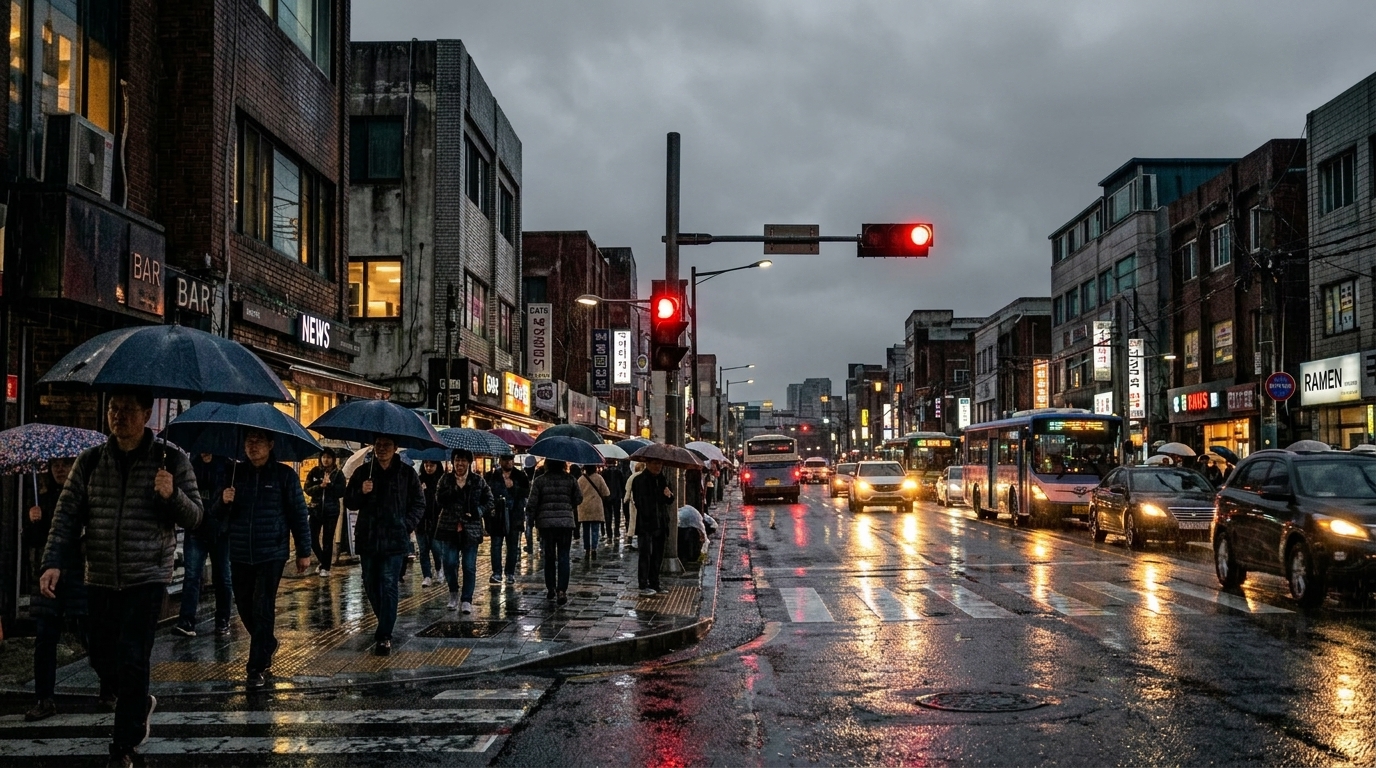
AI Wire Removal is designed to recognize these thin visual interruptions and rebuild surrounding areas with smooth continuity. That makes AI Wire Remover useful when cables cut through skies, foliage, signs, or architectural patterns. If you want to remove power lines from photos without spending time painting over every line manually, this feature is where AI Wire Removal becomes especially valuable.
Why Choose AI Wire Removal
Whether you shoot for personal memories or business use, AI Wire Removal helps make images cleaner, more focused, and easier to publish without heavy retouching work.

Make Outdoor Portraits Less Distracting
Outdoor portraits often look stronger when the background feels simple and unobtrusive. AI Wire Removal helps eliminate cables behind the subject so the face, pose, and styling stand out more clearly. This is especially helpful for lifestyle shoots, graduation photos, and travel portraits taken in busy urban settings.

Refine Skyline and Architecture Photos
Architecture images benefit from clean lines and open space. AI Wire Removal removes unnecessary cables from building shots so the structure itself becomes the focus. This makes AI Wire Removal useful for photographers, architects, developers, and content teams who want a more polished visual presentation.

Speed Up Social Media Edits
Not every image needs full professional retouching, but many photos still need a quick cleanup before posting. AI Wire Removal helps simplify editing for creators who want a better final image fast. Instead of opening advanced software, AI Wire Remover handles one of the most common outdoor distractions in a few clicks.

Create Cleaner Travel Albums
Travel photos capture memorable places, but overhead lines can weaken the composition. AI Wire Removal helps restore a cleaner sense of place so streets, temples, markets, mountain roads, and historic buildings feel more visually open. AI Wire Remover is a practical way to improve album consistency after a trip.

Support Listing and Marketing Visuals
Property, hospitality, and local business marketing often depends on first impressions. AI Wire Removal helps improve exterior visuals by removing cable clutter that makes a space feel less appealing. That cleaner presentation can help websites, brochures, and online listings look more professional with minimal editing effort.

Reduce Manual Retouching Time
Manually erasing wires in editing software can be slow, repetitive, and inconsistent, especially across large batches. AI Wire Removal gives users a faster route to clean images while still protecting the rest of the frame. For creators handling many outdoor photos, AI Wire Remover can significantly improve workflow efficiency.
What Users Say About AI Wire Removal
These testimonials reflect how AI Wire Removal fits into travel, property, photography, and content workflows where visual clarity matters.
I came back from a trip with great city photos, but so many of them had overhead lines cutting across the sky. AI Wire Removal helped me fix the ones I actually wanted to keep. The results looked natural, and I did not have to spend time in Photoshop drawing over every cable.
For exterior home listings, power lines can make a photo feel busier than it needs to be. AI Wire Removal has been genuinely useful for cleaning up shots before they go live. It helps the property look clearer without changing the house, lawn, or sky in an obvious way.
I mostly shoot portraits outdoors, and sometimes the background has cables behind the subject that ruin an otherwise strong frame. AI Wire Removal makes those images usable again. I like that it focuses on the wires and does not make the rest of the scene look fake or too smooth.
I tested AI Wire Removal on architecture images where wires crossed a building facade and some trees. The cleanup was fast, and the building lines stayed intact. That matters to me because I want the photo to look clean, not edited. It is now part of my regular image cleanup process.
We manage social content for a hospitality brand, and outdoor images often need small corrections before publishing. AI Wire Removal is one of the easiest fixes we use because overhead cables are common and distracting. It saves time and helps the final images look more considered and brand-ready.
I wanted an AI Wire Remover that would clean up hiking and roadside photos without changing the mountain textures or the sky too much. AI Wire Removal did a better job than I expected. It removed the clutter and kept the image feeling like the original moment I captured.






FAQs About AI Wire Removal
If you want to understand when AI Wire Removal performs best, what kinds of images it supports, and how to remove power lines from photos more efficiently, this section will help.
AI Wire Removal is an image editing tool that detects and removes distracting wires, cables, and overhead lines from photos while preserving the rest of the image. Instead of requiring manual brushwork, AI Wire Remover analyzes the line structure and reconstructs the background areas behind it. This helps clean up skies, buildings, roads, trees, and outdoor scenes more quickly. AI Wire Removal is especially useful when you want a polished result without using traditional retouching software for every small correction.
AI Wire Removal works best on outdoor images where wires are visually distinct from the background, such as travel shots, architecture photos, real estate exteriors, landscape scenes, and street photography. It can also help with outdoor portraits when cables appear behind the subject. In general, AI Wire Remover performs well when the main goal is to remove overhead distractions while keeping the overall composition unchanged. Thin lines across sky, rooftops, trees, and walls are common examples where AI Wire Removal is especially effective.
Yes, one of the main uses of AI Wire Removal is to remove power lines from photos automatically. The tool is designed to identify utility lines and similar narrow visual interruptions that cut across the frame. Instead of manually cloning or healing every section, AI Wire Removal handles the cleanup in a faster, more streamlined way. This makes it useful for both casual users and professionals who need consistent image cleanup across multiple outdoor photos with minimal effort.
AI Wire Removal is built to keep edits focused on the unwanted wires rather than altering the entire photo. The aim is to preserve the subject, environment, lighting, and framing while cleaning only the distracting line elements. In many cases, AI Wire Remover can maintain walls, sky gradients, foliage, roofs, and facial details naturally. As with any automated editing tool, results may vary depending on image complexity, but AI Wire Removal is designed to minimize unnecessary changes outside the targeted wire areas.
Yes, AI Wire Removal is very useful for real estate photography because exterior listings often include power lines, hanging cables, or utility clutter that distracts from the property itself. By using AI Wire Removal, photographers and agents can create cleaner listing visuals that place more focus on the building, yard, and entryway. This can help images feel more polished for property websites, brochures, and social posts. AI Wire Removal is a practical tool when you need a tidy presentation without a full retouching workflow.
Absolutely. AI Wire Removal is a strong fit for travel and street photography because overhead lines are common in many destinations and urban neighborhoods. A photo may have great color, timing, and composition, but still feel cluttered because of cables cutting through the scene. AI Wire Remover helps simplify the frame so landmarks, streets, and architecture become easier to appreciate. If you often return from trips with images that need cleanup, AI Wire Removal can save a large amount of editing time.
For many users, an AI Wire Remover is faster and more convenient than removing wires manually with clone or healing tools. Manual retouching can take a long time, especially when thin lines cross complex textures like leaves, clouds, roof tiles, or patterned walls. AI Wire Removal automates much of that work, which is helpful for batch editing or quick cleanup. Manual editing can still be useful for highly complex images, but AI Wire Removal usually offers a better balance of speed and acceptable visual quality.
AI Wire Removal can work on complex backgrounds, including trees, facades, roofs, and textured outdoor scenes, though results depend on how dense the wires are and how detailed the background is. The tool is designed to rebuild surrounding image areas after removing the cable, so it can often handle backgrounds that would otherwise require careful manual retouching. AI Wire Removal is especially helpful when wires run across mixed elements like sky and foliage in the same frame. Previewing the result is the best way to judge final quality.
AI Wire Removal is useful for photographers, creators, marketers, property teams, travelers, and everyday users who want cleaner outdoor photos. Anyone who works with street scenes, architecture, landscapes, home exteriors, or lifestyle portraits can benefit from AI Wire Removal because overhead cables are a frequent visual distraction. The tool is also helpful for people who do not want to learn advanced editing software just to fix one recurring problem. AI Wire Removal focuses on a specific task and makes that task much easier.
Banana Pro AI offers AI Wire Removal as a practical, streamlined tool for people who want to improve images quickly without adding complexity to the workflow. The experience is designed around a simple upload, size selection, processing step, and download result. AI Wire Removal is useful when you need a clean image for social media, marketing, property listings, travel albums, or portfolio work. If your main editing problem is overhead clutter and you want to remove power lines from photos efficiently, this tool is built for that purpose.
Try AI Wire Removal Now
Use AI Wire Removal to clean up distracting cables, improve composition, and make outdoor photos look more polished in just a few steps. Upload your image, run AI Wire Removal, and download a cleaner result.
