
More AI Image Generators
Explore our collection of specialized AI image generators designed for different creative needs and styles






Create a Clean AI Face Cut Out in Seconds
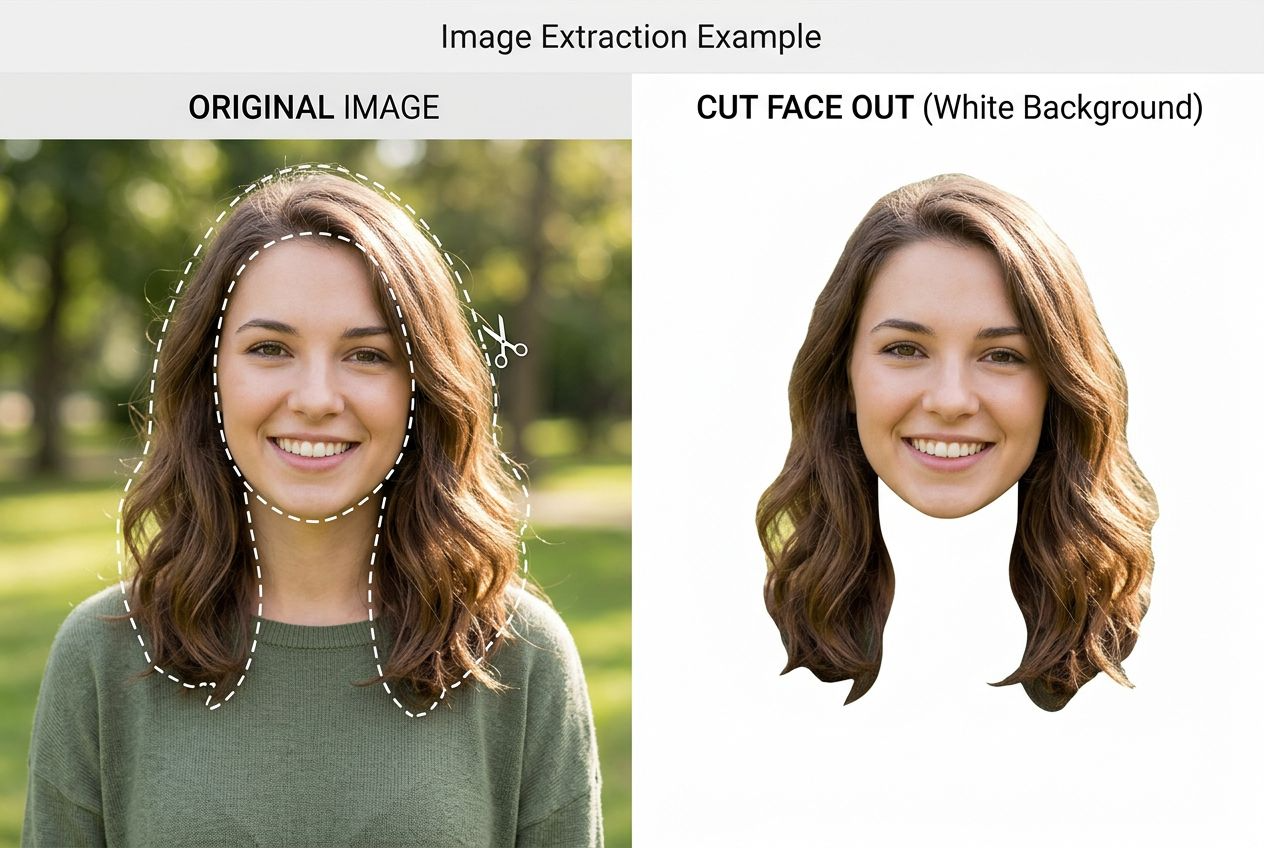
Upload one portrait and let BananaPro AI generate a precise AI face cut out with a clean transparent style result for stickers, profile assets, party props, and creative edits.
BananaPro AI makes AI face cut out simple. Upload one face photo and get an AI face cut out with clean edges, preserved identity, and a polished transparent result. If you need face cutout free for stickers, profile images, memes, big head prints, or quick design work, this AI face cut out tool is built for speed and accuracy.
How to Use Our AI Face Cut Out Tool
BananaPro AI keeps the process fast and easy. You only need one portrait to create an AI face cut out or test a face cutout free workflow.

Upload a Face Photo
Upload a clear portrait in JPG or PNG format. Our AI face cut out system reads the face area, hairline, and expression to prepare a clean AI face cut out.

Generate the Cutout
Click generate and let BananaPro AI create an AI face cut out automatically. The tool removes the background and keeps the face details sharp for a face cutout free result.

Download and Reuse
Preview your AI face cut out, download it, and use it for design, stickers, events, or content creation. You can also test multiple photos with the same face cutout free workflow.
Best AI Image Tools for Creative Projects
Explore creative tools for image, learn tips and tricks, and see how AI can be your assistant in turning concepts into finished projects.

Features of Our AI Face Cut Out
BananaPro AI is built for people who want a fast AI face cut out with strong detail retention and easy reuse across creative scenarios. Whether you need a clean portrait extraction for stickers, memes, event props, thumbnails, or design assets, our tool makes AI face cut out simple, practical, and efficient. If you are looking for face cutout free results without spending time on manual editing, BananaPro AI gives you a smoother and more scalable workflow.

Precise Face Extraction
Our AI face cut out tool focuses on the face and head area while removing the rest of the image cleanly. Each AI face cut out is designed to preserve facial identity, expression, hairstyle, and the overall feel of the original portrait. Instead of spending time tracing edges manually, users can generate an AI face cut out in just a few clicks. This makes the tool ideal for creators, marketers, and casual users who need face cutout free results for stickers, profile graphics, event materials, and daily content production. If speed and accuracy matter, this AI face cut out workflow is one of the easiest ways to start.

Natural Hair Edge Handling
A good AI face cut out must handle hair well, because hair is often the hardest part of portrait extraction. BananaPro AI keeps hairline transitions cleaner and more natural, helping each AI face cut out look more polished and usable. Loose strands, soft edges, and visible texture are better preserved so the final result does not feel overly harsh or artificial. This matters when users want face cutout free downloads for sticker packs, social media posts, profile photos, design mockups, or printable props. With better edge handling, every AI face cut out is easier to reuse across real creative projects.
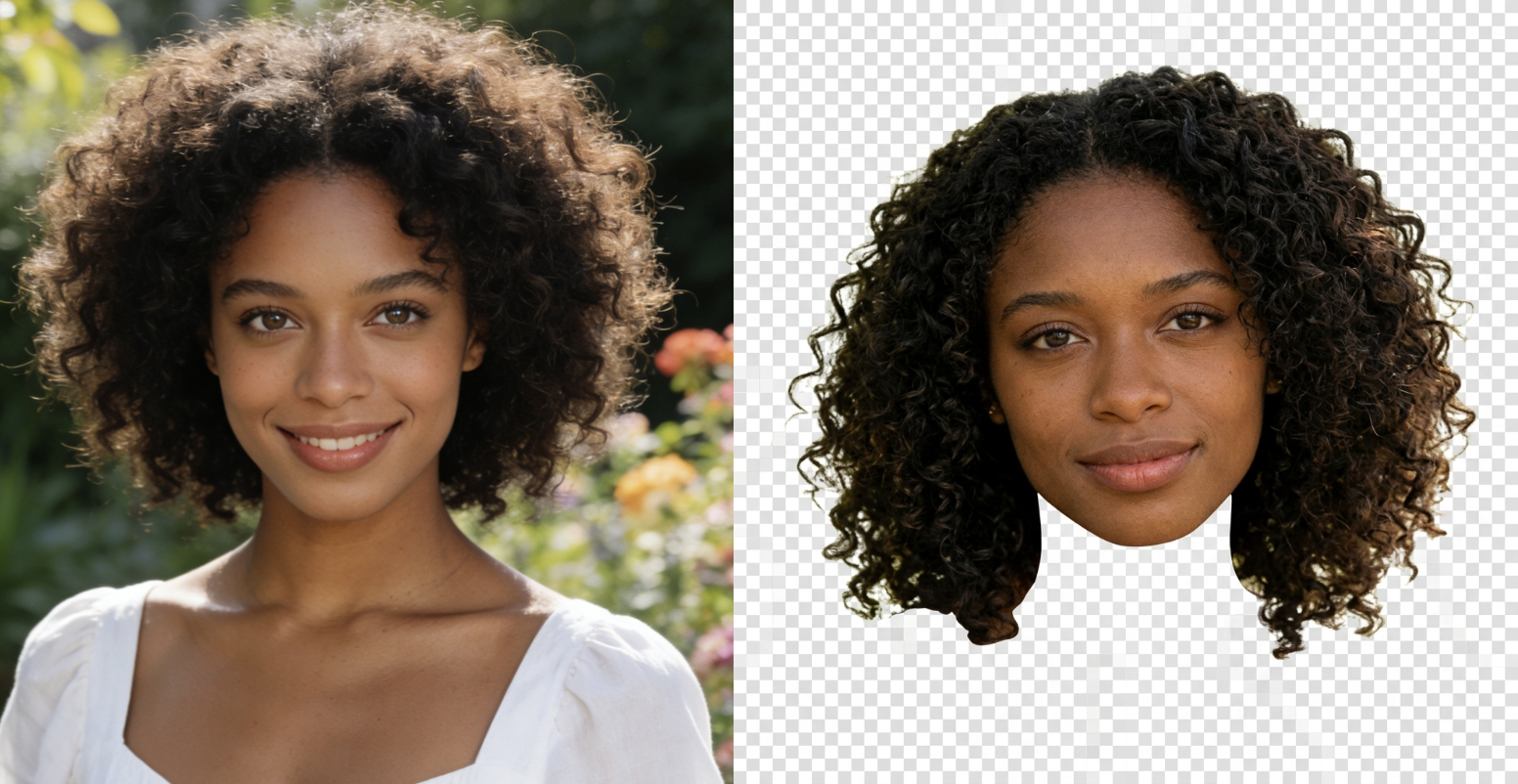
Transparent Style Output
Every AI face cut out is designed for easy reuse in creative and commercial scenarios. You can place the result on posters, collages, social posts, YouTube thumbnails, event props, celebration signs, and presentation visuals without rebuilding the image from scratch. Many users searching for face cutout free tools specifically want a transparent style look that can fit into different layouts, and this AI face cut out workflow meets that need well. By turning one face photo into a reusable visual asset, BananaPro AI makes AI face cut out practical for fast design, repeated editing, and lightweight content production.
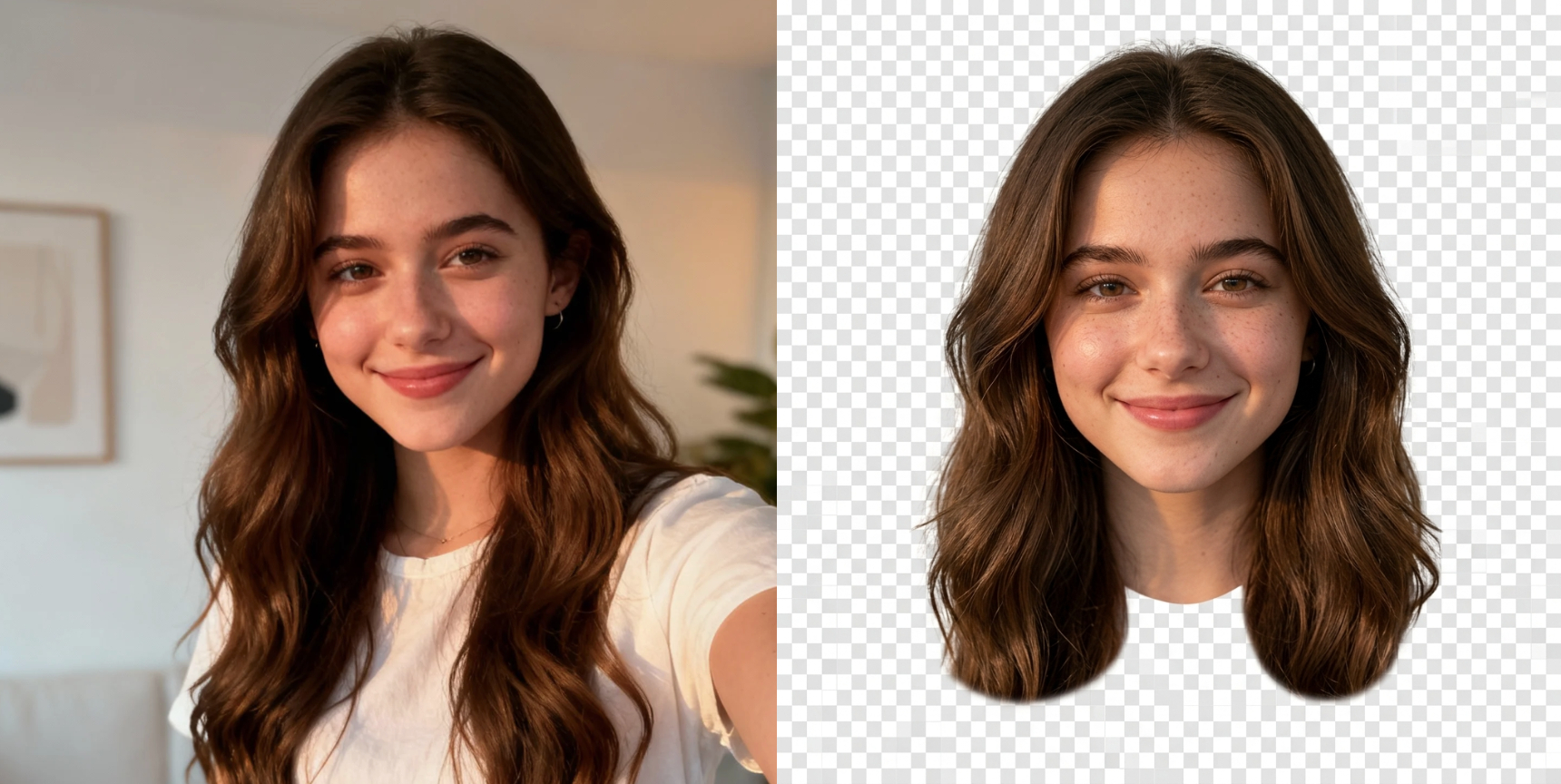
Fast Portrait Workflow
BananaPro AI is ideal when you need an AI face cut out quickly. From creator assets and memes to party graphics and marketing materials, the tool shortens the full editing process and reduces manual work. Instead of opening complex software, selecting edges, and cleaning the background by hand, users can generate an AI face cut out almost instantly. This makes face cutout free testing easier for people who want to compare multiple portraits, prepare several designs, or move faster in daily production. For teams and solo creators alike, a fast AI face cut out workflow means less friction and more output.
Why Choose BananaPro AI Face Cut Out
Our tool is made for creators, casual users, and teams that want reliable AI face cut out quality without a complex editing workflow.

Perfect for Stickers
Create an AI face cut out for sticker packs, reaction images, and chat graphics. A face cutout free result makes quick visual reuse much easier.

Great for Big Head Props
Use AI face cut out results for party props, graduation signs, and event decorations. This AI face cut out format is ideal for oversized face graphics.

Useful for Social Content
Creators use AI face cut out assets in thumbnails, memes, announcements, and branded visuals. A face cutout free workflow helps speed up posting.

Identity Preserving Output
BananaPro AI keeps the subject recognizable. Each AI face cut out aims to preserve key facial details, hairstyle, and expression for realistic reuse.
No Complex Editing Needed
You do not need advanced design software to make an AI face cut out. Upload, generate, and download. That is why many users prefer this face cutout free process.

Fast Testing for Multiple Photos
Try several portraits and compare outputs quickly. BananaPro AI makes repeated AI face cut out testing easy when you need the best face cutout free result.
What Users Say About Our AI Face Cut Out
People use BananaPro AI face cut out for design, content, events, and fast visual editing.
I needed an AI face cut out for a birthday prop and BananaPro AI delivered a very clean result. The face cutout free workflow was much faster than manual editing.
I use this AI face cut out tool for thumbnails and promo posts. It keeps the face clear and saves me a lot of time when I need face cutout free assets.
This AI face cut out feature is excellent for sticker style graphics. The hair edges look better than I expected and the face cutout free output is easy to reuse.
I tested several portraits and the AI face cut out stayed consistent. For quick marketing visuals, this face cutout free process is very practical.
Our team needed an AI face cut out for a campaign collage. BananaPro AI made the workflow easier and gave us a face cutout free result we could drop into designs immediately.
I wanted a clean AI face cut out for meme content and quick edits. BananaPro AI was simple to use, and the face cutout free quality was good enough for daily production.






Frequently Asked Questions About AI Face Cut Out
Find quick answers about using BananaPro AI face cut out for portraits, stickers, and creative workflows.
An AI face cut out tool automatically detects the face and head area in a portrait, removes the unwanted background and surrounding image parts, and creates a clean reusable result. BananaPro AI is designed to make AI face cut out fast and practical.
Yes. BananaPro AI is suitable for users who want to test a face cutout free workflow for stickers, event props, profile assets, and social content. You can upload a portrait and generate an AI face cut out in just a few clicks.
Yes. The goal of our AI face cut out workflow is to preserve your identity, expression, and hairstyle while removing distracting areas. That makes the final cutout more useful for real projects.
Clear portraits with one visible face usually produce the best AI face cut out result. Good lighting and a well defined face outline can also improve face cutout free output quality.
You can use an AI face cut out for stickers, memes, profile graphics, party decorations, presentation visuals, collages, thumbnails, and printable big head props. Many users also save face cutout free assets for repeat design work.
Try BananaPro AI Face Cut Out Now
Upload one portrait and get a clean AI face cut out in seconds. If you need face cutout free results for stickers, design, events, or content creation, BananaPro AI is ready.
