
More AI Image Generators
Explore our collection of specialized AI image generators designed for different creative needs and styles






Image Stretcher for Wider, Taller Photos Without Cropping
Stretch images online, extend backgrounds naturally, and keep the main subject clear with a fast image stretcher built for real layouts.
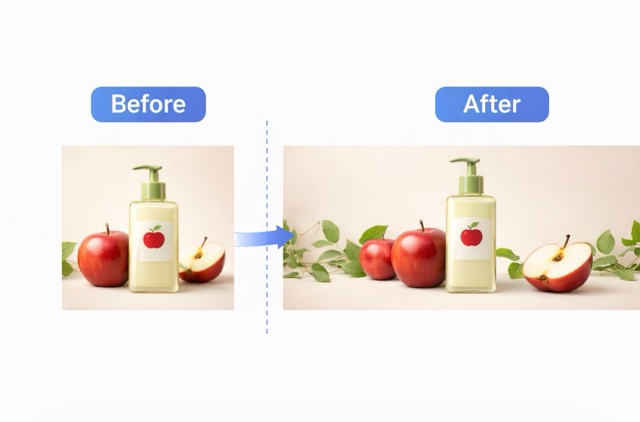
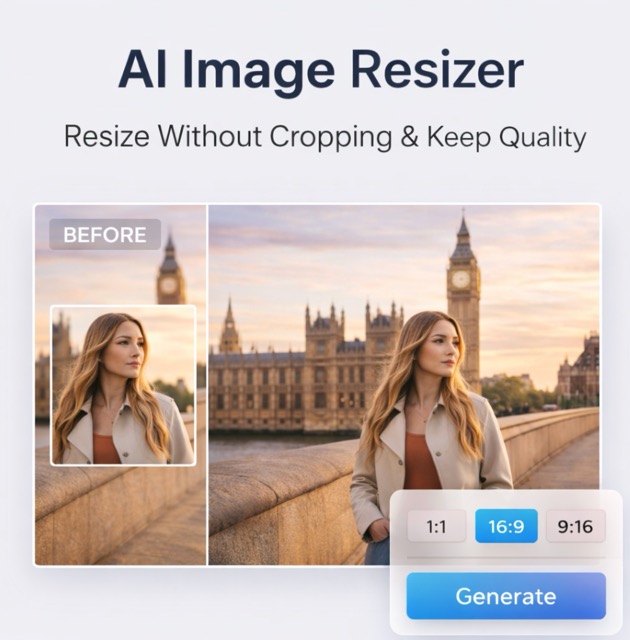
This image stretcher helps you turn tight photos into better-fitting visuals for banners, wallpapers, social posts, ecommerce headers, and presentations. Instead of a basic resize or crop, the image stretcher extends the scene so your portrait, product, or landscape keeps its natural look. Use this image stretcher to stretch an image without cropping, preserve important content, and get a clean fit in seconds. If you need to stretch image layouts fast, this image stretcher gives you a practical extend photo ai workflow with Simple Stretch and AI Extend options.
How to Use Image Stretcher
Use this image stretcher in three simple steps. The workflow is made for real users who want to stretch image layouts, keep the subject undistorted, and finish fast without manual editing.

Upload image
Start by uploading a portrait, product shot, landscape, or social image. The image stretcher reads the original frame and prepares it for a clean extend photo ai process. This is the easiest way to stretch an image when you want better size fit without cutting anything out.

Choose stretch direction and size
Pick horizontal or vertical expansion, then choose custom width, custom height, or aspect ratio presets. The image stretcher supports stretch left, right, top, or bottom, so you can stretch image compositions for a banner, wallpaper, screen fit, or cover. Use Simple Stretch for quick sizing or AI Extend when you want stronger extend image background results.

Generate and download
Click generate to let the image stretcher build new space around your photo. The result is made to keep faces, products, and important objects natural while giving you a wider or taller layout. Download your final image stretcher result for social media, ecommerce, wallpaper, or presentation use.
Best AI Image Tools for Creative Projects
Explore creative tools for image, learn tips and tricks, and see how AI can be your assistant in turning concepts into finished projects.

Features That Make This Image Stretcher Useful
This image stretcher is designed around practical needs, not generic editing claims. Every feature helps you stretch image layouts, extend photo ai results naturally, and avoid the common problems of cropping, distortion, and wasted space.
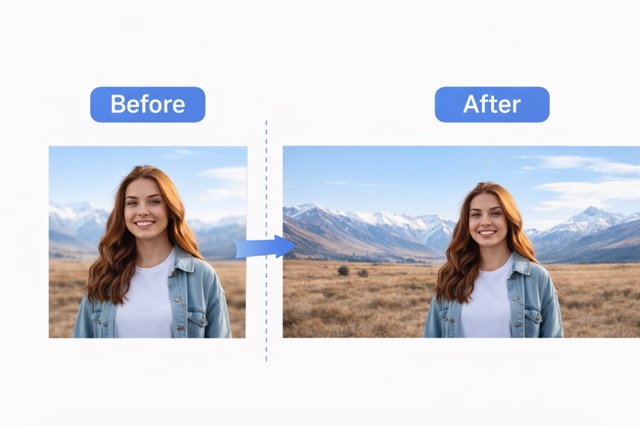
Stretch an image without cropping
The core job of this image stretcher is to help you keep the original subject while adding usable space around it. That means you can stretch an image without cropping out a face, product edge, logo, or key background detail. When people search how to stretch an image or resize image without cropping, they usually need a layout fix, not a destructive cut. This image stretcher solves that exact problem.
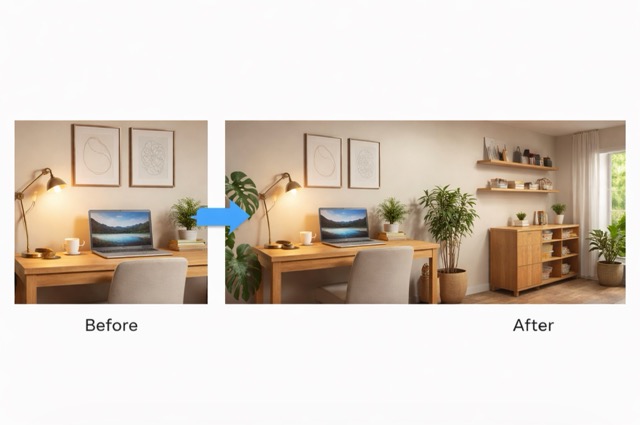
Natural background extension
A simple resize can make a person look wider or a product look warped. This image stretcher uses an extend photo ai approach to build extra scene content instead. You can extend image background areas for sky, wall, desk, floor, studio space, or outdoor scenery while keeping visual flow, edge blending, and background consistency more believable.
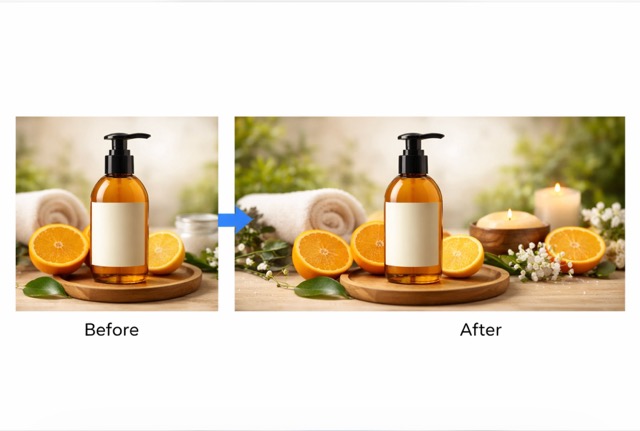
Horizontal and vertical stretch support
Different projects need different directions. This image stretcher lets you stretch image layouts horizontally for banners and screen fit, or stretch image layouts vertically for story formats, mobile visuals, and poster space. You can choose left, right, top, or bottom extension depending on where you need extra room.
Custom size and aspect ratio presets
This image stretcher is built for real output targets. Use custom width and height, or choose common social presets, wallpaper presets, and banner ratios. If you need a stretch photo for banner work, a stretch image for wallpaper, or a stretch image for presentation slides, the image stretcher helps you fit the frame without rebuilding the image manually.
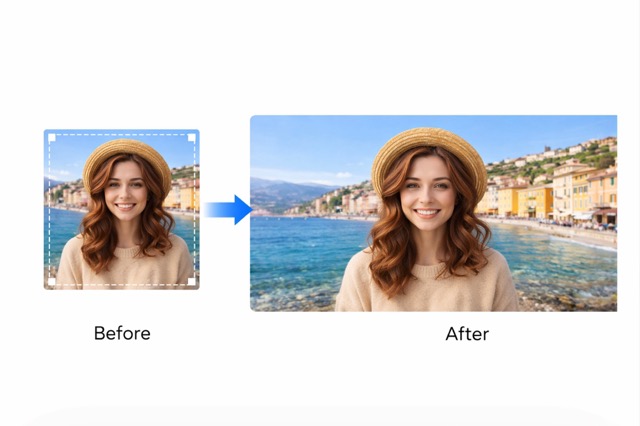
Subject protection for people, products, and text
This image stretcher is made to preserve face shape, preserve product shape, keep text or logo readable, and avoid distortion that makes the result look stretched in the bad way. Subject lock helps the image stretcher keep the important part of the photo stable while extend photo ai fills the outer space for a cleaner fit.
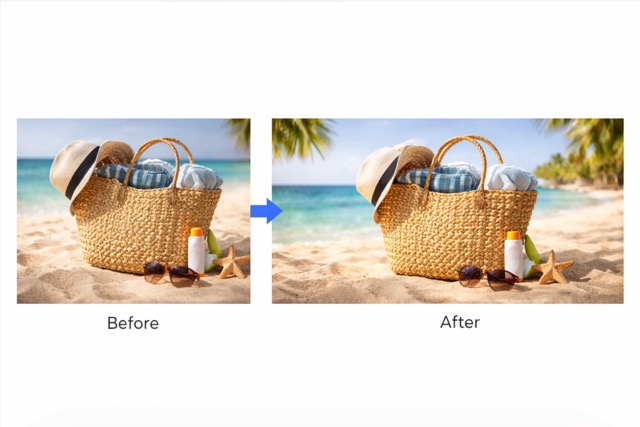
Simple browser workflow for repeated design tasks
This image stretcher is useful when you need fast results over and over again. Instead of opening a heavy editor, stretching canvas by hand, and patching edges in Photoshop, you can stretch image compositions in the browser and move on. That makes the image stretcher a strong everyday tool for content teams, sellers, designers, and creators who need extend photo ai speed without editing complexity.
Best Use Cases for Image Stretcher
This image stretcher works best when your image is good, but the canvas is wrong. Instead of cropping useful content or forcing a bad resize, the image stretcher helps you stretch image layouts to fit the place where the photo actually needs to go.

Image stretcher for social media
Social posts, cover images, and profile headers often need more space than the original shot gives you. This image stretcher helps you extend image background areas so the subject stays centered while the layout fits the platform. If you need an image stretcher for social media, this is faster than building empty margins or cropping away part of the original scene.

Stretch image for YouTube thumbnail or banner
A square or portrait shot rarely fits a wide YouTube design. Use this image stretcher to stretch image compositions for YouTube thumbnail support, channel banner space, and wider promo visuals. You keep the person or object visible while extend photo ai adds the extra width you need.

Stretch image for Instagram story
When you move a feed image into a story layout, a crop can cut off faces, outfits, or product details. This image stretcher lets you stretch image vertically for story use so the layout feels native instead of squeezed. It is a practical stretch image online option for social scheduling and daily content work.

Stretch product images for ecommerce
Online stores need consistent hero banners, collection headers, and ad creatives. This image stretcher helps you stretch image frames around bottles, boxes, fashion items, and packaged goods while preserving product shape and keeping branding readable. If you need a stretch image for ecommerce banner output, this is much faster than manual retouching.

Stretch image for presentation
Presentation slides often need a wider frame than the original file. This image stretcher lets you stretch an image for presentation layouts so the slide looks balanced without losing the main subject. It is especially useful when you need to fit brand visuals into templates with fixed dimensions.

Stretch image for wallpaper
A phone photo or square design may not fill a desktop or widescreen background well. This image stretcher helps you stretch image to fit screen use and create a stretch image for wallpaper result with more visual space. Instead of a zoomed crop, you get a fuller scene with better edge coverage.
What Users Say About This Image Stretcher
These testimonials reflect the most common reasons people use the image stretcher: getting a better fit, saving time, and keeping important parts of the photo intact.
I use this image stretcher for campaign headers and quick social updates. The biggest difference is that I can stretch an image without cropping the subject. It saves me from doing extra cleanup work every time a platform needs a different size.
I sell skincare products online, so layout consistency matters. This image stretcher helps me stretch image frames for hero banners while preserving product shape and label clarity. I used to patch backgrounds by hand, and now I finish the same job much faster.
For client slides and social covers, I need width without losing the main composition. This image stretcher gives me a clean extend photo ai workflow that feels practical, not overcomplicated. It is one of the easiest ways to stretch image layouts for real deliverables.
Turning vertical phone shots into wide YouTube thumbnails used to be a headache. This tool lets me stretch image layouts perfectly. The background extension looks totally natural, and I never have to crop out important details anymore.

Image Stretcher FAQ
These short answers explain what the image stretcher does, how it works, and when it is better than a crop or simple resize.
An image stretcher is a tool that expands a photo to a wider or taller layout. A good image stretcher adds new visual space instead of just cropping or distorting the original image.
Yes. This image stretcher is made to stretch an image without cropping, so you can keep the main subject and still fit a new layout.
A basic resize can hurt the look of a photo. This image stretcher focuses on natural extension and subject protection to keep the final result cleaner for real use.
Yes. You can stretch image layouts horizontally for banners and screen fit, or vertically for story, poster, and mobile formats.
Resizing changes the size of the whole image. An image stretcher expands the canvas and works to extend image background areas while keeping the subject undistorted.
Yes. This image stretcher is built to extend image background space around people, products, and objects while keeping the main content stable.
For fast layout fixes, many users find this image stretcher easier. It gives you a quick online workflow without the manual setup and cleanup common in larger editors.
Yes. This image stretcher supports multi-scene use, including social covers, wallpapers, presentation visuals, and product photos for ecommerce banners.
Use Image Stretcher Now
Upload your photo, choose the direction and size, and let the image stretcher create more usable space fast. Stretch image layouts, extend photo ai backgrounds, and get cleaner results for banners, wallpapers, social posts, and product visuals in seconds.
