More AI Video Generators
Explore our collection of specialized AI video generators designed for different creative needs and styles





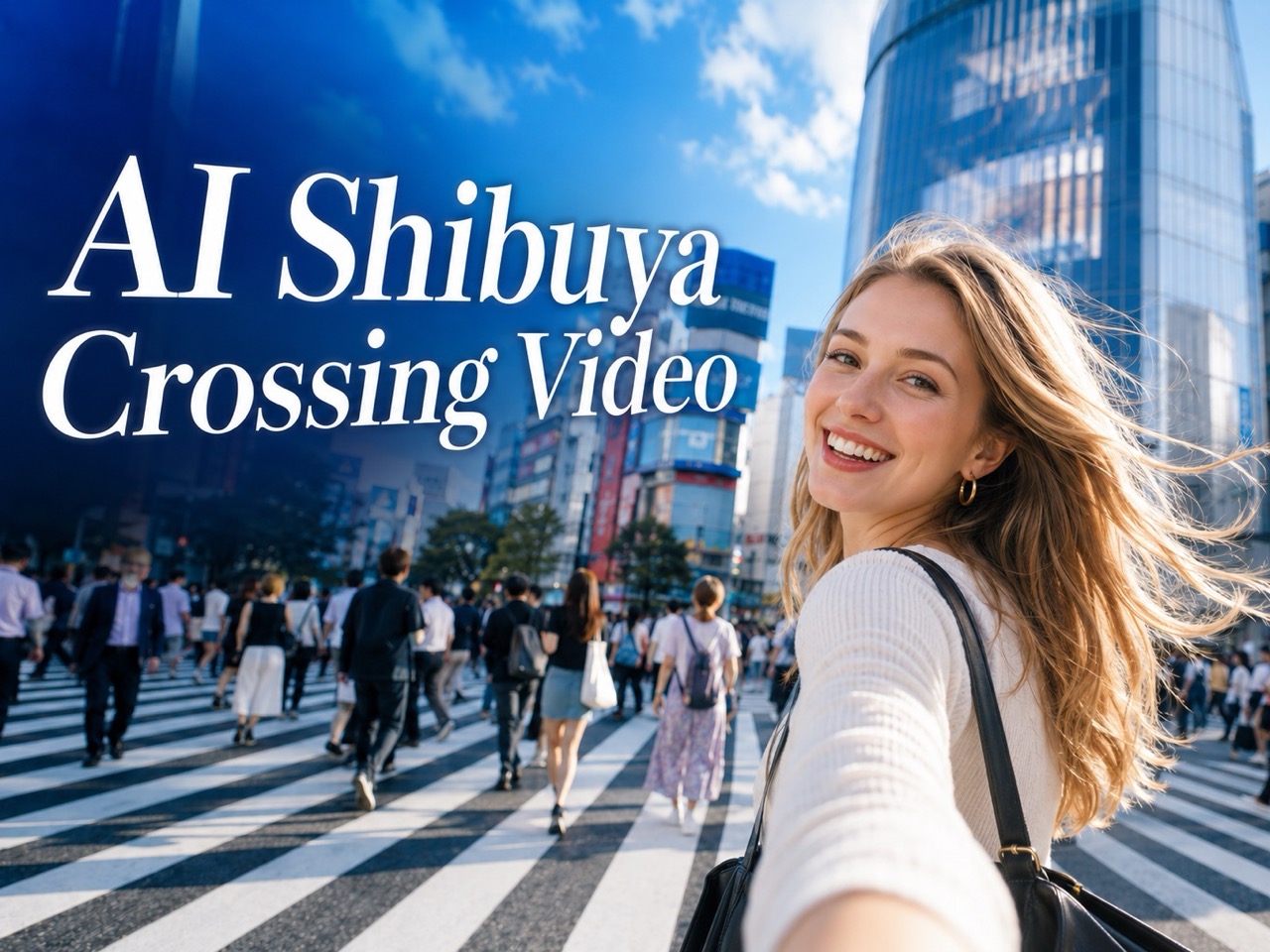
AI Shibuya Crossing Video
Upload a photo and create a viral Tokyo crosswalk clip with realistic motion, crowd energy, and main-character style.
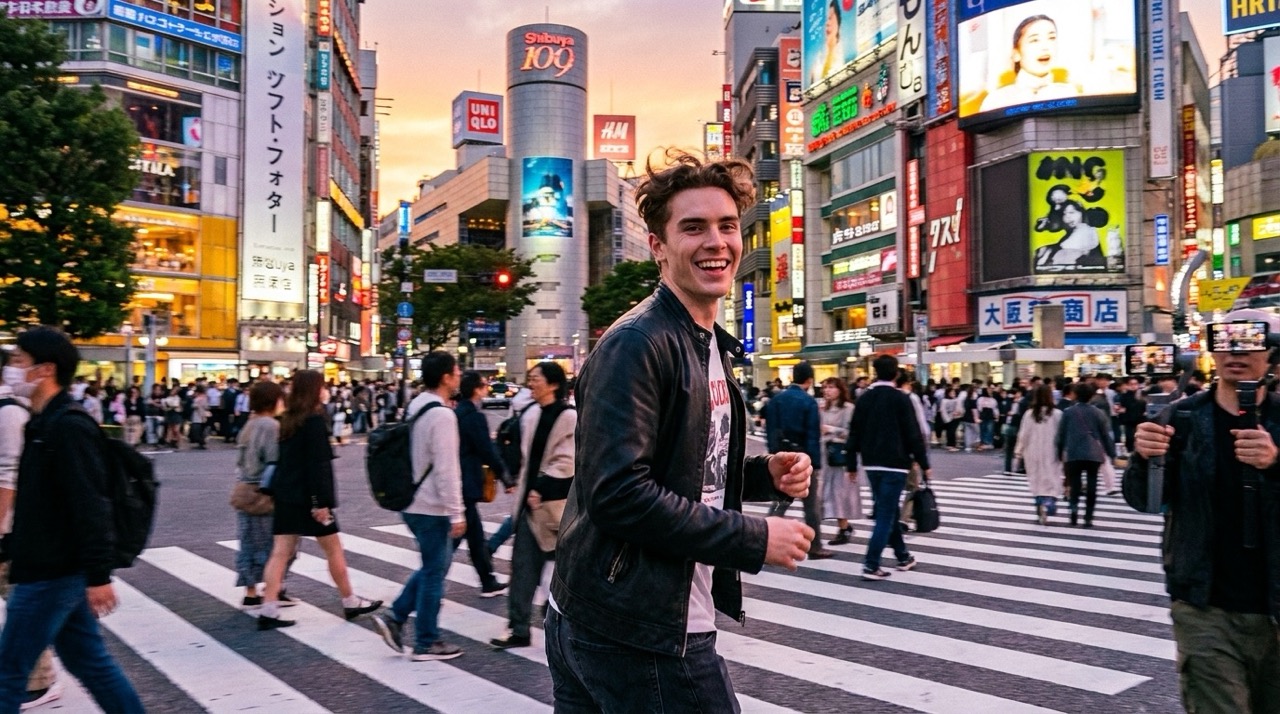
AI Shibuya Crossing Video turns your image into a lively Tokyo crosswalk moment. Create movement, a natural turn toward camera, and a confident smile while keeping the subject recognizable. AI Shibuya Crossing Video helps you build a social-ready clip with iconic city energy.
How to Create AI Shibuya Crossing Video
AI Shibuya Crossing Video follows the same simple panel workflow shown above: upload an image, choose aspect ratio and length, set the visible options, and generate. For a more stable Tokyo Shibuya Crossing video, use a still image already placed at Shibuya Crossing. AI Shibuya Crossing Video then focuses on motion instead of rebuilding the whole scene. AI Shibuya Crossing Video also supports a creator-friendly Tokyo street video workflow.

Upload Your Image
Start AI Shibuya Crossing Video by uploading a clear image. You can use a regular portrait, but for a stronger result, first create a matching still image on AI Shibuya Crossing Photo, then upload that image here. This optional step helps the video keep the person and Shibuya scene more consistent.

Choose Aspect Ratio and Video Length
Select the aspect ratio that fits your platform, then set the clip length shown in the panel. AI Shibuya Crossing Video is designed for short social clips, so a focused duration works well for a run, turn, and smile sequence. Keep the setup simple before generating your Tokyo Shibuya Crossing video.

Set Resolution, Audio, Seed, and Visibility
Choose the visible video options, including resolution, audio generation, web search, seed, and public visibility. A fixed seed can help when you want to test variations. When ready, click Generate Video and let AI Shibuya Crossing Video animate the uploaded image into a Tokyo street video.
Best AI Video Tools for Creative Projects
Explore creative tools for video, learn tips and tricks, and see how AI can be your assistant in turning concepts into finished projects.
Why Choose AI Shibuya Crossing Video
AI Shibuya Crossing Video is built for one focused idea: transform a person in a still image into a moving Tokyo crosswalk clip. It combines photo-to-video motion with a recognizable Tokyo Shibuya Crossing video story. AI Shibuya Crossing Video works best when users want a social-ready Tokyo street video with personality. Use AI Shibuya Crossing Video when Tokyo Shibuya Crossing video clarity matters.
Turn a Still Photo Into a Viral Crosswalk Clip
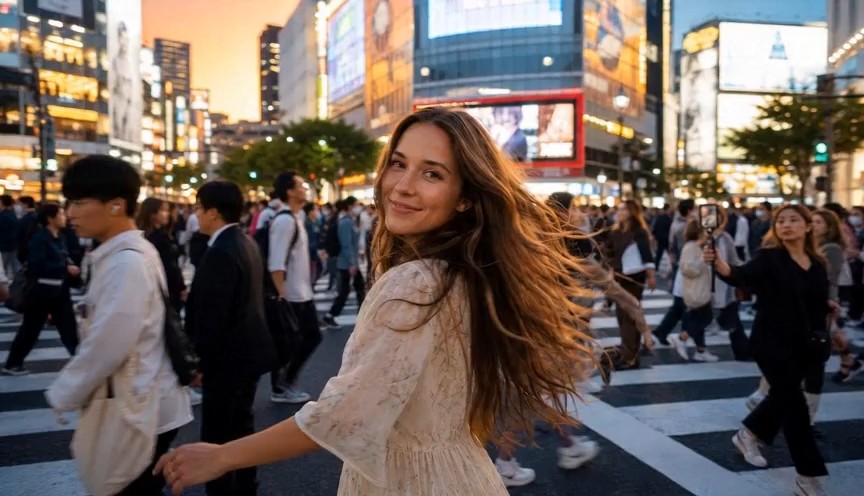
AI Shibuya Crossing Video is made for people who want motion, not just a pretty city image. Upload a portrait or a prepared Shibuya still, and the scene can become a short run across the famous zebra crossing. The result feels closer to a social reel than a static travel edit. AI Shibuya Crossing Video can show the subject moving forward, turning back, smiling, and becoming the center of a lively Tokyo street video. Instead of a generic AI video, it focuses on one clear story: you inside a Tokyo Shibuya Crossing video with real movement and crowd atmosphere. AI Shibuya Crossing Video turns one frame into a moving hook.
Make the Main Character Moment Feel Natural
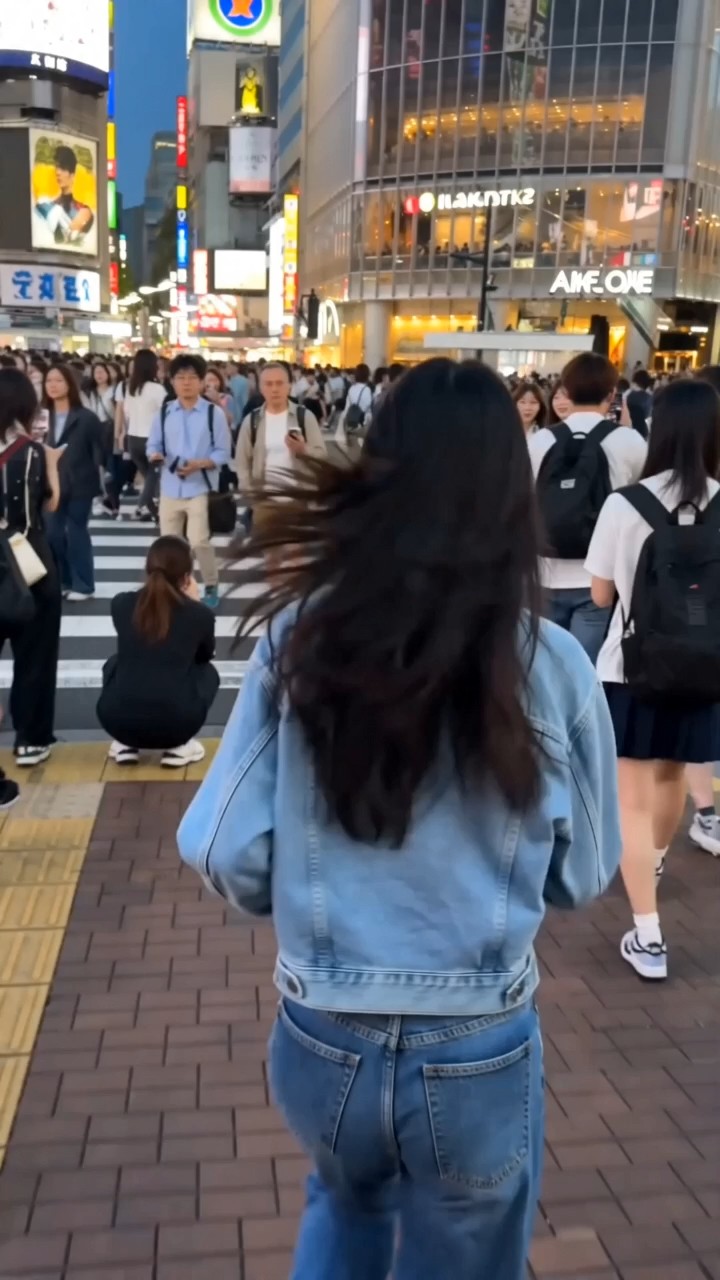
AI Shibuya Crossing Video helps create a familiar creator-style moment: running forward, glancing back, turning toward the camera, and smiling with confidence. This matters because a simple background video is not enough for social content. The subject needs timing, expression, and camera energy. AI Shibuya Crossing Video gives the scene a clear performance arc while keeping the Tokyo street video environment active. Use it for AI Shibuya crossing running video concepts, travel edits, profile teasers, or short posts that need movement and personality. The goal is not only motion; the goal is a believable Tokyo Shibuya Crossing video moment. AI Shibuya Crossing Video gives the clip a stronger face-forward ending.
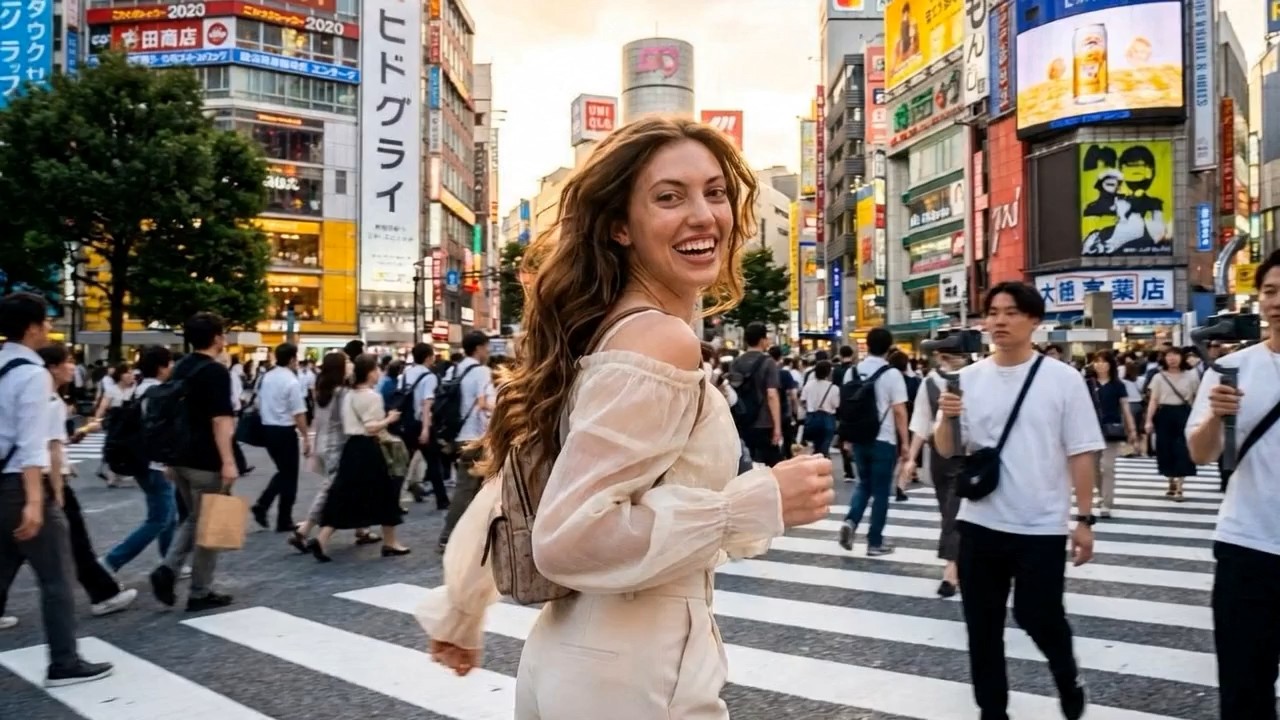
Keep the Tokyo Setting Recognizable
A strong location video should not look like any random street. AI Shibuya Crossing Video keeps the creative direction tied to the Shibuya zebra crossing, busy pedestrians, city buildings, and active street atmosphere. That focus helps users who search for Tokyo Shibuya Crossing video or Tokyo street video understand the result immediately. AI Shibuya Crossing Video is especially useful when the still image already has Shibuya details, because the video can preserve the scene while adding camera motion and human movement. It also supports the long-tail need to create AI Shibuya Crossing video from photo without starting from a blank prompt. AI Shibuya Crossing Video keeps the Tokyo street video setting easy to recognize.
Who Can Use AI Shibuya Crossing Video?
AI Shibuya Crossing Video supports creators, travel marketers, fashion fans, musicians, and anyone who wants a personal Tokyo street video from an image. It is best for short, expressive scenes where the subject moves through Shibuya and becomes the center of the story. AI Shibuya Crossing Video can make one photo feel like a filmed moment. Tokyo Shibuya Crossing video and city video searches both match this use case.

Creators Making Social Reels
AI Shibuya Crossing Video is useful for creators who want a quick reel-style scene without filming in Tokyo. A short run, turn, and smile can become a strong hook for travel pages, lifestyle accounts, and personal updates. The familiar Shibuya setting gives the clip instant context. AI Shibuya Crossing Video can turn one image into a Tokyo street video that feels energetic and easy to share. AI Shibuya Crossing Video fits fast social editing.

Travel Pages and Destination Concepts
Travel editors can use AI Shibuya Crossing Video to test campaign ideas, storyboards, or city-themed posts. The output can show a person moving inside a famous Tokyo environment without needing location footage. It can also help create AI Shibuya Crossing video from photo for destination previews. AI Shibuya Crossing Video gives a Tokyo Shibuya Crossing video concept enough motion to feel alive. The output can become a city preview.

Profile Videos and Personal Branding
AI Shibuya Crossing Video can help a profile feel more dynamic than a still portrait. A person crossing a busy street, turning toward the camera, and smiling creates confidence and movement. This style works for creator intros, landing visuals, short bios, and personal announcements. AI Shibuya Crossing Video makes a Tokyo street video feel centered on the person rather than only the background. It also fits Tokyo Shibuya Crossing video branding.

Music, Fashion, and Mood Visuals
AI Shibuya Crossing Video fits fashion previews, music teasers, and mood visuals where movement matters. Streetwear, denim, coats, sneakers, and expressive hair movement all work well in a crosswalk scene. An AI Shibuya crossing running video can suggest youth, freedom, and momentum. AI Shibuya Crossing Video helps turn a single styled image into a short Tokyo Shibuya Crossing video for creative promotion. The result can become a Tokyo street video teaser.
What Users Say About AI Shibuya Crossing Video
Users choose AI Shibuya Crossing Video when they want a personal crosswalk clip, not a plain background animation. These stories show how AI Shibuya Crossing Video helps turn a photo into a Tokyo Shibuya Crossing video for social posts, fashion content, music teasers, and creator reels. AI Shibuya Crossing Video also helps users who need a Tokyo street video without location filming.
I used AI Shibuya Crossing Video after making a still image first, and the video felt much more believable. The person ran across the crosswalk, turned toward the camera, and smiled like a real travel reel. It gave me the Tokyo street video feeling I wanted without needing real footage. AI Shibuya Crossing Video felt focused.
AI Shibuya Crossing Video helped me create a short launch clip for a fashion post. The motion had energy, and the Shibuya crowd made it feel alive. I liked that the final Tokyo Shibuya Crossing video focused on the person, not only on the location. It worked as a city teaser.
I wanted a main-character clip but did not have the budget to shoot in Japan. AI Shibuya Crossing Video gave me a fast way to create AI Shibuya Crossing video from photo. The result worked well as a short social teaser and looked more specific than a generic AI motion clip. It matched my Tokyo Shibuya Crossing video idea.
The best part of AI Shibuya Crossing Video was the story arc. It was not just camera movement. The subject ran, turned, and smiled at the camera, which made the clip feel ready for social media. For a Tokyo street video, it had the right amount of movement and personality. AI Shibuya Crossing Video saved time.



FAQs About AI Shibuya Crossing Video
Learn how AI Shibuya Crossing Video works, what type of image to upload, and how to get a more natural Tokyo street video. These answers also explain how AI Shibuya Crossing Video connects with Tokyo Shibuya Crossing video searches. AI Shibuya Crossing Video is built for short motion.
Upload a clear image, choose the visible settings, and click Generate Video. AI Shibuya Crossing Video then animates the subject and scene into a short Tokyo street video. AI Shibuya Crossing Video keeps the workflow direct.
A clear portrait or a prepared Shibuya Crossing still works best. For stronger results, create a still image first, then use AI Shibuya Crossing Video to animate it.
Yes. AI Shibuya Crossing Video is designed to create AI Shibuya Crossing video from photo, especially when the uploaded image already shows the person in a Shibuya scene.
Use a clear subject, avoid heavy blur, and start with a strong still image. AI Shibuya Crossing Video usually works better when the person and background are already visually connected.
Tokyo Shibuya Crossing video describes the location and scene. AI Shibuya Crossing Video describes the generation experience that turns your image into a moving clip. Tokyo street video is broader, while AI Shibuya Crossing Video is more specific.
Yes. AI Shibuya Crossing Video can create short clips for social posts, profile visuals, reels, and creative campaigns. It works well when you need a fast Tokyo street video.
Create Your AI Shibuya Crossing Video
Upload your image and create AI Shibuya Crossing Video with a run, turn, smile, and lively crossing atmosphere. AI Shibuya Crossing Video helps you turn a single photo into a short Tokyo Shibuya Crossing video with social energy and a memorable main-character moment. Tokyo street video creators can use AI Shibuya Crossing Video for a stronger hook.