Gemini 3D Model Prompt: 25+ Copy-Paste Ideas for Stunning 3D Renders
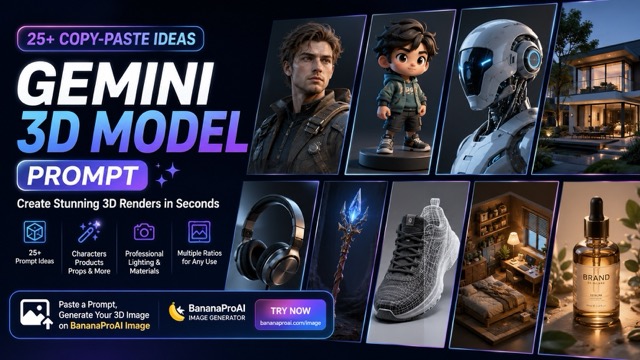
This guide shares 25+ copy-paste Gemini 3D model prompt ideas for creating characters, product renders, game props, toys, architecture, vehicles, and concept images. You will also learn how to write better prompts with clear subject details, materials, lighting, camera angles, and image ratios.
Introduction
A good Gemini 3D model prompt can turn a simple idea into a polished 3D-style render. Instead of writing only “make a 3D model,” you should describe the subject, material, lighting, camera angle, background, and final use case.
To test these prompts directly, open BananaProAI Image, paste a prompt, choose an image ratio, and start generating your own 3D-style images online.
This guide gives you 25+ ready-to-use prompt ideas for characters, products, game props, toys, architecture, packaging, vehicles, and more. You can copy any prompt below and use it to create high-quality 3D render concepts.
Note: These prompts are designed to create 3D-style concept images and render references. They do not directly export real 3D mesh files such as OBJ, FBX, or STL.
Quick Overview
| Section | What You Get |
|---|---|
| Prompt formula | A simple structure for writing better 3D model prompts |
| How to use | Easy steps to create 3D-style images online |
| Prompt examples | 25+ copy-paste prompts for characters, products, props, architecture, and more |
| Negative prompt | A ready-to-use prompt to reduce poor lighting, messy geometry, and blurry details |
| Tips | Simple ways to improve materials, lighting, camera angle, and composition |
How to Use These Gemini 3D Model Prompts Online
You can use these prompts with Gemini or other AI image tools. For a simple workflow, open BananaProAI Image, paste one of the prompts below, select your preferred ratio, and generate your 3D-style render directly online.
| Step | What to Do | Why It Matters |
|---|---|---|
| 1 | Open BananaProAI Image | Start from an online AI image creation page |
| 2 | Choose your mode | Use text-only or upload a reference image |
| 3 | Paste a prompt | Use one of the ready-made prompts below |
| 4 | Select a ratio | Use 16:9 for banners, 4:5 for posts, 1:1 for icons |
| 5 | Generate and refine | Adjust materials, lighting, color, or camera angle |
Step 1: Open the Image Generator
Go to BananaProAI Image and open the image creation page.
Step 2: Choose Text or Reference Image
Use text-only prompts when you want to create a new 3D concept from scratch.
Upload a reference image when you want to keep a specific shape, product style, character silhouette, color palette, or object structure.
Step 3: Copy a Prompt Below
Choose a Gemini 3D model prompt from this article and paste it into the prompt box.
Step 4: Choose the Best Image Ratio
| Image Use | Recommended Ratio |
|---|---|
| Blog banner | 16:9 |
| Social media post | 4:5 |
| Product card | 1:1 |
| Mobile wallpaper | 9:16 |
| Portfolio concept sheet | 4:5 or 16:9 |
Step 5: Generate and Improve
After generating the image, refine one detail at a time. You can change the material, lighting, background, camera angle, or render style.
Example refinement prompt:
Change the material to matte black metal and add stronger rim lighting.
Another example:
Make the background clean white and turn the object into a product hero shot.
Best Prompt Elements for 3D Renders
| Prompt Element | Example Words |
|---|---|
| Subject | robot, sneaker, chair, product bottle, toy, house, vehicle |
| Material | glass, matte plastic, brushed metal, leather, ceramic, wood |
| Lighting | studio softbox, rim light, golden hour, HDRI lighting, dramatic spotlight |
| Camera | front view, side view, top view, close-up, isometric, three-quarter view |
| Style | realistic CGI, toy render, clay render, game-ready prop, product hero shot |
| Background | white studio, dark gradient, clean floor, miniature scene, transparent-style backdrop |
| Quality | sharp edges, realistic shadows, PBR materials, clean silhouette, high detail |
25+ Best Gemini 3D Model Prompt Ideas
Below are ready-to-use prompt examples. Copy one prompt, paste it into BananaProAI Image, and generate your own 3D-style render for characters, products, props, toys, architecture, vehicles, and game concepts.
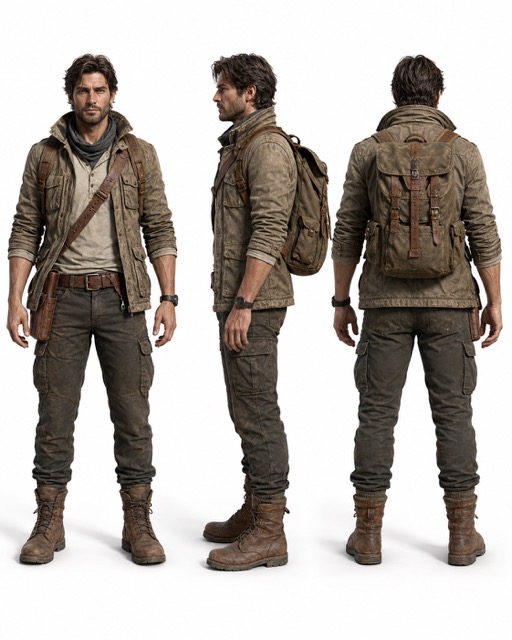
1. Character Turnaround Sheet
High-quality 3D render character turnaround sheet of a modern adventure explorer, front view, side view, and back view in one clean layout, neutral standing pose, readable silhouette, practical jacket, boots, backpack, detailed clothing seams, PBR fabric and leather materials, white studio background, soft even lighting, professional concept sheet style, sharp details, 4:5 image.
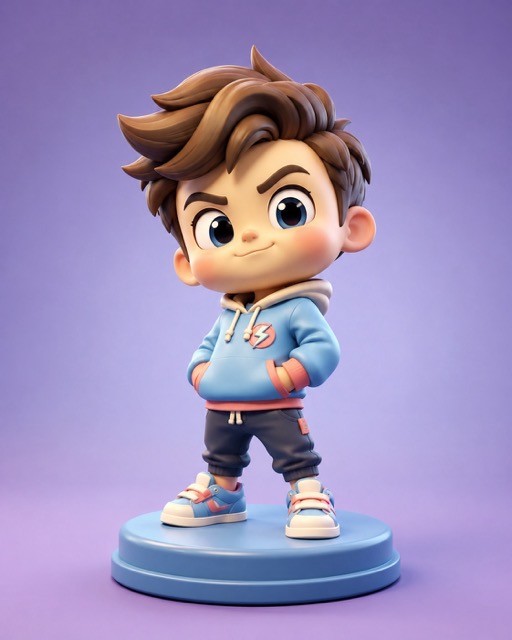
2. Stylized Hero Toy Figurine
Stylized 3D render of a cute hero toy figurine, oversized head, small body, confident pose, smooth vinyl material, pastel color palette, tiny hoodie, sneakers, simple round pedestal, soft studio lighting, gentle shadow, clean gradient background, toy photography style, high detail, 4:5 image.
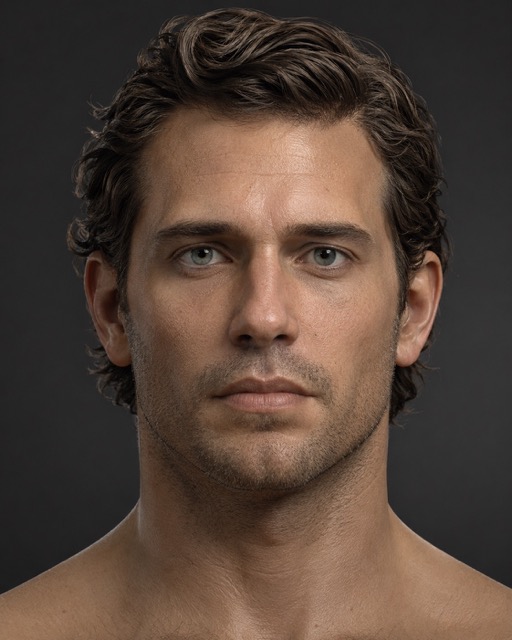
3. Realistic Portrait Bust
Ultra-detailed 3D render of a realistic human portrait bust, neutral expression, shoulders-up crop, natural skin texture, subtle pores, realistic eyes, soft studio lighting with catchlights, dark gray background, professional sculpt presentation, ZBrush-style display, sharp focus, 4:5 image.
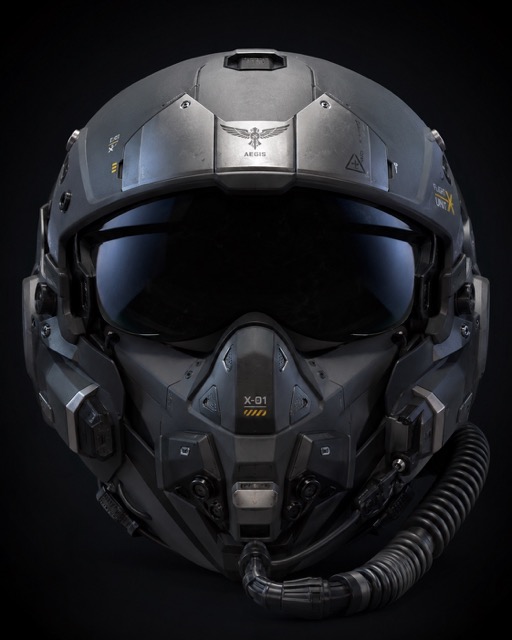
4. Futuristic Pilot Helmet
High-end 3D render of a futuristic pilot helmet, centered hero shot, matte polymer shell, brushed metal panels, small vents, screws, soft decals, subtle edge wear, strong rim light, dark studio background, realistic reflections, KeyShot-style product render, sharp silhouette, 4:5 image.
5. Fantasy Crystal Staff
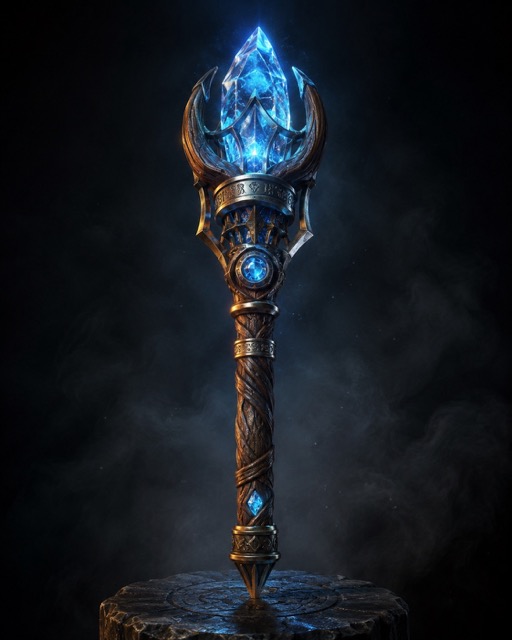
Cinematic 3D render of an ornate fantasy crystal staff standing upright, carved wooden handle, glowing crystal core, engraved metal rings, subtle scratches, magical blue light, dramatic three-point lighting, smoky dark background, high-contrast reflections, ultra-detailed PBR materials, fantasy game prop style, 4:5 image.
6. Game Prop Exploded View
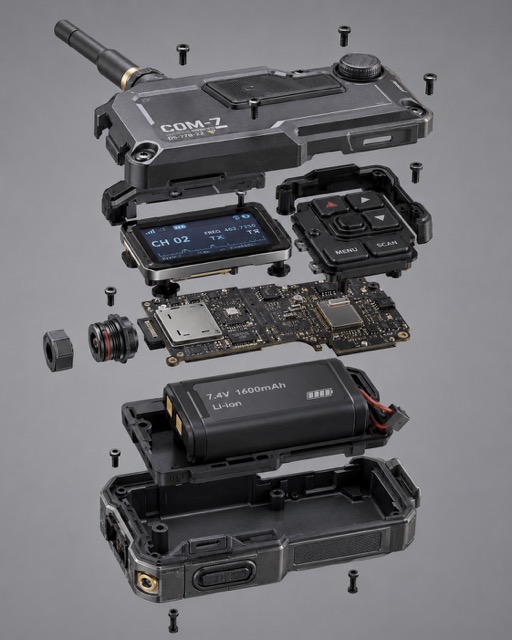
Technical 3D render of a compact sci-fi communication device shown as an exploded view, separated components floating with clean spacing, visible screws, circuit boards, buttons, and battery parts, neutral gray studio background, soft even lighting, PBR metal and plastic materials, industrial design presentation, crisp edges, 4:5 image.
7. Wireframe Sneaker Concept
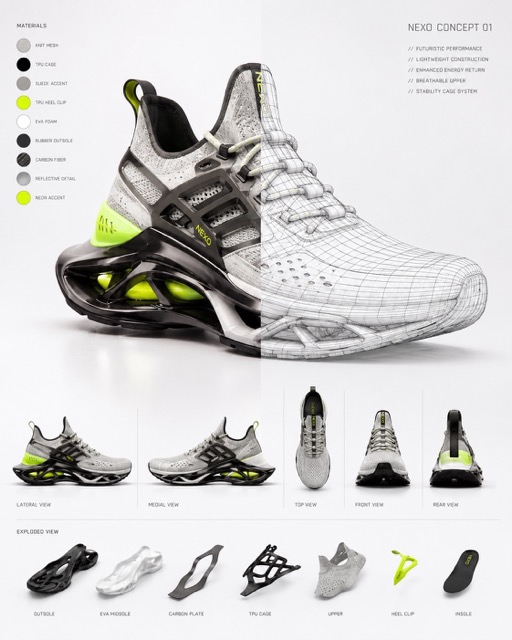
High-quality 3D render of a futuristic sports sneaker concept, half of the shoe shown as shaded PBR render and half shown with clean wireframe overlay, white studio background, softbox lighting, crisp reflections, visible topology lines, modern product design breakdown, professional presentation, 4:5 image.
8. Clay Render Character Sculpt
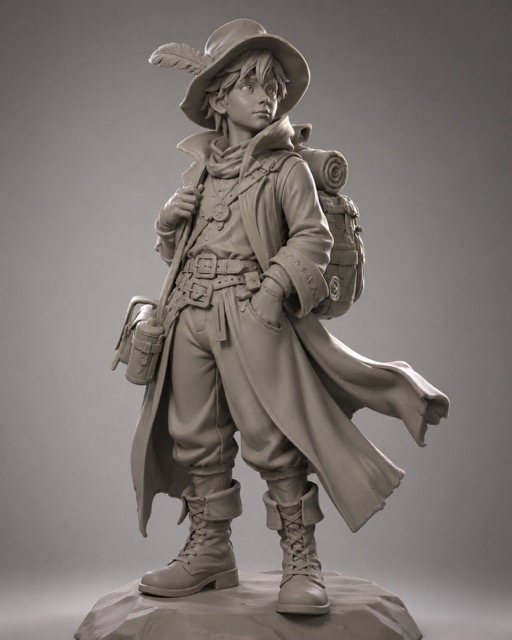
Clay render 3D beauty shot of a stylized fantasy traveler character, no color textures, smooth warm gray clay material, strong silhouette, detailed coat folds, boots, belt, and backpack shapes, studio key light and rim light, soft shadows, clean gradient background, sculpt showcase quality, 4:5 image.
9. Isometric Mini Room Diorama
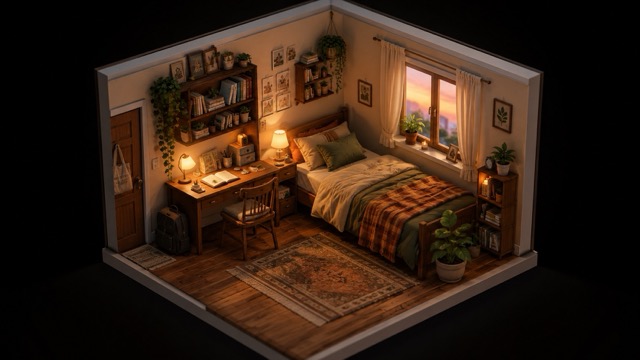
Isometric 3D diorama render of a cozy small bedroom, tiny desk, warm lamp, books, plants, rug, bed, window with soft evening light, miniature model feeling, clean composition, realistic shadows, high detail, warm colors, Octane-style render, 16:9 image.
10. Luxury Skincare Bottle Render
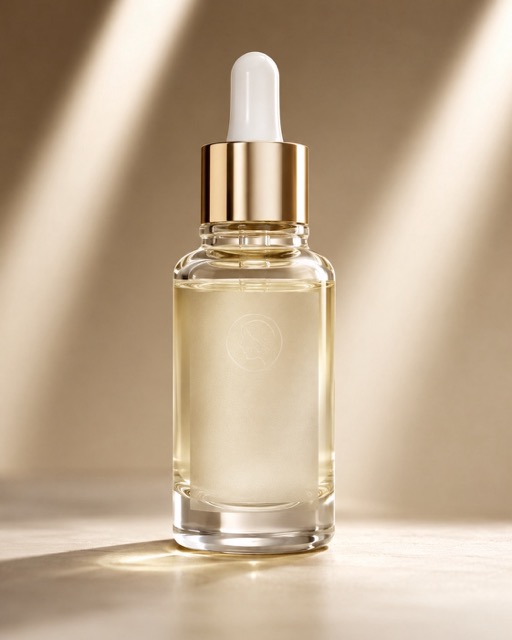
Photorealistic 3D render of a premium skincare glass bottle with dropper, frosted label, subtle embossed logo area, realistic glass refraction, soft studio gradient background, clean shadow, luxury advertising composition, two-strip softbox highlights, high-end CGI product look, 4:5 image.
11. Product Packaging Mockup
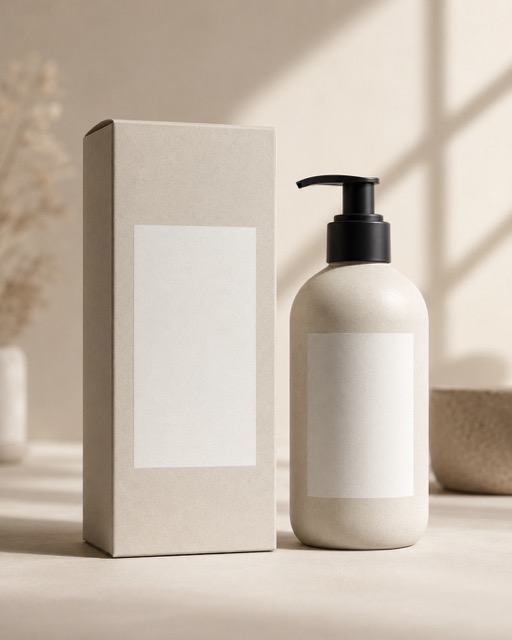
High-end 3D render of minimalist product packaging mockup, matte paper box with clean blank label area, matching bottle beside it, neutral beige background, soft window light, subtle paper texture, realistic shadows, premium ecommerce-ready composition, elegant commercial styling, 4:5 image.
12. Cute Forest Creature Companion
Stylized 3D render of a small forest creature companion, big expressive eyes, fluffy fur shader, tiny backpack, leaf charm, round soft body shape, warm key light, gentle rim light, clean studio background, charming character design, polished animated movie style without copying any existing character, 4:5 image.

13. Heavy Mech Torso Concept
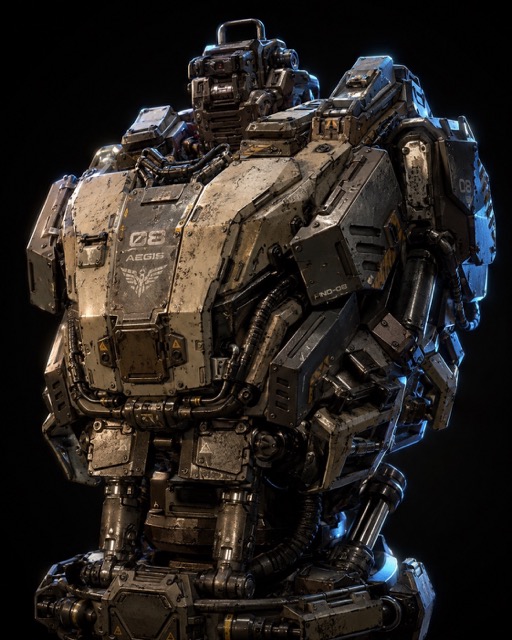
High-detail 3D render of a heavy mech torso, layered armor plates, exposed pistons, cables, vents, PBR steel material with grime and chipped paint, dramatic studio lighting, dark background, strong rim light, industrial sci-fi mood, sharp mechanical details, 4:5 image.
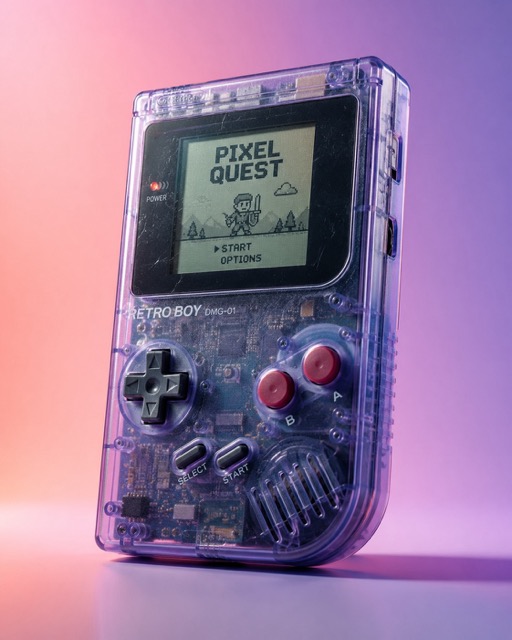
14. Retro Handheld Game Console
3D render of a retro handheld game console prop, translucent plastic shell, visible internal components, small buttons, tiny screen, subtle scratches, realistic reflections, clean pastel gradient background, studio lighting, nostalgic product hero shot, high-end CGI style, 4:5 image.
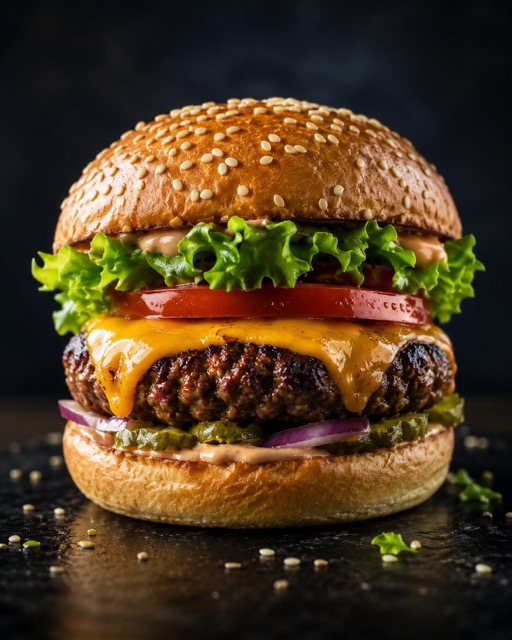
15. Realistic Food 3D Render
Photorealistic 3D render of a gourmet burger, sesame bun texture, juicy patty, melted cheese, crisp lettuce, tomato, realistic sauce shine, dark moody background, studio advertising lighting, rim light, controlled reflections, commercial CGI food photography style, 4:5 image.
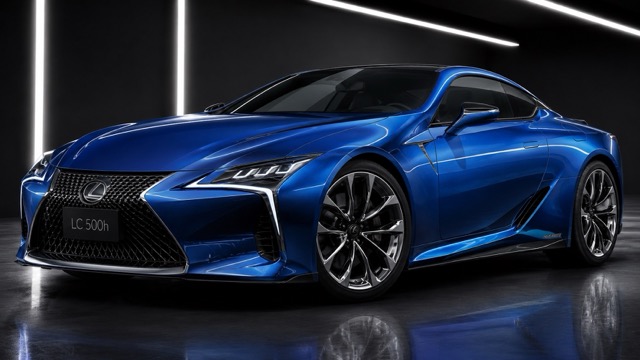
16. Concept Car Paint Study
High-end 3D render of a sleek concept car, front three-quarter view, metallic blue paint with clearcoat reflections, studio strip lights, dark glossy floor with subtle reflection, sharp highlights, premium automotive CGI look, clean composition, ultra-detailed surface design, 16:9 image.
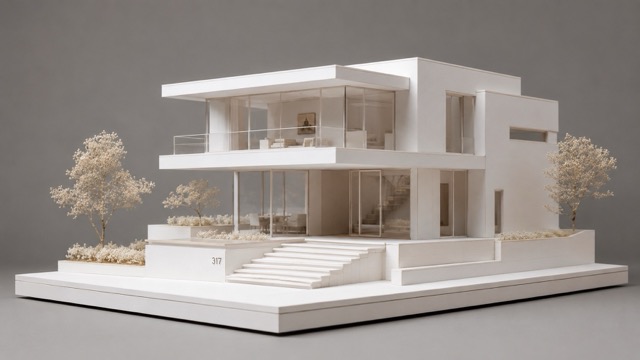
17. Modern House Architectural Model
3D render of a modern house architectural scale model, white foam-core material, clear acrylic windows, simple trees, clean presentation base, soft studio lighting, neutral background, subtle ambient occlusion, crisp edges, architect portfolio aesthetic, minimal and elegant, 16:9 image.
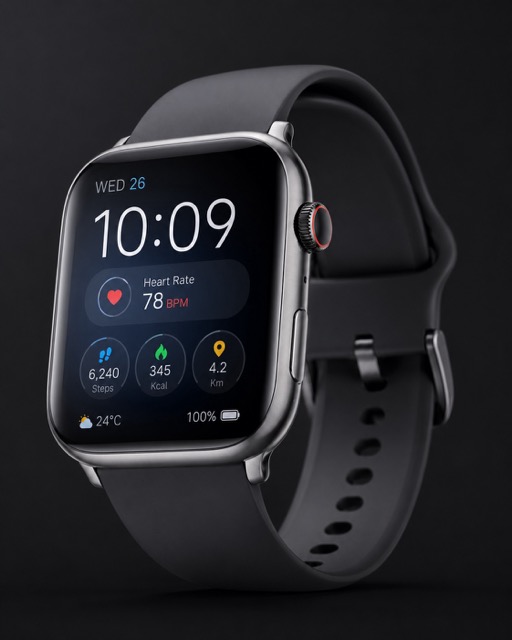
18. Smartwatch Product Hero Shot
Photorealistic 3D render of a modern smartwatch, rounded rectangular screen, brushed metal frame, soft silicone strap, clean interface glow, placed on a dark gradient background, softbox highlights, realistic reflections, premium product advertising style, sharp details, 4:5 image.
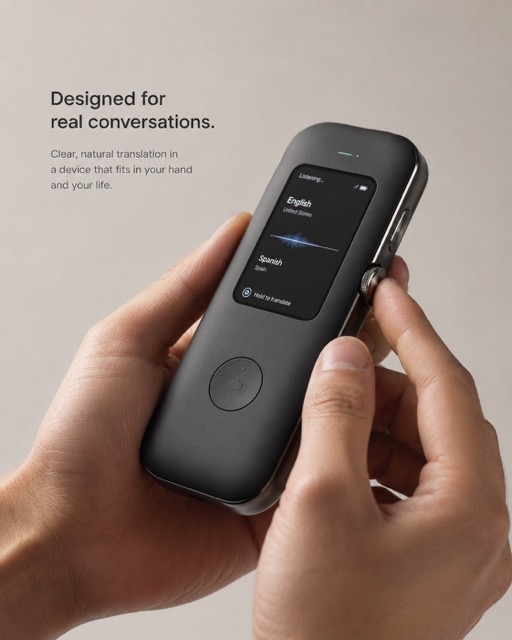
19. Hands Holding Prototype Gadget
Photorealistic 3D render of hands holding a sleek prototype gadget, matte polymer body, metal accents, small display screen, soft studio lighting, shallow depth of field, neutral background, realistic skin shader, product pitch deck mood, clean and professional presentation, 4:5 image.
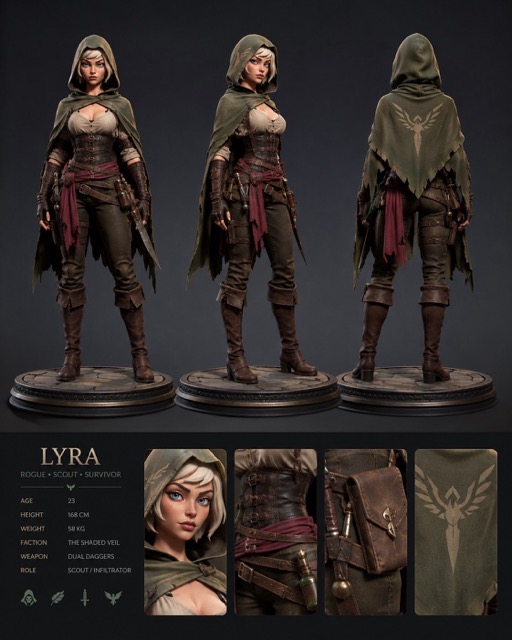
20. Character Turntable Render Frame
High-end 3D render of a stylized character standing on a round turntable platform, three angles shown in one frame, front view, three-quarter view, and back view, consistent studio lighting, PBR fabric and leather materials, clean background, strong silhouette, professional portfolio presentation, 4:5 image.
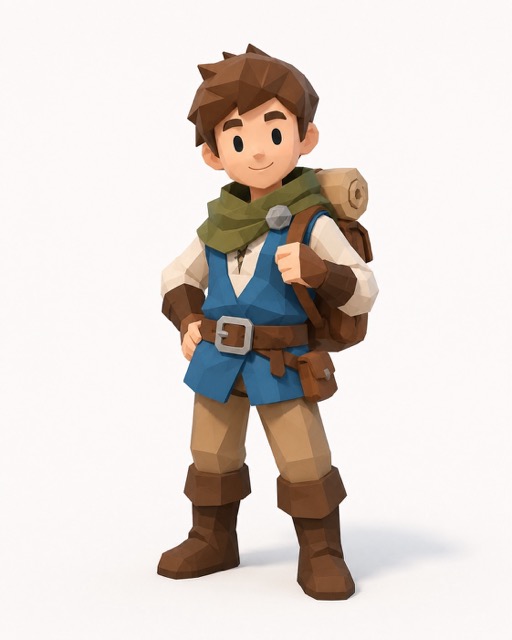
21. Low-Poly Game Character
Low-poly 3D render of a charming fantasy village character, simple geometric shapes, flat color materials, small backpack, boots, cheerful pose, clean ambient lighting, soft shadows, bright background, game-ready aesthetic, readable design, modern indie game style, 4:5 image.
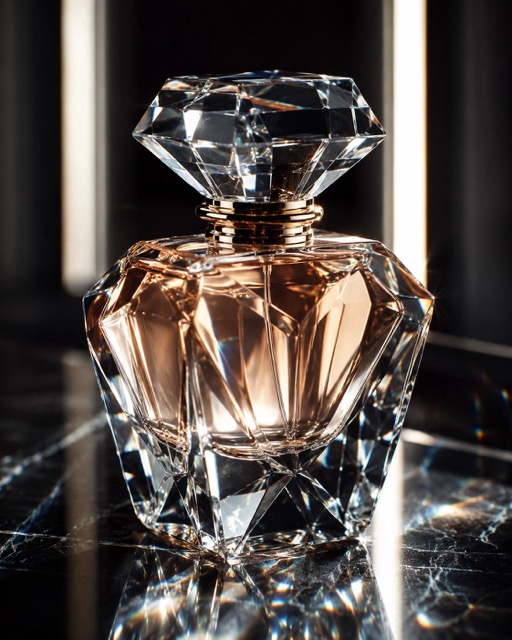
22. Crystal Perfume Bottle
High-end 3D render of a crystal perfume bottle with intricate faceted glass, realistic dispersion, soft caustics on the surface, elegant cap, studio strip lights, dark luxury backdrop, clean reflections, premium advertisement framing, sharp focus, 4:5 image.
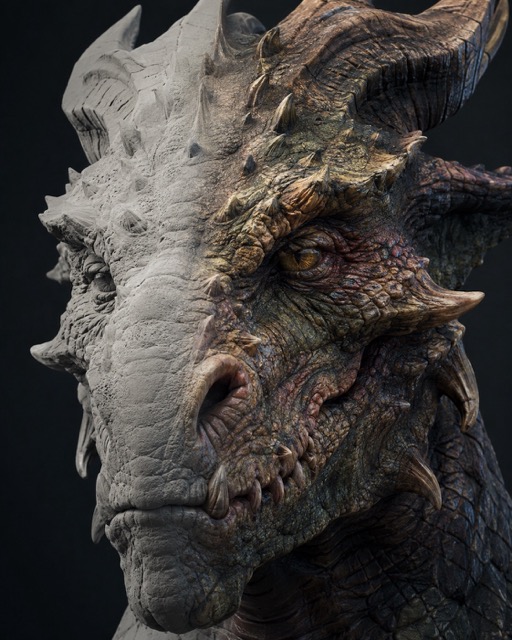
23. Creature Head Sculpt Close-Up
Ultra-detailed 3D render close-up of a fantasy creature head sculpt, focus on pores, scales, horn texture, layered skin detail, clay-to-painted transition look, dramatic side lighting, dark neutral background, cinematic sculpt showcase, crisp micro details, 4:5 image.
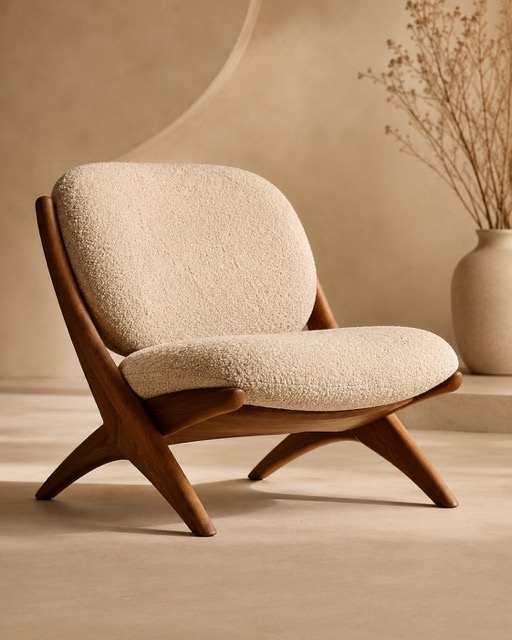
24. 3D Furniture Product Render
High-quality 3D render of a modern lounge chair, curved wooden frame, soft boucle fabric cushion, realistic woven texture, warm studio lighting, beige minimalist background, clean shadow, premium interior product photography style, elegant composition, sharp details, 4:5 image.
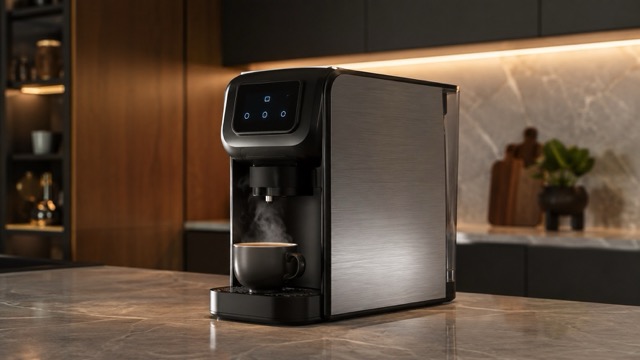
25. Coffee Machine Product Concept
Photorealistic 3D render of a compact premium coffee machine, brushed metal body, matte black panels, glowing small display, steam rising from a cup, clean kitchen studio background, warm soft lighting, realistic reflections, ecommerce product hero shot, high detail, 16:9 image.
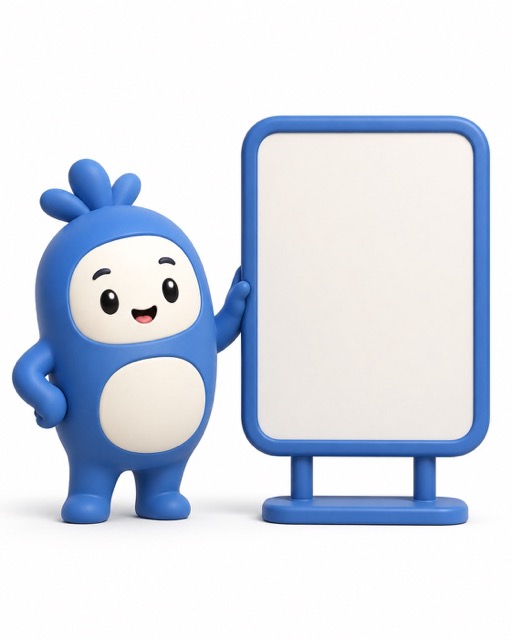
26. 3D Mascot Logo Character
Stylized 3D render of a friendly brand mascot character, rounded body, simple face, soft plastic material, clean color palette, standing beside a blank signboard, studio lighting, white background, smooth shadows, playful commercial mascot style, high-quality CGI look, 4:5 image.
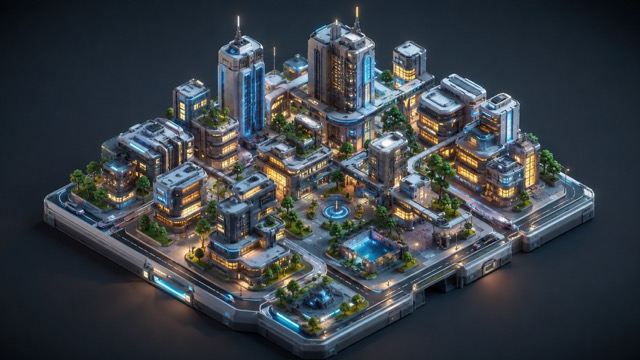
27. Futuristic City Miniature
Isometric 3D render of a futuristic city miniature, tiny buildings, glowing windows, sky bridges, small trees, clean roads, warm and cool lighting contrast, miniature model feeling, highly detailed environment, cinematic composition, polished 3D render style, 16:9 image.
Quick Copy Template for Any 3D Render
Use this template for your own idea:
High-quality 3D render of [subject], designed for [purpose], with [shape and details], made from [materials], using [lighting setup], shown from [camera angle], placed on [background], with [quality details], [image ratio].
Example:
High-quality 3D render of a futuristic desk lamp, designed for a premium product campaign, with a curved metal arm, glowing circular light, matte black base, brushed aluminum details, softbox studio lighting, front three-quarter view, clean white background, realistic shadows, sharp reflections, high-end CGI style, 4:5 image.
Best Gemini 3D Model Prompt for Beginners
New users can start with this simple version:
Create a high-quality 3D render of a [subject]. Make it look polished, clean, and professional. Use realistic materials, soft studio lighting, clear shadows, a clean background, sharp details, and a strong readable silhouette. Show the subject from a front three-quarter view. Use a 4:5 image ratio.
Replace [subject] with any object, character, product, or environment.
Create Better Gemini 3D Model Prompts Online
A strong Gemini 3D model prompt should describe the subject, material, lighting, angle, and final style. Use the copy-paste prompts above to create 3D-style characters, products, props, toys, architecture, vehicles, and game concepts. To try them online, open BananaProAI Image, paste a prompt, choose your ratio, and generate your 3D render concept.
FAQ About Gemini 3D Model Prompts
1. What makes a good Gemini 3D model prompt?
A good prompt clearly describes the subject, material, lighting, camera angle, background, and final render style. The more specific your prompt is, the easier it is to create a polished 3D-style result.
2. Can I create a 3D character turnaround with these prompts?
Yes. Use a prompt that asks for front view, side view, and back view in one clean layout. Add details like neutral pose, white studio background, consistent lighting, and readable silhouette.
3. Can I use these prompts for product images?
Yes. These prompts work well for bottles, packaging, shoes, gadgets, coffee machines, watches, furniture, and other product-style visuals.
4. Do these prompts create real 3D model files?
No. They create 3D-style rendered images or concept references. To create real 3D files such as OBJ, FBX, or STL, you still need a dedicated 3D modeling workflow.
5. What image ratio should I use?
Use 16:9 for blog banners and website visuals, 4:5 for social posts, 1:1 for product cards or icons, and 9:16 for mobile-first content.
6. Why does my 3D render look messy?
Your prompt may be too vague. Add clear material, lighting, background, and camera instructions. You can also use the negative prompt above to reduce blurry details, messy geometry, and poor reflections.
7. Where can I test these Gemini 3D model prompts?
You can test them on BananaProAI Image. Paste a prompt, choose a ratio, generate the image, and refine the material, lighting, angle, or background until the render matches your idea.
Final Thoughts
A strong Gemini 3D model prompt is not just a short command. It is a clear creative brief. When you describe the subject, material, lighting, camera angle, and final purpose, your AI-generated 3D-style images become cleaner, sharper, and easier to use.
Use the prompts above as ready-made starting points. Copy one prompt, paste it into your image tool, then adjust the subject, color, material, or background.
To start creating your own 3D render concepts, open BananaProAI Image, paste a prompt from this guide, and generate your first 3D-style image online.