
More AI Image Generators
Explore our collection of specialized AI image generators designed for different creative needs and styles

AI Sprite Generator: Create Game-Ready Sprites from Text or Images
Use AI Sprite Generator to create game sprites online from prompts or reference photos. Build clear 2D characters, props, enemies, and sprite sheet concepts for prototypes, indie games, RPGs, and pixel art workflows without starting every asset from a blank canvas. Use it for visual brainstorming, fast art direction, and early playable tests.
AI Sprite Generator turns your idea or uploaded reference into a polished 2D game sprite. Describe a hero, monster, item, or animation pose, then generate sprites with AI for fast concepting, prototyping, and creative game asset production.
How to Use AI Sprite Generator
AI Sprite Generator follows a simple workflow: write a prompt or upload a reference image, choose only the key output settings, then click Generate Image. This keeps sprite creation fast for artists, developers, students, and indie teams. AI Sprite Generator is especially useful when speed and visual clarity matter more than complex setup.

Enter a Prompt or Upload a Reference Image
Start with Text to Image when you want AI Sprite Generator to build a sprite from your written idea. Describe the character, prop, enemy, pose, art style, direction, and background needs. Switch to Image to Image when you want to upload a reference photo or concept image for AI Sprite Generator to transform into a game-ready sprite. A specific prompt helps AI Sprite Generator understand the exact subject.

Choose the Basic Output Settings
Select the basic output choices shown in the panel only when they help your workflow. For most users, Auto size and one image are enough to test a concept quickly. AI Sprite Generator works best when your prompt includes sprite style, view angle, transparency, and whether you need a single sprite or a sprite sheet. Keep settings simple while you explore.

Click Generate Image and Review the Sprite
Click Generate Image to let AI Sprite Generator create your result. Review the sprite for silhouette, pose, style, and consistency. Refine the prompt or upload a clearer reference if you want a different class, creature, weapon, outfit, color palette, animation action, or AI Sprite Sheet Generator layout. Repeat until the sprite matches your game direction.
Best AI Image Tools for Creative Projects
Explore creative tools for image, learn tips and tricks, and see how AI can be your assistant in turning concepts into finished projects.
What Makes AI Sprite Generator Useful for Game Assets
AI Sprite Generator focuses on practical sprite creation: clear silhouettes, reference-based conversion, animation planning, and faster visual iteration. It helps you generate sprites with AI while keeping game production needs in mind. AI Sprite Generator is meant for sprites, not generic pictures, so prompts can stay focused on characters, props, actions, and game readability.
Turn Character Ideas into Playable-Looking Sprites
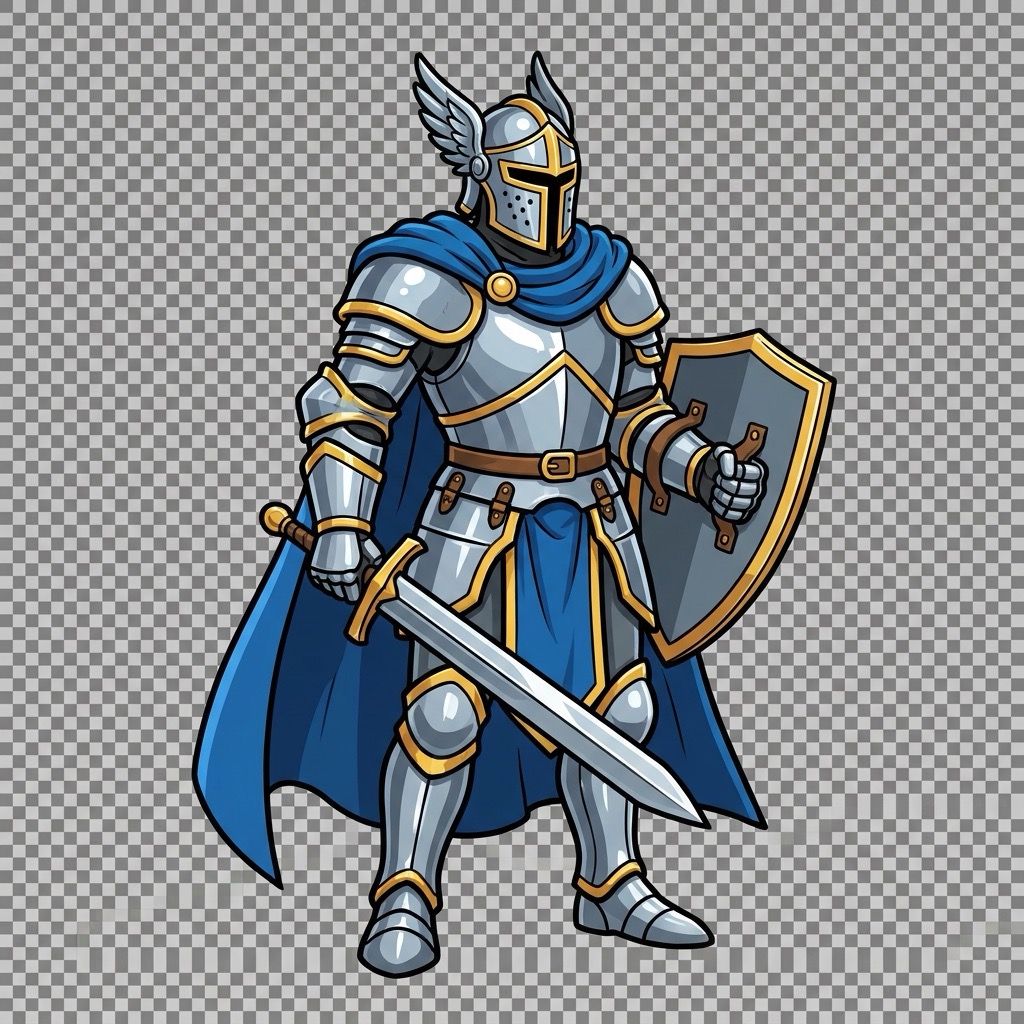
AI Sprite Generator is built for the moment when you know the role of a character but do not yet have the art. Describe a forest archer, cyber ninja, slime king, potion seller, alien pet, or dungeon boss, and AI Sprite Generator can shape the idea into a clean visual direction. The benefit is not generic image creation; it is sprite-focused composition. Results aim for centered subjects, readable silhouettes, simple forms, and clear outlines that can guide production. For teams that need to create game sprites online before final art is ready, AI Sprite Generator helps turn design notes into visual options quickly. Use AI Sprite Generator to compare classes, costumes, species, and moods before choosing what deserves manual polish. This makes it easier to discuss shape language, gameplay role, and emotional tone with teammates.
Convert Photos and Sketches into Sprite References
When you already have a sketch, toy photo, portrait, creature doodle, or object reference, Image to Image mode helps AI Sprite Generator preserve the core subject while simplifying it into game art. This is useful when a designer wants the mood of a reference without tracing it manually. Upload the image, then describe the target sprite style, such as pixel art, RPG character, platformer enemy, top-down item, or cute monster. AI Sprite Generator can create a cleaner concept that feels closer to a usable sprite than a normal photo filter, making it easier to plan asset direction. AI Sprite Generator also helps keep inspiration focused on the subject instead of random decoration. It is also useful for turning physical references, handmade sketches, and mood board fragments into cleaner design options.
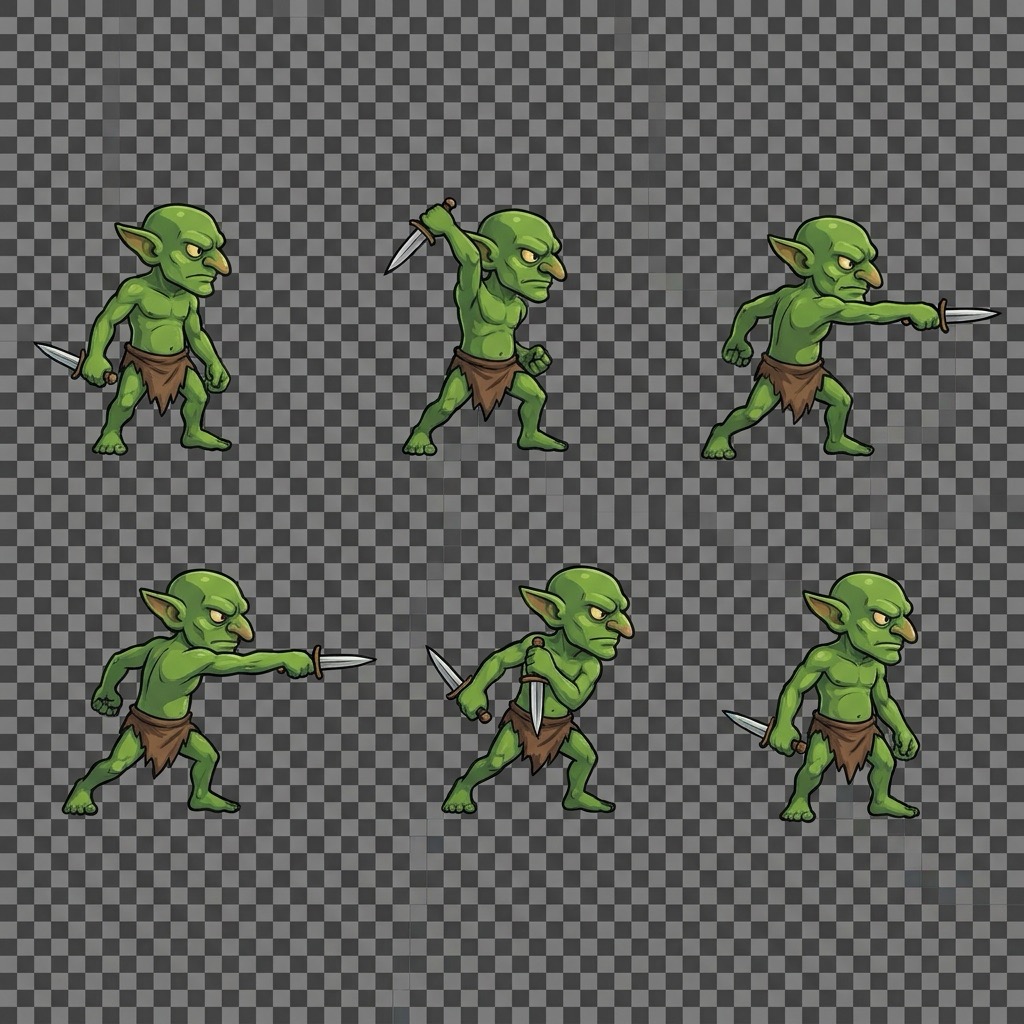
Plan Sprite Sheets for Idle, Walk, Attack, and Jump
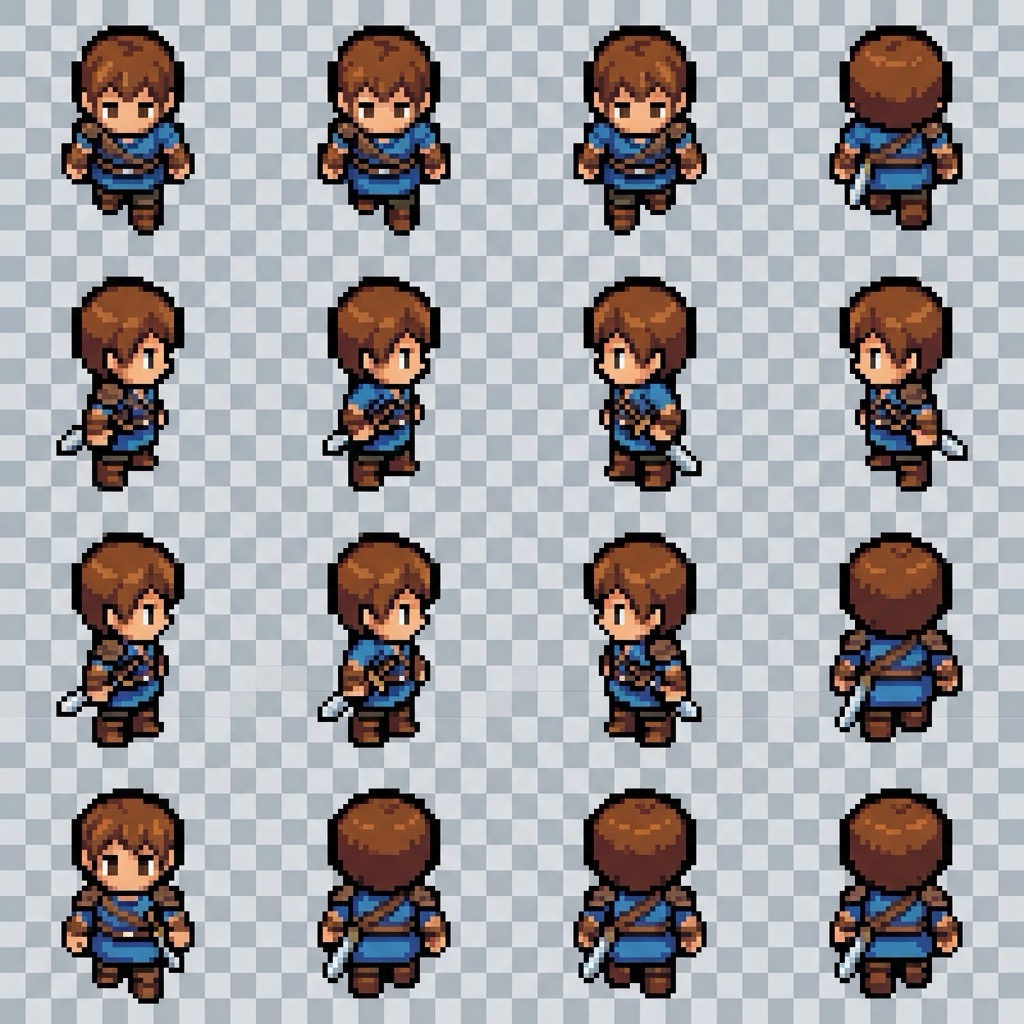
AI Sprite Sheet Generator requests are ideal when you need motion ideas, not just a single pose. Ask AI Sprite Generator for idle, walk, attack, jump, hurt, or death frames, and specify an evenly spaced sprite sheet. The output can help you explore timing, body language, costume behavior, and action readability before committing to frame cleanup. This is especially helpful for prototypes where a static character is not enough. By using AI Sprite Generator early, teams can test whether a character concept works in motion and whether the action is clear at game scale. AI Sprite Generator can also support rapid comparisons between heroic, cute, heavy, and agile movement styles. Use the sheet as a planning guide, then adjust spacing, timing, or pixel cleanup in your normal production workflow.
Who Can Use AI Sprite Generator?
AI Sprite Generator serves creators who need visual game assets quickly: solo developers, pixel artists, game jam teams, RPG makers, platformer designers, teachers, students, and content creators building interactive worlds. It also helps writers and designers explain a creature or character idea with an image instead of a long brief. The same workflow can support classroom demos, pitch decks, and worldbuilding sessions where fast visual examples matter.

Indie Game Prototyping
Indie teams often need temporary art before a final art pass. AI Sprite Generator helps create fast characters, enemies, items, and NPC concepts so gameplay ideas can be tested sooner. Instead of blocking progress while waiting for polished assets, developers can generate sprites with AI and use the results as placeholders, art direction boards, or references for later cleanup. AI Sprite Generator also gives non-art team members a way to communicate visual ideas more clearly.

Pixel Art Exploration
Pixel art requires strong shape decisions. AI Sprite Generator can help explore palettes, readable outlines, compact poses, and creature variations before manual pixel cleanup begins. Prompt it for 16-bit, 32x32, 64x64, RPG, platformer, or top-down styles, then compare results to decide which direction fits your world. It is a practical way to create game sprites online during early design. AI Sprite Generator works best when you ask for crisp edges and a limited palette.

Game Jam Asset Creation
Game jams move fast, and art bottlenecks can slow the whole team. AI Sprite Generator supports quick concept creation when you need a hero, enemy, collectible, shopkeeper, spell icon, or prop within minutes. You can test several ideas, pick the clearest sprite, and keep building the game loop instead of starting every visual from a blank canvas. AI Sprite Generator helps small teams stay focused on playable progress.

RPG and Platformer Characters
AI Sprite Generator is useful for RPG parties, townspeople, bosses, platformer enemies, sidekicks, and fantasy props. Describe class, weapon, clothing, pose, view direction, and animation needs. For a stronger AI Sprite Sheet Generator result, ask for consistent scale and evenly spaced frames. This helps creators plan a full cast without designing every sprite from scratch. AI Sprite Generator can keep a world moving from idea list to visual roster.
What Creators Say About AI Sprite Generator
Creators use AI Sprite Generator to move from vague ideas to visible sprites faster. These stories show how generate sprites with AI workflows can support prototyping, art direction, and animation planning. AI Sprite Generator is especially helpful when a team needs a shared visual direction quickly.
AI Sprite Generator helped me turn rough creature notes into clear enemy concepts for a weekend prototype. I described a moss goblin with a wooden spear and got several directions that were much easier to judge than text alone. It saved time and gave our artist a strong starting point. AI Sprite Generator made the first art meeting much more productive.
I use AI Sprite Generator when I need quick RPG characters. The best part is being able to upload a sketch, then ask for a cleaner sprite style. It does not replace final pixel polish, but it makes early design decisions much faster. AI Sprite Generator is now part of my warm-up process for character batches.
During a game jam, AI Sprite Generator gave us placeholder heroes, monsters, and item sprites while the gameplay team kept working. We could create game sprites online, test the mood, and avoid spending half the jam on blank-page art problems. AI Sprite Generator helped us finish a playable build instead of only a concept.
I needed a walk cycle reference for a tiny robot character, so I tried an AI Sprite Sheet Generator prompt. AI Sprite Generator gave me an evenly arranged sheet that helped me understand the pose sequence before I cleaned it up manually. AI Sprite Generator was useful as a motion planning reference, not just a picture generator.

FAQs About AI Sprite Generator
Here are quick answers about prompts, uploaded references, sprite sheets, pixel art, and how AI Sprite Generator fits into practical game asset workflows.
AI Sprite Generator creates 2D game-style sprites from text prompts or uploaded reference images. It is designed for characters, enemies, props, items, and sprite sheet concepts. You can use it for original ideas, rough drafts, and reference-driven visual exploration.
Use Text to Image, describe the subject, style, pose, view angle, and background needs, then click Generate Image. AI Sprite Generator will create a sprite based on your prompt.
Yes. Use Image to Image, upload a reference photo or sketch, then describe the sprite style you want. AI Sprite Generator will reinterpret the subject as game art.
Yes. Ask for an AI Sprite Sheet Generator layout and include the actions you need, such as idle, walk, attack, jump, hurt, or death.
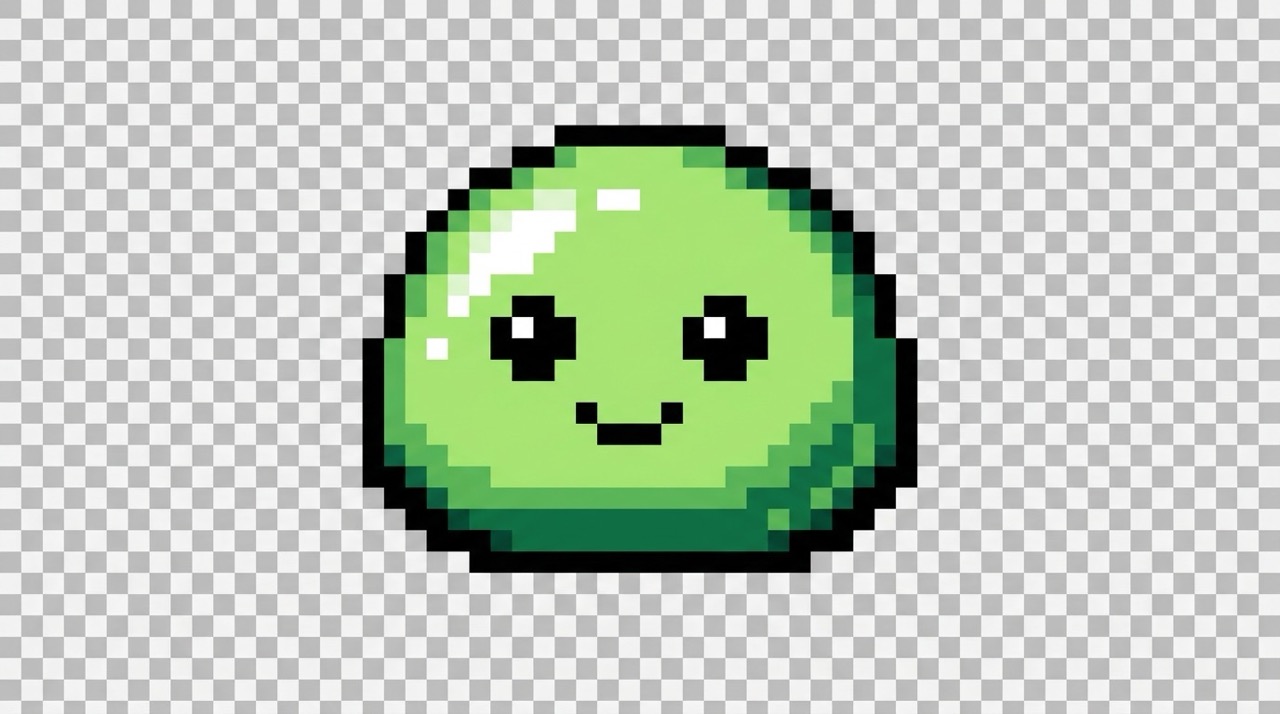
For pixel art, mention pixel art, limited palette, crisp edges, transparent background, and target scale. AI Sprite Generator will follow those visual constraints.
Mention the engine only when relevant. AI Sprite Generator can create sprite concepts that you can export, refine, and prepare for Unity, Godot, GameMaker, or RPG projects.
Create Your Next Game Sprite with AI Sprite Generator
Bring characters, creatures, items, and animation ideas to life faster. Use AI Sprite Generator to create game sprites online, test art directions, and generate sprites with AI for your next game project. AI Sprite Generator helps you move from prompt or photo to usable visual direction in minutes. Start with one strong subject, add the art style you want, and refine the result until it fits your game world.
