
More AI Image Generators
Explore our collection of specialized AI image generators designed for different creative needs and styles
AI Halftone Generator for Bold Dot Art
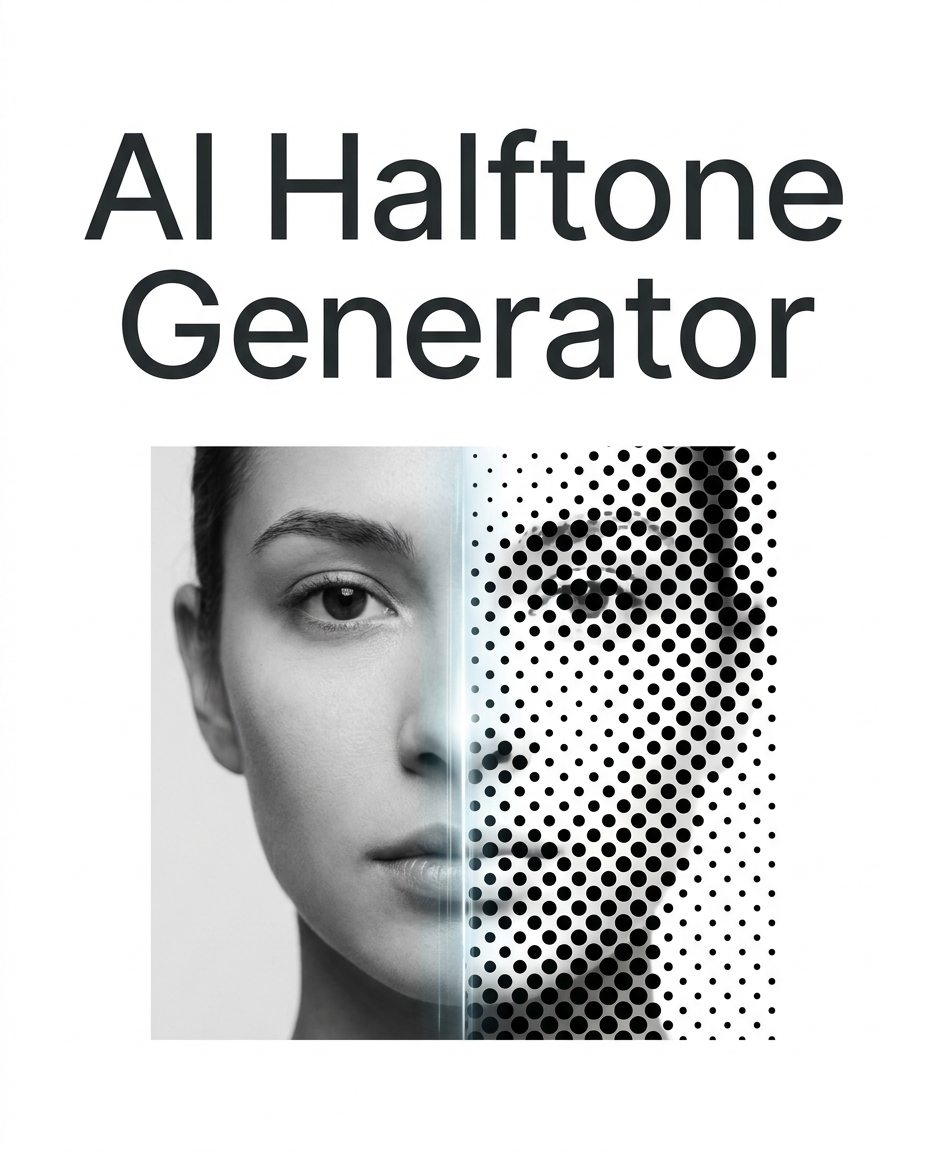
Turn photos into crisp halftone artwork with controlled dots and graphic contrast.
Use AI Halftone Generator to convert ordinary photos into structured dot-based artwork without manual masking or complex design software. The AI Halftone Generator keeps the original subject readable while giving the image a bold printed texture.
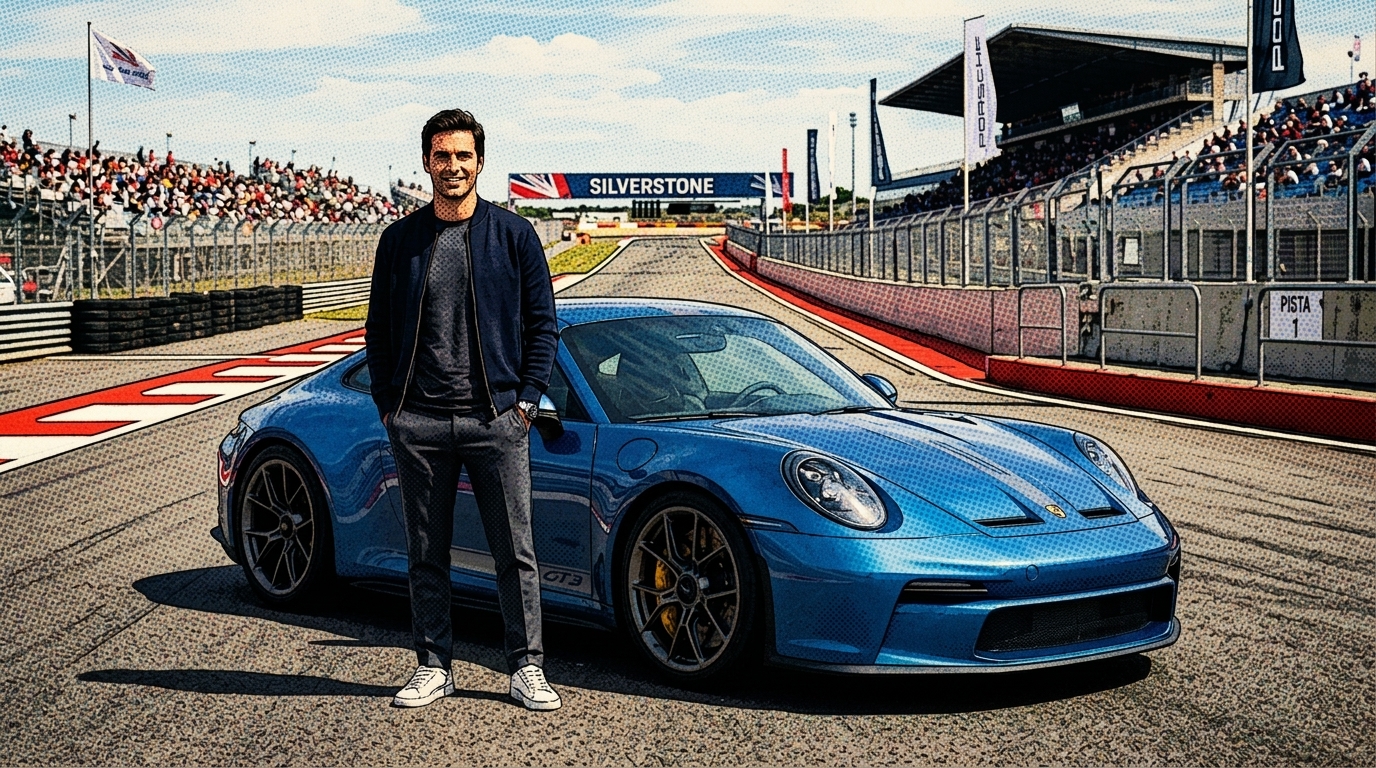
How to Use AI Halftone Generator
Creating printed dot artwork should not require advanced editing experience. Our AI Halftone Generator turns a familiar upload workflow into a fast visual process: upload, choose image size, generate, preview, and download.

Upload Your Image
Start by adding the photo you want to transform. The AI Halftone Generator works well with portraits, product shots, pets, street photos, and illustrations. A clear subject gives the final Halftone Effect stronger structure, cleaner dots, and better readability. This first step keeps the workflow simple for creators who want print-inspired results without preparing layers or masks. The AI Halftone Generator is built to make that choice feel quick and dependable.

Choose Image Size
Select the image size that matches your design goal before generation. The AI Halftone Generator can support square posts, vertical covers, horizontal banners, and campaign visuals that need a consistent frame. Choosing size early helps the dotted texture fit the final placement naturally. It also reduces unnecessary cropping when you use the result in social media or brand layouts. The AI Halftone Generator is built to make that choice feel quick and dependable.

Generate and Download
Click generate and let the AI Halftone Generator create a stylized dot pattern from your uploaded image. Review the balance of contrast, subject clarity, and background texture, then download the result. This Halftone Maker workflow is practical for creators who want a polished graphic look without opening a complicated desktop editing file. The AI Halftone Generator is built to make that choice feel quick and dependable.
Best AI Image Tools for Creative Projects
Explore creative tools for image, learn tips and tricks, and see how AI can be your assistant in turning concepts into finished projects.
Features of AI Halftone Generator
The AI Halftone Generator focuses on usable image transformation rather than random decoration. It preserves recognizable subjects, applies convincing dot texture, and creates halftone artwork.
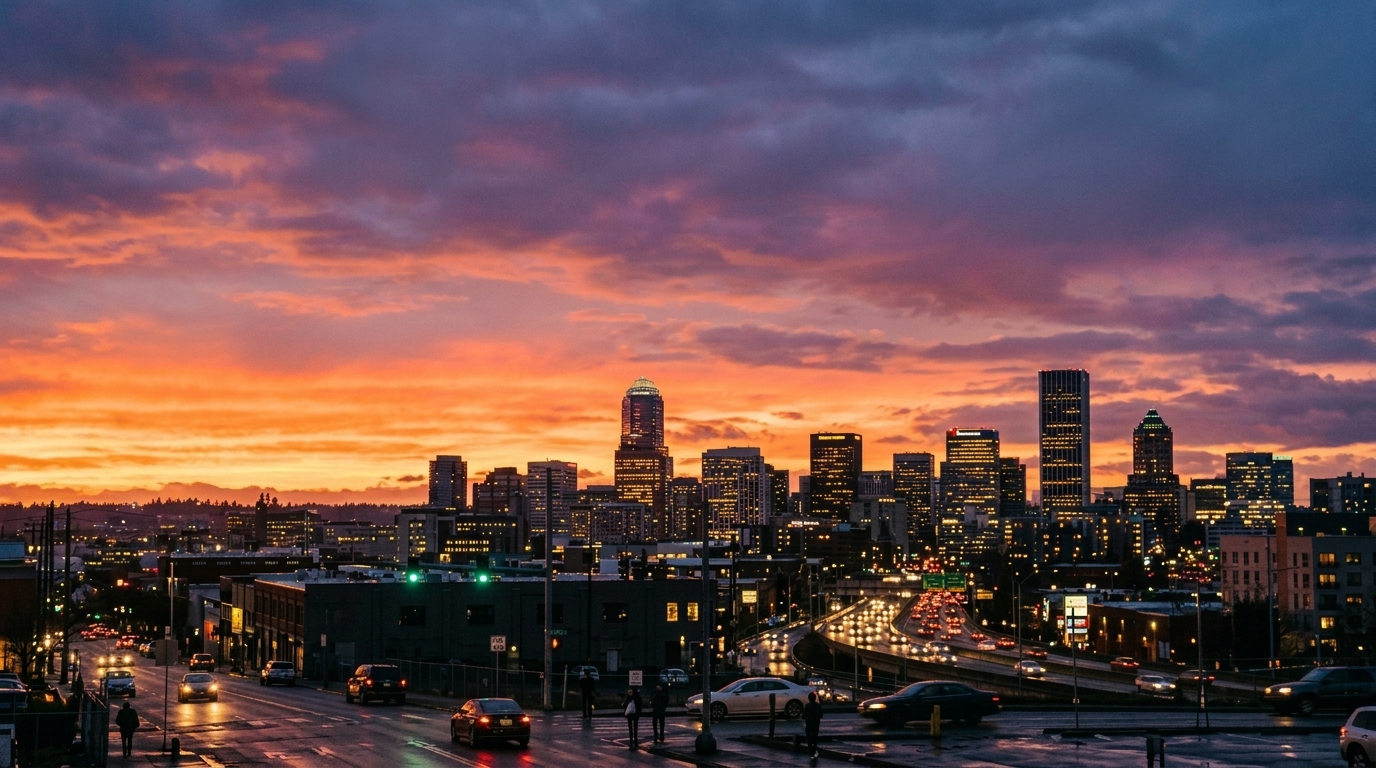
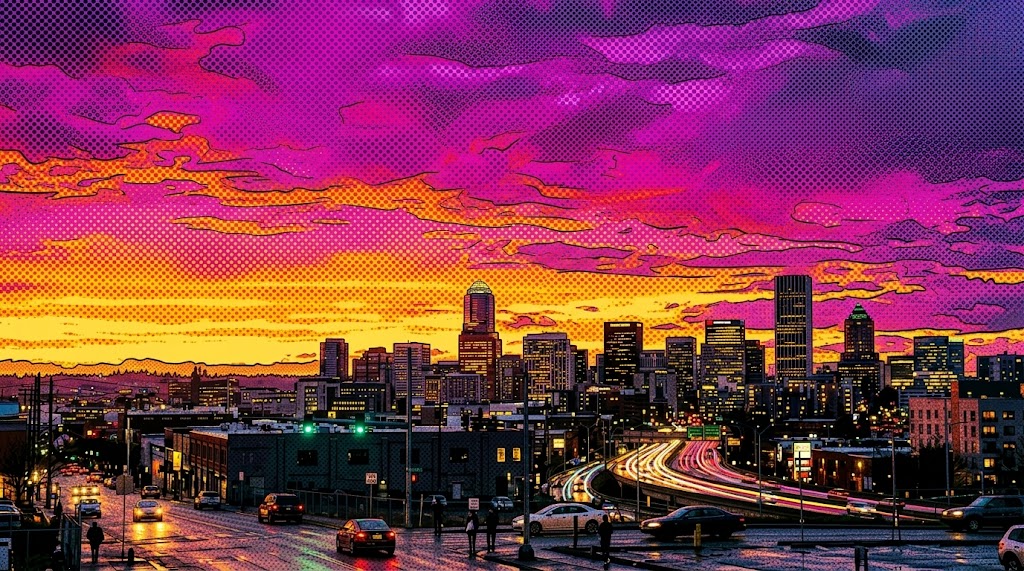
Photo to Graphic Dot Pattern
The AI Halftone Generator converts uploaded photos into dot-based artwork while keeping faces, products, and key shapes recognizable. It creates a clean Halftone Effect that suggests printed ink, comic texture, and vintage reproduction without forcing you to rebuild the image manually. Use it when a photo needs to feel more designed, editorial, and graphic while retaining its original composition. The AI Halftone Generator keeps the final image usable across common creative workflows.
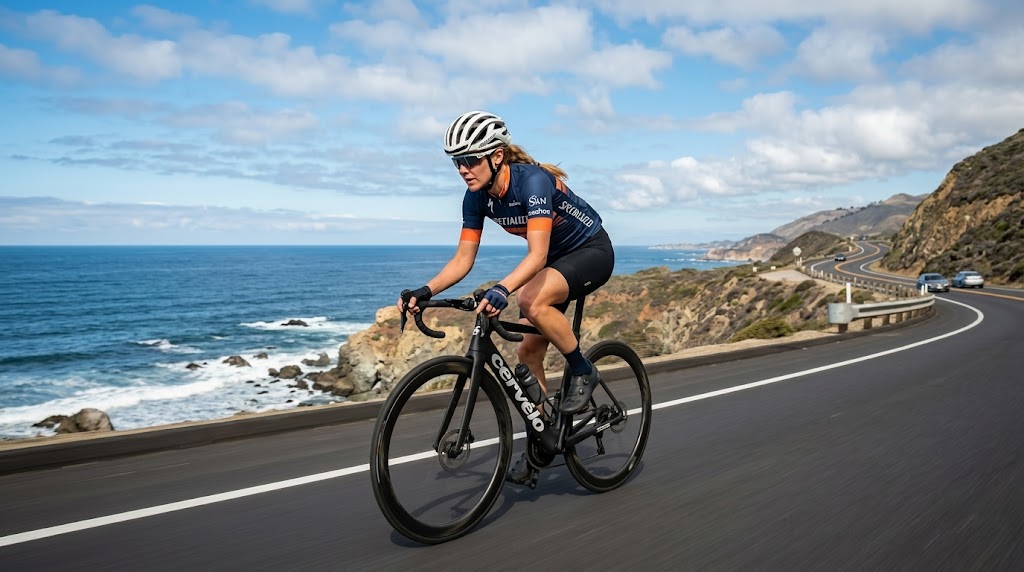
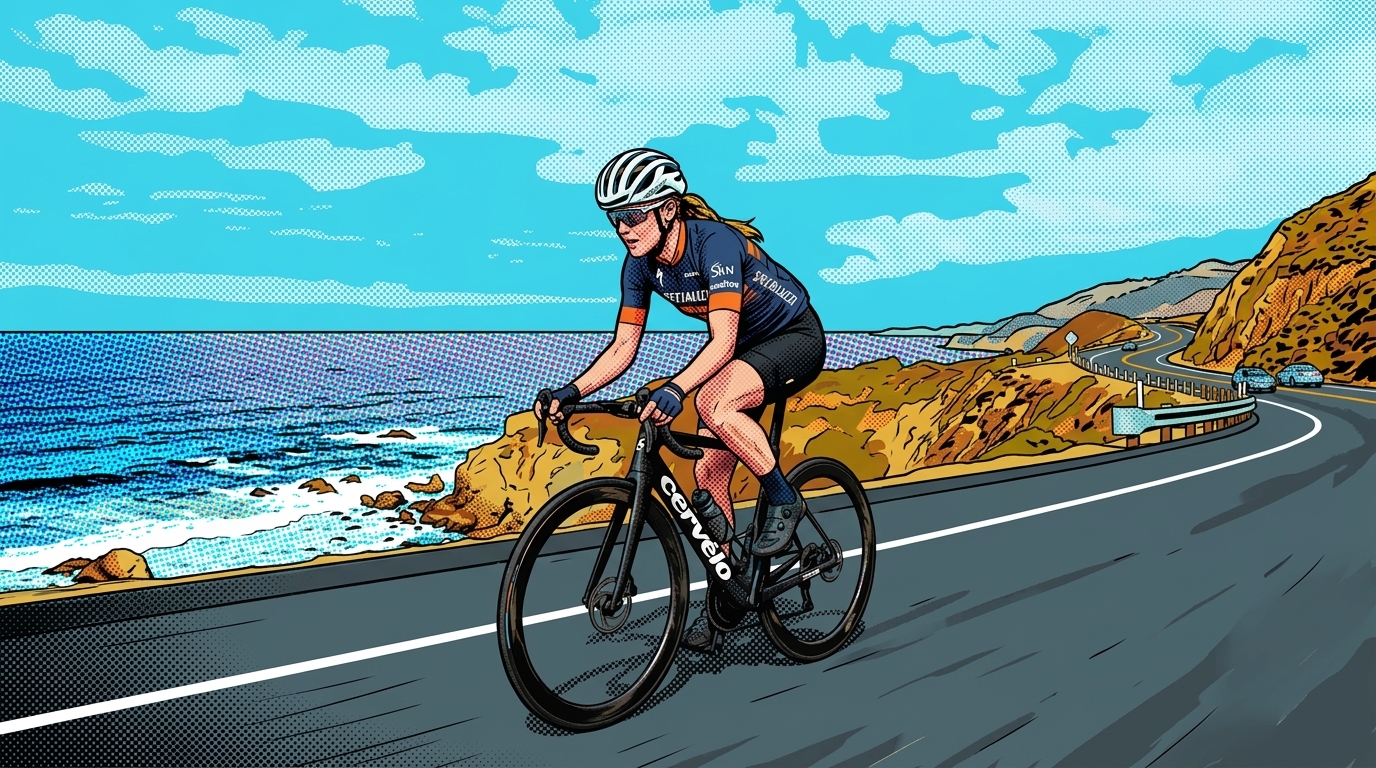
Retro Poster and Comic Styling
The AI Halftone Generator is useful for posters, zines, comic-inspired visuals, and music artwork that needs visible print character. A strong Halftone Effect can make a simple portrait or product image feel more expressive without adding clutter. This Halftone Maker workflow gives designers a fast way to explore old-print aesthetics, bold contrast, and dotted texture. The AI Halftone Generator keeps the final image usable across common creative workflows.
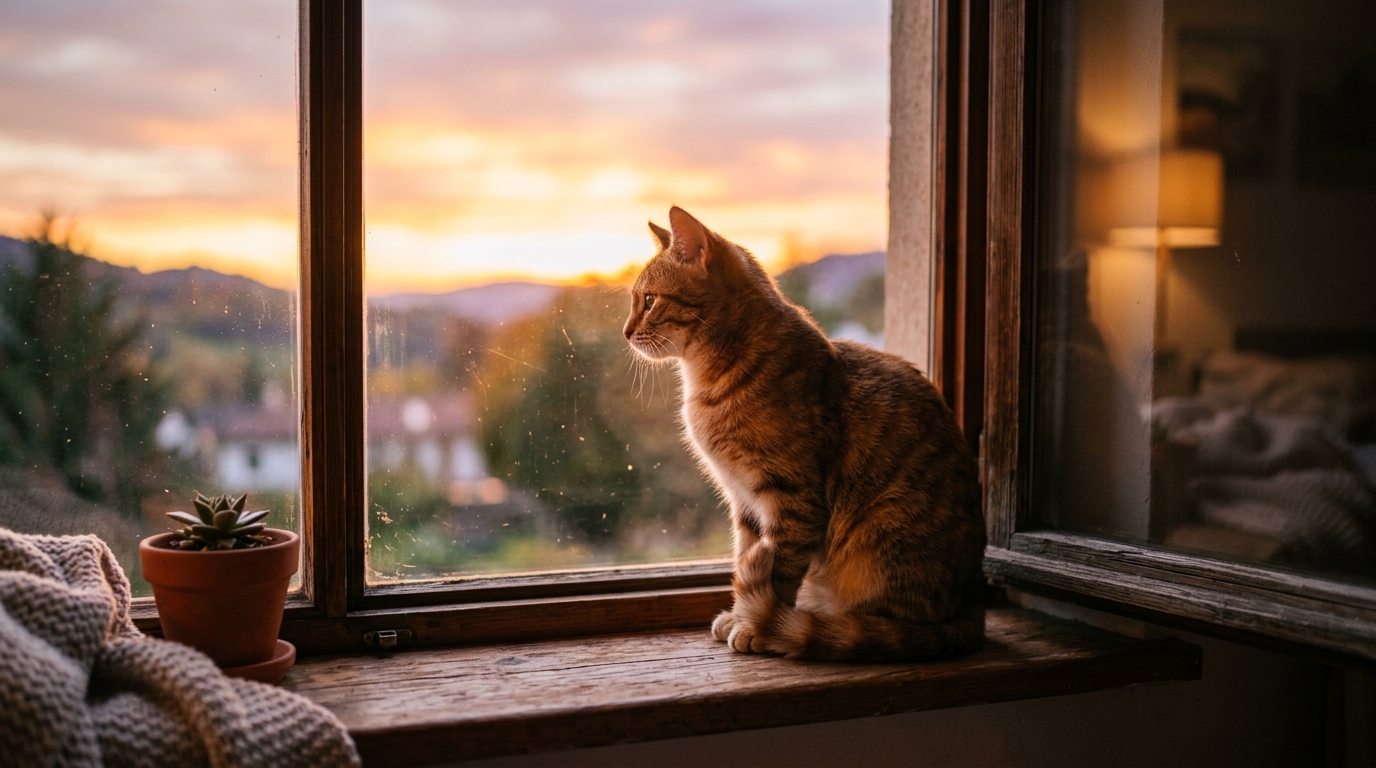
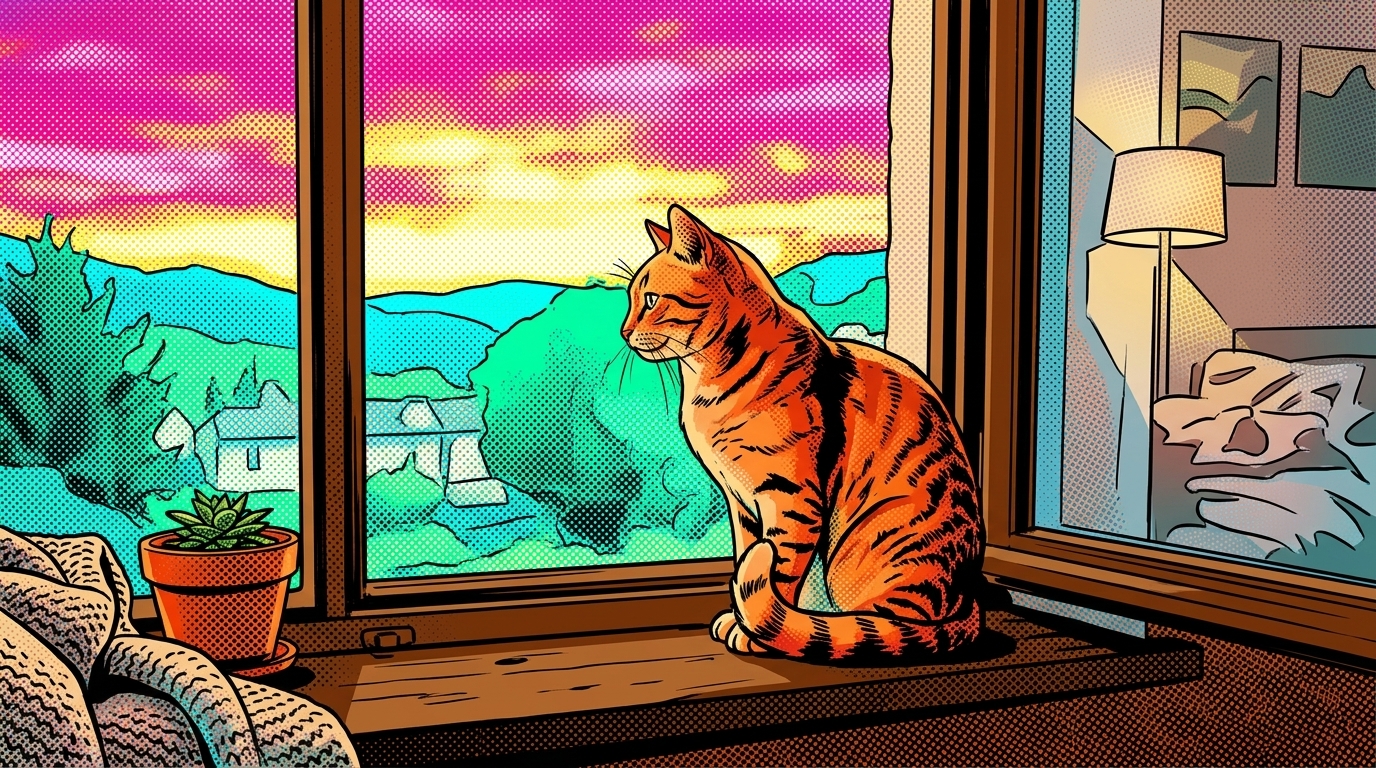
Image Size Choices for Real Layouts
The AI Halftone Generator lets you choose image size before processing, which helps the output match social posts, profile graphics, banners, and cover images. A flexible Halftone Maker should respect where the artwork will be used, not only how the dots look. With the tool, creators can test different ratios and keep the subject framed for the final channel. The AI Halftone Generator keeps the final image usable across common creative workflows.
Readable Subjects with Textured Contrast
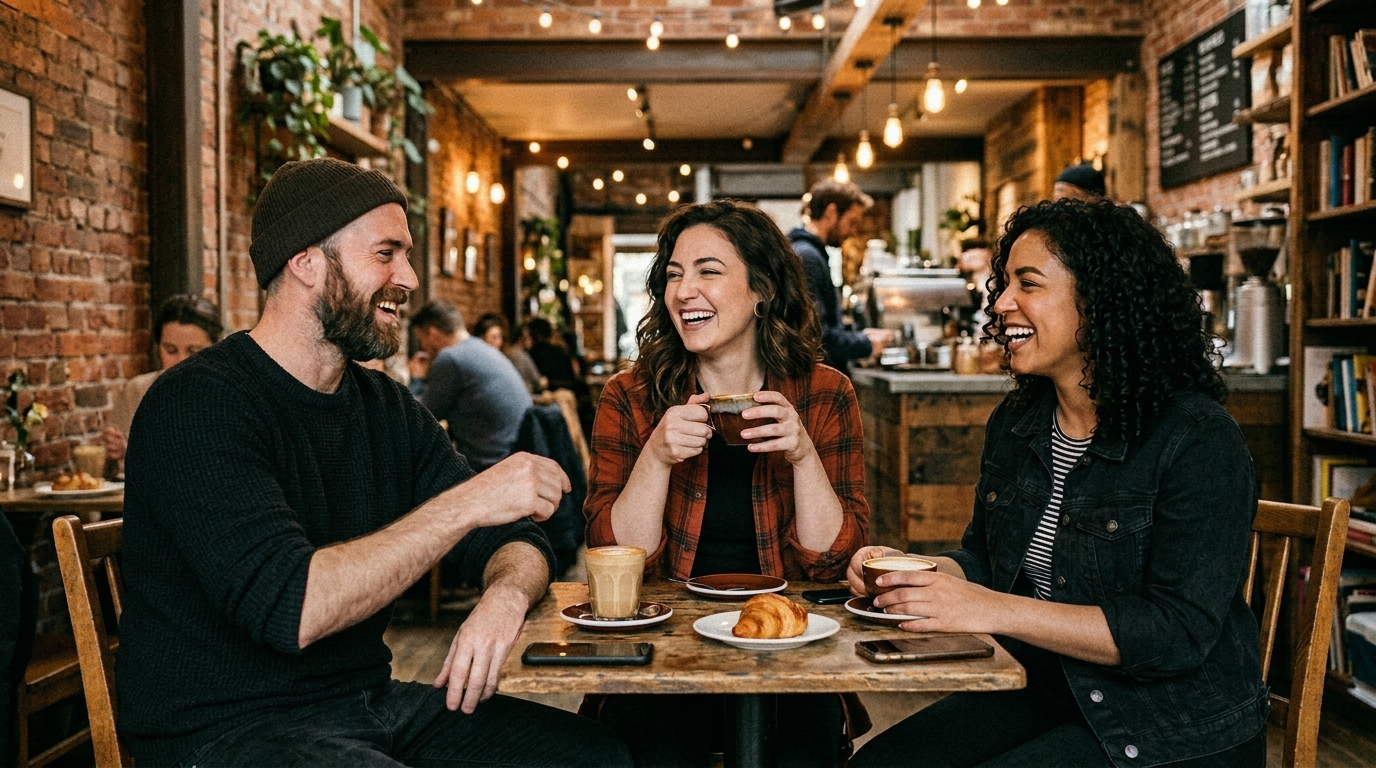
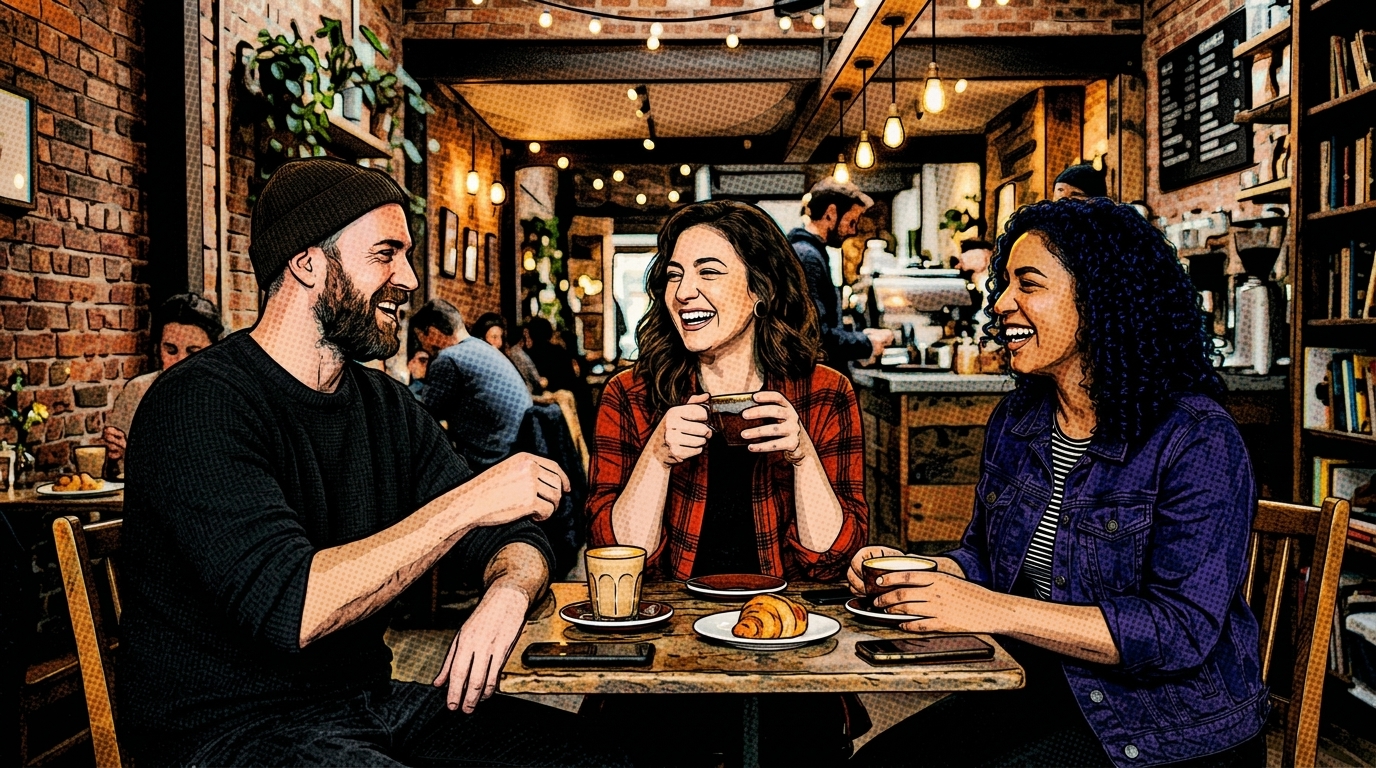
The AI Halftone Generator aims to balance dot texture with subject clarity, so the result stays useful for design rather than becoming noisy. It can produce a visible Halftone Effect while preserving important outlines, expressions, objects, and visual hierarchy. Use it for images where you want texture, rhythm, and contrast, but still need viewers to understand the subject quickly. The AI Halftone Generator keeps the final image usable across common creative workflows.
Why Choose AI Halftone Generator
A good AI Halftone Generator should do more than place dots on a picture. It should help creators move from an ordinary upload to a usable design asset quickly, with enough control to support different creative contexts.
Fast Visual Direction for Designers
Designers can use the AI Halftone Generator to test a strong visual direction before committing to a full layout. Instead of building dot patterns manually, upload a photo and generate a quick Halftone Effect for review. This makes the tool useful during moodboard creation, campaign exploration, poster drafts, and early brand experiments. The AI Halftone Generator supports quick iteration without making the artwork feel unfinished.
Stronger Social Media Artwork
The AI Halftone Generator helps creators turn standard photos into scroll-stopping social assets with texture and graphic rhythm. A clean Halftone Effect can make portraits, fashion shots, food images, and product photos feel more intentional. Use this dot-art workflow when you need a distinctive post style without spending extra time on layered editing. The AI Halftone Generator supports quick iteration without making the artwork feel unfinished.

Useful for Posters and Covers
Use the AI Halftone Generator for event posters, album covers, podcast thumbnails, zine pages, and editorial headers. The dot texture gives flat images a printed personality while keeping the design adaptable. Because the tool starts from your uploaded image, it works well when you already have photography but need a stronger graphic identity. The AI Halftone Generator supports quick iteration without making the artwork feel unfinished.

No Complex Editing Setup
The AI Halftone Generator removes the need to set up channels, filters, masks, and custom pattern layers in advanced software. You can create a polished Halftone Effect from a single upload and size choice. This streamlined flow is practical for marketers, founders, students, and creators who need style quickly but do not edit images every day. The AI Halftone Generator supports quick iteration without making the artwork feel unfinished.

Consistent Style Across Campaigns
The AI Halftone Generator can support a consistent visual language across ads, launch graphics, newsletter headers, and social posts. Once you decide on a dotted direction, similar source images can be transformed into a related set. This helps small teams build a recognizable campaign look without producing every graphic from scratch. The AI Halftone Generator supports quick iteration without making the artwork feel unfinished.

Balanced Retro and Modern Appeal
Halftone visuals have roots in print, but the AI Halftone Generator makes the style feel relevant for modern digital production. The dots add nostalgia, yet the output can still look clean on websites, ads, and social graphics. A thoughtful dot-art result can bridge comic references, editorial design, and contemporary visual branding. The AI Halftone Generator supports quick iteration without making the artwork feel unfinished.
What Users Say About AI Halftone Generator
Creators use the AI Halftone Generator for different reasons: faster poster drafts, stronger social images, bolder product visuals, and personal artwork that feels more graphic.
I used the AI Halftone Generator for a small music poster series, and it helped me find the right visual tone much faster. The dotted finish gave the portraits a printed edge without hiding the artists' faces. It felt like a practical design shortcut, not a gimmick.
The AI Halftone Generator became part of my thumbnail testing process because it makes ordinary images look more intentional. I especially like using it as a Halftone Maker for bold cover concepts. It saves time when I need several visual directions before choosing one final design.
For our pop-up shop visuals, the AI Halftone Generator helped us create a consistent dotted look across product photos and event graphics. The printed texture made the images feel more editorial, and we could adjust the image size for different placements without starting over.
I am not a full-time designer, but the AI Halftone Generator made the process easy to understand. I uploaded a portrait, picked the image size, and had a usable Halftone Maker result for a newsletter header. The output looked designed without a long editing session.
The AI Halftone Generator is helpful for experimenting with comic-inspired visuals while keeping the original photo recognizable. I used the dotted treatment on character references and social banners. It gave me a clear textured style that I could build around in the rest of the layout.
I tested the AI Halftone Generator for an editorial campaign mockup, and it quickly made the photography feel more distinctive. As a Halftone Maker, it is straightforward enough for fast drafts but polished enough for client presentations. It helped us explain the visual direction clearly.

FAQs About AI Halftone Generator
These answers explain how the AI Halftone Generator works, what images fit the workflow, and how to get a cleaner Halftone Effect for creative or professional use.
An AI Halftone Generator is an image tool that turns an uploaded photo into artwork built from visible dot patterns. It is inspired by printing methods that use dots to represent tones, shading, and gradients. With Banana Pro AI, the tool handles the transformation after you upload an image and choose the image size, making the process accessible for everyday creators. The AI Halftone Generator keeps the process approachable while still producing a purposeful visual result.
Upload your photo, select the image size for your final layout, and start generation. The AI Halftone Generator analyzes the photo and produces a dotted version with stronger graphic texture. For best results, use a clear subject, avoid extremely dark source images, and choose a size that matches the platform where the artwork will appear. The AI Halftone Generator keeps the process approachable while still producing a purposeful visual result.
The AI Halftone Generator usually works best with images that have a clear subject, readable contrast, and enough detail to guide the dot pattern. Portraits, product photos, pets, fashion images, vehicles, and editorial shots are all good starting points. If the source image is very blurry or crowded, the final dotted output may look more abstract. The AI Halftone Generator keeps the process approachable while still producing a purposeful visual result.
Yes. The Halftone Maker workflow is well suited for social media posts, profile visuals, story covers, campaign banners, and thumbnail concepts. The dotted texture can make simple uploads feel more designed by adding print character and contrast. Choose the image size based on the channel, then use the generated image as a standalone post or design element. The AI Halftone Generator keeps the process approachable while still producing a purposeful visual result.
AI Halftone Generator is designed to keep the uploaded subject recognizable while applying a stylized dot texture. Results still depend on the source photo, especially lighting, contrast, and composition. A close portrait or clean product image often keeps stronger structure than a busy background scene. The goal is usable halftone artwork, not a random pattern overlay. The AI Halftone Generator keeps the process approachable while still producing a purposeful visual result.
No. AI Halftone Generator can support retro posters and comic references, but the style also works for modern branding, editorial layouts, streetwear graphics, music visuals, and digital campaigns. Halftone dots give photos texture and rhythm, which can make a clean layout feel more memorable without relying on heavy decorative elements or crowded backgrounds. AI Halftone Generator keeps the process approachable while still producing a purposeful visual result.
Yes. The AI Halftone Generator includes image size selection so you can prepare artwork for different formats before generating the result. This is useful for square posts, vertical covers, horizontal headers, and other placements. Choosing the right size early helps the dotted texture fit the final layout with less cropping and fewer composition problems. The AI Halftone Generator keeps the process approachable while still producing a purposeful visual result.
Banana Pro AI's AI Halftone Generator is useful because it turns a familiar upload workflow into a fast visual style tool. You can move from photo to dotted artwork without learning advanced filter settings. For creators who need consistent campaign visuals, poster drafts, or standout social images, the workflow offers a practical balance of speed, clarity, and style. The AI Halftone Generator keeps the process approachable while still producing a purposeful visual result.
Create Bold Dot Artwork Now
Upload your image, choose the image size, and use the AI Halftone Generator to create a polished dotted result in a simple browser workflow. Try Banana Pro AI's Halftone Maker today.
