More AI Image Generators
Explore our collection of specialized AI image generators designed for different creative needs and styles

AI Manga Colorizer: Colorize Black and White Manga Online
Upload a black-and-white manga image, add an optional color prompt, and generate vivid anime-style color while keeping the original lines, panels, and details intact.
AI Manga Colorizer turns monochrome manga, comics, sketches, and line art into expressive color images. Use AI Manga Colorizer as a black and white manga colorizer, add a prompt for custom colors, or leave it blank to colorize black and white manga automatically.
How to Use AI Manga Colorizer in 3 Steps
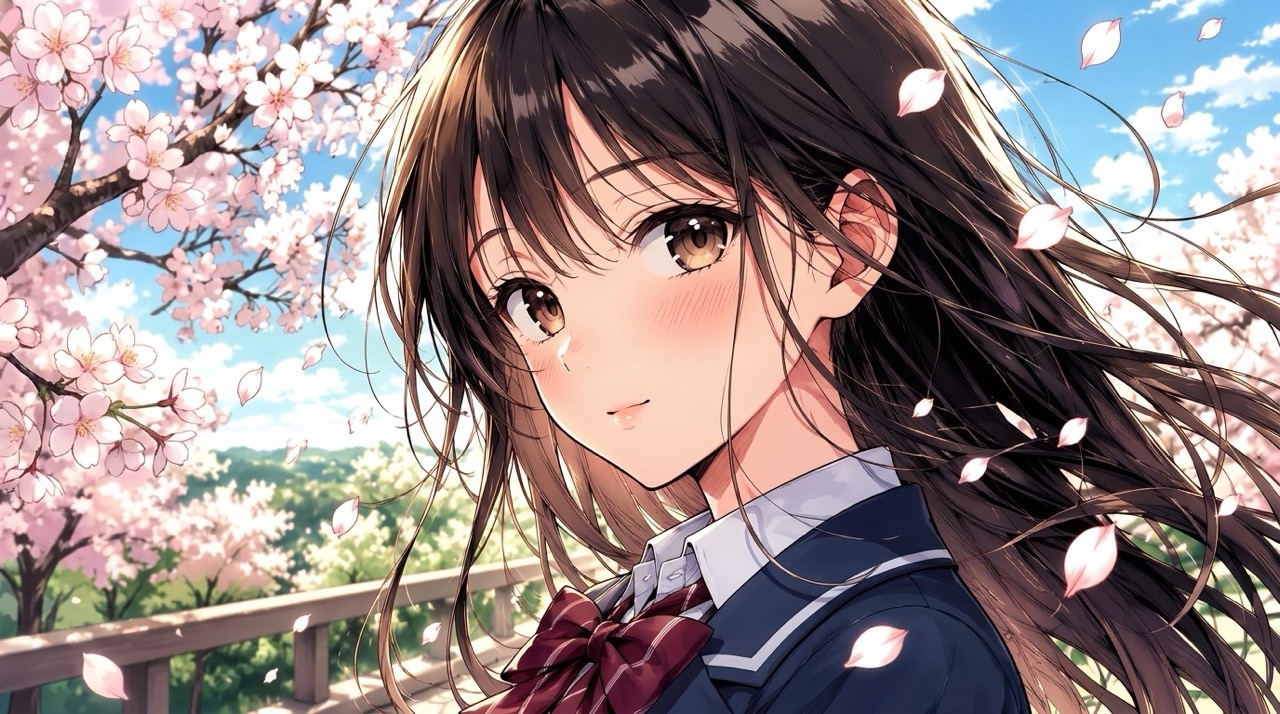
AI Manga Colorizer follows the simple workflow shown above: upload your image, optionally describe the colors you want, then generate. AI Manga Colorizer keeps the process focused on manga coloring instead of complicated editing controls. The prompt is useful when you need a fixed character design, while automatic coloring is ideal when you simply want fast inspiration.

Upload a Black and White Manga Image
Start AI Manga Colorizer by uploading a clear black-and-white manga page, comic panel, sketch, or line art image. Clean outlines, strong contrast, and readable details help AI Manga Colorizer understand characters, clothing, backgrounds, and panel structure before coloring. For best results, choose artwork where speech bubbles, faces, and important props are not cropped.

Add an Optional Color Prompt
Use the prompt box in AI Manga Colorizer when you want specific colors, such as silver hair, blue eyes, warm sunset lighting, or pastel anime tones. If you skip the prompt, AI Manga Colorizer will choose a natural palette and colorize black and white manga for you. Keep instructions simple: mention the most important colors first, then add style words like soft, vivid, cinematic, pastel, or retro.

Generate Your Colorized Manga
Click Generate Image and let AI Manga Colorizer create the final colored result. Preview the output, compare it with your original image, and use the result for manga concepts, fan art, visual drafts, character previews, or creative inspiration. You can repeat the process with a revised prompt when you want a different mood or character palette.
Best AI Image Tools for Creative Projects
Explore creative tools for image, learn tips and tricks, and see how AI can be your assistant in turning concepts into finished projects.


Why Choose AI Manga Colorizer
AI Manga Colorizer is designed around real manga coloring needs: prompt control, automatic palettes, line preservation, and readable story-focused results. AI Manga Colorizer helps you move from black and white to finished color faster. It gives users a direct way to test mood, character identity, and scene atmosphere without changing the original drawing.
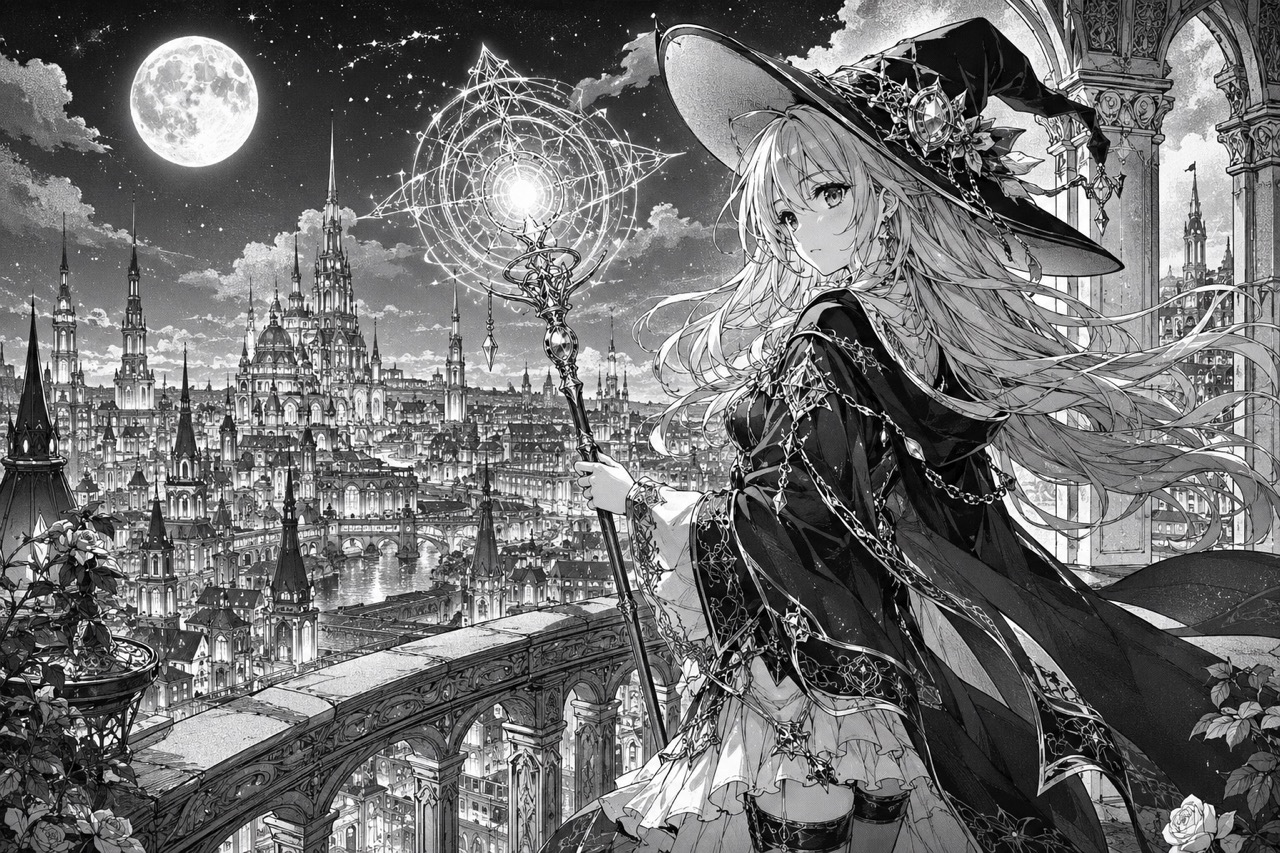
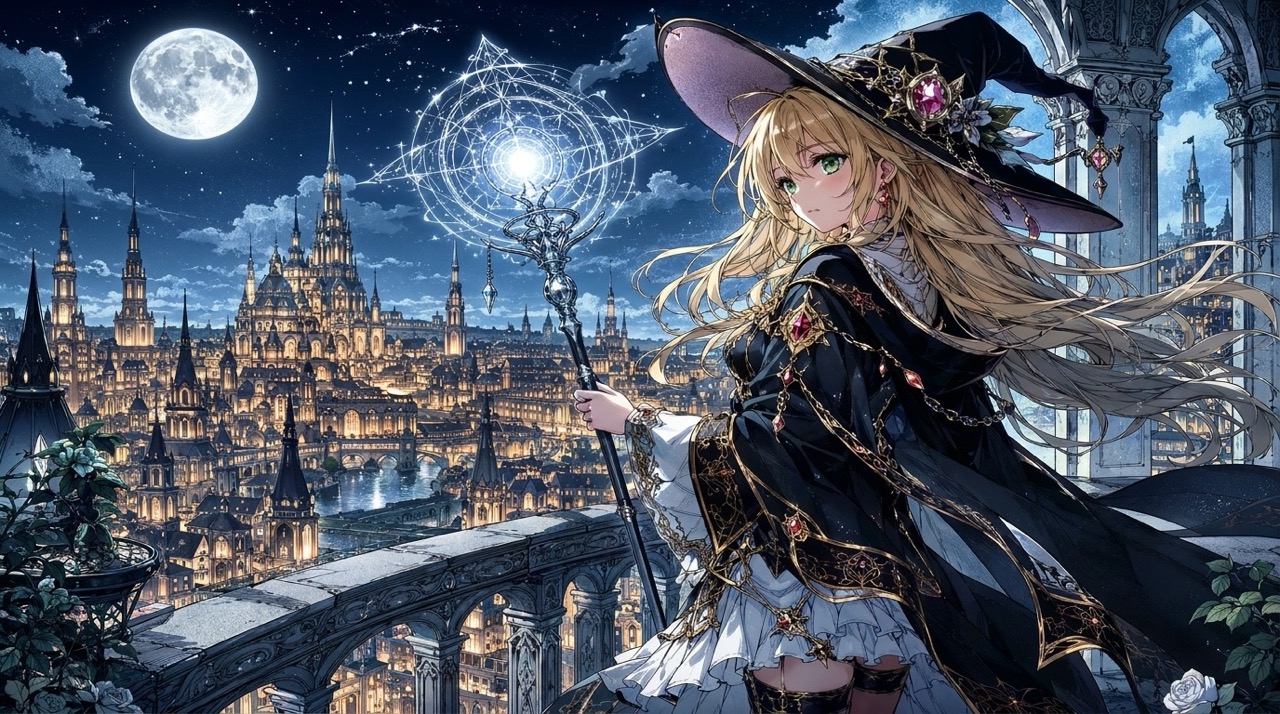
Turn Monochrome Manga Into Expressive Color
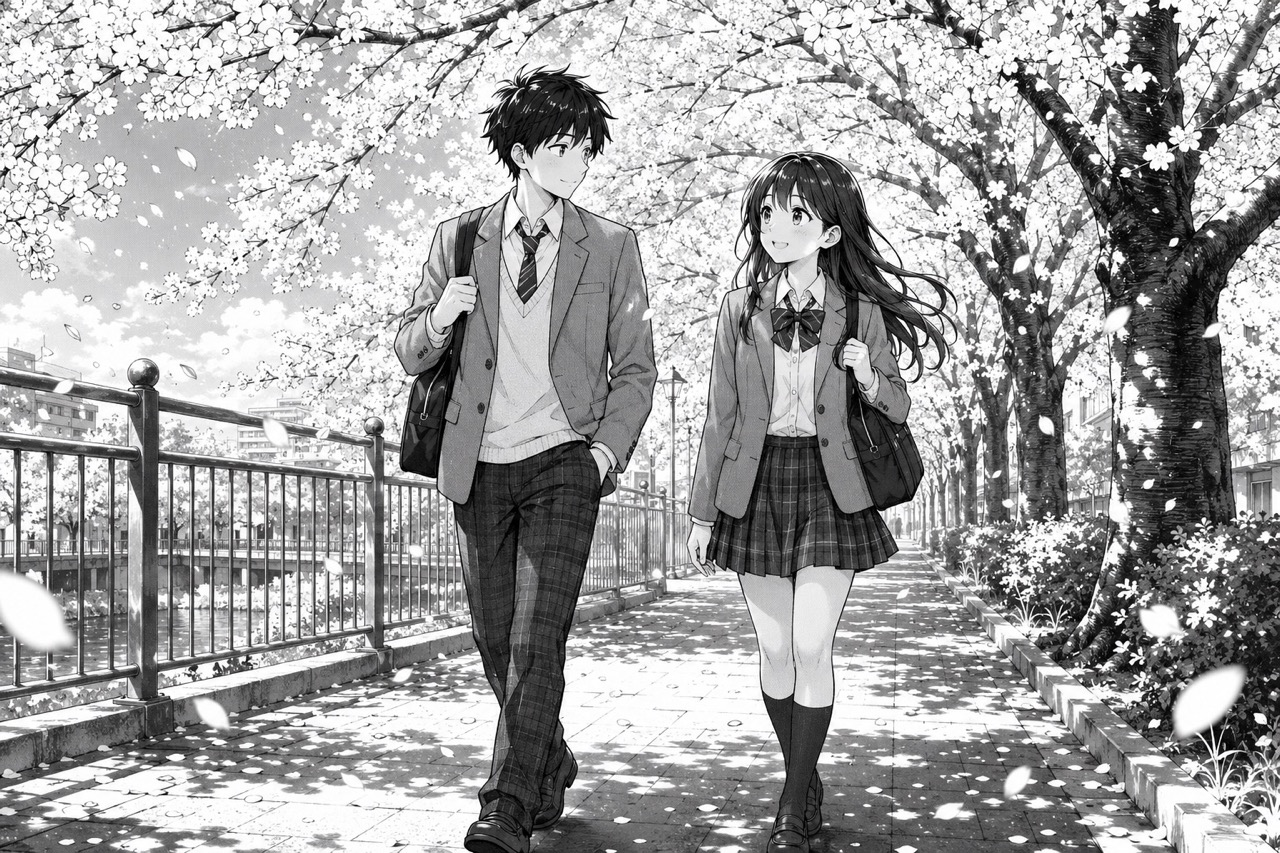
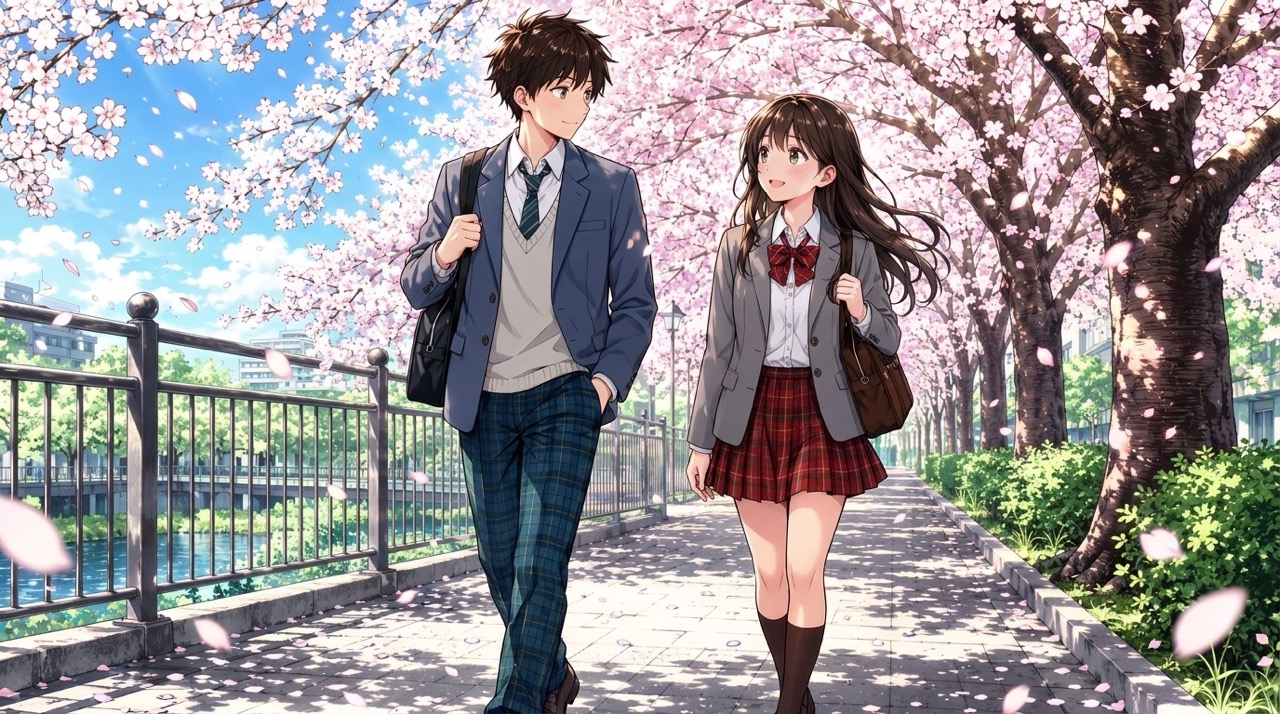
AI Manga Colorizer is built for artwork that already has strong storytelling, but needs color to make scenes easier to feel and share. Use AI Manga Colorizer to colorize black and white manga while preserving dramatic shadows, speech bubble areas, motion lines, and character expressions. Instead of flattening the page, AI Manga Colorizer separates foreground and background with thoughtful tones, helping readers understand mood, focus, and scene depth at a glance. It is especially helpful for action panels, emotional close-ups, and fantasy scenes where color can communicate energy that black ink only suggests.
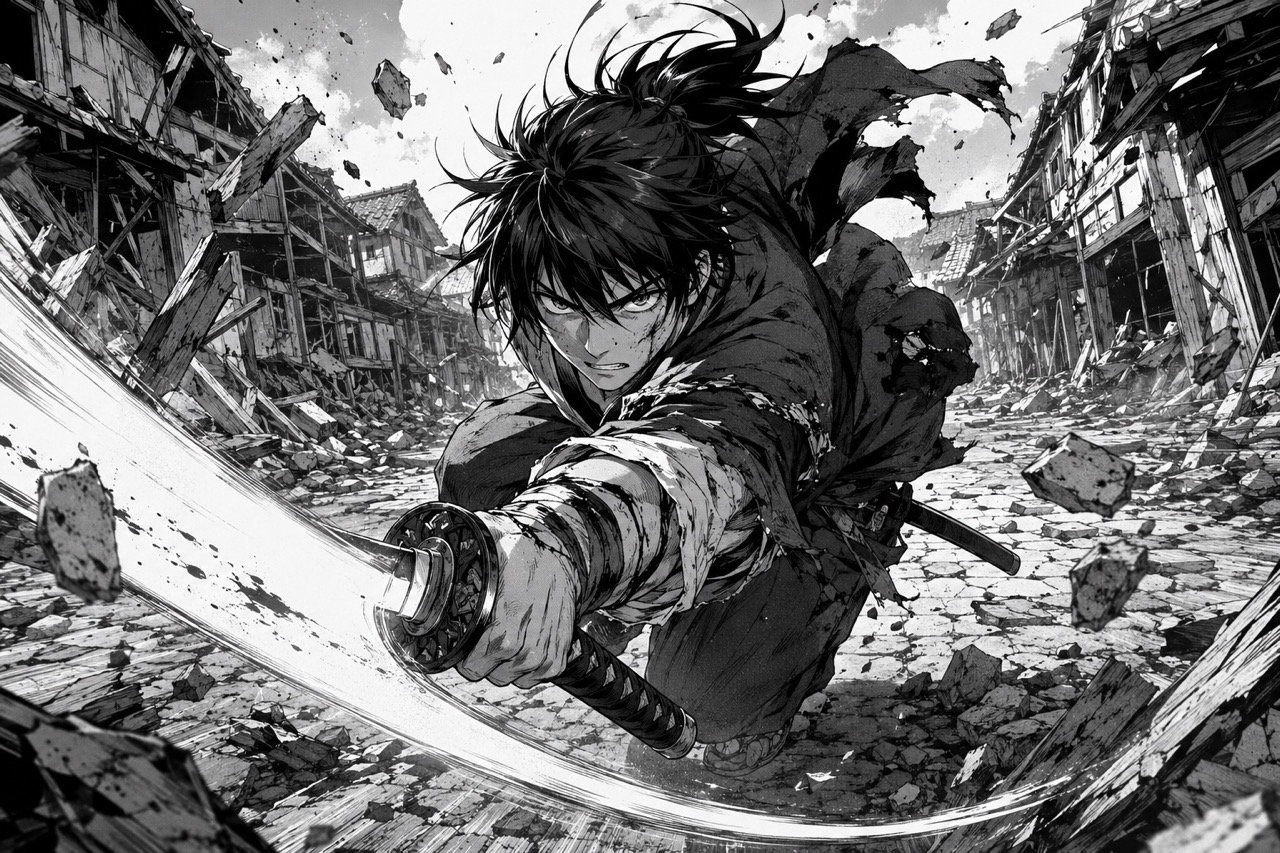
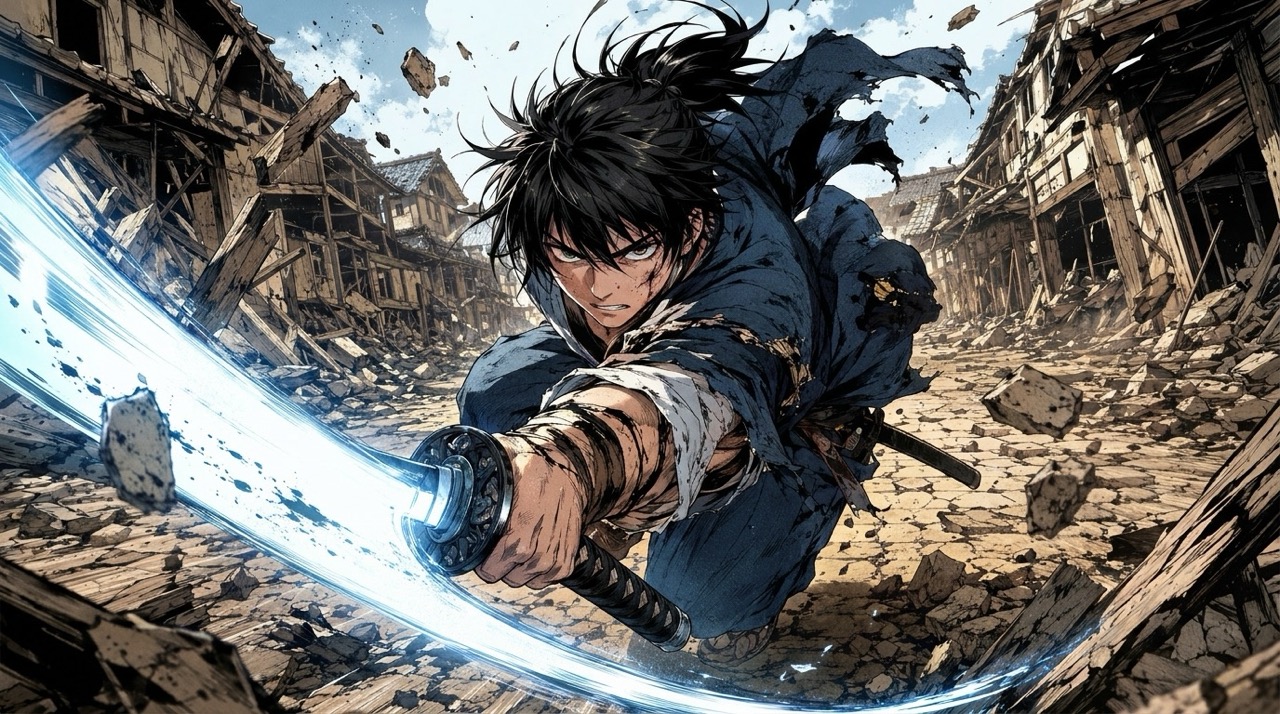
Control Colors with Natural Language Prompts
AI Manga Colorizer supports optional prompt guidance for users who know the look they want. Tell AI Manga Colorizer about hair color, eye color, uniform design, background mood, lighting direction, or overall palette. This makes AI Manga Colorizer useful for character sheets, scene concepts, cover experiments, and fan-made manga coloring. If no prompt is entered, AI Manga Colorizer still works as an automatic black and white manga colorizer.
Keep Line Art Clear and Manga-Ready
Good manga colorization should enhance the drawing, not replace it. AI Manga Colorizer focuses on keeping original line art, panel borders, facial expressions, clothing shapes, and visual rhythm intact. Use AI Manga Colorizer when you want color that supports the page instead of redrawing it into something unrelated. This approach helps artists test palettes, readers enjoy clearer scenes, and creators prepare visual drafts without losing the identity of the original artwork.
Who Uses AI Manga Colorizer?
AI Manga Colorizer works for readers, artists, manga teams, and visual creators. Whether you need a black and white manga colorizer or a prompt-based coloring workflow, AI Manga Colorizer keeps the experience simple. It supports casual experiments, structured art studies, and practical concept development. AI Manga Colorizer can be used for one panel, a character sketch, or a full page preview.

Manga Fans and Readers
AI Manga Colorizer helps readers enjoy favorite black-and-white panels in a new way. Use AI Manga Colorizer to explore how a scene might feel with warm lighting, dramatic shadows, or anime-inspired palettes, while the original composition stays recognizable. It can make emotional scenes easier to share, discuss, or compare with friends.

Artists Testing Color Direction
AI Manga Colorizer gives illustrators quick color concepts before manual finishing. Upload line art, write a short color prompt, and let AI Manga Colorizer suggest palettes for hair, outfits, background atmosphere, and lighting without covering the drawing. Artists can use the result as a starting point, reference, or alternate direction.

Comic Creators and Webtoon Teams
AI Manga Colorizer can help creators colorize black and white manga drafts for pitch decks, social posts, previews, or internal direction. Teams can use AI Manga Colorizer to compare several color moods before choosing a final production style. This is useful when a project needs quick visual alignment before detailed coloring begins. It can also support early marketing images, teaser panels, and visual discussions where a quick colored sample is more useful than a written explanation.

Content Creators and Educators
AI Manga Colorizer is useful for tutorials, reaction content, visual storytelling, and creative lessons. Creators can show how a monochrome panel changes through color choices, and AI Manga Colorizer makes those examples quick to prepare. The tool also helps explain why palette, contrast, and lighting affect how a scene is read.
What Users Say About AI Manga Colorizer
Users choose AI Manga Colorizer because it is clear, flexible, and focused on manga coloring. AI Manga Colorizer helps turn sketches, panels, and pages into shareable color concepts quickly. These reactions show how prompt control and automatic colorization can support different creative workflows.
I used AI Manga Colorizer on a character sketch that had been sitting unfinished for weeks. I added a short prompt for lavender hair and soft blue lighting, and AI Manga Colorizer gave me a strong color direction without changing the face or pose. It helped me decide the final palette before I spent hours painting by hand.
AI Manga Colorizer helped me colorize black and white manga panels for a fan project. I liked that I could leave the prompt empty for quick results, then try another version with more specific outfit colors. The process felt simple enough for casual use, but the result still looked thoughtful.
As a creator, I need fast visual tests before committing to a palette. AI Manga Colorizer worked like a practical black and white manga colorizer and helped me compare warm, cool, and fantasy moods in minutes. It made team feedback easier because everyone could react to actual color examples.
I tried AI Manga Colorizer for tutorial examples, and the results were easy to explain to my audience. AI Manga Colorizer kept the line art readable, which made the before-and-after comparison much more useful. My students could clearly see how color changes focus and emotion.



FAQs About AI Manga Colorizer
Learn how AI Manga Colorizer handles uploads, prompts, line art, and color control. These quick answers help you get better manga colorization results without overthinking the process.
AI Manga Colorizer works best with clean black-and-white manga pages, comic panels, line art, sketches, and grayscale drawings with visible outlines. Strong contrast and clear details usually produce better color separation.
No. AI Manga Colorizer can choose colors automatically. Add a prompt only when you want specific hair, clothing, lighting, background, or mood choices.
AI Manga Colorizer is designed to preserve original linework, panel borders, poses, expressions, and page layout while adding color. Very blurry uploads may reduce line clarity.
Yes. AI Manga Colorizer can follow natural language color instructions such as red scarf, blue eyes, pastel background, warm sunset lighting, or dark fantasy palette.
Use a clear image, avoid heavy blur, and write concise color instructions. AI Manga Colorizer responds best to simple, direct prompts with the most important colors first.
AI Manga Colorizer focuses on colorization. It is not meant to rewrite text, change panels, replace characters, or create a new story.
Start Coloring Manga with AI Manga Colorizer
Upload a black-and-white manga image, add an optional color prompt, and let AI Manga Colorizer generate a vivid color version while keeping the original line art and composition clear. Use it for character ideas, comic drafts, fan coloring, study references, and fast visual experiments. Start with any clear page.