More AI Image Generators
Explore our collection of specialized AI image generators designed for different creative needs and styles





Remove Text from Image with AI
Clean unwanted words, captions, labels, and text overlays from photos in seconds.
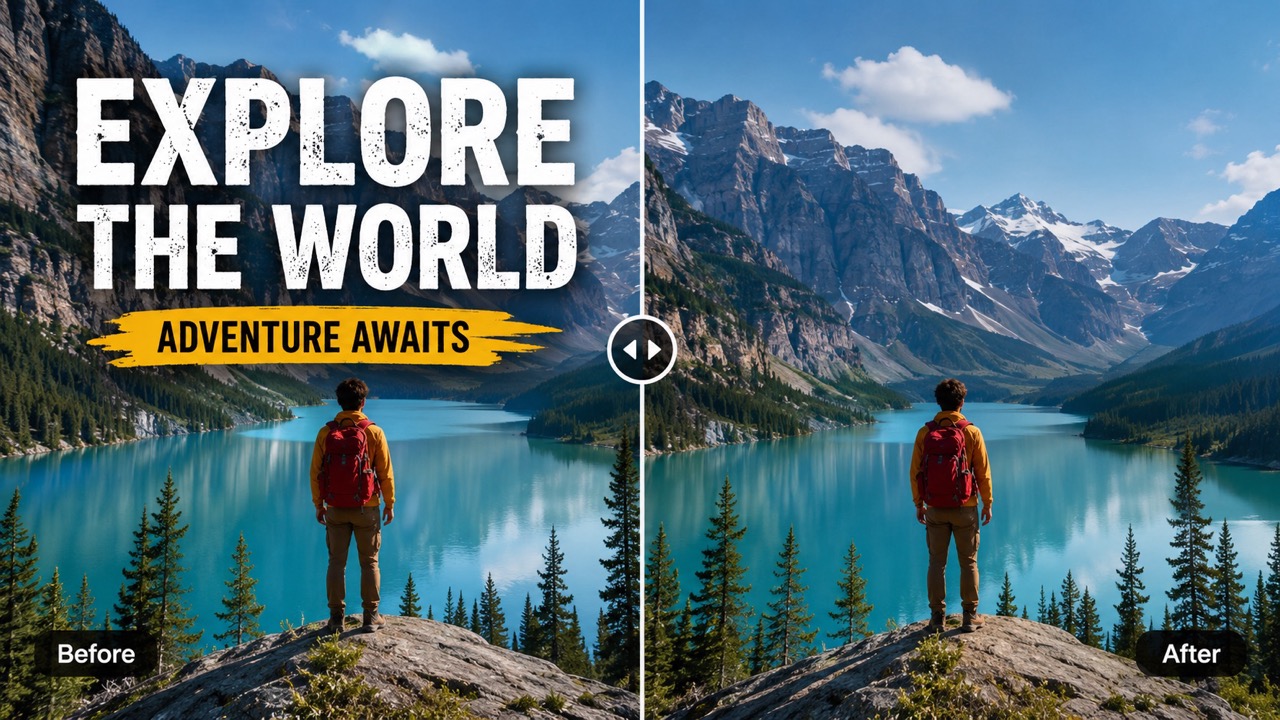
Remove Text from Image helps you upload a photo, generate a clean result, and keep the scene natural. Use AI Text Remover to erase captions, labels, dates, subtitles, and unwanted words while preserving textures, lighting, faces, products, and backgrounds. Remove Text from Image is made for people who want a finished image quickly, without brushes, layers, or editing experience.
How to Use Remove Text from Image in 3 Steps
The workflow is simple: upload your photo, choose the needed image settings, and generate. Remove Text from Image is designed for fast cleanup when you want remove text from image online without complex manual retouching. Remove Text from Image keeps the process focused on the result, so users do not need to learn masking, cloning, or background repair.

Upload Your Image
Start Remove Text from Image by dragging a JPG or PNG into the upload area, clicking to select a file, or choosing from your assets library. A clear image helps AI Text Remover detect letters, numbers, captions, and text overlays more accurately before generation. Remove Text from Image can work with portraits, product photos, screenshots, signs, posters, and everyday images.

Choose Image Size and Resolution
Keep Auto when you want the original layout, or choose a visible ratio such as 21:9, 16:9, or 3:2. Select the output resolution you need, then keep the number of images focused before using Remove Text from Image. These settings help match the final image to your post, listing, presentation, or creative layout.
Click Generate Image
Click Generate Image and let AI Text Remover process the photo. Remove Text from Image removes readable characters, rebuilds the covered area, and returns a clean image that looks as if the unwanted text was never there. Review the result, then use the cleaned image wherever your visual needs a distraction-free finish.
Best AI Image Tools for Creative Projects
Explore creative tools for image, learn tips and tricks, and see how AI can be your assistant in turning concepts into finished projects.

Why Use Remove Text from Image
Remove Text from Image is built for practical cleanup: removing readable marks, preserving the original look, and producing natural results for photos, screenshots, product shots, and creative visuals. AI Text Remover helps turn cluttered visuals into cleaner images without asking users to edit pixel by pixel.


Remove Text Without Damaging the Scene
Remove Text from Image focuses on the area where words appear, then reconstructs the missing background with nearby texture, color, and light. It is useful for travel photos, street scenes, food images, posters, and screenshots. Instead of smearing the whole picture, AI Text Remover targets readable marks and keeps important objects clear. Use Remove Text from Image when you need erase text from image results that still feel realistic, not patched or obviously edited.


Clean Product Photos and Social Visuals
Selling, posting, or reusing a visual often requires a cleaner frame. Remove Text from Image helps remove labels, sale stickers, notes, and promotional words from product photos. AI Text Remover can also clean social media graphics, thumbnails, and blog images when old captions no longer fit. Remove Text from Image keeps the focus on the object, not distracting text, which is useful for marketplaces, ads, galleries, and portfolio pages.
Turn Busy Screenshots into Clean Images
Screenshots often include names, comments, timestamps, buttons, and captions you do not want to share. Remove Text from Image helps clean these details while keeping the overall layout usable. AI Text Remover is ideal for privacy-friendly examples, tutorials, mood boards, and presentations. Use Remove Text from Image when you want remove text from picture results without rebuilding the image by hand or cropping away important context. If you want erase text from picture content for safer sharing, Remove Text from Image can reduce visible personal details while keeping the screenshot useful.
Who Needs Remove Text from Image
Remove Text from Image supports creators, sellers, designers, marketers, and everyday users who need clean visuals without learning complex editing. AI Text Remover makes common cleanup tasks faster and helps images feel more reusable across different channels.

Creators Reusing Visual Content
Creators often need a photo without old captions, usernames, or campaign copy. Remove Text from Image makes it easier to reuse visuals for new posts, thumbnails, reels, and articles. AI Text Remover helps refresh content while keeping the original scene and style intact. Remove Text from Image also supports quick visual testing when one image needs several caption-free versions. For repurposed campaigns, Remove Text from Image helps one strong image work across multiple messages.

Online Sellers and Product Teams
Product images can include stickers, price tags, printed notes, or temporary labels. Remove Text from Image helps create cleaner catalog visuals and cleaner listing photos. For many ecommerce tasks, remove text from photo online is faster than manual cloning. Remove Text from Image gives sellers a way to improve old assets before launching new offers, bundles, or seasonal pages. Remove Text from Image is also helpful when a supplier image includes temporary text that should not appear in a store.

Designers Preparing Mockups
Designers may need a blank background before adding new typography or branding. Remove Text from Image removes existing text so the same photo can be adapted for banners, decks, ads, and concept visuals. AI Text Remover gives a clean base for new design work. Use text remover from image workflows when a photo is right, but the existing message is wrong. Remove Text from Image helps teams create a neutral visual surface before new copy is added.

Everyday Photo Cleanup
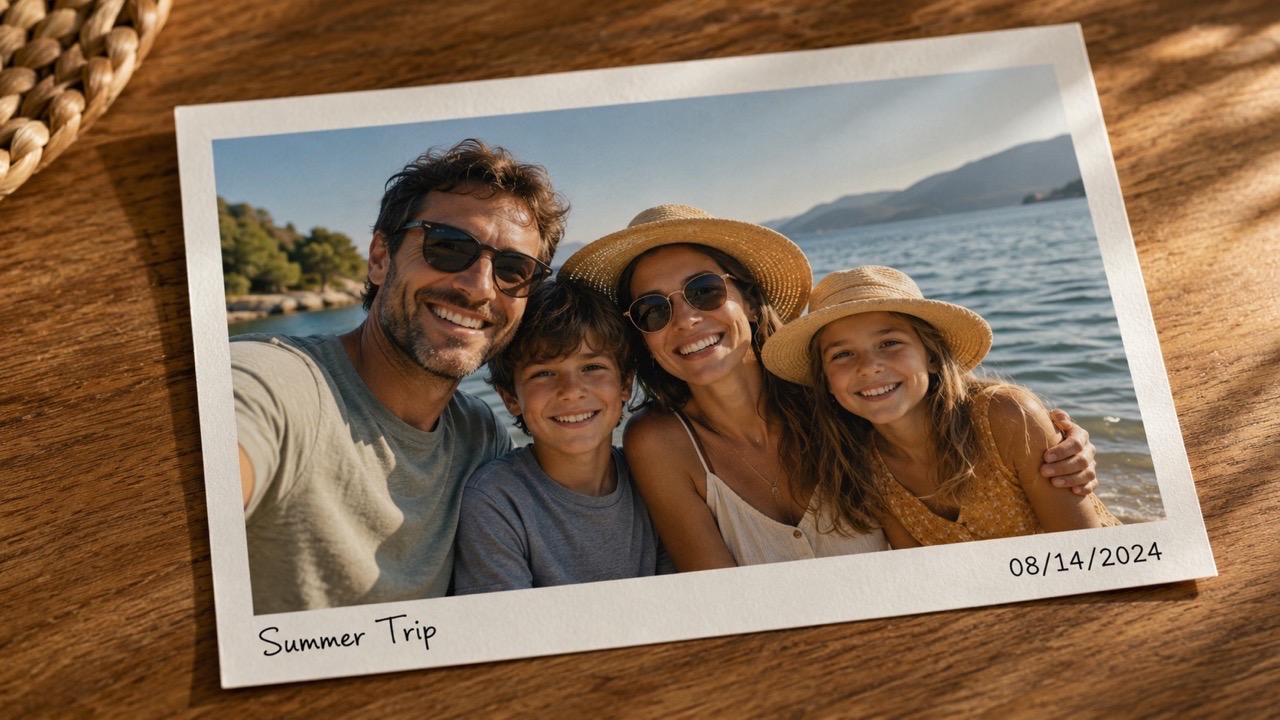
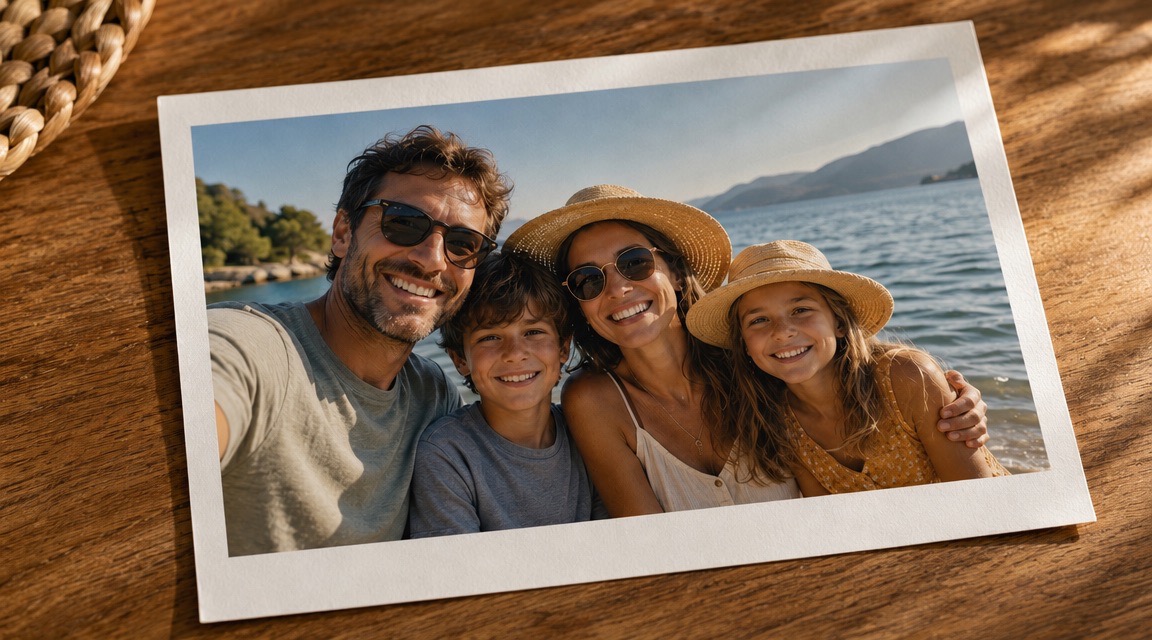
Personal photos can be spoiled by signs, captions, dates, or unwanted words in the background. Remove Text from Image helps clean travel shots, family pictures, and saved memories. It is a simple way to erase text from picture details that distract from the moment. Remove Text from Image can also help with scanned photos, scrapbook images, and old downloads. Use Remove Text from Image when the subject is strong but the surrounding words pull attention away.
What Users Say About Remove Text from Image
Users choose Remove Text from Image when they want quick, natural cleanup for personal photos, product shots, screenshots, and reusable creative assets. These experiences show how AI Text Remover helps different workflows without complicated editing.
I used Remove Text from Image to clean captions from a set of travel photos. The background stayed natural, and I did not have to paint over anything manually. AI Text Remover made the pictures look ready for my blog in minutes. Remove Text from Image also helped me keep the same photo style across several posts.
My product photos had temporary price labels that looked unprofessional. Remove Text from Image removed them cleanly and kept the packaging shape intact. It saved me from reshooting the items. I now use Remove Text from Image before publishing older catalog images that still have outdated stickers.
I needed clean screenshots for a presentation, but they contained names and comments. Remove Text from Image handled the cleanup quickly. The final images were easy to use and looked much more polished. AI Text Remover helped me protect private details while keeping the layout clear.
I tried Remove Text from Image on an old family photo with a date stamp. The result looked natural, and the repaired area matched the original background better than I expected. Remove Text from Image gave the picture a cleaner look without changing the people or the memory.



FAQs About Remove Text from Image
Learn how Remove Text from Image works, what it can clean, and how AI Text Remover helps create natural-looking results. These answers keep the basics simple for anyone starting a quick cleanup.
Upload your image, choose the needed image settings, and click Generate Image. Remove Text from Image will process the photo and return a clean result. Remove Text from Image keeps the main workflow short: upload, set, generate.
It can remove captions, numbers, date stamps, labels, subtitles, handwriting, and many text overlays. AI Text Remover works best when the text area is visible and not extremely complex. Remove Text from Image can also help with signs, poster text, and printed notes.
Yes. Remove Text from Image rebuilds the covered area by matching nearby texture, lighting, color, and perspective so the result looks natural. AI Text Remover is designed to avoid unnecessary global blur.
Yes. You can use it to remove text from photo, remove text from picture, clean screenshots, edit product images, and prepare creative visuals. Remove Text from Image is useful for both everyday cleanup and content preparation.
AI remove text from image results depend on the original photo. Clear backgrounds and readable text usually produce the cleanest repair. Remove Text from Image performs better when important details are not hidden beneath dense letters.
Yes. Free AI Text Remover workflows can help create clean visuals for listings, campaigns, posts, and presentations, as long as you have the right to edit and use the image. Remove Text from Image should only be used on images you can legally edit.
Start Remove Text from Image Now
Use Remove Text from Image Online for Free to clean captions, labels, date stamps, and distracting words from your photos. Start with Free AI Text Remover and create a cleaner image in seconds. Remove Text from Image gives you a direct path from upload to generated result, so your final visual looks cleaner without extra editing work. Remove Text from Image is a practical choice for creators, sellers, designers, and anyone who wants clean visuals faster.