

More AI Image Generators
Explore our collection of specialized AI image generators designed for different creative needs and styles























AI Graduation Photo Generator: Create Realistic Cap and Gown Photos
Use AI Graduation Photo Generator to turn a portrait and a background image into a polished graduation scene with degree level, gown style, and photo style controls.
AI Graduation Photo Generator helps you create AI Graduation Portrait results from your own images. Upload a person photo, add a background photo, choose your academic look, and generate a custom background graduation photo in minutes.
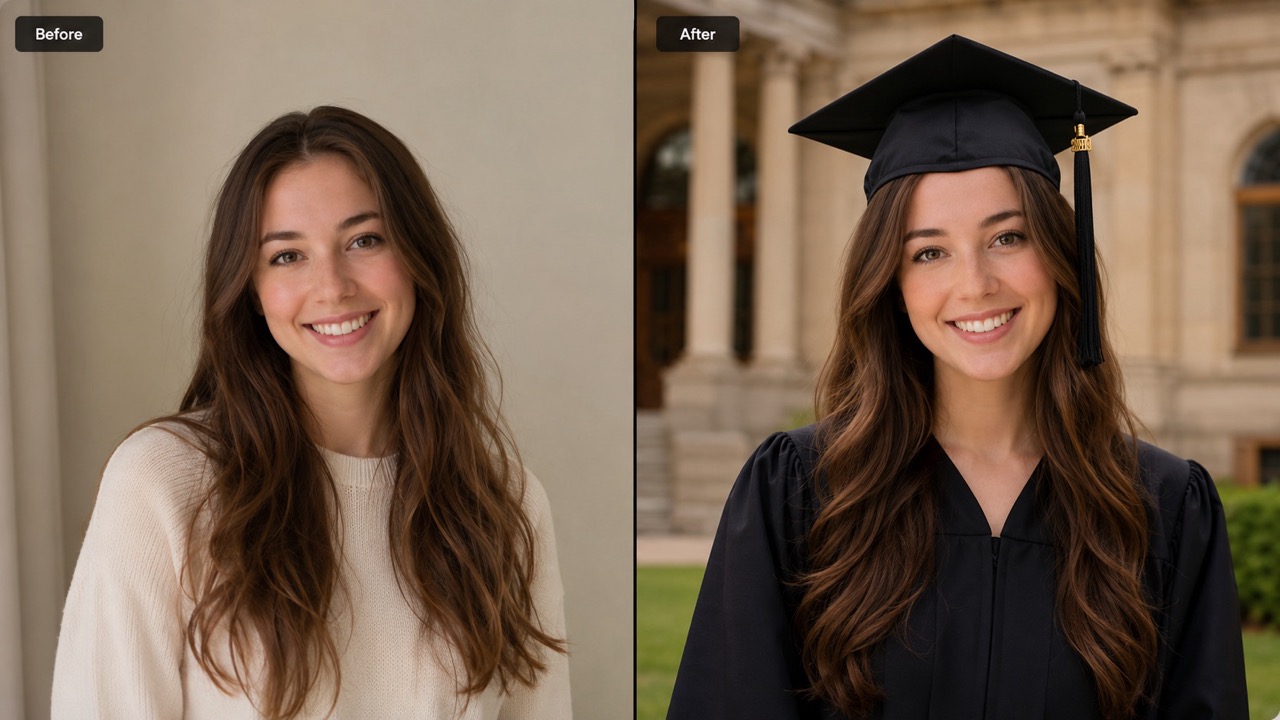
How to Use AI Graduation Photo Generator
AI Graduation Photo Generator follows a simple image-to-image workflow: upload a person photo, upload a background photo, choose academic and visual styles, then generate a custom background graduation photo. Free Online Graduation Photo Generator searches often lead users here because the workflow is direct and easy.

Upload Person Photo and Background Photo
Start AI Graduation Photo Generator by uploading two images in order. First, add a clear person photo with a visible face. Second, add a background or location photo, such as a campus gate, classroom, library, ceremony hall, or meaningful city spot. This lets you place yourself in any graduation scene and create AI graduation photo with location details that feel personal.

Choose Degree Level, Gown Style, and Photo Style
Next, select Bachelor, Master, or PhD. Then choose Classic Black, Blue Accent, Red Accent, or Gold Accent for the gown. Finally, pick Formal Portrait, Campus Lifestyle, Ceremony Moment, or Magazine Style. AI Graduation Photo Generator uses these choices to shape AI Graduation Portrait composition, clothing, mood, and background blending.

Click Generate Image
Click Generate Image and let AI Graduation Photo Generator create a realistic graduation result. The person is styled in academic attire, the uploaded location is used as the scene reference, and the final image is designed to look like a natural AI Graduation Portrait ready for sharing, announcements, keepsakes, or profile updates.
Best AI Image Tools for Creative Projects
Explore creative tools for image, learn tips and tricks, and see how AI can be your assistant in turning concepts into finished projects.









Why AI Graduation Photo Generator Works for Real Graduation Memories
AI Graduation Photo Generator focuses on what users actually need: recognizable people, meaningful places, suitable academic clothing, and AI Graduation Portrait results that feel personal instead of generic. AI Graduation Photo Generator also helps turn Free Online Graduation Photo Generator intent into a more personalized result.
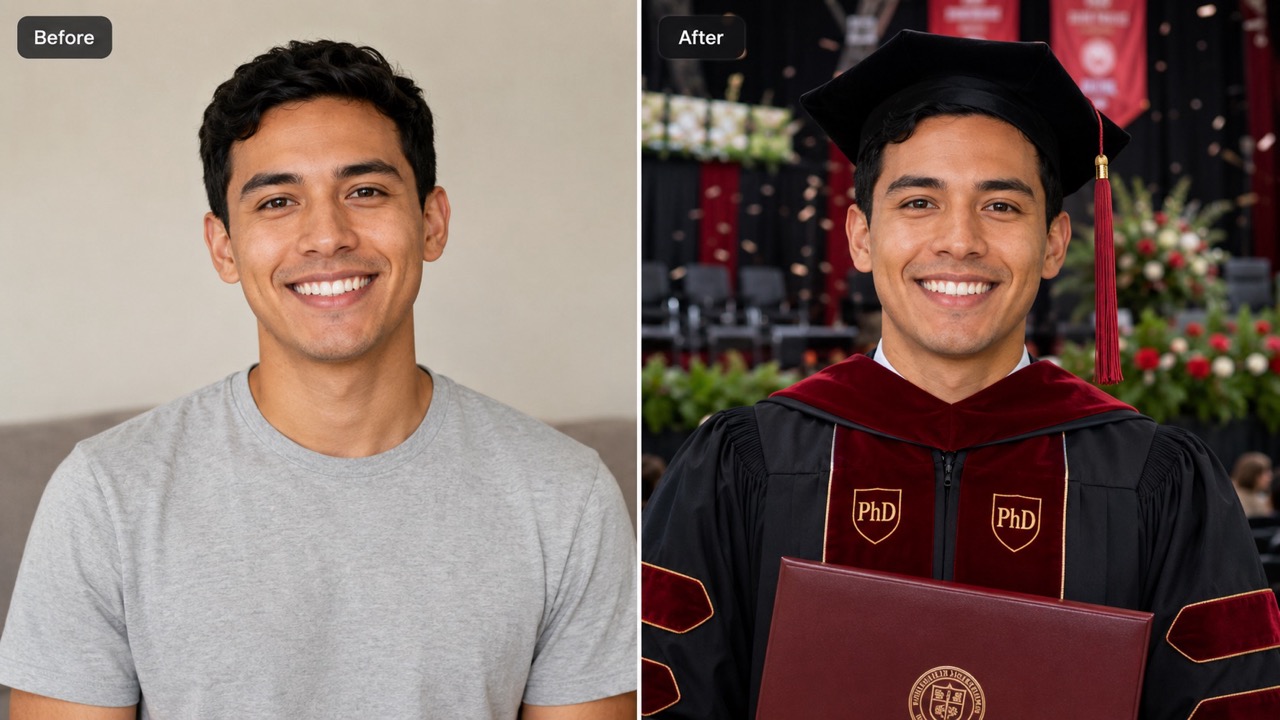
Turn Any Meaningful Location into a Graduation Scene
AI Graduation Photo Generator is useful when your story is tied to a real place. Upload a campus entrance, lecture room, dorm hallway, family home, or travel landmark, then create AI graduation photo with location context. Instead of a generic backdrop, you can make a custom background graduation photo that feels connected to your school years. It helps graduates who missed a photoshoot, remote students, international students, and families who want a personal memory. The goal is simple: place yourself in any graduation scene while keeping the result believable, polished, and emotionally relevant. AI Graduation Photo Generator makes the location part of the graduation story, not just decoration.
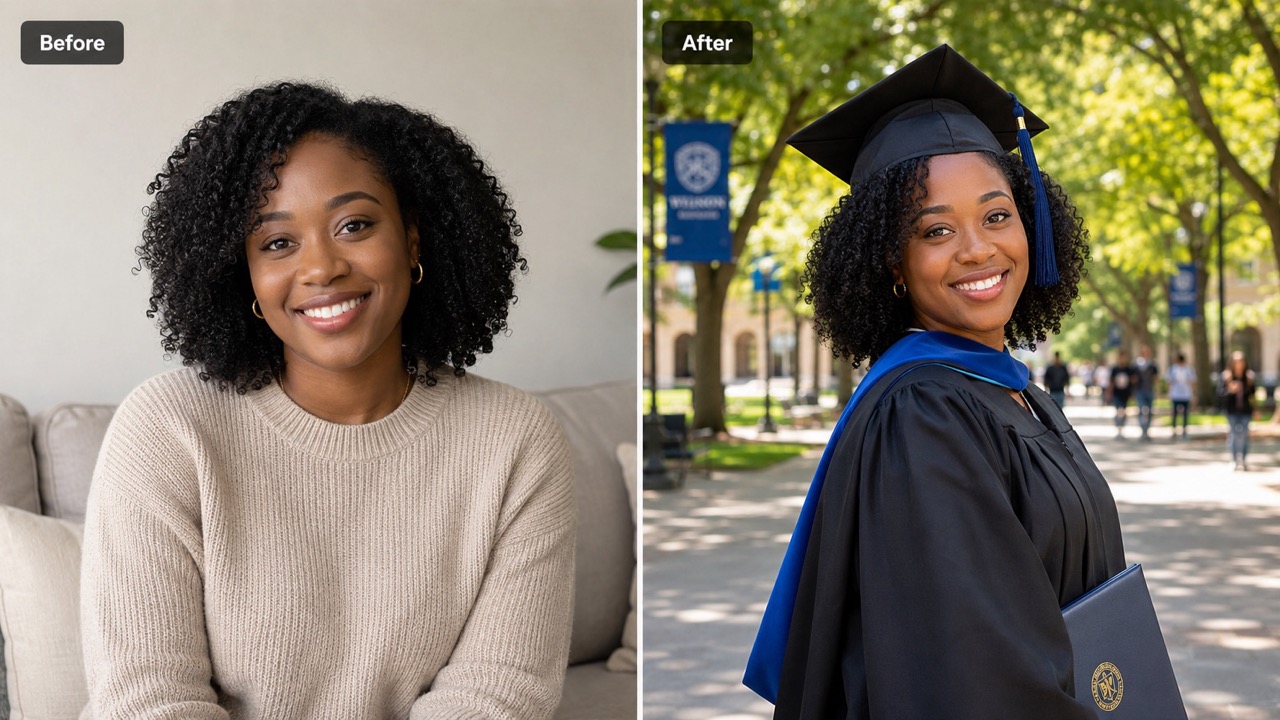
Match the Academic Look to the Moment
AI Graduation Photo Generator gives users clear academic choices without making the process complicated. Bachelor keeps the look classic and simple, Master adds a more formal hooded style, and PhD creates a distinguished doctoral appearance. Gown Style options help shape the color mood while still feeling familiar for a western graduation photo. This makes AI Graduation Portrait creation easier for users who do not know academic dress rules. They only need to choose a degree level and accent style, and AI Graduation Photo Generator builds a cap and gown look that suits the selected photo style. AI Graduation Photo Generator supports quick decisions while still producing AI Graduation Portrait output that looks intentional.
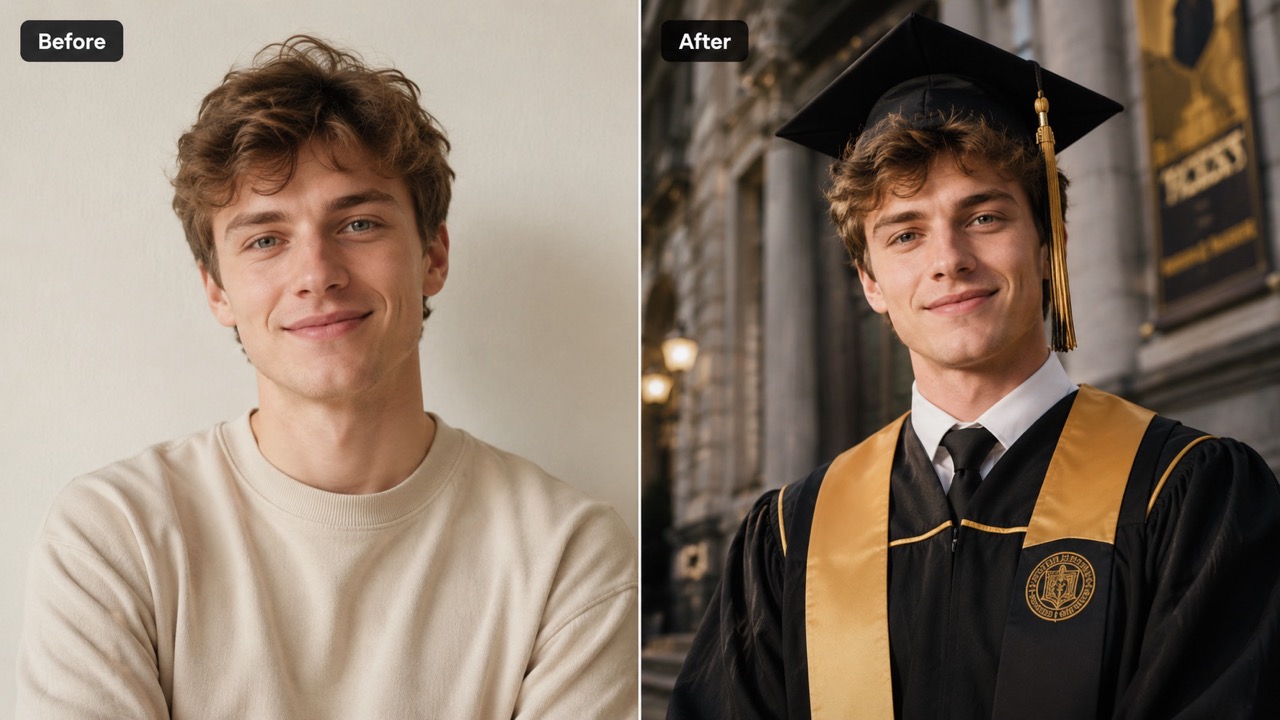
Create Photos for Announcements, Profiles, and Keepsakes
AI Graduation Photo Generator helps users create images for practical graduation needs. A Formal Portrait can work for a profile update, a Campus Lifestyle scene can feel relaxed for social media, a Ceremony Moment can support graduation announcements, and Magazine Style can create a more editorial memory. Because the background can come from the user, AI Graduation Portrait results feel less template-driven. You can make AI graduation photo with location meaning, create a custom background graduation photo for family sharing, or place yourself in any graduation scene that represents your achievement. Free Online Graduation Photo Generator users can start with a simple idea and turn it into a personal scene.
Who Can Use AI Graduation Photo Generator?
AI Graduation Photo Generator supports graduates, families, remote students, and creators who want AI Graduation Portrait images with a personal setting, clear academic style, and easy generation. AI Graduation Photo Generator keeps the path from upload to result straightforward.

Graduates Who Missed a Photoshoot
AI Graduation Photo Generator is helpful when a formal photoshoot never happened. Upload a clear portrait and a favorite school location to create a custom background graduation photo. This gives you a graduation memory without arranging a studio session, borrowing a gown, or returning to campus. AI Graduation Portrait results can help fill the gap for announcements, family albums, and personal milestones. AI Graduation Photo Generator keeps the output centered on the person and the selected setting.

Remote and International Students
Some students study online or live far away from campus. AI Graduation Photo Generator can help them create AI graduation photo with location inspiration from a campus image, hometown scene, or meaningful background. It allows users to place yourself in any graduation scene even when travel is difficult. AI Graduation Portrait output can still feel connected to the achievement. AI Graduation Photo Generator keeps the output centered on the person and the selected setting.

Families Creating Graduation Keepsakes
Families often want a photo that feels proud, warm, and shareable. AI Graduation Photo Generator can turn a simple person photo and background into a polished graduation keepsake. Parents can use a school gate, living room, garden, or ceremony-style image to create a custom background graduation photo. AI Graduation Portrait results are useful for framed memories, messages, and celebration posts. AI Graduation Photo Generator keeps the output centered on the person and the selected setting.

Creators Making Graduation Content
Creators can use AI Graduation Photo Generator to make graduation-themed visuals for posts, thumbnails, cards, and short-form content. The Photo Style options help shift the mood from formal to candid or editorial. With a background image, creators can make AI graduation photo with location context that supports a story, campaign, or announcement while keeping the subject central. AI Graduation Photo Generator keeps the output centered on the person and the selected setting.
What Users Say About AI Graduation Photo Generator
Users choose AI Graduation Photo Generator when they want AI Graduation Portrait results that combine academic clothing, meaningful background images, and an easy creative workflow. Free Online Graduation Photo Generator users often value this blend of speed and personalization.
I did not have time to book a graduation photographer, but I still wanted something that felt real. AI Graduation Photo Generator let me upload my portrait and a campus walkway. The result looked like a natural AI Graduation Portrait, and the custom background graduation photo made it feel connected to my school. AI Graduation Photo Generator felt simple to use.
I studied remotely and could not attend the ceremony in person. With AI Graduation Photo Generator, I used a background image from my university and chose Master with Blue Accent. It helped me place yourself in any graduation scene without traveling, and the AI graduation photo with location looked meaningful. AI Graduation Photo Generator felt simple to use.
I wanted a polished photo for my announcement card, not just a selfie. AI Graduation Photo Generator made the gown and background blend surprisingly well. I used Formal Portrait for one AI Graduation Portrait and Campus Lifestyle for another, so I had options for family and social media. AI Graduation Photo Generator felt simple to use.
Our family wanted a graduation image with my daughter standing near her favorite library. AI Graduation Photo Generator made that possible from two uploads. The custom background graduation photo felt personal, and Free Online Graduation Photo Generator wording helped me find exactly the kind of tool I needed. AI Graduation Photo Generator felt simple to use.

FAQs About AI Graduation Photo Generator
Find quick answers about uploads, styles, backgrounds, and AI Graduation Portrait creation with AI Graduation Photo Generator. AI Graduation Photo Generator keeps answers simple for new users.
Upload Photo 1 as the person reference and Photo 2 as the background reference. Then choose Degree Level, Gown Style, and Photo Style. AI Graduation Photo Generator creates the final graduation image from those inputs. AI Graduation Photo Generator keeps the process focused on the essential steps.
Use a clear portrait where the face is visible. For Photo 2, use a campus, classroom, school gate, library, ceremony hall, or any location that supports AI graduation photo with location results. AI Graduation Photo Generator works best when both photos are sharp and natural.
Yes. The second upload lets you create a custom background graduation photo. This is useful when you want to place yourself in any graduation scene instead of using a generic background. AI Graduation Photo Generator uses that image as the scene reference.
Bachelor creates a classic cap and gown look. Master adds a more formal academic hood style. PhD creates a distinguished doctoral look. AI Graduation Photo Generator uses your choice to guide the outfit. AI Graduation Photo Generator keeps the clothing choice understandable.
Yes. Photo Style options control the visual mood. Formal Portrait feels polished, Campus Lifestyle feels relaxed, Ceremony Moment feels celebratory, and Magazine Style feels editorial. AI Graduation Photo Generator applies the selected mood to the final image.
Free Online Graduation Photo Generator is commonly used by people looking for fast online creation. This page focuses on turning two uploaded images into AI Graduation Portrait results with a chosen academic style. Free Online Graduation Photo Generator visitors can use this idea to create a more personal graduation picture.
Create AI Graduation Portrait with AI Graduation Photo Generator
Use AI Graduation Photo Generator to upload a person photo and a background photo, choose an academic look, and create a custom background graduation photo for your next milestone. AI Graduation Photo Generator can help you create AI graduation photo with location details that matter.
