
More AI Image Generators
Explore our collection of specialized AI image generators designed for different creative needs and styles





















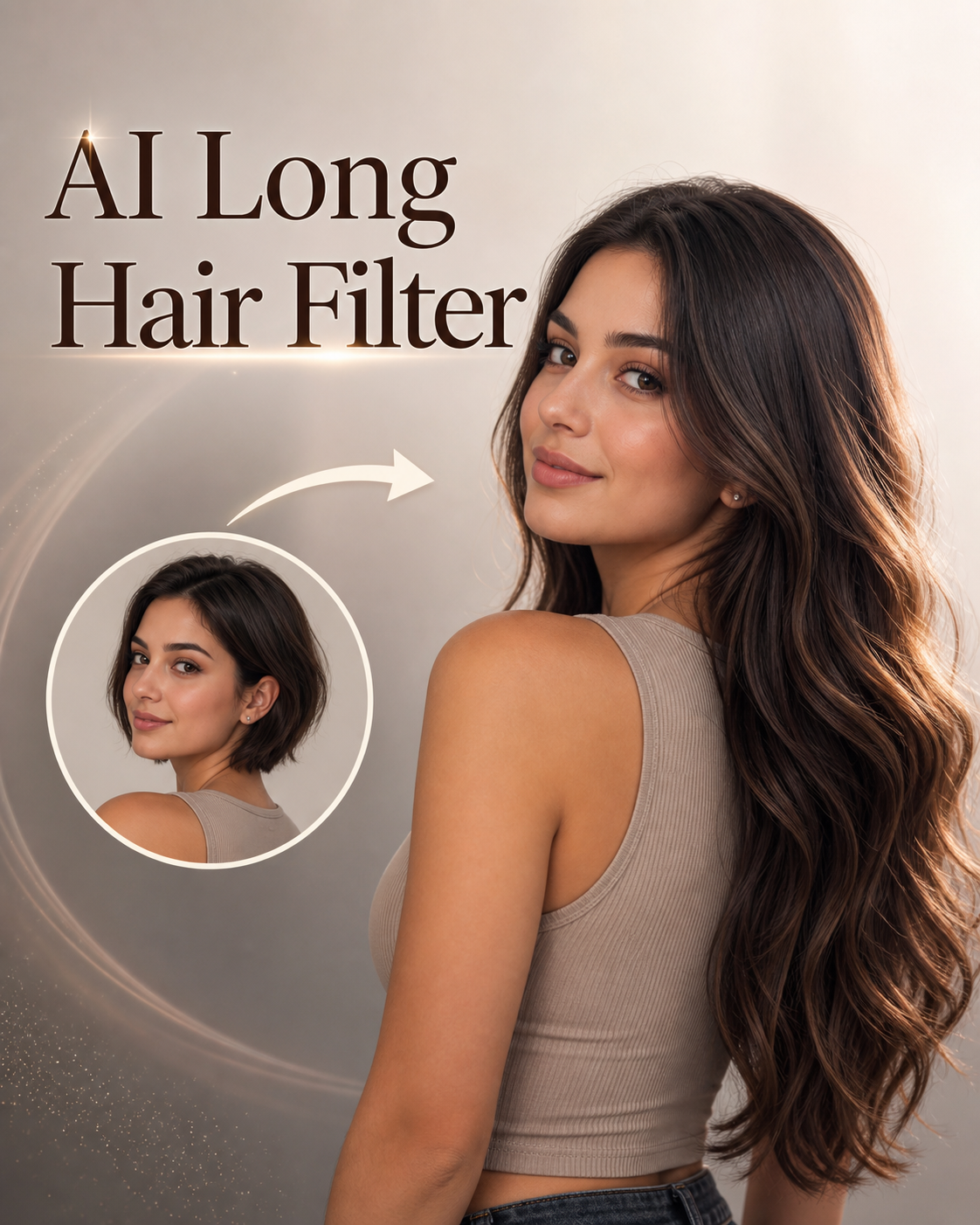
AI Long Hair Filter for Natural-looking Long Hair
Use AI Long Hair Filter to preview longer hair that follows your personal style direction.
AI Long Hair Filter turns one uploaded photo into a polished long-hair preview. Use AI Long Hair Filter to explore length, movement, layers, and color direction before changing your real hairstyle.
How to Use AI Long Hair Filter
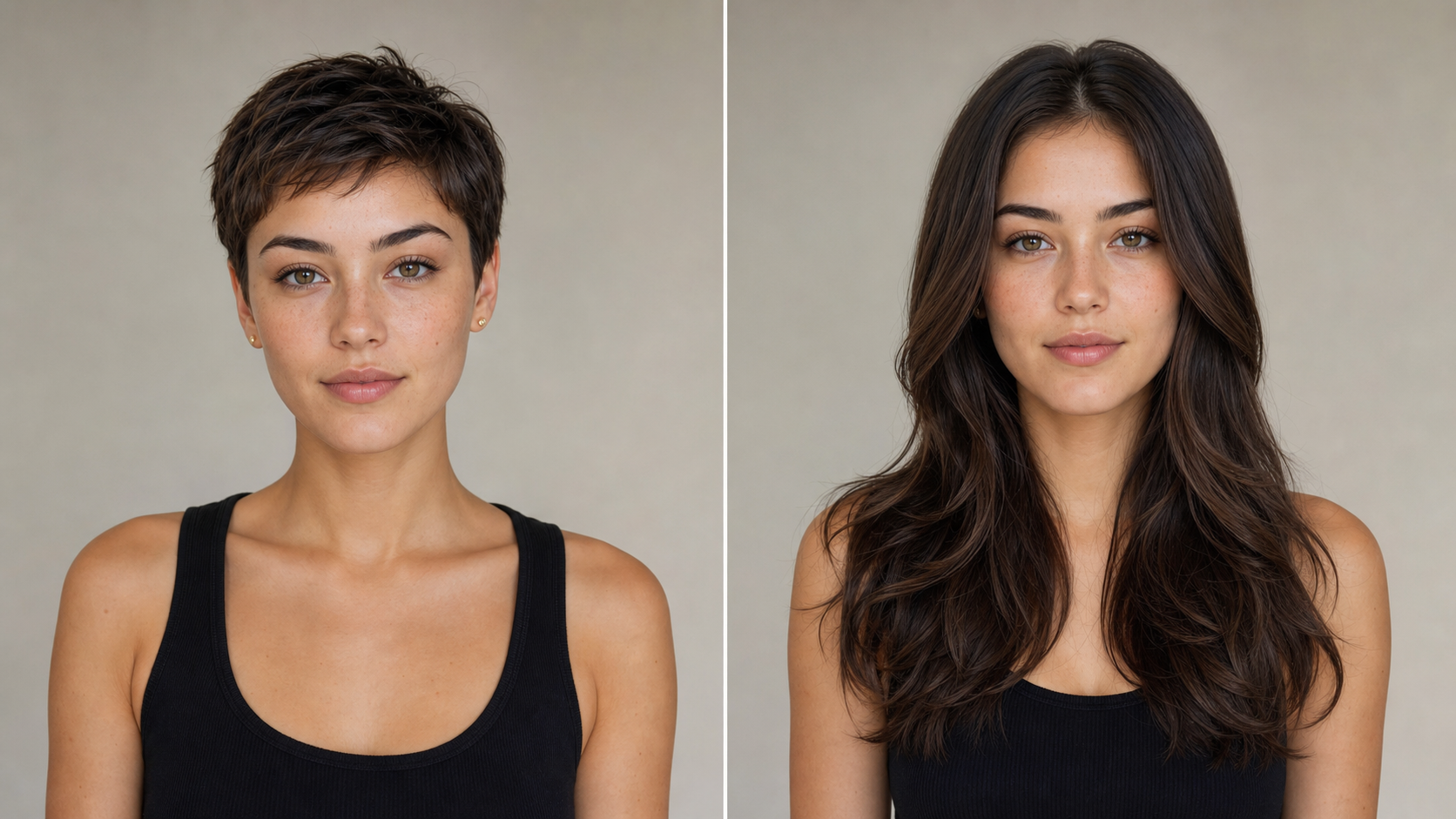
A workflow keeps the AI Long Hair Filter simple: upload a portrait, describe the long-hair direction, then review a generated image that keeps the person recognizable. AI Long Hair Filter keeps each step focused on a practical styling decision.

Upload a Clear Portrait
Start with a front-facing or lightly angled portrait where your face and current hairline are easy to read. The AI Long Hair Filter uses the photo as the visual foundation, while the Long Hair AI Filter keeps identity, pose, and expression consistent.

Choose the Long-Hair Direction
Guide the AI Long Hair Filter with a simple style goal, such as soft waves, sleek straight length, layered curls, or a natural shoulder-to-chest transformation. AI Long Hair Filter interprets length, texture, and volume without changing the core portrait.

Review the Generated Look
Compare the original portrait with the generated result and decide whether the style feels believable. AI Long Hair Filter works like a focused Long Hair Simulator, helping you evaluate longer hair before committing to a salon visit or content concept.
Best AI Image Tools for Creative Projects
Explore creative tools for image, learn tips and tricks, and see how AI can be your assistant in turning concepts into finished projects.










Features of AI Long Hair Filter
AI Long Hair Filter focuses on believable transformation, flexible style direction, and clear before-and-after evaluation for people who want longer hair previews from one uploaded photo for practical style planning.
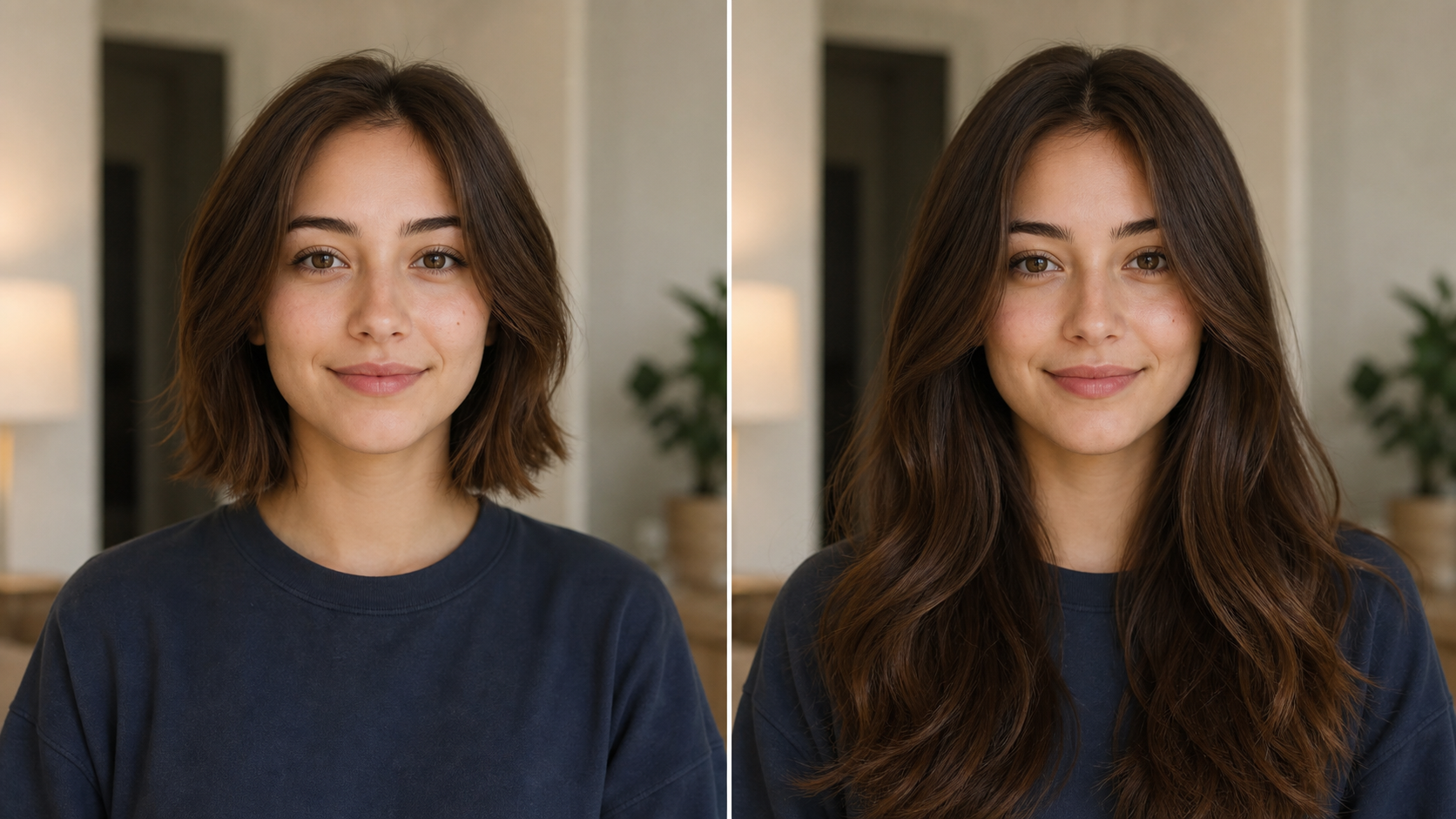
Preview Natural Length Before a Real Change
- Use AI Long Hair Filter when you want to see longer hair without waiting months or making a permanent decision.
- AI Long Hair Filter can extend short or medium hair into a natural shape that respects the original portrait.
- As a Long Hair Simulator, it helps compare length, balance, and face framing before you ask a stylist for a new direction.
- AI Long Hair Filter also helps separate a flattering long-hair idea from a style that only looks good in unrelated inspiration photos.
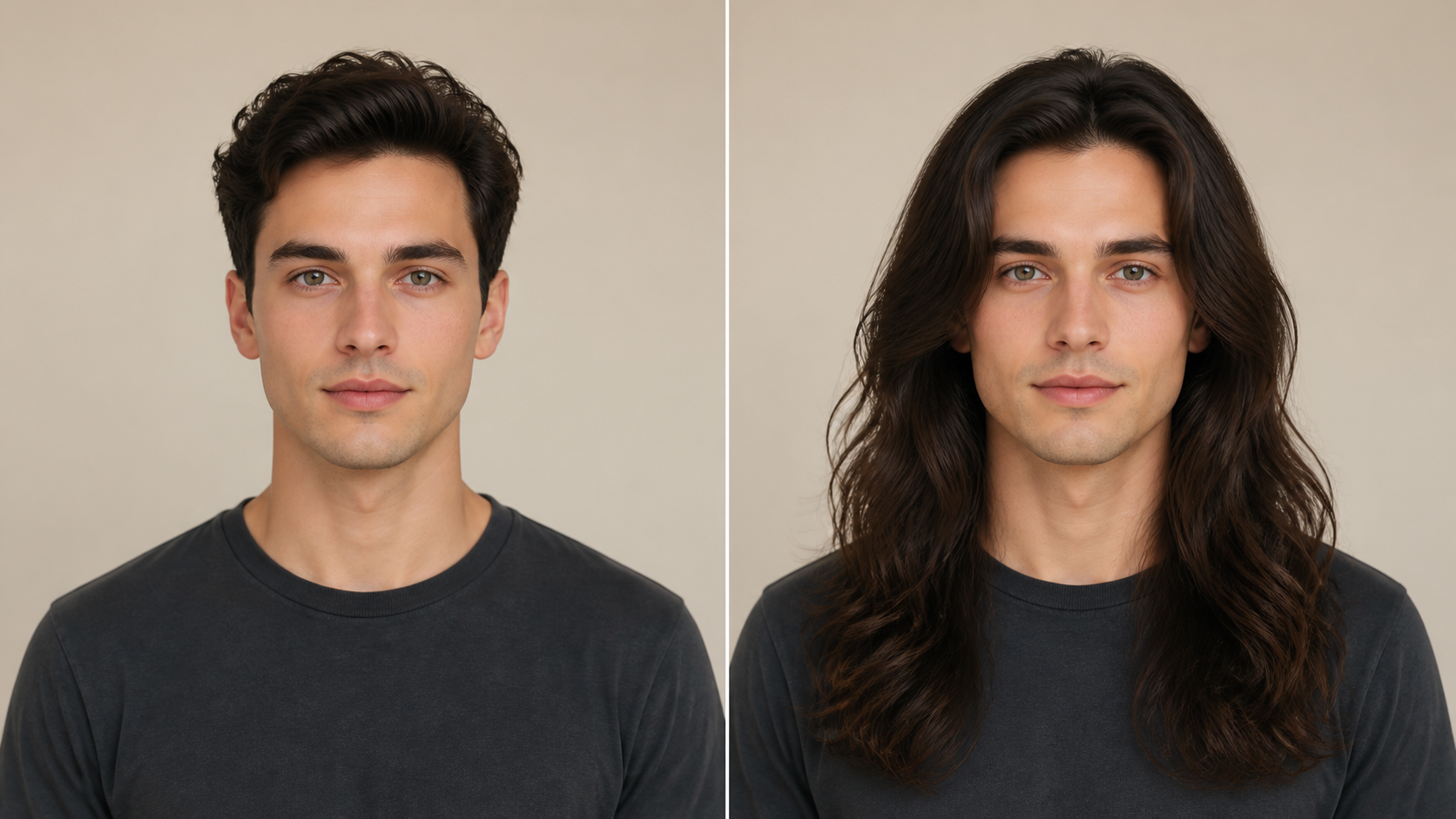
Explore Waves, Layers, Curls, and Straight Styles
- AI Long Hair Filter is useful for testing long styles that feel different in shape, texture, and movement.
- The Long Hair AI Filter focuses on matching the generated hair to the face angle, lighting, and personality of the original image instead of producing a generic makeover.
- AI Long Hair Filter makes those variations easier to compare because every result begins from the same source portrait.
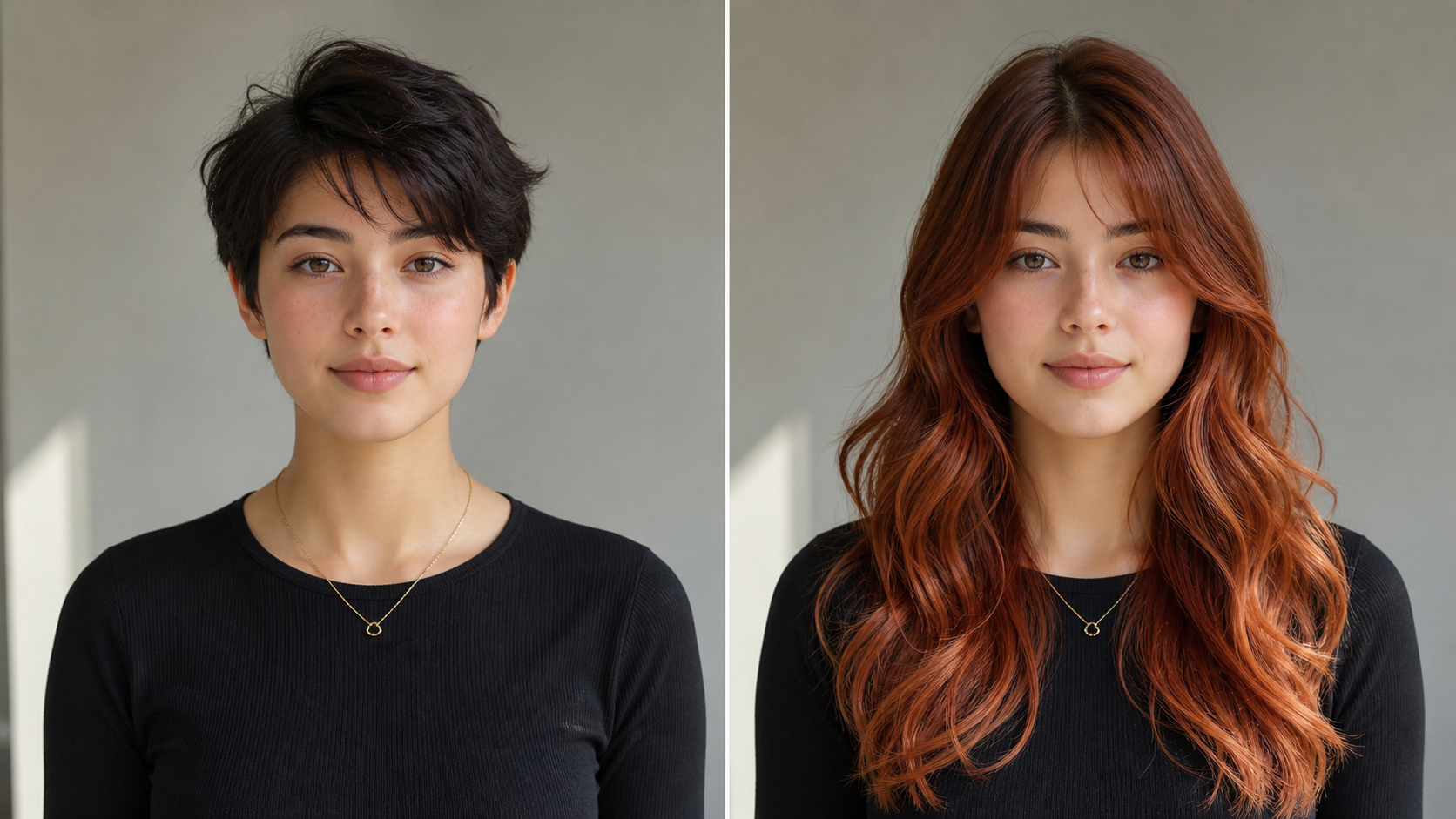
Test Color Direction Alongside Longer Hair
- Longer hair changes how color reads, especially around the face, shoulders, and highlights.
- Use the AI Long Hair Filter to preview brunette, blonde, black, red, or more expressive color directions when they fit your goal.
- AI Long Hair Filter keeps color changes secondary to the hairstyle, so the generated portrait still looks like the same person with a believable longer look.
- AI Long Hair Filter is strongest when color supports the style rather than competing with the person in the image.
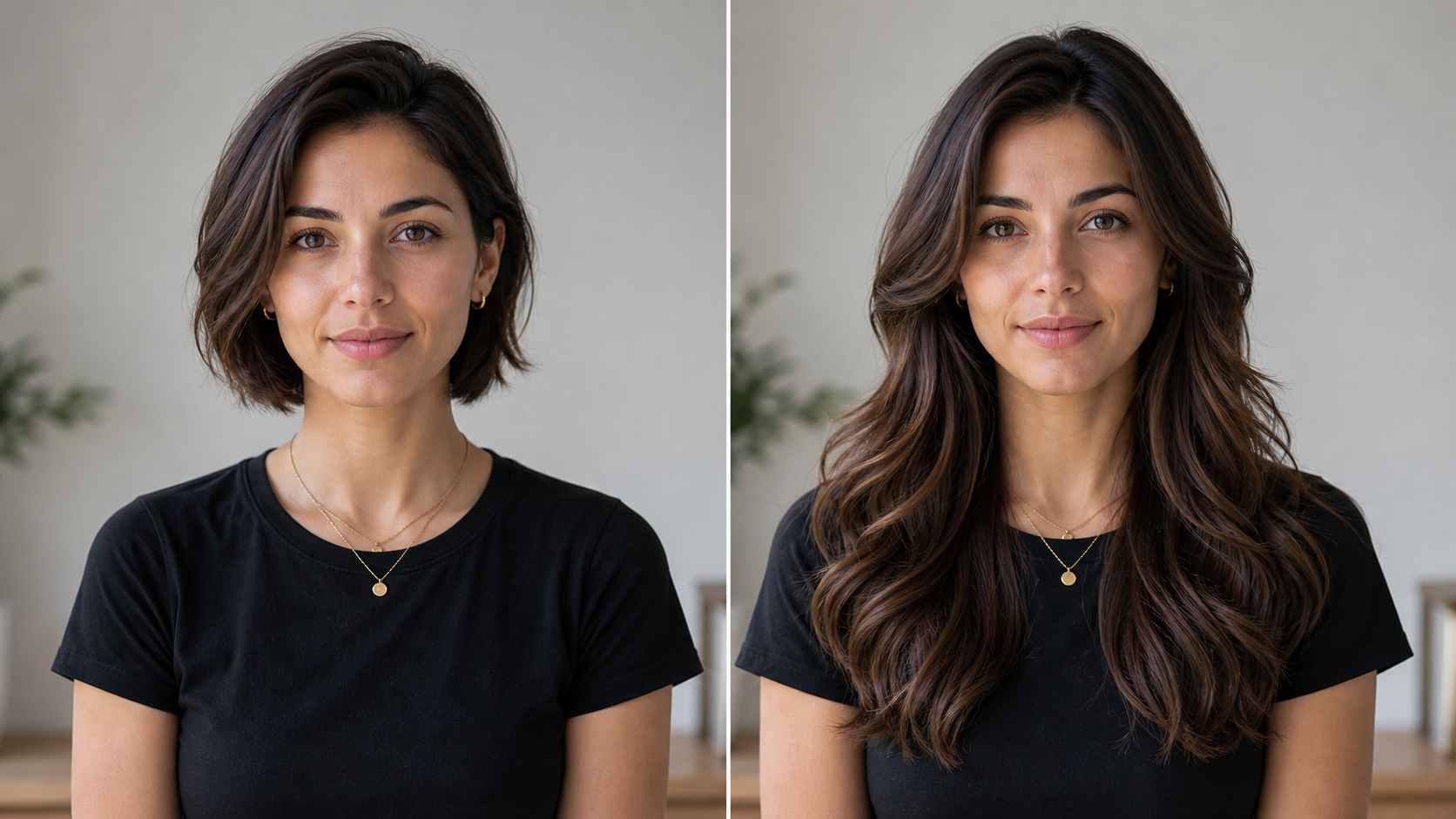
Create Better Hair References for Stylists and Content
- The AI Long Hair Filter creates a visual reference for salon consultations, creator portraits, profile experiments, and mood boards.
- Use the Long Hair Simulator to compare versions, then bring the strongest AI Long Hair Filter result into your planning conversation.
- The AI Long Hair Filter gives that conversation a concrete visual anchor instead of relying only on memory or verbal description.
Why Choose AI Long Hair Filter
AI Long Hair Filter is built for practical visual decisions: realistic previews, flexible long-hair direction, and useful references for personal style, salons, and creators across everyday decisions and consultations.

Personal Hairstyle Decisions
Use the AI Long Hair Filter before growing your hair out, adding extensions, or booking a major cut. AI Long Hair Filter helps you study how length changes your face framing, shoulder line, and overall mood, making the decision feel more concrete than a saved inspiration photo.
Salon Consultation References
Stylists and clients can use the AI Long Hair Filter as a visual conversation starter. Instead of describing vague length goals, bring a generated portrait that shows volume, layers, and texture. The Long Hair AI Filter output gives both sides a clearer starting point for what to refine. AI Long Hair Filter can also reveal whether a requested length needs softer framing or more controlled volume.

Creator Portrait Experiments
Creators can use the AI Long Hair Filter to test a new profile look, a themed photo set, or a transformation concept before shooting more content. AI Long Hair Filter keeps the focus on the person, so the long-hair result can guide styling, wardrobe, and creative direction.

Men and Women Exploring Longer Styles
AI Long Hair Filter is not limited to one gender or one aesthetic. It can help people explore surfer length, layered waves, sleek straight hair, softer curls, or a more dramatic change. The Long Hair AI Filter works best when the chosen direction matches the face and photo context. AI Long Hair Filter keeps the result grounded in the uploaded person, not a generic hairstyle catalog.

Color and Texture Mood Boards
Use the AI Long Hair Filter to build a mood board around length, texture, and color direction. A Long Hair Simulator result can show whether warm brunette layers, black glossy length, blonde highlights, or red waves feel aligned with the portrait before you collect more references.

Low-Risk Style Exploration
AI Long Hair Filter gives you room to experiment without changing your actual hair. Try one direction, compare it with another, and keep only the result that feels natural. AI Long Hair Filter is especially useful when you want confidence before a visible style shift.
What Users Say About AI Long Hair Filter
People use the AI Long Hair Filter to make hairstyle decisions clearer, prepare better salon references, and test long-hair ideas before changing their real look in everyday personal style planning.
I was debating extensions, but AI Long Hair Filter helped me see that softer layers suited me better than a blunt length. I used the preview at my consultation and the conversation was much easier.
I had short hair for years and wanted to know whether a longer look would fit my face. AI Long Hair Filter gave me a realistic direction without turning the portrait into someone else.
Long Hair AI Filter was useful for client prep. Instead of scrolling through unrelated inspiration photos, we started from her actual face and used the generated long-hair image as a reference. AI Long Hair Filter made the goal easier to explain.
AI Long Hair Filter helped me compare waves, straight hair, and more volume for a campaign mood board. It was easier to plan wardrobe once the hairstyle direction looked believable.
I liked using the Long Hair Simulator because it showed the difference between shoulder length and chest length on my own photo. The result made the next salon appointment feel less uncertain.
AI Long Hair Filter gave me a practical preview before trying a dramatic change. I could see how longer hair affected my face shape, not just how it looked on a model.

FAQs About AI Long Hair Filter
These answers explain how AI Long Hair Filter works, what photos produce stronger results, and how to guide long-hair previews with practical style descriptions before generating each new result.
AI Long Hair Filter is an image-editing tool that takes an uploaded portrait and generates a corresponding long-hair version. It studies the source image, then adds longer hair that fits the face angle, lighting, and intended style. The goal is not to replace the person, but to preview how longer hair could look on the same person. That keeps the preview practical.
For best results, use a clear portrait where the face, hairline, and shoulders are visible. AI Long Hair Filter can work with short or medium hair as a starting point, but a cleaner image gives the model more context. Avoid heavy obstructions over the head when possible, because hats, hands, or dense shadows can make the long-hair direction harder to interpret.
Yes. The Long Hair AI Filter can support a range of long-hair directions, including straight, wavy, curly, layered, and softer face-framing looks. You can guide the output by describing the style you want in plain language. A focused prompt usually works better than a long list of competing ideas, especially when you want a natural portrait result. AI Long Hair Filter is easier to judge when each version changes one main style variable.
AI Long Hair Filter can be used by men, women, and anyone exploring a longer hairstyle. The most important factor is the photo, not gender. A good Long Hair Simulator should adapt length, texture, and volume to the person in the image, whether the target look is subtle shoulder length, loose waves, or a more dramatic style shift. Clear lighting improves the preview.
You can include color direction when it supports the hairstyle idea. AI Long Hair Filter can preview natural shades like brunette, black, blonde, or red, as well as more expressive color concepts when appropriate. Keep the color request simple, because the primary transformation is longer hair that still belongs in the original portrait. This keeps the edited result easier to compare.
A Long Hair Simulator is useful before a salon visit because it turns an abstract idea into a visual reference. You can compare length, volume, layers, and face framing on your own photo, then discuss what is realistic with a stylist. The image should guide the conversation, while the final haircut still depends on your real hair type and maintenance goals. AI Long Hair Filter helps make that conversation specific.
AI Long Hair Filter is designed to preserve identity while changing hairstyle length. It should keep recognizable facial features, expression, pose, clothing, and the general scene intact. The generated hair may still vary between attempts, so review the result carefully and refine your style direction if the volume, texture, or hairline does not feel natural. Small prompt changes can improve realism.
A strong prompt for the Long Hair AI Filter names the length, texture, and color in simple terms. Try phrases such as chest-length soft waves, sleek dark brown straight hair, or layered long curls. Avoid asking for too many changes at once. AI Long Hair Filter usually performs best when the hairstyle request is specific but not overloaded. That helps keep the preview coherent.
Try Longer Hair Before You Commit
Upload a portrait and let the AI Long Hair Filter generate a believable long-hair preview. Use the AI Long Hair Filter to compare style direction, face framing, texture, and color before your next change.
