
Type what you want to remove. e.g. text on wall, trash can, bag on chair.
More AI Image Generators
Explore our collection of specialized AI image generators designed for different creative needs and styles
























Remove Unwanted Details Fast with AI Magic Eraser
Upload any photo, describe what to erase, and let BananaPro AI clean the image in seconds with a precise AI magic eraser workflow.
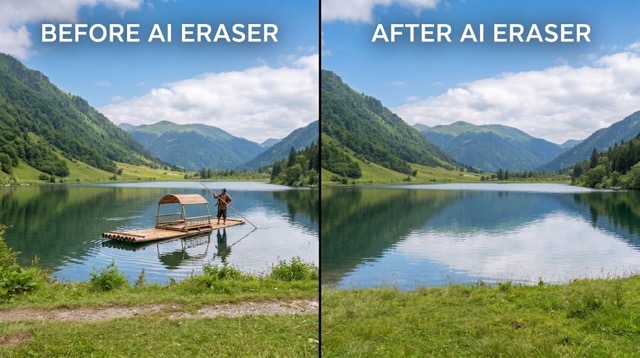
BananaPro AI gives you a fast and simple AI magic eraser experience for daily photo cleanup. Upload any image, type what you want gone, and let AI magic eraser remove object from image areas with natural background repair. Whether you want to remove people from pictures, erase text, delete distractions, or clean product shots, this AI magic eraser helps you remove object from image content without complex editing.
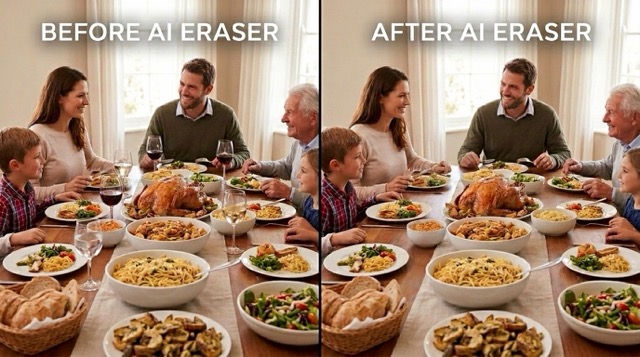
How to Use Our AI Magic Eraser
BananaPro AI keeps the workflow simple. You do not need Photoshop skills to use our AI magic eraser. Just upload, describe, and generate when you want to remove object from image distractions or remove people from pictures.

Upload Any Photo
Start by uploading a portrait, travel photo, product image, real estate shot, or social post. Our AI magic eraser supports everyday edits when you need to remove object from image content quickly.

Describe What to Remove
Type a short instruction such as remove the text on the wall, remove the car, or remove the tourist in the background. This AI magic eraser is built for prompt based editing, so you can remove object from image elements or remove people from pictures with simple words.

Generate and Download
Click generate and let AI magic eraser rebuild the cleared area naturally. In seconds you get a cleaner photo that helps you remove object from image clutter and remove people from pictures without manual masking.
Best AI Image Tools for Creative Projects
Explore creative tools for image, learn tips and tricks, and see how AI can be your assistant in turning concepts into finished projects.









Features of Our AI Magic Eraser
BananaPro AI is designed for flexible cleanup across many editing needs. From text cleanup to travel retouching, our AI magic eraser helps users remove object from image issues and remove people from pictures with prompt driven control.
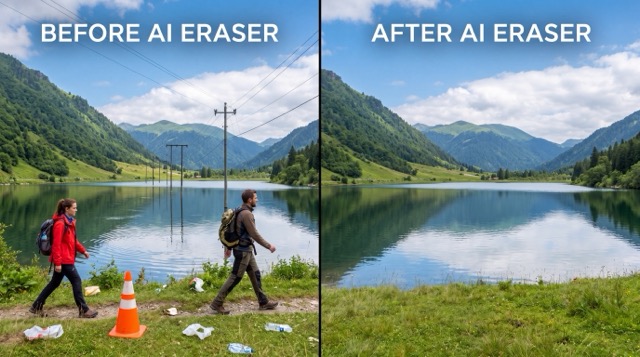
Erase Text, Logos, and Watermarks
- Use AI magic eraser to clean text overlays, logos, captions, and visual noise from photos.
- This prompt based tool helps you remove object from image details while preserving lighting and texture.
- If you need a cleaner ad creative, product shot, or social post, AI magic eraser makes it easy to remove object from image elements without rough patches.
- It is also useful when you want to remove people from pictures indirectly by cleaning signs, tags, or distractions around the subject.
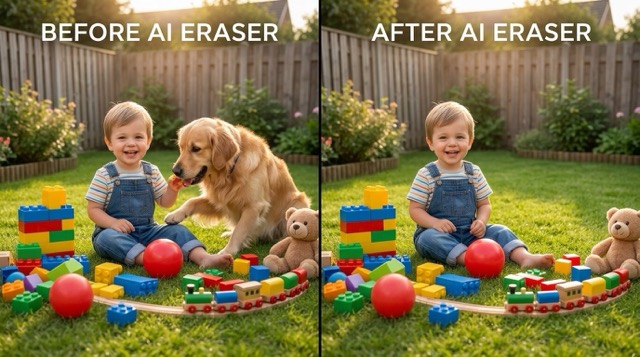
Remove Unwanted People from Travel Photos
- Crowded backgrounds can ruin a perfect shot, but AI magic eraser helps you fix that fast.
- Type a simple instruction and remove people from pictures taken at beaches, streets, landmarks, or cafes.
- The model can also remove object from image distractions like bags, chairs, signs, or parked bikes.
- With AI magic eraser, you can remove people from pictures and keep the final scene natural instead of obviously edited.
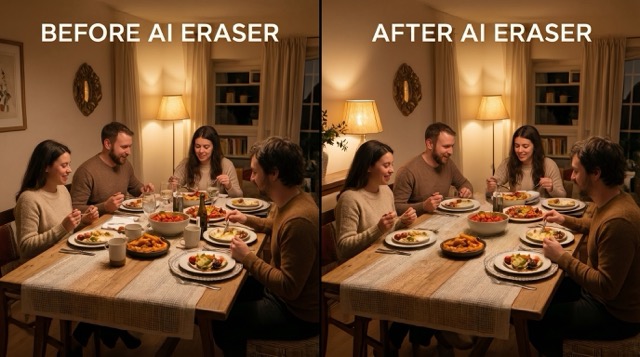
Clean Product and Ecommerce Images
- Sellers use AI magic eraser to remove cords, tags, table clutter, reflections, and background mess.
- If you want to remove object from image details that distract from the product, this tool keeps the focus on the item.
- AI magic eraser is useful for marketplaces, ads, mockups, and Shopify listings where clean presentation matters.
- You can also remove people from pictures if a hand, passerby, or background figure appears in a product lifestyle shot.
Fix Portraits and Real Estate Photos
- Our AI magic eraser helps you clean portraits by removing background clutter, stray items, and random passersby.
- Real estate creators use it to remove object from image problems like bins, wires, parked cars, or wall text.
- Portrait users often remove people from pictures when someone appears behind the main subject.
- With AI magic eraser, you can remove object from image distractions and remove people from pictures while keeping the scene realistic.
Why Choose Our AI Magic Eraser
BananaPro AI focuses on speed, clarity, and realistic cleanup. These six reasons explain why users rely on our AI magic eraser when they need to remove object from image elements or remove people from pictures.

Prompt Based Removal That Feels Natural
You do not need brushes or complex selection tools. Just describe what should disappear and let AI magic eraser handle the cleanup. This is ideal when you want to remove object from image areas fast.

Works for Text, Objects, and Background Clutter
From shop signs to cups, cables, trash cans, and wall text, AI magic eraser supports many common cleanup tasks. It helps users remove object from image distractions across portraits, travel shots, and indoor photos.

Built to Remove People from Pictures
Tourists, strangers, ex partners, or random passersby can ruin composition. Our AI magic eraser makes it much easier to remove people from pictures while keeping the environment believable.

Cleaner Images for Social Media and Ads
Use AI magic eraser before posting to Instagram, TikTok, Etsy, or marketplaces. The tool helps you remove object from image clutter so the subject looks cleaner and more professional.

Fast Editing Without Manual Retouching
Manual editing takes time, but AI magic eraser shortens the process. If you frequently remove people from pictures or need to remove object from image details in batches, this workflow is much easier.

Preserves the Original Look of the Photo
A strong AI magic eraser should not redesign the whole image. BananaPro AI focuses on seamless cleanup so you can remove object from image areas and remove people from pictures without changing the full scene.
What Users Say About Our AI Magic Eraser
Creators, sellers, and photographers use BananaPro AI magic eraser for daily editing tasks. These reviews show how people use it to remove object from image distractions and remove people from pictures more efficiently.
I used BananaPro AI magic eraser to clean my vacation photos and it worked far better than I expected. I could remove people from pictures near famous landmarks and still keep the background looking natural.
Our store team uses this AI magic eraser to remove object from image distractions like labels, cables, and table clutter. It makes product photos look cleaner without needing a full reshoot.
I needed to remove people from pictures from an open house shoot, and this AI magic eraser saved me a lot of editing time. The repaired background looked smooth and consistent.
What I like most is that AI magic eraser follows simple prompts. I can type exactly what I want to remove object from image areas and get a clean result without drawing masks by hand.
I often remove people from pictures before posting outfit photos online. This AI magic eraser helps me keep attention on the subject instead of random strangers in the frame.
BananaPro AI magic eraser is one of the easiest tools I have used for quick cleanup. When I need to remove object from image clutter or erase text from a wall, it gives me usable results very fast.





Frequently Asked Questions About AI Magic Eraser
Here are common questions about how BananaPro AI magic eraser works. Learn when to use it, how to remove object from image distractions, and how to remove people from pictures more naturally.
AI magic eraser is an image editing tool that removes unwanted visual elements from a photo based on your prompt. It can remove object from image areas such as text, signs, products, clutter, or background items. It can also remove people from pictures when someone is distracting from the main subject.
Yes. Our AI magic eraser can clean text, logos, labels, and similar overlays from many image types. If you want to remove object from image content like wall text, packaging labels, or watermark style elements, just describe the area clearly.
Yes. One of the most common uses of AI magic eraser is to remove people from pictures taken in crowded places. You can type instructions like remove the person in the background or remove the tourist on the left, and the model will try to rebuild the scene naturally.
You can use AI magic eraser to remove object from image elements such as cups, chairs, bags, vehicles, signs, wires, trash cans, reflections, and other distractions. Results are usually best when the object is clearly visible and the surrounding area is not too complex.
A good AI magic eraser should focus only on the requested cleanup. BananaPro AI is designed to preserve the original scene while repairing the removed area naturally. That means you can remove object from image clutter or remove people from pictures without redesigning everything else.
Manual retouching can be slow, especially if you often remove people from pictures or need to remove object from image details for ecommerce, social media, or travel content. AI magic eraser speeds up the process with simple prompt based editing and much less effort.
Clean Up Your Photos with AI Magic Eraser
Upload any photo, type what you want removed, and let BananaPro AI magic eraser handle the cleanup. It is a fast way to remove object from image distractions and remove people from pictures without complex editing.
