
More AI Image Generators
Explore our collection of specialized AI image generators designed for different creative needs and styles



















AI PS2 Filter: Turn Photos into Retro Game Characters
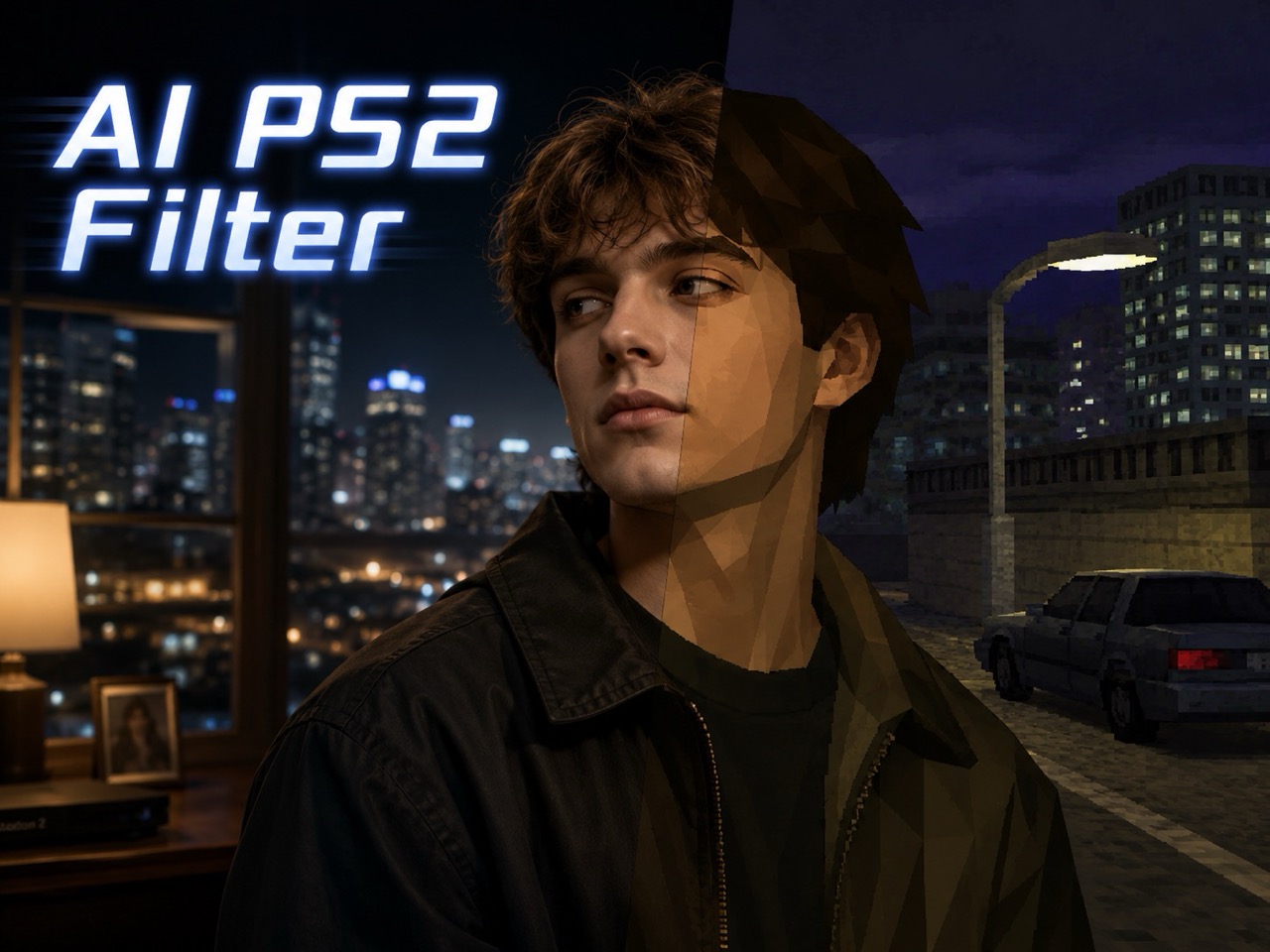
Upload a photo and use AI PS2 filter to create a nostalgic PlayStation 2 style game image with low-poly shapes, classic textures, and a retro console mood.
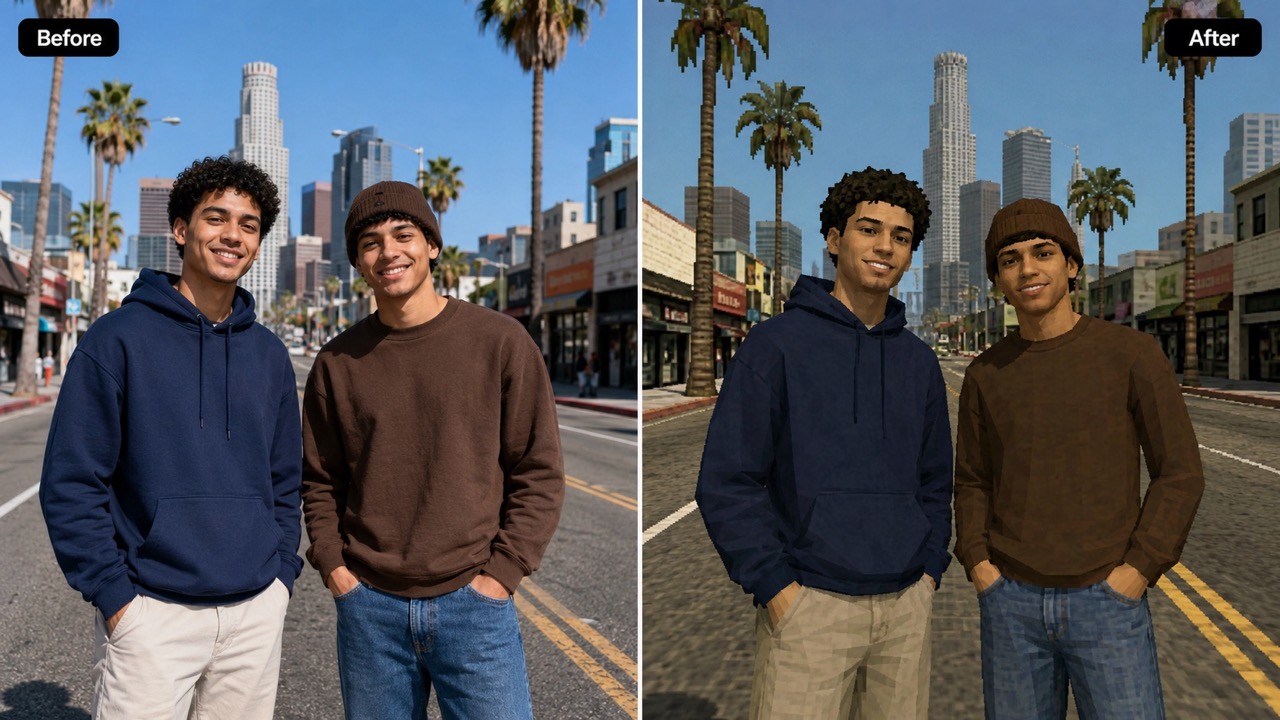
AI PS2 filter turns everyday images into early-2000s game scenes without requiring a written prompt. Use AI PS2 filter as a PS2 photo filter for selfies, pets, portraits, rooms, objects, or group shots, while keeping the original subject recognizable and giving the final image a nostalgic console identity. AI PS2 filter gives the page a clear purpose: create a game-like version of the user’s own image, not a generic fantasy illustration.
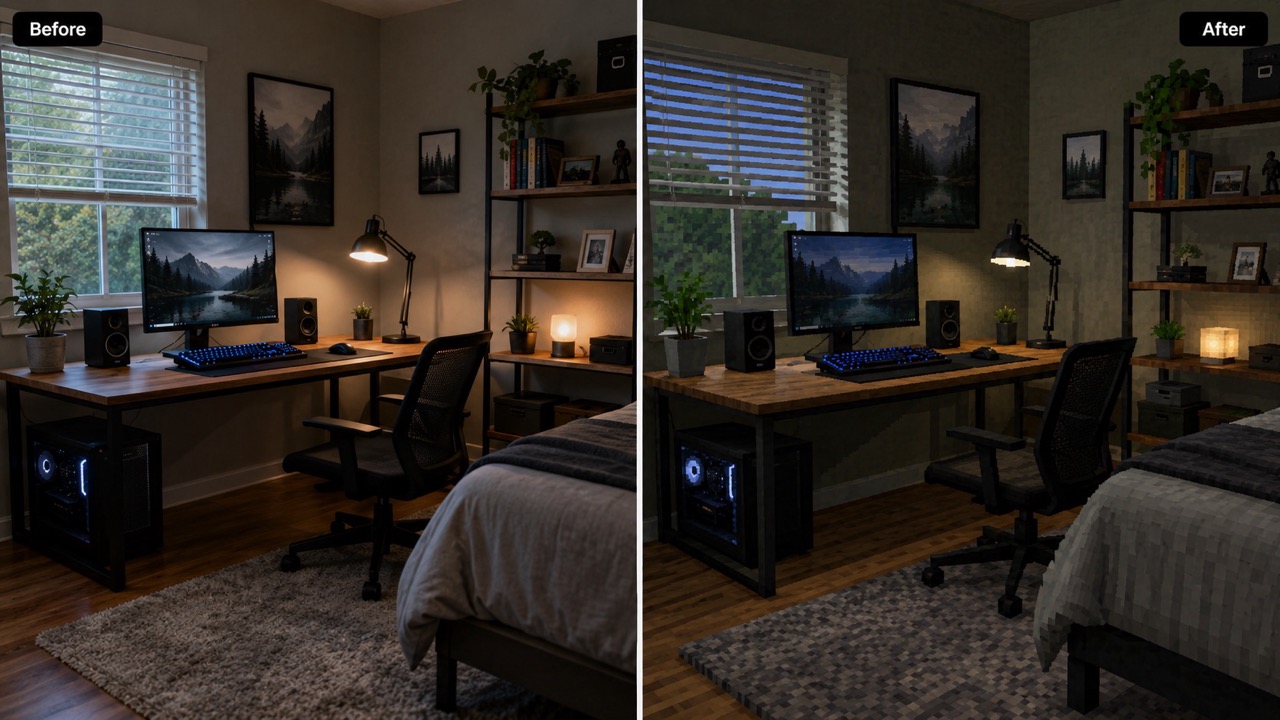
How to Use AI PS2 Filter in 3 Steps
AI PS2 filter is built for a simple flow: upload image, keep or select the visual format, then generate. The PS2 photo filter handles the retro game transformation for you, while AI PS2 filter keeps the experience focused on speed and visual impact. With AI PS2 filter, the main promise is simple: upload, generate, and get a retro result.

Upload Your Reference Image
Start AI PS2 filter by uploading a clear reference image. Drag and drop a JPG or PNG, click to select an image, or choose one from your asset library. This PS2 photo filter works best when the subject is visible, well framed, and not hidden by heavy blur, because AI PS2 filter uses the uploaded image as the main creative guide.

Keep Auto Settings or Choose a Format
Before generation, keep Auto image size or choose a format that fits your post, avatar, thumbnail, or creative scene. AI PS2 filter reads your reference image and prepares a retro transformation, so you do not need to write a prompt or edit manually. AI PS2 filter is designed for users who want quick, guided results.

Click Generate Image
Click Generate Image and let AI PS2 filter convert image to PS2 effect. In a few moments, your upload becomes a nostalgic game-style result with low-poly structure, muted texture details, and a playful PS2-era atmosphere. AI PS2 filter completes the process from upload to generation with one clear action.
Best AI Image Tools for Creative Projects
Explore creative tools for image, learn tips and tricks, and see how AI can be your assistant in turning concepts into finished projects.











What AI PS2 Filter Does for Your Photos
AI PS2 filter helps transform ordinary uploads into nostalgic gaming visuals. The PS2 photo filter focuses on character, mood, and retro storytelling instead of generic image enhancement. AI PS2 filter is useful when the uploaded image already has a story, pose, or object worth reimagining.
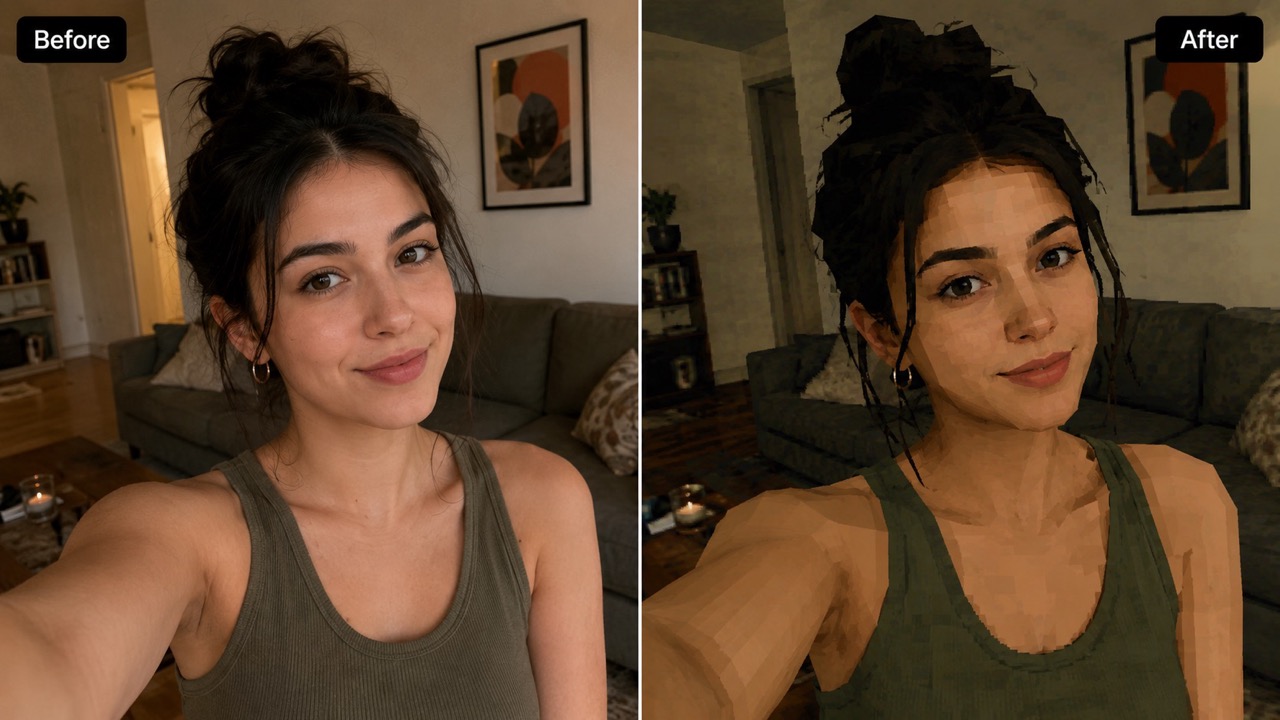
Turn a Selfie into a Playable Retro Character
AI PS2 filter is ideal when you want photo to PS2 character results that feel like a real early-2000s game screenshot. Instead of adding a flat overlay, this PS2 photo filter reshapes the portrait into simplified 3D geometry, keeps facial identity, and adds nostalgic texture limits. Use AI PS2 filter to turn photo into PS2 character for profile images, reaction posts, or character concepts. You can also create PS2 game character from photo when you need a retro avatar that still looks like the person in the original image. AI PS2 filter also supports photo to PS2 character results for users who want a recognizable gaming persona.
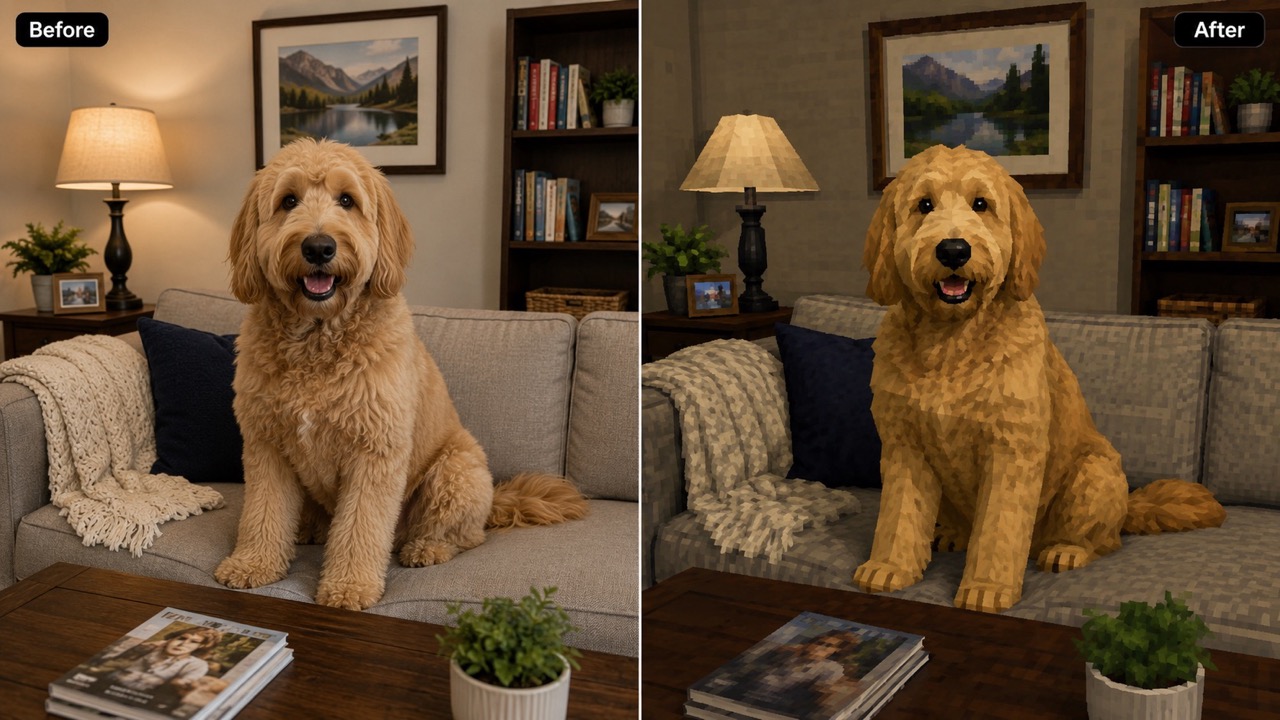
Recreate the Low-Poly Console Mood
AI PS2 filter gives photos the feeling of a classic console world: visible polygon edges, compressed texture character, subdued lighting, and a slightly analog softness. This PS2 photo filter can convert image to PS2 effect without making the picture look like anime, modern CGI, or a polished cartoon. It is useful for creators who want a believable retro game scene, not just a random vintage color grade. Use AI PS2 filter when the goal is nostalgia, identity, and a game-ready look in one image. AI PS2 filter helps the image feel intentionally old-school. AI PS2 filter is especially useful when a creator wants retro charm without losing the original composition.
Make Shareable Images from People, Pets, and Scenes
AI PS2 filter is not limited to selfies. Use AI PS2 filter as a PS2 photo filter for pets, street shots, bedroom setups, cars, products, or group pictures. The result can turn photo into PS2 character, create PS2 game character from photo, or convert image to PS2 effect depending on the subject. For social posts, memes, mood boards, and nostalgic edits, AI PS2 filter helps you create a visual that feels personal, funny, and instantly recognizable as retro game culture. AI PS2 filter also makes it easy to build a themed set of images around the same retro world.
Who Uses AI PS2 Filter?
AI PS2 filter works for creators, casual users, gamers, and anyone who wants a PS2 photo filter that turns personal photos into retro game-inspired visuals. AI PS2 filter is especially helpful when you want a shareable image with personality.

Selfie and Avatar Creators
AI PS2 filter helps users create a standout avatar from an ordinary selfie. Use photo to PS2 character when you want a playful identity image for profiles, group chats, gaming handles, or social bios. This PS2 photo filter keeps the face recognizable while adding a low-poly retro game look. AI PS2 filter is a quick way to turn photo into PS2 character without learning editing tools or writing complex prompts. For anyone testing a new online identity, AI PS2 filter makes the experiment feel easy and entertaining.

Social Media and Meme Posts
AI PS2 filter fits viral nostalgia content because the result is instantly readable. A regular portrait can become a fake game screenshot, a pet can become a side character, and a room can become a retro level. Use the PS2 photo filter to convert image to PS2 effect for TikTok covers, Instagram stories, comment reactions, and meme formats that need a strong visual hook. AI PS2 filter gives each post a clear retro theme. Because AI PS2 filter produces a recognizable style, viewers understand the joke or trend immediately.

Character Concept Exploration
Artists, writers, role players, and indie game fans can use AI PS2 filter for quick concept direction. Upload a person, costume, or object and create PS2 game character from photo as a reference for mood, silhouette, and retro design language. The PS2 photo filter is useful when you want early-3D inspiration before developing a full character sheet or scene. AI PS2 filter helps ideas become visible fast. With AI PS2 filter, rough visual exploration becomes faster, clearer, and more fun.

Nostalgic Personal Projects
AI PS2 filter is perfect for birthdays, throwback edits, fan-made posters, and playful photo albums. You can use photo to PS2 character for a friend, turn photo into PS2 character for a funny card, convert image to PS2 effect for an old vacation picture, or create PS2 game character from photo for a custom gift idea. AI PS2 filter keeps the reference image as the creative foundation. AI PS2 filter adds nostalgia without needing props, costumes, or manual retouching.
What Users Say About AI PS2 Filter
Users choose AI PS2 filter when they want a fast, recognizable PS2 photo filter for avatars, memes, concept art, and nostalgic visual storytelling. AI PS2 filter is popular because it turns personal references into playful retro scenes.
AI PS2 filter made my selfie look like a character from an old console game, but it still looked like me. I used photo to PS2 character for my profile picture and friends immediately asked how I made it. The PS2 photo filter captured the low-poly mood without ruining my expression. AI PS2 filter made the image feel funny, nostalgic, and personal. I would use AI PS2 filter again for any playful profile image.
I wanted to create PS2 game character from photo for a tabletop campaign. AI PS2 filter gave me the exact nostalgic look I imagined. The textures felt old-school, the face stayed recognizable, and the result was better than a normal retro preset. AI PS2 filter helped me show the character idea quickly. AI PS2 filter saved time during planning and made the campaign feel more visual.
I used AI PS2 filter on a picture of my dog and it looked like a companion character from a retro adventure game. This PS2 photo filter is fun because it can convert image to PS2 effect without making everything look fake or overdone. AI PS2 filter worked surprisingly well on a pet photo. It gave me a result I could post immediately.
I needed a fast visual for a nostalgic video thumbnail. AI PS2 filter helped me turn photo into PS2 character in minutes. The result had that chunky early-3D style, and the PS2 photo filter made the thumbnail feel much more clickable. AI PS2 filter gave the image a clear theme right away. I liked that it did not feel like a generic filter.
AI PS2 Filter FAQ
Quick answers about AI PS2 filter, PS2 photo filter results, upload quality, subject types, and the best ways to create a retro game image. AI PS2 filter is easiest to understand as a creative photo transformation for retro gaming style.
AI PS2 filter turns uploaded photos into nostalgic PlayStation 2 style visuals with low-poly shapes, compressed textures, and early-2000s game atmosphere.
Upload a clear image, keep or choose the image format, then click Generate Image. AI PS2 filter and the PS2 photo filter handle the retro transformation automatically.
Yes. AI PS2 filter can turn photo into PS2 character while keeping the original person recognizable, depending on image clarity.
Yes. You can use AI PS2 filter for pets, objects, rooms, products, vehicles, landscapes, and group photos, not only portraits.
Use a clear image with the main subject visible. Good framing helps AI PS2 filter create PS2 game character from photo with better identity and shape.
Yes. The PS2 photo filter can convert image to PS2 effect for avatars, thumbnails, memes, social posts, and creative projects.
Create Your Retro Game Look with AI PS2 Filter
Upload your image, click generate, and let AI PS2 filter turn your photo into a nostalgic PS2-style game visual. Try the PS2 photo filter now and create a retro character, scene, or avatar with a look that feels straight from the early 2000s. AI PS2 filter is made for fast experiments, memorable avatars, and nostalgic content.
