
More AI Image Generators
Explore our collection of specialized AI image generators designed for different creative needs and styles


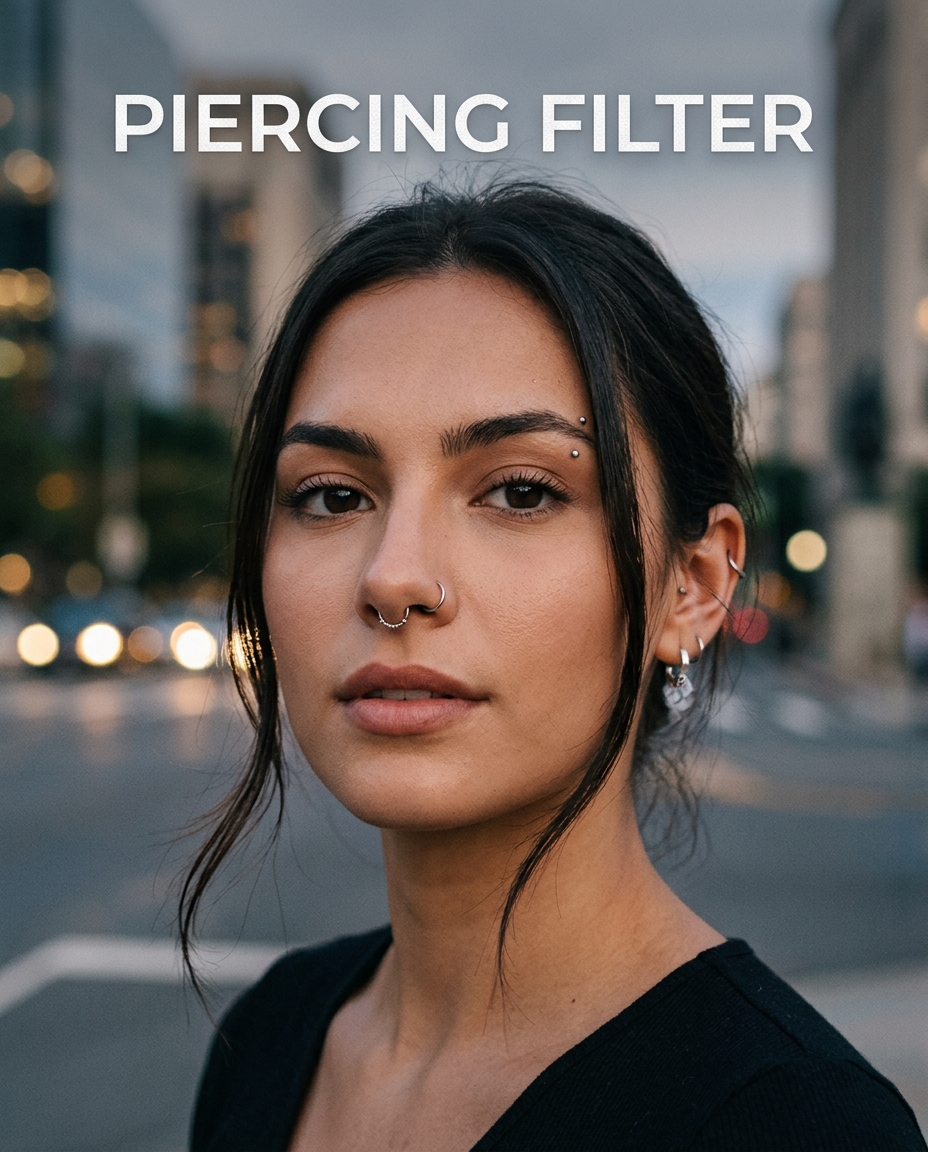
Virtual Piercing Try On with Nose Piercing Filter
Preview a realistic nose piercing on your photo before changing your look.
Piercing Filter helps you add a suitable nose piercing to a portrait with a clean, natural result. Let Piercing Filter place a stud, hoop, or subtle nose detail that fits the angle, lighting, skin tone, and personal style.

How to Use Piercing Filter
Piercing Filter is designed for quick visual testing. You do not need editing skills, manual masking, or jewelry overlays. Upload your image, pick the size, and generate a realistic nose piercing preview in a few simple steps.

Upload a Clear Portrait
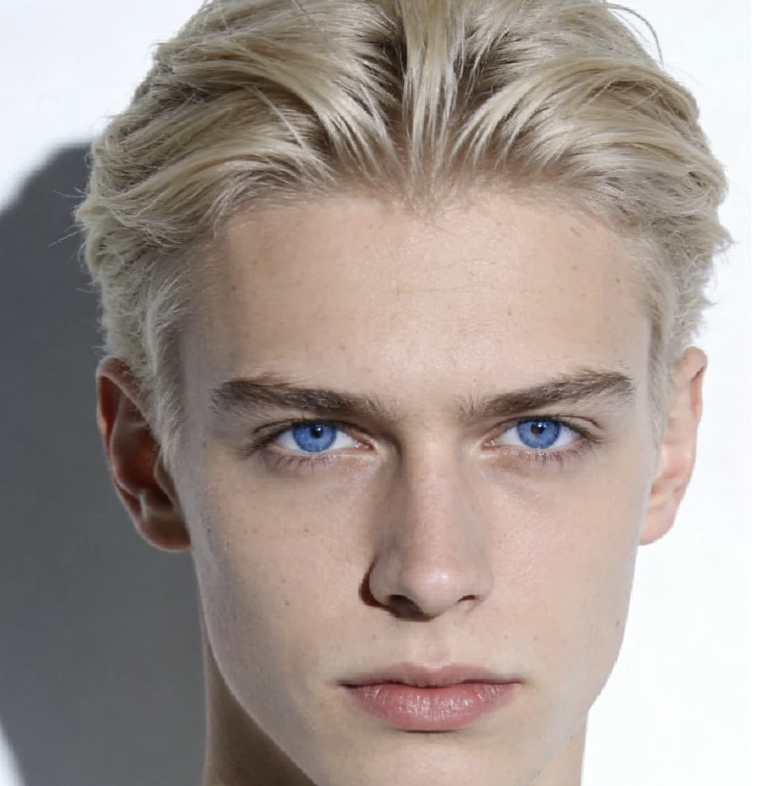
Start the Piercing Filter by uploading a portrait where the nose and face are easy to see. A front-facing or slightly angled image works best because the Nose Piercing Filter can read facial structure more accurately. This first step makes your piercing try on feel closer to a real styling preview.

Choose Image Size
Select the image size that matches your final use, whether you want a square avatar, a vertical post, or a clean portrait preview. The Piercing Filter keeps the face composition balanced while preparing the image for a natural virtual piercing result that fits the selected ratio.

Generate Your Piercing Look
Click generate and let the Piercing Filter add a nose piercing that looks intentional rather than pasted on. The tool adjusts placement, scale, shine, and edge softness so the virtual piercing works with the original photo instead of fighting against it.
Best AI Image Tools for Creative Projects
Explore creative tools for image, learn tips and tricks, and see how AI can be your assistant in turning concepts into finished projects.


Features of Piercing Filter
Piercing Filter focuses on realistic nose jewelry, not random face decoration. It is built to keep portraits recognizable while adding a natural detail that helps users explore personal style with confidence.


Realistic Nose Piercing Placement
- The Piercing Filter studies face angle, nose contour, and visible nostril position before adding jewelry.
- Instead of placing the same mark on every image, the Nose Piercing Filter adapts the result to the portrait.
- This makes each piercing try on more useful for personal styling, selfies, profile photos, and beauty content.


Natural Shine, Shadow, and Skin Blending
- A believable Piercing Filter result depends on more than jewelry shape.
- The tool considers light direction, skin highlights, and local shadows so the added detail does not look flat.
- Use the Piercing Filter when you want a subtle stud, small hoop, or clean nose accent that feels photographed with the original face.


Style Testing Before a Real Piercing
- The Piercing Filter gives you room to test a look before booking an appointment or buying jewelry.
- A piercing try on can help you compare whether a small nose stud, side nostril look, or minimal hoop suits your face.
- Because the Nose Piercing Filter works on your own photo, the preview feels more personal than browsing examples.


Clean Portraits for Social and Creative Use
- Use the Piercing Filter to refresh portraits for social posts, profile images, creative mood boards, or beauty concepts.
- The Piercing Filter keeps the original person recognizable while adding one clear style change.
- The virtual piercing can be subtle enough for everyday style or more visible for editorial images.
Why Choose Piercing Filter
Piercing Filter is built for users who want a believable preview, not a cartoon sticker. It supports personal style decisions, creative edits, and quick visual comparisons with a simple upload-and-generate workflow.

Preview a Nose Stud Before Committing
A real piercing is a personal decision, so the Piercing Filter helps you see the style first. The Piercing Filter lets you test a small nose stud on your own face and check whether it works with your features, makeup, haircut, and daily look.

Compare Subtle and Bold Looks
Use the Piercing Filter to explore how a simple stud feels compared with a more noticeable hoop-inspired style. A controlled piercing try on gives you visual evidence instead of relying on imagination, which is especially helpful when choosing between minimal and statement looks.

Create Beauty Content Faster
Beauty creators can use the Piercing Filter to produce style variations from one clean portrait. The Nose Piercing Filter keeps the face and background stable while adding a fresh accessory detail, making it easier to plan thumbnails, posts, or comparison visuals.

Test Piercing with Makeup and Outfits
A nose piercing can feel different with natural makeup, smoky eyes, streetwear, or formal outfits. The Piercing Filter helps you test that relationship on existing photos, so your virtual piercing preview reflects real styling situations rather than a plain template.

Update Profile Photos Carefully
The Piercing Filter is useful when you want a refreshed profile image without changing everything about the portrait. It adds a focused style detail while preserving expression, face shape, and overall mood, which makes the edit feel intentional and easy to recognize.

Plan a Piercing Conversation
If you are discussing placement with a piercer or asking friends for feedback, Piercing Filter can provide a clear starting image. A realistic Nose Piercing Filter result makes it easier to explain the look you like before making any permanent choice.
What Users Say About Piercing Filter
Users choose the Piercing Filter when they want a realistic nose piercing preview for personal decisions, beauty content, profile updates, and creative portraits. Here is how different users apply it.
I wanted a nose stud for months but could not picture it on my own face. The Piercing Filter gave me a surprisingly practical preview. The placement looked soft, the shine was not exaggerated, and I could show the image to friends before deciding. It felt like a realistic piercing try on rather than a random beauty effect.
As a portrait photographer, I use the Piercing Filter when clients want alternative styling references without reshooting. It keeps the original lighting and face structure intact, which matters a lot. The virtual piercing looks clean enough for mood boards and pre-shoot planning, especially when we need fast visual options.
The Nose Piercing Filter helped me compare a tiny stud with a more visible side detail. I liked that the image still looked like me, not a filtered version of someone else. For anyone unsure about placement or size, the Piercing Filter is a helpful first step before visiting a piercing studio.
I needed a quick creative portrait edit for a music cover concept. The Piercing Filter added just enough edge without changing the entire face. The result looked polished, and I could choose the image ratio before generating. It saved me from manually editing jewelry overlays in separate design software.
I tried the Piercing Filter on several selfies with different makeup looks. The tool handled each image differently, which made the previews feel more honest. The virtual piercing did not cover my nose awkwardly or look too large. It helped me understand which style matched my everyday appearance best.
For social content, I often need small changes that create a new mood without a full redesign. The Piercing Filter is useful because it adds one clear accessory detail while keeping the portrait natural. The piercing try on result is subtle enough for personal photos and sharp enough for visual experiments.


FAQs About Piercing Filter
Learn how the Piercing Filter works, which photos perform best, and how to use a realistic nose piercing preview for personal styling, creative portraits, and social content.
The Piercing Filter is an online photo tool that adds a realistic nose piercing to a portrait. You upload an image, choose an image size, and generate a styled result. The tool focuses on natural placement, believable shine, and skin blending, so the added jewelry looks connected to the original face rather than pasted on top.
The Nose Piercing Filter works best with clear portraits where the nose is visible and not heavily covered by hands, hair, shadows, or accessories. Front-facing images and slight three-quarter angles usually produce the most reliable result. Good lighting also helps the Piercing Filter match jewelry shine and shadow with the original photo.
Yes. The Piercing Filter is designed as a piercing try on tool for people who want to preview a nose piercing before making a real decision. The Piercing Filter cannot replace advice from a professional piercer, but it can help you understand whether a style suits your face, outfit, makeup, and personal taste.
A virtual piercing result depends on the uploaded image, face angle, and lighting, but the Piercing Filter is built to create a natural-looking preview. It adjusts scale, placement, and brightness to fit the portrait. For best results, use a sharp image with balanced lighting and avoid photos where the nose is blurry.
The Piercing Filter is mainly designed for nose piercing previews, especially subtle studs and small nose jewelry effects. It may not replace a full jewelry design editor, but the Piercing Filter is useful when you want a fast, focused, and natural Nose Piercing Filter result on a personal portrait or creative image.
No design experience is needed. The Piercing Filter removes the need for manual masking, layer blending, or jewelry overlay editing. The Piercing Filter workflow is simple: upload your portrait, choose the image size, and generate. This makes the tool accessible for casual users, creators, photographers, and anyone testing a new look.
Yes. Many users apply the Piercing Filter to profile images, social posts, beauty edits, and concept visuals. The key is to start with a photo you have the right to use. A natural virtual piercing can refresh a portrait without making the overall image feel over-edited or disconnected from your real appearance.
If the Piercing Filter result feels too subtle, try a clearer image, a closer portrait crop, or a photo with stronger light on the nose area. If it feels too noticeable, choose a more natural selfie and avoid harsh shadows. The quality of the original image strongly affects any piercing try on result.
The Piercing Filter is useful for personal style exploration, but it should be treated as a visual preview, not medical or piercing placement advice. A professional piercer can explain anatomy, healing, jewelry material, and safe placement. Use the virtual piercing image as a reference for taste, not as a final technical plan.
Try a Nose Piercing Before You Commit
Upload your portrait and use the Piercing Filter to create a natural nose piercing preview. Pixomi AI makes piercing try on simple, visual, and easy to compare before you choose your next look.
